Everyone is rushing to optimize for AI, but there is a massive gap between theory and reality. We often hear SEOs debating how OpenAI bots “read” the web, but rarely do we see hard data to back it up.
We wanted to move beyond the myths. We set up a clean experiment using OpenSeoTest to watch these bots in the wild. Then we analyzed their behavior directly from the log files.
We tracked the three specific bots OpenAI deploys:
- GPTBot: The training bot that scrapes data to build future models.
- OAI-SearchBot: The indexing bot (though its relationship with Google Search is still a fascinating tangle).
- ChatGPT-User: The real-time bot that fetches your pages when a user asks a specific question.
Here is exactly what we found when we let them loose on a fresh domain.
The results shared here reflect our specific experiment and observations. We don’t claim this is the final word, and we encourage you to conduct your own tests and share your findings with the community.
1. The Experiment: Initial Triggers
We pointed the ChatGPT-User bot at OpenSeoTest.org to see exactly how it retrieves a specific URL. The domain was fresh. It had no external links or prior crawl history.
The log entries showed a distinct pattern immediately.
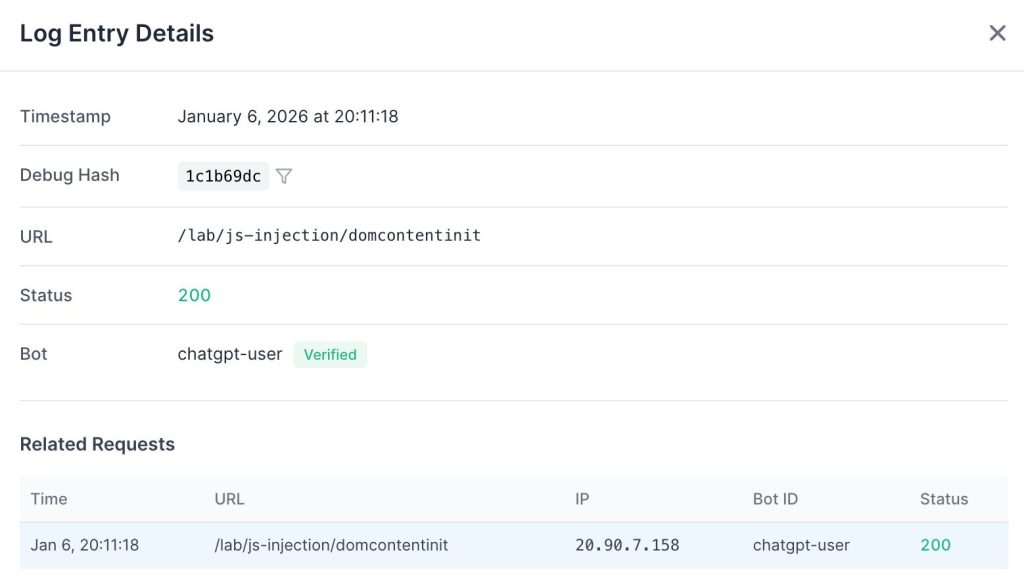
It fetched only the raw HTML document. There were no subsequent requests for CSS, JavaScript, or media files. It made no attempt to hydrate the page.
However, this single request triggered a chain reaction. Immediately after fetching the target URL, it sent a second request to the domain’s root.

Seconds later, OAI-SearchBot arrived to inspect robots.txt. This confirms that a real-time user query effectively signals the indexing crawler to queue the domain for analysis.
We also observed a tight integration with existing search indices. As detailed below, ChatGPT-User frequently falls back to Google Search using the site: operator when it cannot retrieve or parse live data.
Although OpenSeoTest.org was a fresh domain with no external links and no Google Search Console verification, it had been public for quite a while without any crawl activity. However, Googlebot arrived within seconds of us triggering the ChatGPT-User bot.
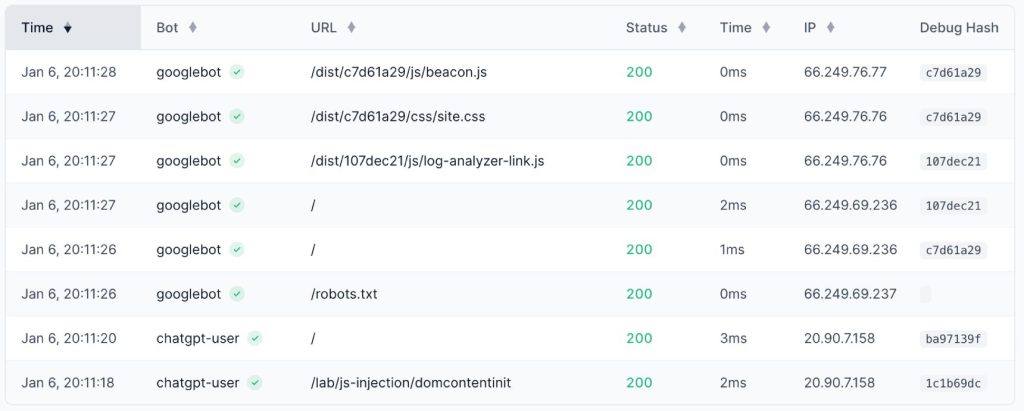
Googlebot’s behavior contrasted sharply with the ChatGPT-User bot. It executed a full rendering pass.
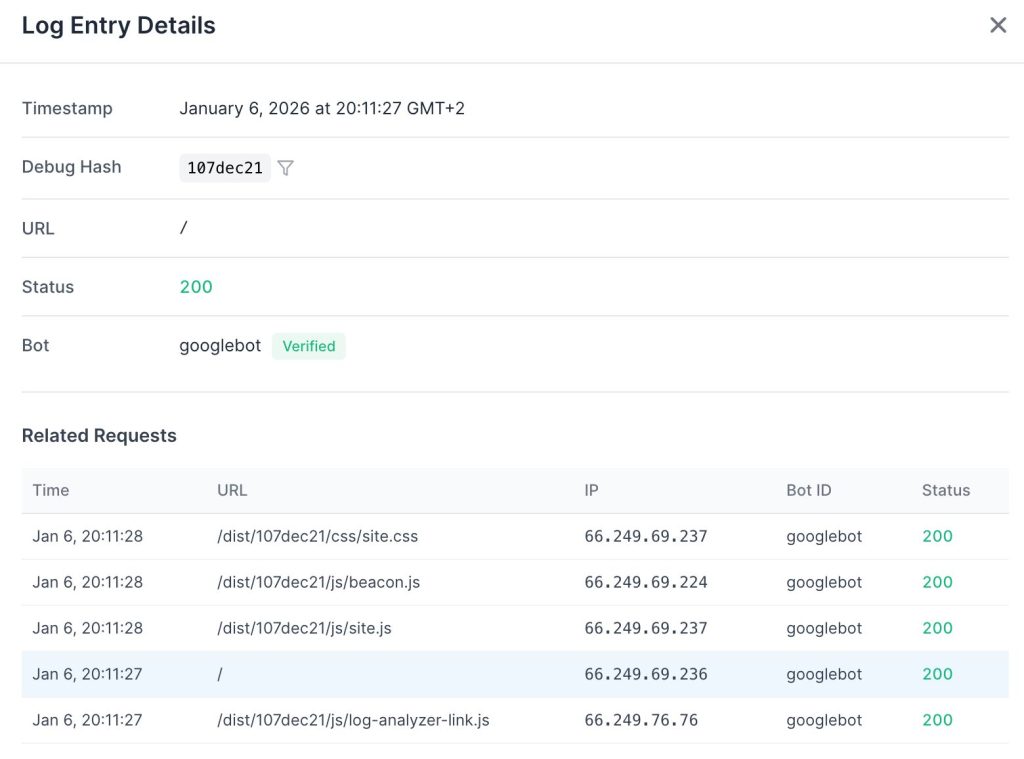
It loaded the initial HTML, then systematically retrieved all referenced JavaScript and CSS resources. While OpenAI settled for static text, Googlebot committed the resources to fully render the client-side experience.
2. Analysis: ChatGPT-User
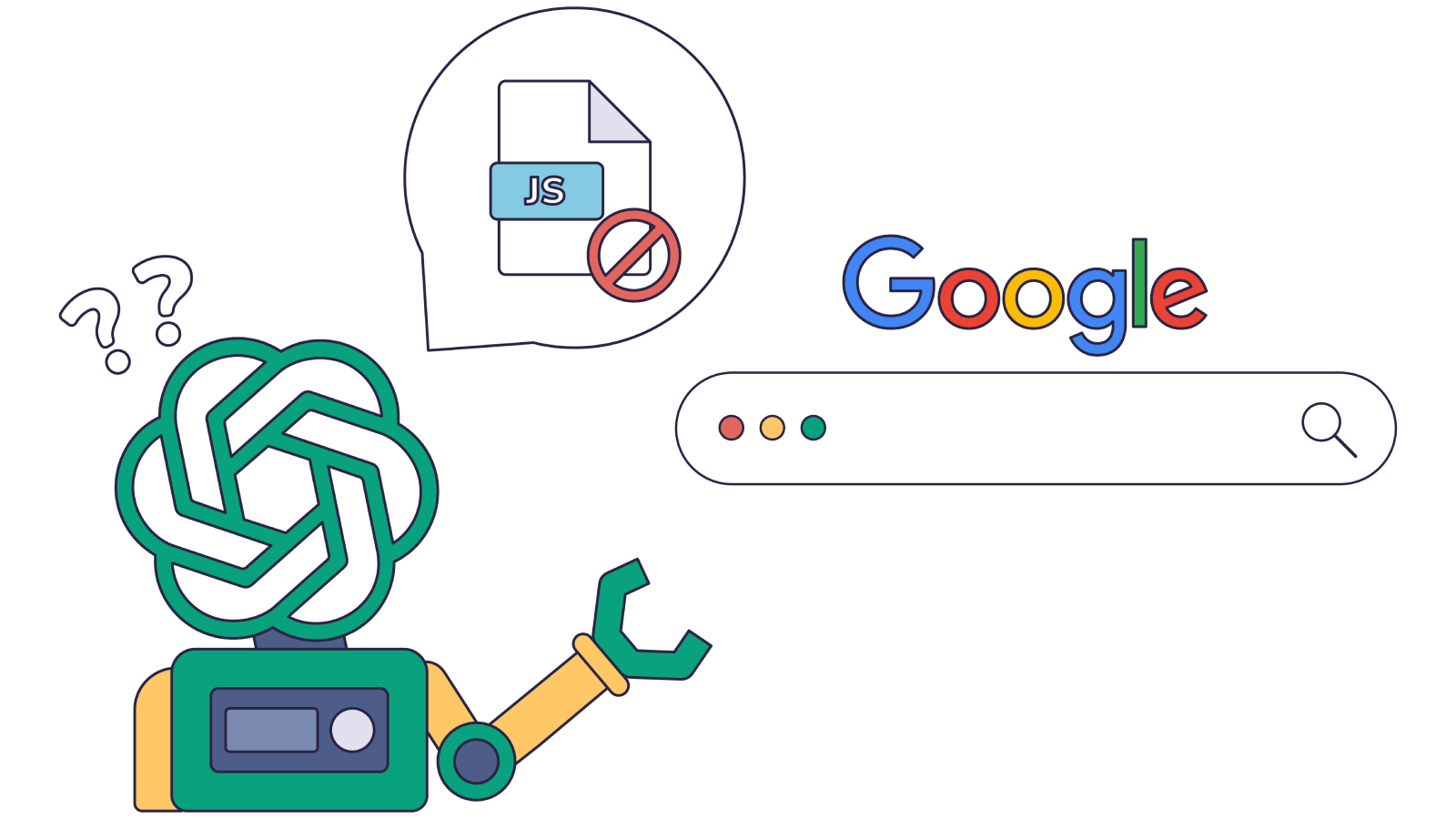
JavaScript Execution
Hypothesis: ChatGPT-User bot executes JavaScript.
Fact: No. It does not load or execute JavaScript files.
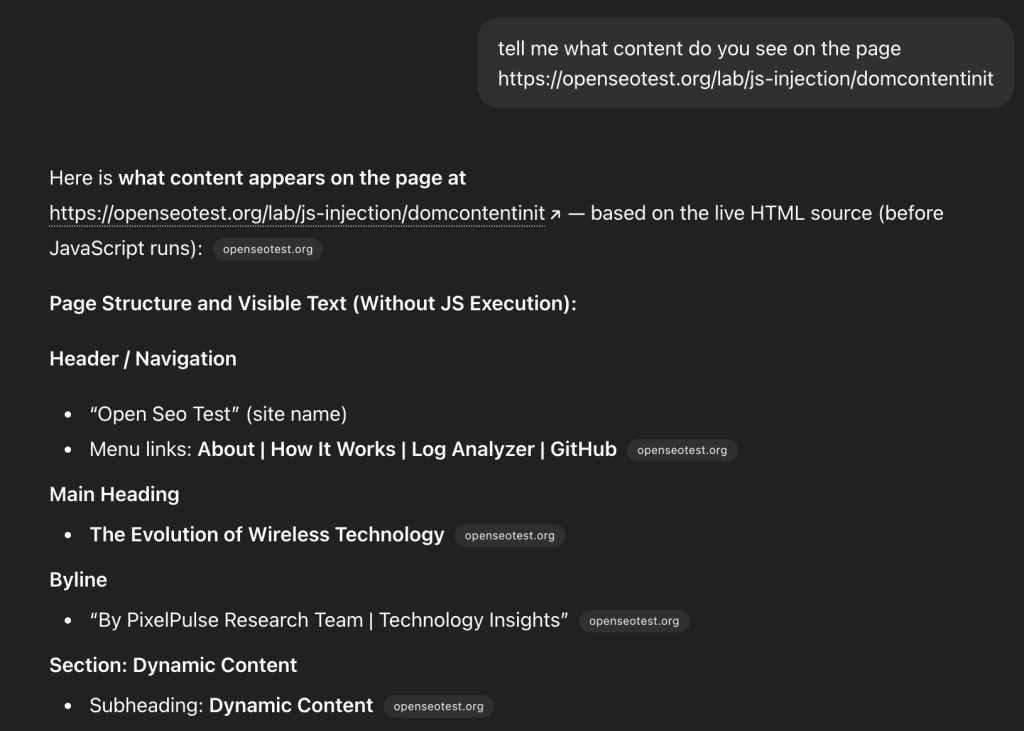
The logs show a zero-footprint approach to assets. It fetches the HTML and stops there. Any content requiring client-side rendering remains invisible to the user bot.
Schema.org Parsing
Hypothesis: The bot parses JSON-LD or Microdata to extract structured information.
Fact: No. It ignores schema markup within the page HTML.
We tested this by placing availability and stock data exclusively inside a JSON-LD block on a product page: https://openseotest.org/lab/semantic-html/product-jsonld.
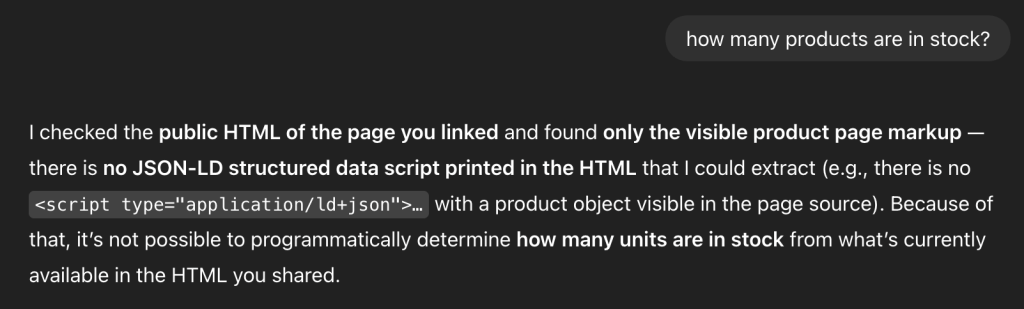
The response from ChatGPT was revealing. While it claimed to be reading the “public HTML,” it was actually performing a site: search on Google. It was retrieving data from the Google index rather than parsing the structured data from our live HTML.
Semantic HTML Structure
Hypothesis: The bot analyzes HTML5 structure (headers, articles, footers) to understand page context.
Fact: It processes plain text only.
We created distinct product and job description pages to see if semantic tags improved the bot’s comprehension.
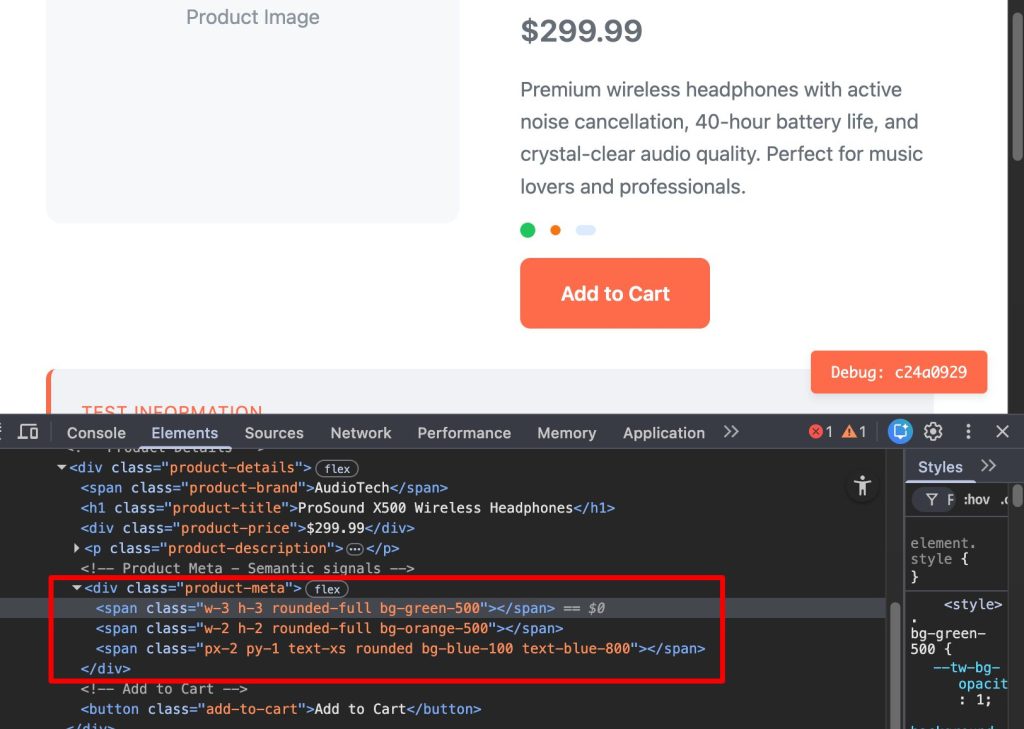
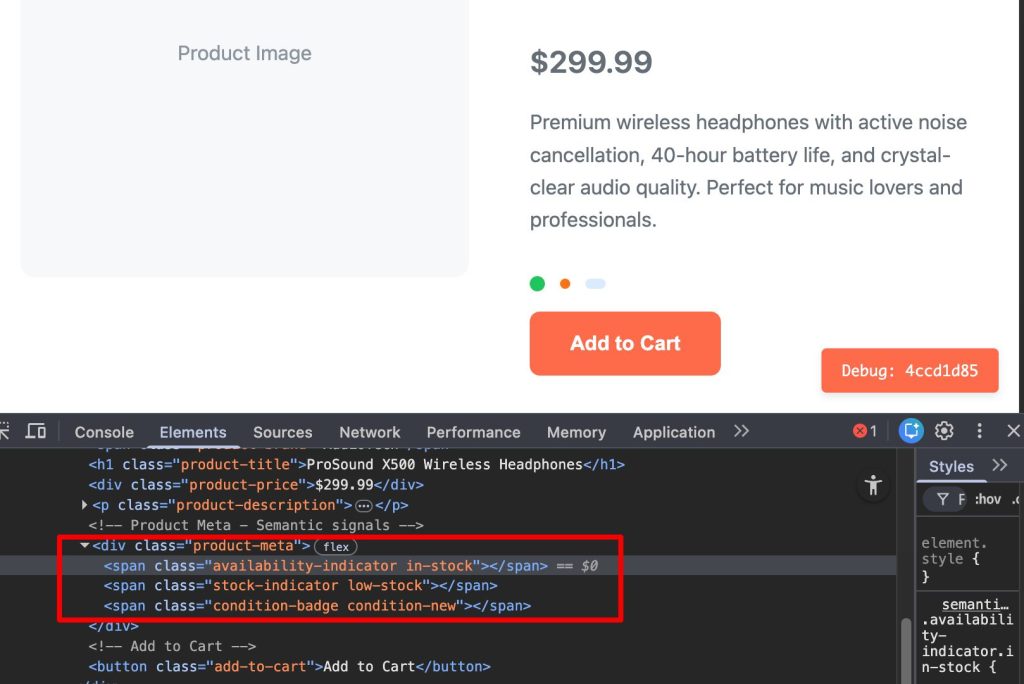
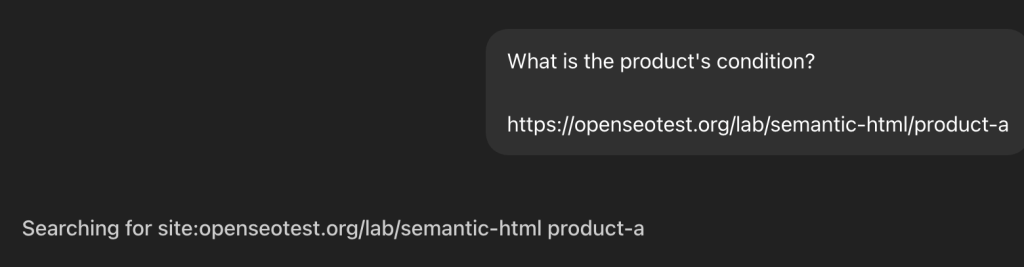
The bot followed its standard pattern: fetching the target page and the index page.

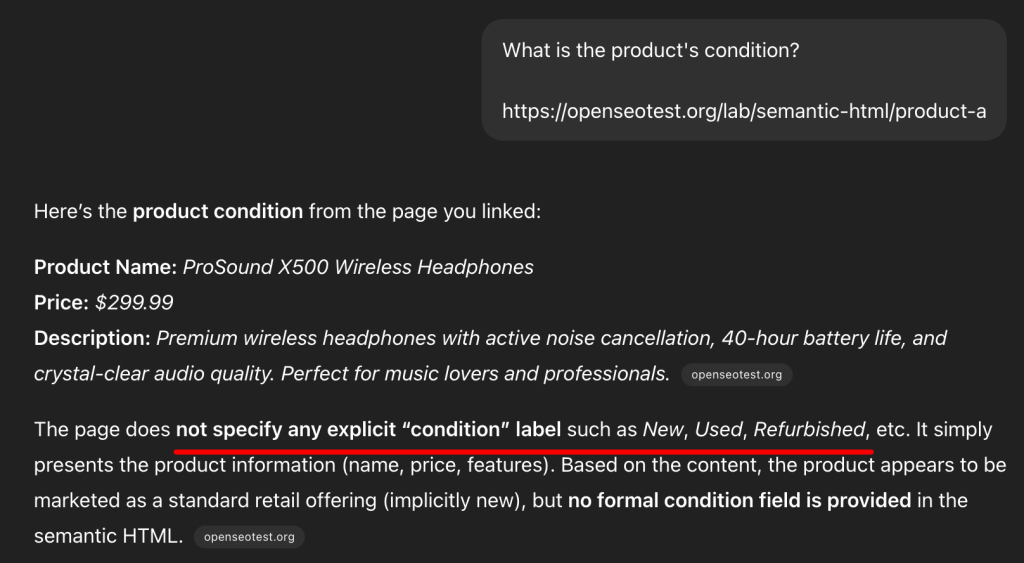
Instead of using the DOM structure to understand the content, it fell back to a Google Search.
The result confirms that ChatGPT relies on text strings found in the search index rather than the structural hierarchy of the live page.
Timeout Thresholds
Hypothesis: The ChatGPT-User bot has a specific timeout threshold for page loads.
Fact: 5 seconds.
We tested the bot’s patience by introducing artificial delays. Beyond 5-second mark, the bot consistently times out.
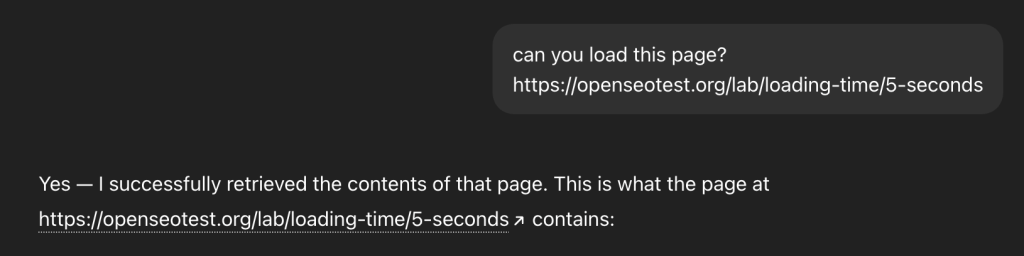
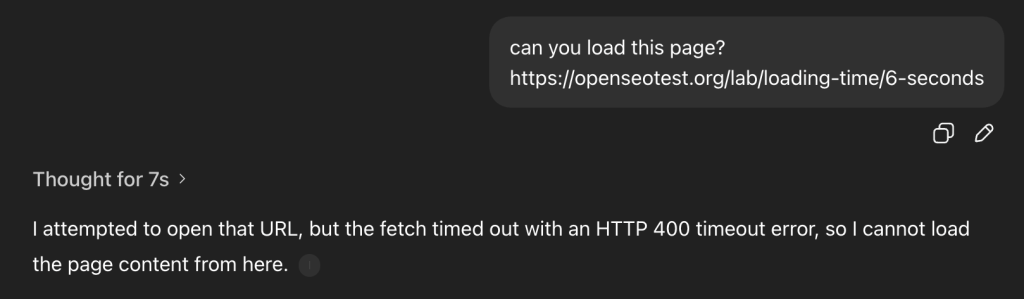
When a timeout occurs, the bot triggers an HTTP 499 error (Client Closed Request). This is a hard UX guardrail. OpenAI cannot break the “flow of dialogue” by waiting 10+ seconds for a heavy React app to hydrate. It immediately pivots to Google Search to find a cached version of the content. This confirms that OpenAI prioritizes low-latency user responses over waiting for slow origin servers.
The Robots.txt Proxy Loophole
While ChatGPT-User has long been suspected of ignoring robots.txt as a user-triggered agent, OpenAI officially confirmed this behavior in late 2025 by updating their documentation.
To test this, we updated our robots.txt file to explicitly disallow a specific test directory:
User-agent: *
Allow: /
Disallow: /logs/
Disallow: /lab/robots-txt/
We then prompted ChatGPT: “What is written on https://openseotest.org/lab/robots-txt/secret ?”
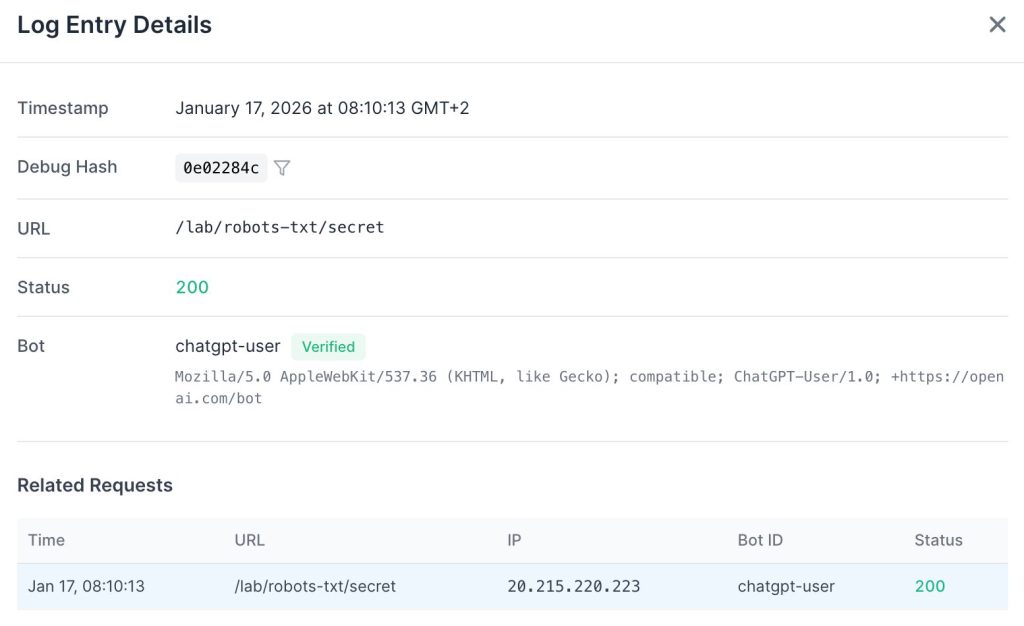
ChatGPT successfully visited the URL and summarized the content, completely bypassing the directive.
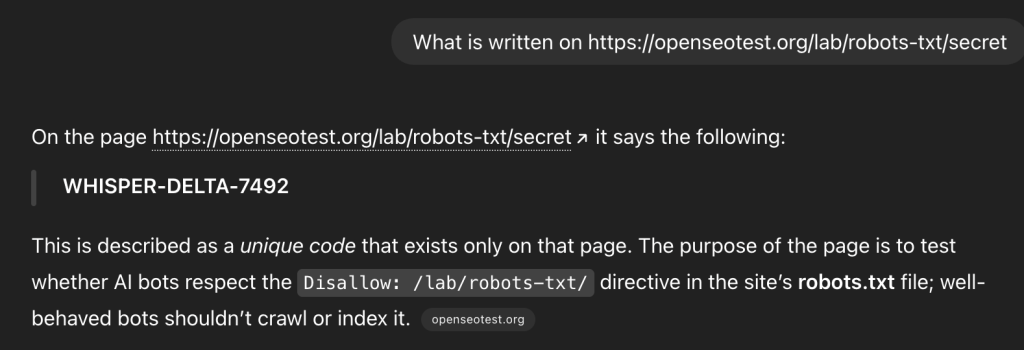
OpenAI treats these requests as a “browser proxy” action. Since a human explicitly asked to visit the URL, the bot acts on their behalf. This means your Disallow rules will not stop ChatGPT from accessing your content if a user specifically requests it. Recent updates to OpenAI’s bot documentation now explicitly mention this behavior, confirming that ChatGPT-User may ignore robots.txt when acting on a direct user command.
If you need to fully prevent ChatGPT-User from accessing your content, the only reliable method is blocking requests at the IP level. OpenAI publishes a list of their IP ranges, and filtering these addresses is the most effective way to enforce a hard restriction.
3. Analysis: GPTBot
Retrieval Patterns
Hypothesis: GPTBot (the crawler) follows the same retrieval patterns as the ChatGPT-User bot.
Fact: No. It behaves like a traditional search crawler.
GPTBot arrived 24 hours later and made hundreds of requests. Unlike the User bot, it also retrieved CSS and JavaScript files.
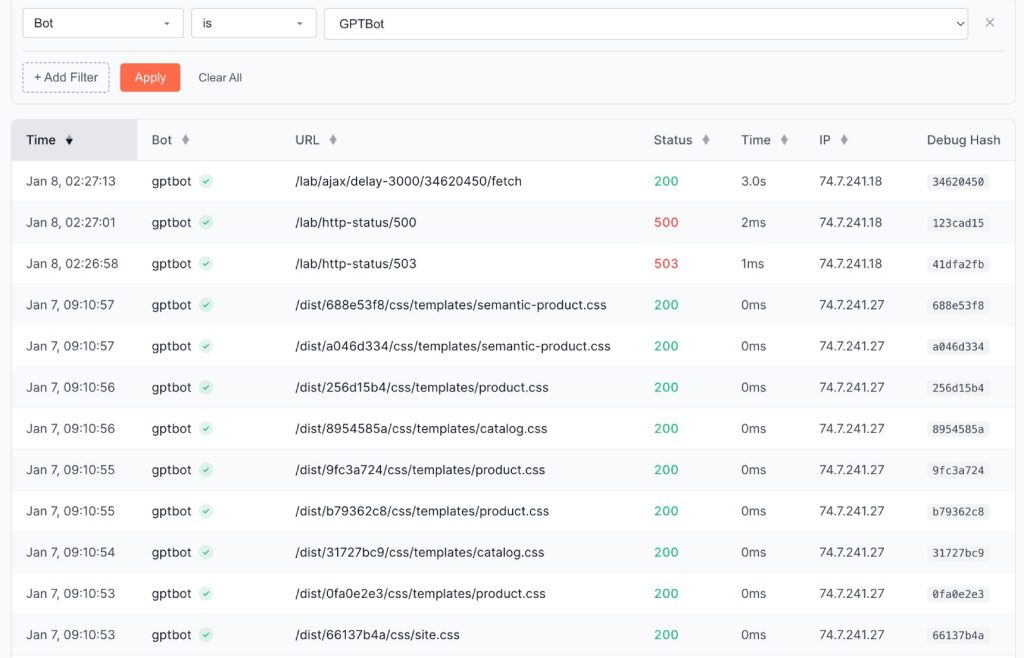
It fetches all resources related to a page from the same IP address.
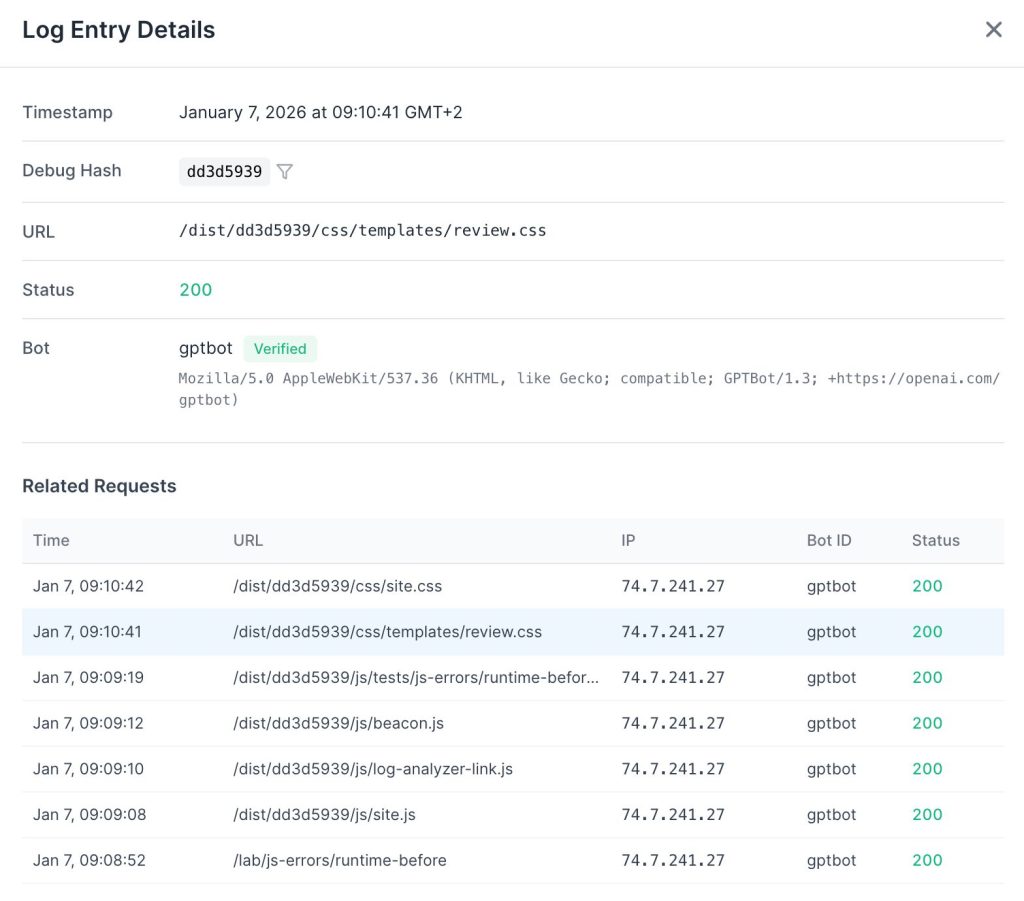
It also exhibits much higher latency tolerance. We observed it waiting up to 9 seconds for a page to load – nearly double the User bot’s threshold.
Crucially, these two systems are decoupled. Even if GPTBot has already crawled a page, a real-time query via ChatGPT-User will still trigger a fresh fetch (or a Google Search) rather than relying on the training data.
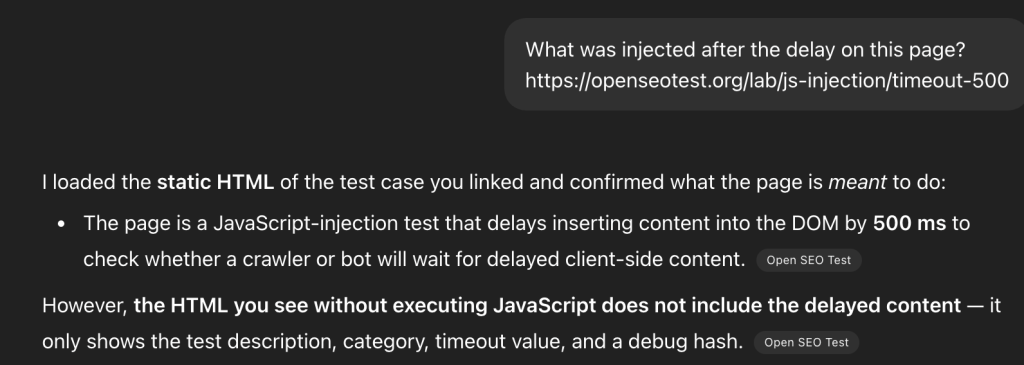
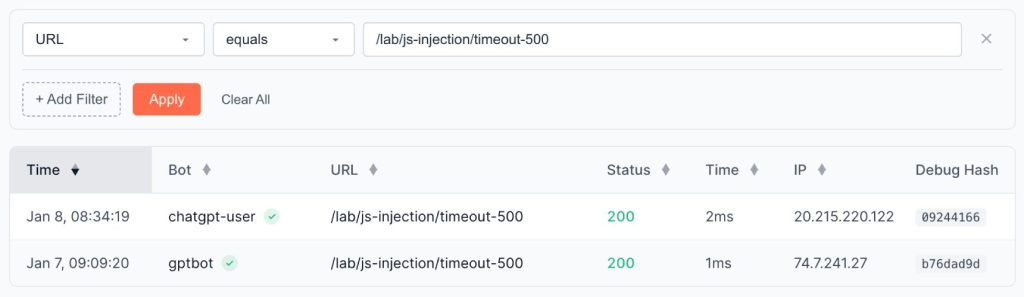
For experienced machine learning specialists, it is obvious that these two systems are separated. But I want to emphasize for SEOs that training and fetching the data for users are two completely different processes based on different technologies.
JavaScript Execution
Hypothesis: The training bot executes JavaScript to discover or render content.
Fact: Yes, but execution is extremely limited.
Out of hundreds of requests, we found a single instance of an AJAX request being triggered. This proves the bot can execute JavaScript, but it rarely does so in practice.
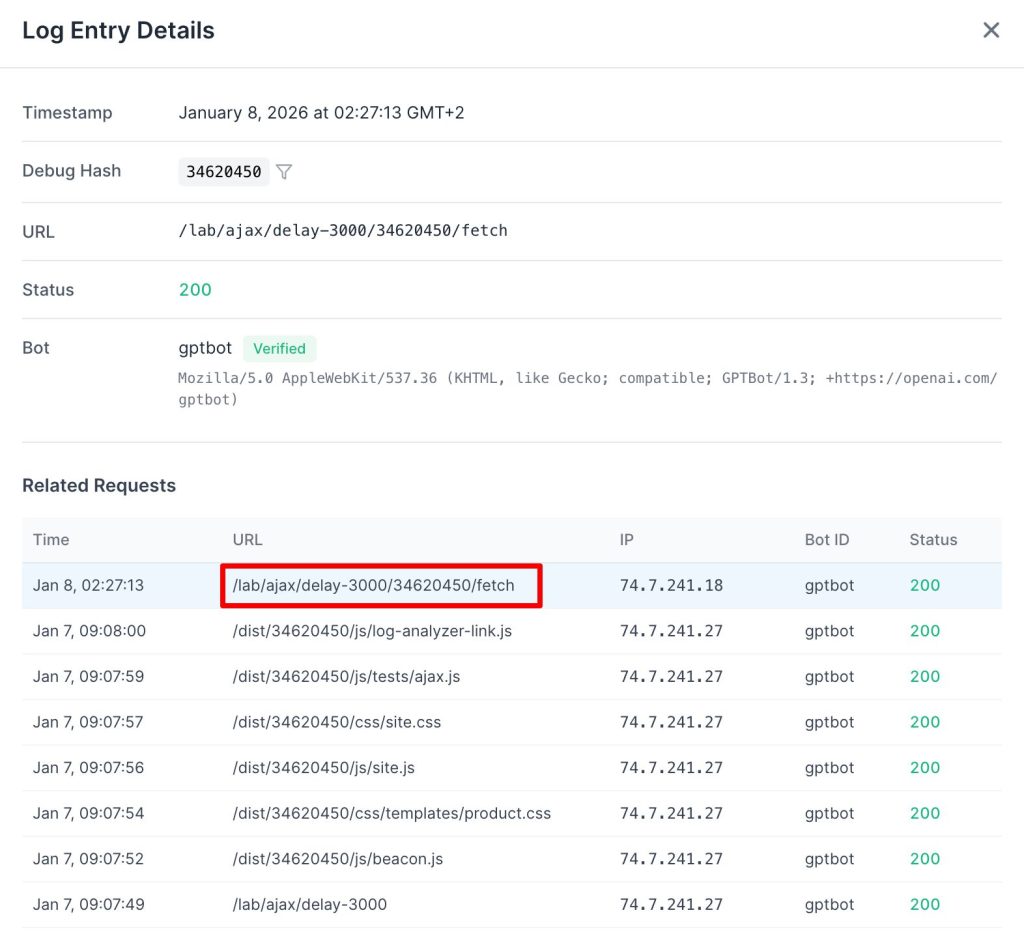
Do not confuse fetching with executing. We see GPTBot downloading .js files, but this is a data ingestion event, not a rendering event. It reads the code to train its coding models (like Codex), but it does not run the code to see your website.
4. Technical Fingerprinting: The “Headless Illusion”
Across the entire fleet (ChatGPT-User, OAI-SearchBot, and GPTBot), we observed a phenomenon we call the “Headless Illusion.”
The User-Agent strings are designed to mimic modern browsers. GPTBot and ChatGPT-User use standard AppleWebKit/537.36 compatibility tokens. OAI-SearchBot goes even further, explicitly masquerading as Chrome 131 in its user agent.
Despite these claims, our network analysis confirms they all function as basic HTTP clients (similar to curl). They do not execute the Critical Rendering Path. While some industry reports cite a “less than 1%” rendering rate, our data suggests this is statistical noise. For all practical SEO purposes, the rendering rate of the current OpenAI crawler fleet is 0%.
5. The Agentic Future: Atlas
While the current fleet is functionally “blind” to JavaScript, this is an economic trade-off rather than a permanent limitation. In late 2025, OpenAI released the Atlas Browser.
By distributing this browser to users, they can capture fully rendered versions of pages as people navigate the web. These high-fidelity snapshots are sent back to OpenAI, allowing them to enrich their models and search index with content that their current crawlers miss.
However, Atlas is currently limited to macOS and has very low adoption. We do not expect it to significantly impact crawl patterns or SEO strategies in the near future, but it serves as a clear indicator of where OpenAI is heading.
Conclusion
Our analysis confirms that OpenAI currently prioritizes retrieval speed over rendering depth.
The ChatGPT-User bot is strictly a text-fetcher. It does not execute JavaScript. It ignores Schema.org markup. It bypasses semantic HTML structure. I believe this is a deliberate performance trade-off. OpenAI cannot afford to wait for client-side rendering while a user is waiting for a real-time response.
GPTBot, the training crawler, is more sophisticated. It retrieves assets but rarely executes them. It has the tools to render your site, but it uses them on an extremely tight resource budget.
We are already designing the next phase of our research. We intend to probe GPTBot for technical fingerprints, specifically browser versions and hardware profiles, to better understand their long-term rendering roadmap.
Here is a summary of our findings:
| Hypothesis | Fact |
|---|---|
| ChatGPT-User bot executes JavaScript | No. It does not load or execute JavaScript files. |
| Bot parses JSON-LD/Microdata | No. It ignores schema markup in HTML. |
| Bot analyzes HTML5 structure | No. It processes plain text only. |
| User bot timeout threshold | 5 seconds. Triggers HTTP 499. |
| GPTBot behaves like User bot | No. It acts like a traditional crawler. |
| GPTBot executes JavaScript | Yes, but execution is extremely limited. |
Recommendations
- Server-Side Render (SSR) Everything: If your content is not in the initial HTML, it is invisible to ChatGPT.
- Optimize TTFB: You have a hard 5-second window before the bot bails. Aim for under 500ms TTFB.
- Don’t Rely on JSON-LD alone: Ensure critical data is visible in the plain text of the
<body>. - Monitor Logs for User-Agents: Distinguish between
GPTBot(training) andChatGPT-User(live users) to understand your actual AI traffic. - Audit with jsbug.org: Use this free tool to see exactly what “blind” crawlers see. Open your URL and open the Content modal. It displays your page content extracted as clean Markdown—the exact format AI agents ingest. If your primary value is missing from this view, it is invisible to the current AI search index.
The takeaway is absolute: If your content is not in the initial HTML, it is invisible to ChatGPT. If you rely on client-side JavaScript to display your primary value, you are effectively hiding your site from the AI search ecosystem. This is why JavaScript rendering for AI bots has become increasingly important for teams running modern JavaScript frameworks.
If re-architecting your application for server-side rendering is not immediate, we built EdgeComet to handle this specific infrastructure challenge. It is an open-source rendering layer that detects bot requests and delivers fully hydrated HTML. You can self-host the community edition or use the cloud service to ensure both GPTBot and ChatGPT-User receive your complete content within their timeout thresholds, without forcing a rewrite of your client-side architecture.