Technical SEO for JavaScript sites is the practice of ensuring search engine bots and AI crawlers can discover, render, and index content built with modern frontend frameworks like React, Next.js, and Vue. This guide is written for JavaScript developers, engineering leads, and technical SEOs who need to understand how crawler behavior affects single-page applications and what architectural decisions keep content visible to bots.
Every day, millions of log lines flow through EdgeComet’s servers. We talk with customers, dig into rendering issues alongside their developer teams, and keep running into the same problems, pages invisible to AI crawlers, meta tags that exist only after JavaScript executes, internal links that no bot can follow. This article comes from that accumulated experience, not from theory, but from watching how crawlers actually behave when they hit JavaScript-heavy frontends in production.
I want to address something upfront. Many developers hear “SEO” and think keyword stuffing, shady link schemes, or something the marketing team worries about. I used to think the same way. But modern technical SEO has nothing to do with that. It is an engineering discipline. The goal is straightforward: make sure that search engine bots and AI crawlers can actually read your website’s content.
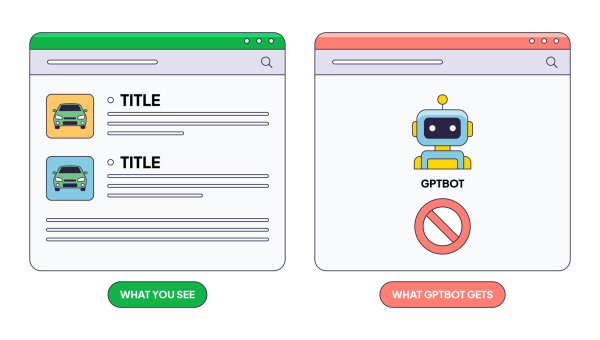
Here is the problem. AI bots, GPTBot (ChatGPT), ClaudeBot (Claude), PerplexityBot execute zero JavaScript. None. Your React app ships a <div id="root"></div> and a JavaScript bundle. These bots see the empty div and move on. Your entire application is invisible to them.
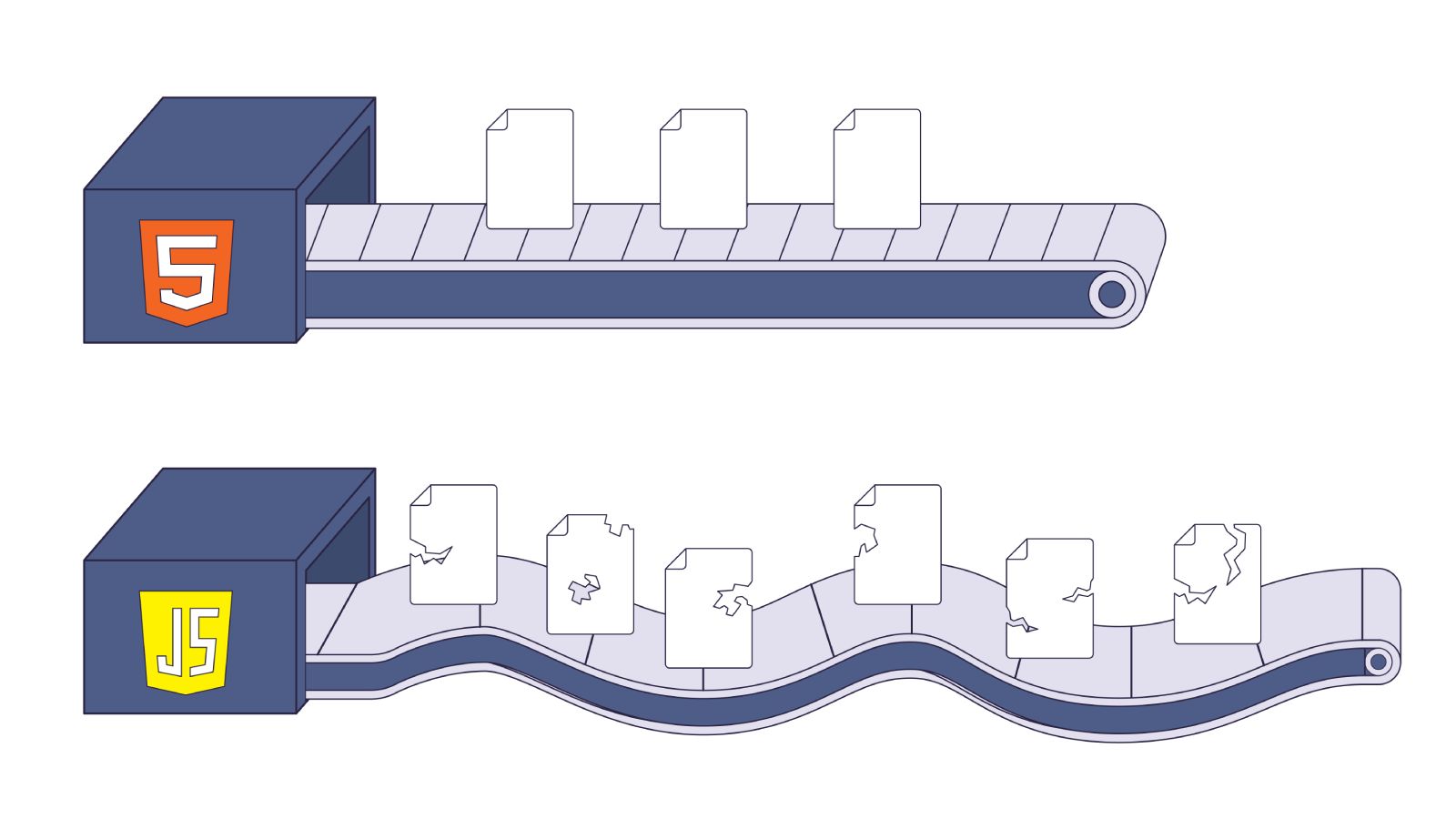
Googlebot can execute JavaScript. But it does so through a render queue that processes your pages 9 times slower than plain HTML. At 100,000 pages, that delay compounds into months of missing search results.
Both problems are architectural. You cannot fix them with a plugin or a config change. You fix them by understanding how crawlers work and building your pages accordingly. This article walks through the specific patterns that break crawlability in React applications and shows the server-side alternatives that work for every bot. We reference Google’s official documentation throughout; this is not opinion.
How JavaScript SEO Works: Crawling, Rendering, and Indexing
Before diving into specific patterns, I want to establish a foundation. Every recommendation in this article traces back to one fact: crawlers do not experience your website the way a browser does.
Pages that rely on JavaScript go through a three-phase process: crawling, rendering, and indexing. How each phase works, and where it breaks, depends on which bot is visiting.
Googlebot’s render pipeline
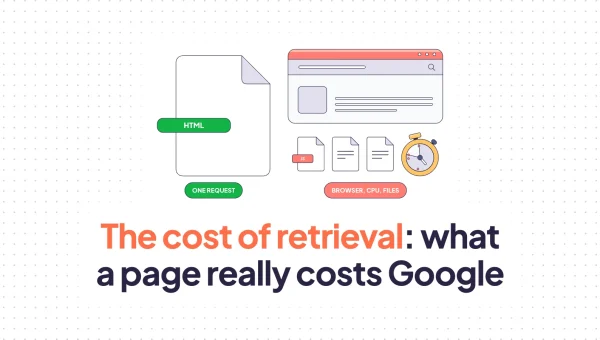
When Googlebot visits a URL, it does not immediately open a browser and run your JavaScript. That would be too expensive at internet scale. Instead, it follows a multi-step pipeline:
- The crawl (HTTP phase): Googlebot performs an HTTP GET request. It immediately analyzes the raw HTML for links (
<a href>) and content. This is fast, a few hundred milliseconds. - The decision gate: If the HTML contains enough content (a server-rendered page), Googlebot may index it right away. If it finds an empty shell (a blank
<div id="root"></div>), it flags the URL for rendering. - The render queue: The URL enters a global queue shared across the entire internet. This queue is managed by Google’s Web Rendering Service (WRS), which runs a headless version of Chromium.
- Execution: When resources become available, the WRS spins up a Chromium instance, downloads your JavaScript bundle, executes it, resolves Promises, fires
setTimeoutcallbacks, and constructs the DOM. - Snapshot and index: The rendered DOM is flattened into HTML and sent to the indexing system.
The critical detail is step 3. The render queue is not instant. Independent testing has shown that Googlebot can take roughly 9 times longer to fully crawl and index JavaScript-rendered pages compared to equivalent static HTML. In controlled experiments, HTML pages reached full indexation within a couple of days, while their JavaScript-only counterparts took nearly two weeks. Links injected via JavaScript took twice as long to be discovered and followed as links present in the raw HTML.
The WRS runs an evergreen Chromium build, so it supports modern JavaScript (ES6+, fetch, IntersectionObserver, Shadow DOM v1). But “can execute” and “will execute promptly” are different things. Google has finite compute resources, and your pages compete for CPU time against billions of other URLs.
There is another detail about the WRS worth knowing. It is not simply millions of headless Chrome instances fetching pages end-to-end. When we dig into server logs, we see that requests for the HTML page, JavaScript bundles, and CSS files often arrive from different IP addresses. Google runs a heavily distributed system with aggressive caching at every layer. This has a practical consequence for deployments. We have seen cases where a team pushes a code update but keeps the same bundle filenames, the WRS renders the page with cached versions of the old JavaScript, and stale content ends up in the index while everything looks correct in the browser. Your build pipeline needs to produce new, unique file hashes on every deployment so Google’s cache fetches the fresh assets.
The render queue delays, the distributed caching, the compute constraints, Google’s own documentation cuts through all of it with a direct recommendation: server-side or pre-rendering, because it makes your site faster for both users and crawlers, and because “not all bots can run JavaScript.” Google can – eventually. Most others cannot at all.
This is why JavaScript SEO rendering has become a critical consideration for teams building modern React applications.
How AI сrawlers handle JavaScript – and why most don’t execute it
GPTBot, ClaudeBot, CCBot (Common Crawl), and PerplexityBot operate under a fundamentally different architecture. They do not execute JavaScript at all. This is not a bug or a temporary limitation, it is a design choice. Running headless browsers at the scale of billions of pages is computationally prohibitive for AI training and retrieval pipelines.
Vercel’s analysis of traffic patterns showed that GPTBot performed 569 million fetches in their sample period, compared to Googlebot’s 4.5 billion. Despite this massive volume, AI bots did not trigger JavaScript execution. They fetched JS files as text assets (likely for code training data) but did not run them to render page content.
We verified this independently through OpenSeoTest.org, an open testing platform we built specifically to benchmark bot behavior. Our tests use a debug hash mechanism that deterministically proves whether a bot fetched sub-resources or stopped at the HTML. The results are unambiguous. ChatGPT-User executes zero JavaScript and times out after 5 seconds. Gemini’s real-time bot, which uses an undocumented “Google” user agent, separate from Googlebot, also executes zero JavaScript and times out after just 4 seconds. GPTBot downloads .js files, but our logs show this is a data ingestion event for training, not a rendering event. For detailed breakdowns, see our OpenAI bot research and Gemini bot research.
What this means in practice: if your React app relies on client-side rendering, AI bots see an empty HTML shell. Your product descriptions, blog posts, pricing information, all invisible. Your site does not exist in the context of AI-powered search (ChatGPT Search, Perplexity answers, Claude).
The one principle: critical content must be in the initial HTML
For any content to be visible to all crawlers, it must exist in the initial HTML response. This single principle drives every recommendation in the rest of this article. If it is not in the raw HTML that the server sends back, you cannot rely on bots seeing it.
Meta tags in JavaScript frameworks: why client-side injection breaks
Meta tags in the <head> serve a specific purpose: they help search engines understand what a page is about before parsing the body. The <title> element defines the page’s topic and appears as the clickable headline in search results. The <meta name="description"> provides a page summary that Google may use as the search snippet. These tags exist in <head> for a reason, crawlers read them first, before anything else on the page. They are part of the contract between your page and the search engine.
I have seen this pattern in almost every React codebase I have audited. The developer wants to set the page title, meta description, and Open Graph tags dynamically. The natural instinct is to use a useEffect hook or a library like react-helmet.
Here is what that looks like:
// React component with client-side meta tag injection
import { useEffect } from 'react';

function ProductPage({ product }) {
  useEffect(() => {
    document.title = product.name;

    const metaDescription = document.querySelector('meta[name="description"]');
    if (metaDescription) {
      metaDescription.setAttribute('content', product.summary);
    }

    const ogTitle = document.querySelector('meta[property="og:title"]');
    if (ogTitle) {
      ogTitle.setAttribute('content', product.name);
    }
  }, [product]);

  return <div>{/* product content */}</div>;
}
This feels reasonable. The component mounts, the effect runs, the tags update. Users see the correct title in the browser tab. But crawlers do not experience the page like users do.
AI bots fetch the raw HTML and see whatever default <title> the server shipped, probably “React App” or an empty string. The useEffect never runs. The bot indexes your product page with no title and no description. Social scrapers (Facebook, Twitter/X, LinkedIn, Slack) also skip JavaScript execution. Every shared link shows a broken preview card.
Googlebot sees the raw HTML first during the crawl phase. It records the default metadata. Later, when the page moves through the render queue, Googlebot executes the JavaScript and discovers the real tags. But the initial crawl snapshot already captured the wrong data, and the render pass can be days or weeks later.
The react-helmet library has the same problem. It operates as a client-side side effect, patching document.head after the component tree mounts. It is also not thread-safe for React 18/19 streaming SSR, which makes it unsuitable for modern architectures.
The fix is to generate metadata on the server. In Next.js (App Router), the generateMetadata function runs entirely on the server. The HTML byte stream already contains the correct tags before any JavaScript executes:
// app/product/[id]/page.tsx
import { Metadata } from 'next';

type Props = {
  params: Promise<{ id: string }>;
};

export async function generateMetadata({ params }: Props): Promise<Metadata> {
  const id = (await params).id;
  const product = await fetch(`https://api.example.com/products/${id}`)
    .then((res) => res.json());

  return {
    title: product.name,
    description: product.summary,
    openGraph: {
      title: product.name,
      description: product.summary,
      images: [product.heroImage],
    },
    alternates: {
      canonical: `https://www.mysite.com/product/${id}`,
    },
  };
}

export default async function Page({ params }: Props) {
  const id = (await params).id;
  const product = await fetch(`https://api.example.com/products/${id}`)
    .then((res) => res.json());

  return <h1>{product.name}</h1>;
}
The generateMetadata function fetches product data and builds the metadata object on the server. Next.js deduplicates the fetch call, so the page component reuses the same data without a second network request. The result: every bot, Googlebot, GPTBot, ClaudeBot, social scrapers, sees correct <title>, <meta>, and Open Graph tags in the initial HTML.
React 19 introduces native support for hoisting <title> and <meta> tags from within components, which is another path if you are not using Next.js. The general principle stays the same: metadata must exist in the HTML before any JavaScript executes.
Controlling what gets indexed: robots and canonicals
Two mechanisms control what enters the index. The robots meta tag tells crawlers whether a page should appear in search results at all, it controls “the behavior of search engine crawling and indexing.” The canonical tag solves a different problem: when the same content lives at multiple URLs, it declares which one is the “preferred version.” Websites generate duplicate URLs constantly, tracking parameters, session IDs, sort orders, filter combinations. Without an explicit canonical, Google guesses which version to index, and ranking signals like backlinks get split across duplicates instead of consolidating to a single URL.
Not every page on a website should appear in Google’s search index. Login pages, internal dashboards, paginated filter results, session-specific URLs, these need to be excluded. The mechanism for exclusion is the <meta name="robots" content="noindex"> tag or the X-Robots-Tag HTTP header.
The rule is the same as with meta tags: the noindex directive must be in the initial HTML or in an HTTP response header. If JavaScript adds the robots tag after page load, Googlebot’s initial crawl snapshot does not see it. The page gets indexed anyway, and you end up with pages in the search results that should not be there.
I have seen this happen with filter pages on e-commerce sites. The team builds a product listing with faceted filtering, brand, color, size, price range. Each combination generates a unique URL. The intent is that only the main category page gets indexed, and all filtered variations carry a noindex tag. But the noindex is added via JavaScript after the filter state resolves on the client. The result: Google indexes thousands of near-duplicate filter pages, each competing with the main category page. Search Console fills up with “Soft 404” warnings and duplicate content flags.
The X-Robots-Tag HTTP response header is often a cleaner solution for this than the HTML meta tag, especially when the logic for what should be indexed lives in your server or CDN layer rather than in the React component tree. Middleware can inspect the URL pattern and set X-Robots-Tag: noindex before the HTML is even generated.
The canonical race condition
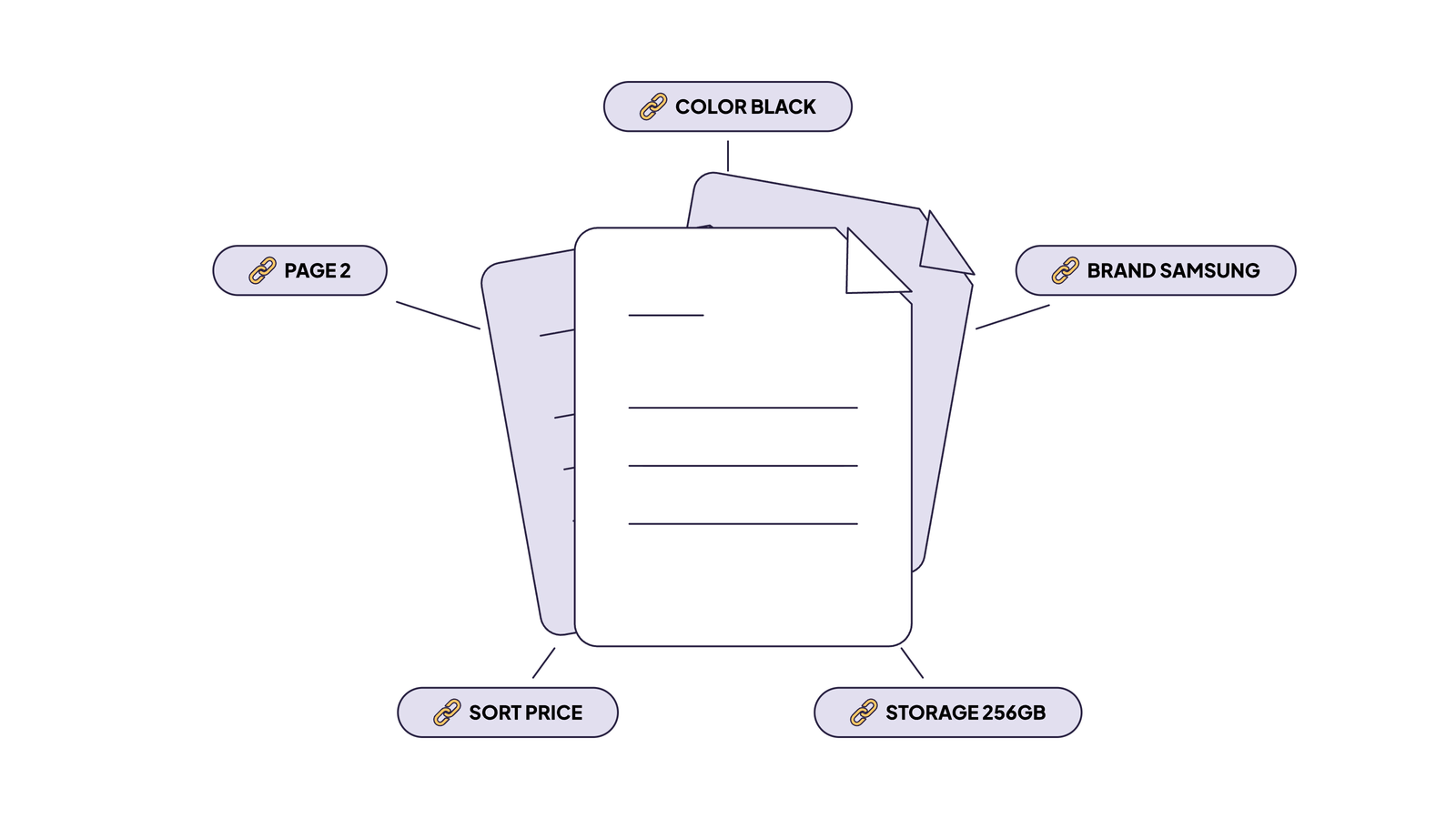
A canonical tag (<link rel="canonical">) tells Google which URL is the “official” version of a page. This matters when the same content is accessible at multiple URLs — for example, example.com/shoes and example.com/shoes?sort=price&page=2&color=red should both point to example.com/shoes as the canonical.
Here is the broken pattern I see often:
// Client-side canonical injection
import { useEffect } from 'react';

function useDynamicCanonical() {
  useEffect(() => {
    const url = new URL(window.location.href);
    url.search = ''; // strip all query parameters

    let link = document.querySelector('link[rel="canonical"]');
    if (!link) {
      link = document.createElement('link');
      link.setAttribute('rel', 'canonical');
      document.head.appendChild(link);
    }
    link.setAttribute('href', url.toString());
  }, []);
}
The developer’s intent is correct: strip parameters and set a clean canonical. But here is what actually happens:
- A user (or Googlebot) requests
example.com/shoes?sort=price&session=abc123. - The server returns HTML. Because no server-side logic handles the canonical, the HTML either has no canonical tag or self-references the full URL with parameters.
- Googlebot’s crawl phase snapshots the raw HTML. It records the parameter-heavy URL as the canonical.
- Later, the render queue processes the page. JavaScript strips the parameters and updates the canonical to
example.com/shoes. - But Googlebot already indexed the initial state. The corrected canonical arrives too late, or Google treats the conflicting signals as ambiguous.
The result is index bloat. Instead of one canonical product page, Google indexes hundreds or thousands of parameter variations. Link equity (the ranking value passed through internal links) gets diluted across all those duplicates. Crawl budget gets wasted re-crawling the same content at different URLs.
The fix is to determine the canonical URL on the server before the HTML is sent. In Next.js, you handle this in the generateMetadata function as shown in the previous section, or through middleware that strips parameters and sets the canonical in the response. For large sites with complex parameter patterns, middleware is often the cleaner approach because it centralizes the logic.
Google’s documentation on canonicalization explicitly states that canonicalization happens both before and after rendering. But the initial signal carries weight, and conflicting signals between raw HTML and rendered HTML create ambiguity that works against you.
Hreflang and JavaScript SEO for Multilingual Websites
The purpose of hreflang is narrow and specific: it tells search engines which version of a page to surface in which regional search results, so a German user sees the /de/ version and a Japanese user sees the /ja/ version. One nuance worth knowing: Google does not use hreflang to detect what language a page is written in, it uses its own algorithms for that. Hreflang is purely a targeting signal.
For international sites, hreflang tags tell Google which language and regional version of a page to serve to which users. A page at example.com/en/shoes declares alternates for example.com/de/shoes, example.com/fr/shoes, and so on. Every alternate must reciprocally reference every other alternate, including itself. At scale, this involves tens of <link rel="alternate"> tags per page.
The broken pattern follows the same theme: client-side locale detection injecting hreflang dynamically.
// Client-side hreflang injection
import { useEffect } from 'react';

function useHreflang(locales: string[], currentPath: string) {
  useEffect(() => {
    const head = document.head;

    // Remove any existing hreflang tags
    head.querySelectorAll('link[hreflang]').forEach((el) => el.remove());

    // Detect locale from browser or route
    locales.forEach((locale) => {
      const link = document.createElement('link');
      link.rel = 'alternate';
      link.hreflang = locale;
      link.href = `https://example.com/${locale}${currentPath}`;
      head.appendChild(link);
    });
  }, [locales, currentPath]);
}
This fails for the same reasons. AI bots see no hreflang tags at all — the HTML head is empty of alternate declarations. Googlebot sees the raw HTML first (no hreflang or wrong defaults), then discovers the JS-injected tags after rendering. This creates conflicting signals: the raw HTML says one thing, the rendered HTML says another. Google’s documentation warns against conflicting signals. The result can be wrong geo-targeting for weeks until Googlebot resolves the ambiguity.
There are two reliable approaches:
Server-side rendered <link> tags in the HTML head. If you use Next.js, the generateMetadata function supports an alternates field that renders hreflang tags on the server.
HTTP Link response headers. This is the approach I recommend for sites with many language variants. The crawler reads headers before it parses the HTML body. There is zero dependency on JavaScript execution or hydration state. For sites with 10+ locales, headers also avoid bloating the HTML head with dozens of <link> tags.
Here is a Next.js middleware implementation:
// middleware.ts
import { NextResponse } from 'next/server';
import type { NextRequest } from 'next/server';

const SUPPORTED_LOCALES = ['en', 'de', 'fr', 'es', 'ja'];

export function middleware(request: NextRequest) {
  const response = NextResponse.next();
  const path = request.nextUrl.pathname.replace(/^\/(en|de|fr|es|ja)/, '');

  const alternates = SUPPORTED_LOCALES.map(
    (locale) => `<https://example.com/${locale}${path}>; rel="alternate"; hreflang="${locale}"`
  );

  response.headers.set('Link', alternates.join(', '));
  return response;
}
The middleware runs on every request. It builds the list of alternates based on the URL pattern and sets the Link header. Every crawler, Googlebot, Bingbot, GPTBot, ClaudeBot, reads this header before touching the HTML body. The hreflang declarations are reliable regardless of how the page is rendered.
JavaScript Links and Internal Linking for SEO: The router. push Trap
There is a hard constraint on how crawlers discover pages, and it is worth reading directly: “Google can only crawl your link if it is an <a> HTML element with an href attribute.” Not a <div> with an onClick. Not a <button> that triggers router.push. An <a> tag with an href. Google also states that “every page you care about should have a link from at least one other page on your site.” This is not a UX guideline. It describes how their crawler physically navigates the web.
We recently had a client report that Googlebot was not discovering a large portion of their pages, crawl stats in Search Console showed a declining crawl ratio and their newer product pages were not entering the index. I pulled up the site, opened View Source on a category listing, and searched for <a href. Zero results in the product grid. Every product card used an onClick handler with router.push. The navigation worked in the browser, but the raw HTML contained no crawlable links. Thousands of product pages, orphaned.
The pattern looks like this:
// Product card with imperative navigation
import { useRouter } from 'next/router';

const ProductCard = ({ id, name }) => {
  const router = useRouter();

  const handleClick = () => {
    trackEvent('click_product', id);
    router.push(`/product/${id}`);
  };

  return (
    <div onClick={handleClick} className="card cursor-pointer">
      <h3>{name}</h3>
      <p>Click to view details</p>
    </div>
  );
};
Crawlers discover pages by following <a href> links. That is the fundamental mechanism of the web graph. An onClick handler with router.push produces no crawlable link. AI bots never execute click handlers, they parse HTML and follow anchors. Googlebot technically can execute click handlers during rendering, but it rarely does so for navigation discovery because the computational cost is too high.
The result: the product page becomes an orphan. It exists on your server, but no internal link points to it. It will not be crawled unless submitted via sitemap, and even then, it carries zero internal link equity. In a site with 100K+ products, this pattern can leave thousands of pages undiscoverable.
The fix is semantic <Link> components:
// Product card with semantic navigation
import Link from 'next/link';

const ProductCard = ({ id, name }) => {
  return (
    <Link
      href={`/product/${id}`}
      className="card block"
      onClick={() => trackEvent('click_product', id)}
    >
      <h3>{name}</h3>
      <p>View details</p>
    </Link>
  );
};
The Next.js <Link> component renders as an <a> tag in the HTML. Crawlers parse <a href="/product/123"> immediately from the raw HTML. The link graph is established without JavaScript. The onClick handler still fires for analytics, you do not lose tracking by using a proper link.
This applies equally to React Router’s <Link>, Remix’s <Link>, or any framework’s navigation component. The rule is simple: if a user can navigate to a URL, there must be an <a href> pointing to it in the HTML.
To audit your internal links at scale, run any page through jsbug.org, it fetches the URL with and without JavaScript and diffs the two. If links appear only in the JS-rendered version, bots cannot follow them. You can also verify manually: open View Source on any listing page and search for <a href. If your product links are not there, they do not exist for crawlers.
Client-Side vs Server-Side Rendering for SEO
Even Google is direct about this: rendering JavaScript pages is deferred, and “the page may stay on this queue for a few seconds, but it can take longer than that.” They recommend server-side or pre-rendering because “not all bots can run JavaScript.” When the company that built the most capable JavaScript-rendering crawler tells you not to rely on it, that says something.
Everything discussed so far, meta tags, canonicals, hreflang, internal links traces back to one architectural decision: where does your HTML get generated? In the browser (Client-Side Rendering) or on the server (Server-Side Rendering, Static Site Generation)?
A pure CSR React application returns a minimal HTML shell:
<!DOCTYPE html>
<html>
<head>
  <title>My App</title>
</head>
<body>
  <div id="root"></div>
  <script src="/static/js/bundle.js"></script>
</body>
</html>
All content, navigation, and metadata are generated by JavaScript after the bundle loads and executes. For AI bots, this page is empty. For Googlebot, the content exists but sits behind a render queue.
The scale problem
There is a common belief in the JavaScript developer community that Google handles JavaScript just fine and you should not worry about CSR. That is partially true, if your site is a 10-page corporate website or a small SaaS app, Googlebot will render it without issues. The render queue exists, but at that scale it does not matter.
The situation changes when you are building an e-commerce platform with 100k pages plus. Google allocates a finite crawl budget to each domain, constrained by two factors: the load your server can handle and Google’s own interest in your content. Google does not publish exact render budget numbers, but the constraint is real and well-documented in their crawl budget documentation. When every page requires JavaScript rendering, each URL costs significantly more compute than an HTML page that can be indexed on the first pass. Google does not want to spend those resources on deep product pages that may never receive traffic.
This is where the order-of-magnitude slowdown in JavaScript indexing becomes relevant. At small scale, a delay is invisible. At 100k pages plus, it compounds into weeks and months of missing index coverage. New products sit in the render queue while your competitors’ server-rendered pages get indexed on the first crawl. Price updates go stale. Seasonal inventory launches miss their window.
The approach that works for a small site does not work for a large one. Scale changes the engineering requirements.
For AI bots, the situation is worse regardless of scale. CSR pages never get indexed. There is no “eventually”, the content simply does not exist for ChatGPT Search, Perplexity, or any system that relies on text-only crawling.
This matters beyond traditional search rankings. Answer engines do not just list links, they synthesize responses and cite sources. If your content is invisible to the AI crawler, your site is excluded from generated answers entirely. You do not just lose a ranking position; you lose the opportunity to be cited as a source. For e-commerce, this means product information never appears in AI-generated shopping comparisons. For content sites, articles never get referenced in AI summaries.
Architecture options
SSR/SSG with Next.js, Remix, or Astro. The server generates complete HTML for every request (SSR) or at build time (SSG). All bots see all content immediately on the first request. If you are starting a new project or can afford a migration, this is the straightforward answer.
React Server Components (RSC). RSC takes SSR further by eliminating the JavaScript bundle for server-only components. Components that render text, layouts, and static content do not ship their code to the client. The result: smaller bundles, faster Googlebot rendering (less JavaScript to download and execute), and higher effective crawl throughput for the same crawl budget.
Pre-rendering (dynamic rendering). This is the pragmatic option for teams that have an existing CSR application and cannot justify a full rewrite. A pre-rendering service sits between your application and the bots. When a bot requests a page, the service detects the user agent, renders the page using a headless browser, and returns the fully rendered HTML. Users continue to get the normal SPA experience.
We built EdgeComet specifically for this scenario: large JavaScript-heavy sites where rewriting to SSR is not realistic. The site keeps its existing CSR frontend unchanged. EdgeComet handles the rendering for bot traffic, so Googlebot and AI bots receive complete HTML with all content, meta tags, canonicals, hreflang, and internal links present. For teams managing 100K+ page sites built on CSR, this is often the fastest path to full crawlability without touching the existing frontend codebase.
Common JavaScript SEO Issues and How to Fix Them
The table below summarizes the most common rendering and crawlability problems we encounter on JavaScript sites, how to detect them, and the recommended fix for each.
| Issue | How to Detect | Fix |
| Missing rendered content | Compare raw HTML (View Source) with the rendered DOM (DevTools Elements). Use jsbug.org or URL Inspection to see what crawlers receive. | Implement SSR, SSG, or pre-rendering so critical content is present in the initial HTML response. |
| JS-only links | Search the raw HTML for <a href> tags. If navigation relies on onClick or router.push, crawlers cannot follow it. | Replace imperative navigation with semantic <a> tags or framework <Link> components that render as anchors in the HTML. |
| Metadata differences | Check <title> and meta description in raw HTML vs. rendered DOM. If they only appear after JavaScript, bots will miss them. | Generate meta tags server-side (e.g., Next.js generateMetadata) so they exist in the HTML before any script runs. |
| Canonical / noindex conflicts | Inspect raw HTML and HTTP headers for robots directives and canonical tags. Conflicts between raw and rendered states signal a race condition. | Set canonicals and X-Robots-Tag headers on the server. Never rely on client-side JavaScript to inject or correct them. |
| Blocked resources | Use Search Console’s URL Inspection and the Mobile-Friendly Test to see if CSS or JS files are blocked by robots.txt. | Ensure critical rendering resources are not disallowed. Use robots.txt and meta robots carefully to avoid blocking assets Googlebot needs. |
| Rendering errors | Monitor Search Console for “Crawl anomaly” and “Soft 404” warnings. Check server logs for 5xx errors and timeout patterns. | Fix server errors, reduce JS bundle size, implement proper error boundaries, and test rendering with URL Inspection after each deployment. |
JavaScript SEO Best Practices: Checklist
Technical SEO for JavaScript applications comes down to accepting two hard truths.
AI bots are dumb browsers. GPTBot, ClaudeBot, CCBot, and PerplexityBot do not execute JavaScript. They will not execute JavaScript. This is an architectural design choice driven by the economics of crawling at scale, running headless browsers for billions of URLs is not feasible. If your content is not in the HTML, it does not exist for AI-powered search. The rise of answer engines (ChatGPT Search, Perplexity, Google’s AI Overviews) makes this more consequential every month. CSR-only applications are excluded not just from rankings but from being cited as sources in generated answers.
Googlebot is a busy browser. It can execute your React code, but it competes for CPU cycles against billions of other pages. Your render job waits in a queue that takes 9 times longer to process than a simple HTML fetch. At 100,000 pages, this delay compounds from days into months. Stale content, missing pages, diluted link equity — the compounding effects erode your search visibility gradually and are difficult to diagnose because the symptoms are spread across tens of thousands of URLs.
The architectural decision tree is straightforward:
- Building a new project? Use SSR or SSG from the start. Next.js, Remix, and Astro all handle this well.
- Can migrate an existing CSR app? Prioritize server-rendering your highest-value pages first: product pages, landing pages, blog content. These are the pages where search visibility directly impacts revenue.
- Cannot migrate? Use pre-rendering. EdgeComet renders your CSR pages for bot traffic without requiring changes to your existing frontend. This gets your content into the HTML that bots actually read.
Regardless of which path you take, four patterns apply universally. Generate metadata on the server, never inject <title>, <meta>, or Open Graph tags via useEffect. Set canonical tags and hreflang in the initial HTML response or HTTP headers, never rely on JavaScript to correct them after load. Use semantic <Link href> components for all navigation — never use onClick with router.push as the sole navigation mechanism. And verify everything with View Source, not DevTools.
These are not SEO tricks. They are engineering decisions that determine whether the machines indexing the web can read your application. The crawlers do not care about your component architecture, your state management library, or your build toolchain. They care about one thing: what HTML shows up when they make an HTTP GET request to your URL.
Ongoing technical SEO monitoring helps ensure these fundamentals remain intact as your application evolves.