In contrast to Google Search, AI systems like ChatGPT, Perplexity, and even Gemini publish very little about their internal data processing. When a user asks these systems a question, they dispatch bots to fetch relevant pages in real-time. These “user bots” operate differently from traditional crawlers that index content on a schedule. We see tons of scientific papers on model architecture and prompt engineering, but for SEO specialists, the most crucial piece of information, how they actually ingest a web page, is missing.
This silence leads to mythology. I see endless opinions on LinkedIn and Reddit about how to “optimize” for these bots. Recently, I saw a thread about serving Markdown to AI bots to save tokens, a practical question that deserves a real answer. Instead of guessing, we decided to verify. Most of these behaviors can be tested in minutes if you know what to look for.
We’ve already run several experiments with OpenSeoTest.org, an open-source project we built for controlled bot behavior experiments, that uncover how ChatGPT and Gemini handle content. We also created JSBug.org, a free tool that lets you analyze how bots see your specific pages.
This article is dedicated to that foundation: How do they read your pages? Do they process the full HTML, or just pull the text?
HTML Processing: The Token Tax
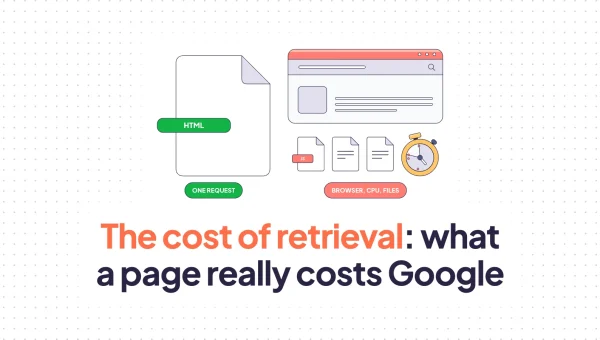
Modern HTML pages are heavy. It’s common to see e-commerce pages that are hundreds of kilobytes or even megabytes in size. Often, the valuable content, the product description or the article itself, is just a few paragraphs buried in a mountain of divs and scripts.
We vibe-coded a simple application to download the index pages of the top 1000 websites on the internet to compare their raw HTML against the extracted text in tokens. The numbers show exactly why AI bots prefer text extraction over full HTML parsing.
Of the 778 sites we successfully accessed, the average page carried 174,000 tokens of HTML markup to deliver just 3,100 tokens of readable text. That’s a signal-to-noise ratio of 1:56. For every word of value, you’re forcing the model to read 56 words of code.
HTML vs Extracted Text: The Token Tax
Average token counts from 778 top websites
Data from fetching top 1000 websites. 778 successful, 222 blocked/failed.
SEO forums are full of discussions about using “semantic HTML” to help LLMs understand content. We wanted to see if they actually pay attention to your classes and tags. On OpenSeoTest.org, we created pages where critical information about product stock and conditions was hidden entirely in HTML semantic classes.
The results were clear: LLMs do not look into your HTML code. When we tested both ChatGPT and Gemini on these pages, they either failed to find the information from the HTML semantic classes or hallucinated an answer based on the URL.
Why do they ignore this HTML structure data? It comes down to two factors: cost and “garbage in the context.” Sending hundreds of kilobytes of HTML markup to an LLM for parsing makes no economic sense when the same information can be extracted as a few kilobytes of text. It is significantly cheaper and faster to strip the markup and process only the text.
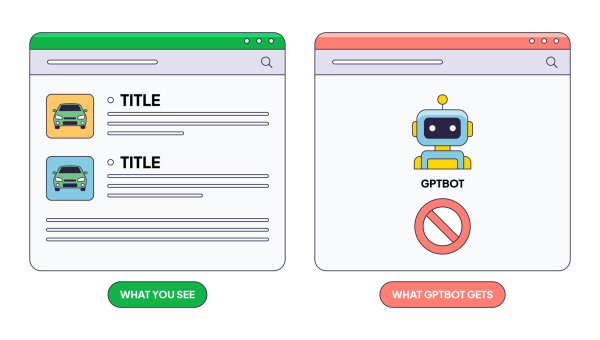
Furthermore, these user bots don’t process CSS, so they don’t care if your text is “visible” to a human or not. They simply pull all text values from the document.
Think of your page as a Markdown document. AI bots see a linear flow of headings, paragraphs, and lists – nothing more. Any data that exists only in HTML attributes or class names simply doesn’t appear in that flow. JSBug.org’s Content View shows you exactly this: your page stripped down to its textual skeleton, the way a bot sees it.
Schema Processing: The Grounding Myth
This is one of the hardest things for SEOs to believe. I also was in the camp that AI bots must process schema.org because it’s a clean JSON document. It should be easy to extract and process.
But our tests show no direct use of JSON-LD markup by user bots. On OpenSeoTest.org, we specifically placed price and inventory data exclusively inside JSON-LD blocks to see if ChatGPT or Gemini would pick it up. In every case, they failed. Gemini even hallucinated a SKU for a product because it couldn’t see the real one hidden in the schema. They treat JSON-LD blocks like any other script—as noise to be filtered out before the model ever sees the prompt.
You might see examples where structured data appears to help AI systems better understand a page. But in reality, this works because of Google. When ChatGPT or even Gemini itself can’t extract information directly from a page, they fall back to Google Search. We’ve observed this behavior repeatedly in our tests—ChatGPT explicitly shows “price site:example.com/some/page” in its reasoning. So if schema helps at all, it’s because Google indexed that data and the AI bot retrieved it through search, not because the bot parsed your JSON-LD directly.
Does this mean you should remove your schema markup? No. Schema remains valuable for Google and Bing, which do parse and use structured data for rich results. It’s also possible that AI training crawlers and search-integrated AI bots process schema during indexing, even if user bots skip it during real-time queries. Schema is still the cleanest way to express structured information about your content—just don’t rely on user bots to read it directly.
JavaScript Execution: The Performance Wall
JavaScript execution is expensive and slow. Fetching a raw HTML page takes a second; rendering a React app can take ten. When a user asks a question and expects an answer now, the LLM doesn’t have the luxury of waiting for your hydration cycle to finish.
In our trials, we saw no JavaScript execution for user bots. Even Google’s Gemini, which you might expect to leverage Google’s rendering muscle, acts as a simple HTML fetcher. It does not execute JavaScript. Our network analysis confirms they function as basic HTTP clients; despite modern User-Agent strings, they do not execute the Critical Rendering Path.
More importantly, these bots have zero patience. We tested their timeout thresholds and found a hard wall. Gemini bails after exactly 4 seconds. ChatGPT gives you 5 seconds. If your server is slow or your page takes too long to download, the bot doesn’t wait. It moves on and uses your competitors’ information instead.
Make Your Own Test
It’s natural to be skeptical of some of the findings in this article. In fact, we welcome it. I highly encourage you to verify these behaviors yourself. With the help of Claude or any other coding agent, setting up these experiments is even simpler than you might think.
Basically, create a copy of an existing page on your website, change some content, hide specific data in semantic classes or JSON-LD, deploy it as a plain HTML file, and see what happens when you point an AI bot at it. We believe this test-driven approach is far more productive for community knowledge than just trading opinions. We would be happy to hear about your field results.
Conclusion
Despite the complexity of AI technologies, their content-fetching foundation is remarkably primitive. They want plain text, it’s the only format cheap enough to process at the scale of the entire web.
Ensuring your important information is present in your page’s plain text is critical. We built a free tool at JSBug.org to help you verify this by comparing your content with and without JavaScript rendering to see exactly what a bot sees. The same principle applies to crawler visibility monitoring: if critical content never reaches the bot, it cannot contribute to search or AI discovery.
If your stack relies on client-side rendering, you have two paths forward:
- Migrate to SSR or static generation. Frameworks like Next.js, Nuxt, or Astro can pre-render your pages. This is the cleanest solution if you’re planning a major rewrite and have the engineering bandwidth.
- Use edge-based dynamic rendering. This approach intercepts bot requests at the CDN and serves a pre-rendered HTML snapshot instead of your JavaScript-heavy page—no changes to your frontend code required. This is the approach we took with EdgeComet, solving the 4-second timeout by detecting AI bots and serving them a fully rendered version within milliseconds.
The right choice depends on your stack and resources. What matters is that you stop assuming bots see what your users see—and start verifying it.