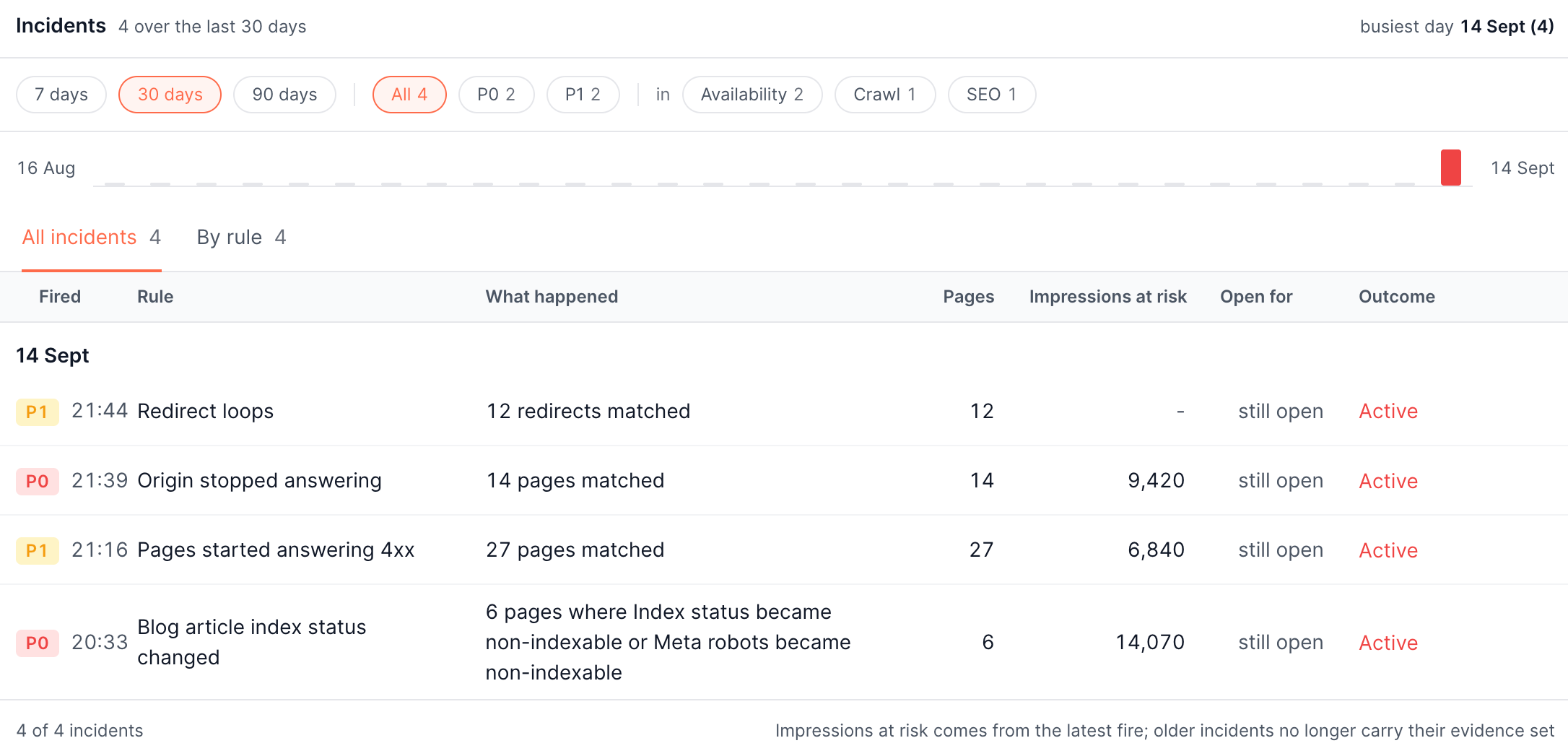
When an alert fires
When a rule's condition holds, an incident opens and a notification goes out. The incident is the working record: it carries the pages behind the number, so you start from evidence rather than from a chart.
What an incident shows
The headline is the number that fired and what it counted, with the recent checks beside it so you can see whether this is a spike or a slow climb.
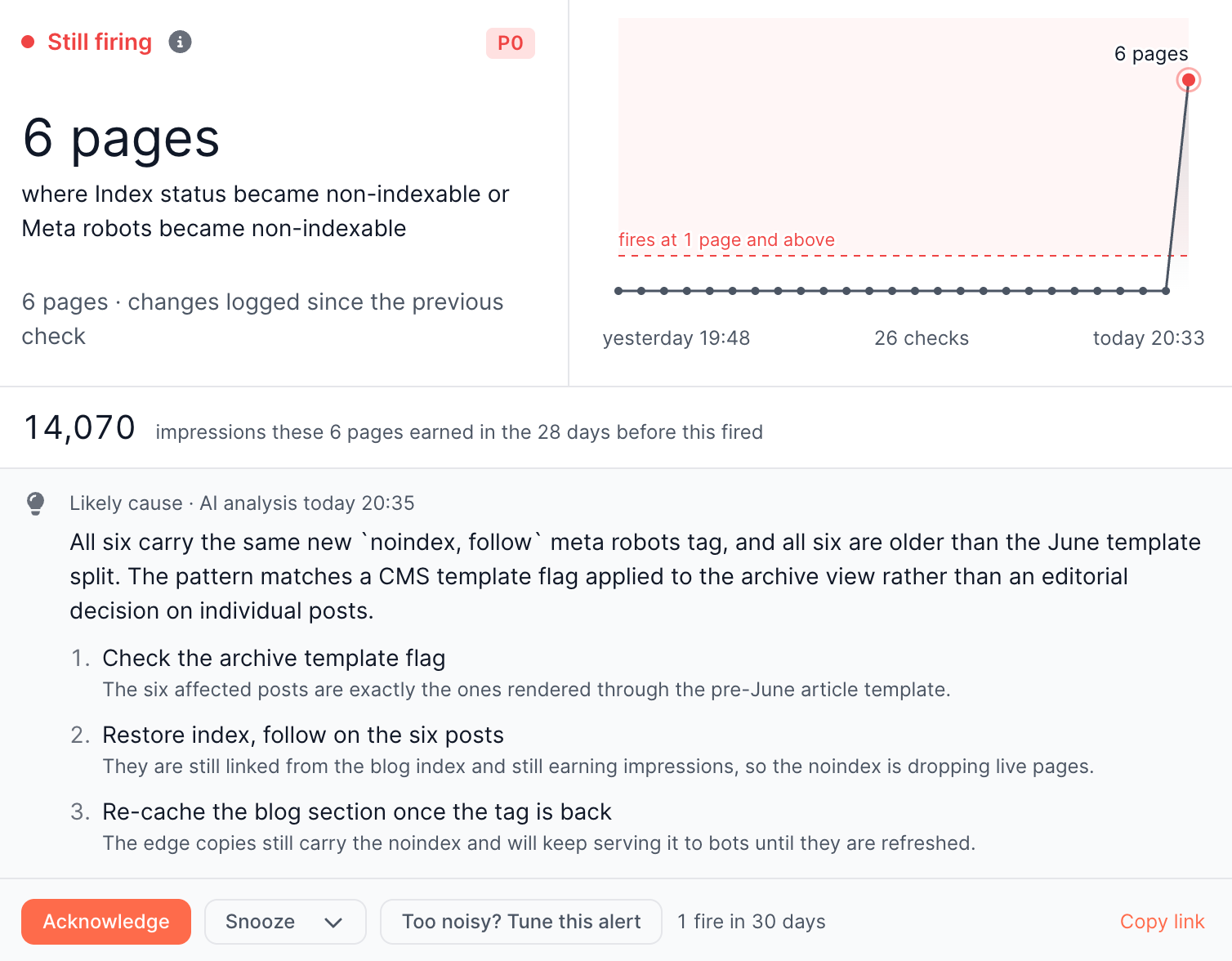
Under it sits the stake: the impressions the affected pages earned in the 28 days before the fire. Every alerts screen ranks by it, so the queue puts the incident with the most search traffic behind it at the top rather than the one that happens to involve the most pages. It measures the search exposure of the pages affected, not lost revenue.
Likely cause
Shortly after an incident opens, EdgeComet analyses the affected pages and adds a Likely cause note: what the pages have in common, what pattern that matches, and what to do about it in order. It arrives after the notification has gone out, so it never delays the alert.
The analysis can raise an incident's severity if what it finds is worse than the rule assumed. It never lowers it.
Affected pages
The evidence is the pages themselves, ranked by impressions at risk, with a link through to the full list in Data Explorer.
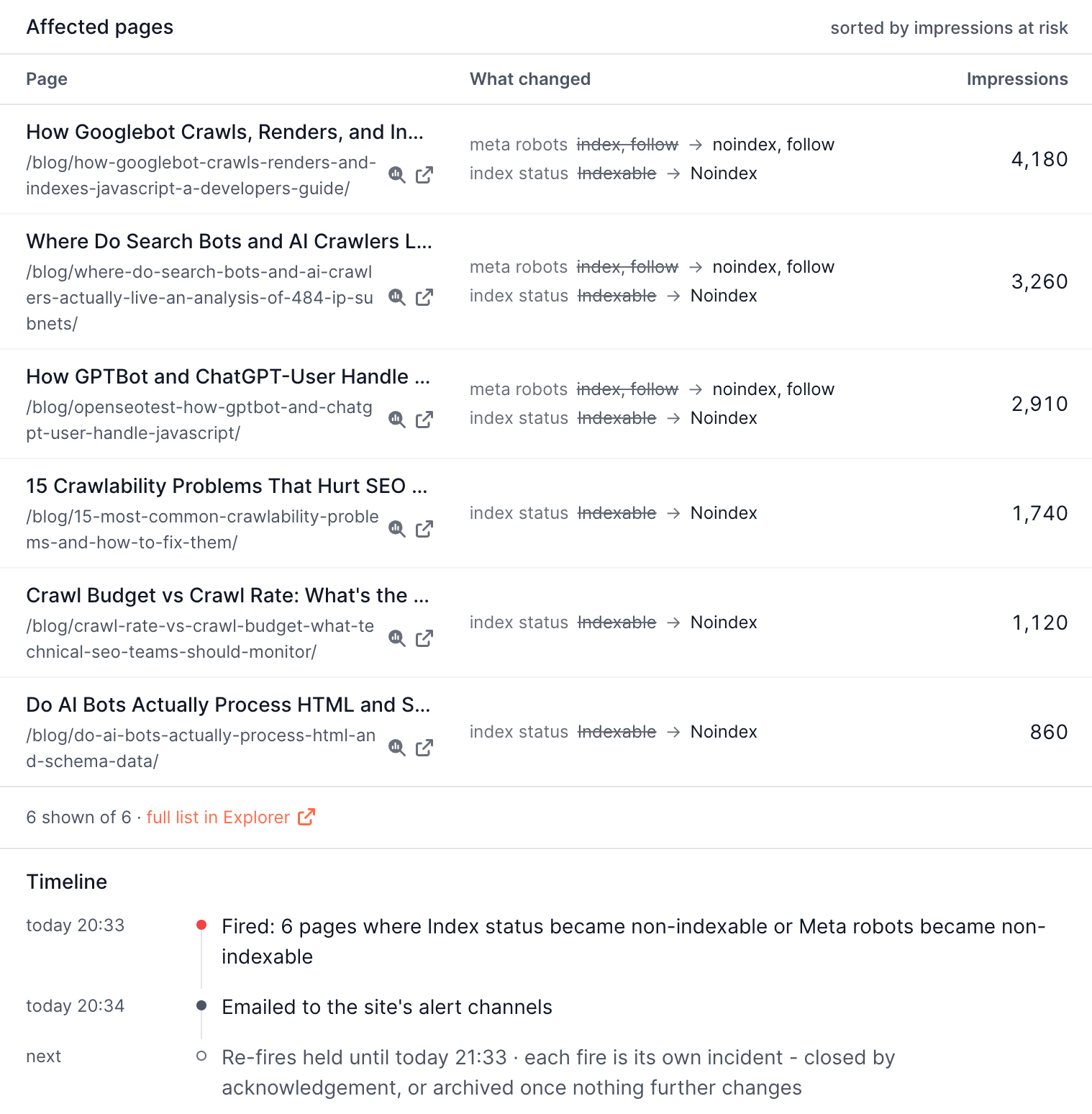
For a "Pages changed" incident each row names the field, the old value and the new one. A deploy that rewrote a title and repointed a canonical on the same page shows as two rows, because collapsing them would hide half of what you have to look at.
The timeline underneath records when the incident fired, when it was sent, and what happens next.
Severity
Three levels, which decide what gets sent:
| Severity | Notified |
|---|---|
| Critical | Yes |
| Warning | Yes |
| Info | No, it appears in the product only |
Each rule carries a severity. AI enrichment may raise an incident's severity after it fires, never lower it. For "Pages changed" rules the severity you set is a floor, raised automatically by what the rule watches, so a watch on indexability is treated more loudly than one on headings.
Acknowledge
Acknowledge means "seen", and what it does depends on the kind of alert.
| Kind | Effect |
|---|---|
| A state, such as noindex on live pages | The incident stays open and stops shouting. It still announces itself when the condition actually clears |
| An event, such as pages changed | The incident closes |
A state alert stays open on purpose. Closing it would make the next check open a fresh incident with a fresh notification, which turns acknowledgement into a fifteen minute snooze.
The open count in the product excludes acknowledged incidents, so acknowledging visibly does something even while the incident stays open.
Snooze
Snooze silences notifications for 1 hour, 4 hours, 24 hours, or 7 days. The rule keeps evaluating; only the notifications wait.
A snooze carries across incidents of the same rule, so a Friday evening snooze is not undone by the next check opening a new row.
How incidents close
| How | When |
|---|---|
| It resolves itself | The watched condition stopped holding. This is the only close that announces a recovery |
| You acknowledge it | On an event style alert such as pages changed |
| It ages out | An incident nothing has closed is archived after it goes quiet |
A recovery goes only to the destinations that received the trigger, and says how long the incident was open.
Repeat firing
A rule that keeps matching does not notify you every check. Each rule has a cooldown, one hour by default. Inside it, a second wave folds into the open incident and the incident covers both, so you get one notification rather than one per check. When the cooldown expires and the condition still holds, the incident carries on into a new one so the history stays readable.
The Rules page
Every rule shows one state, so "watching, all quiet" and "not looking" can never read the same way:
| State | Meaning |
|---|---|
| Firing | The rule has an open incident |
| Watching | The rule is checking and nothing has matched |
| Warming | The rule reads a measurement that is not ready yet |
| Skipped | The last check produced no answer, and the rule says why |
| Broken | The rule cannot run as written |
| Paused | You turned it off |
Opening a rule shows what it watches, the pages it covers, its threshold, check interval, severity and cooldown, with Test now and Edit beside them.
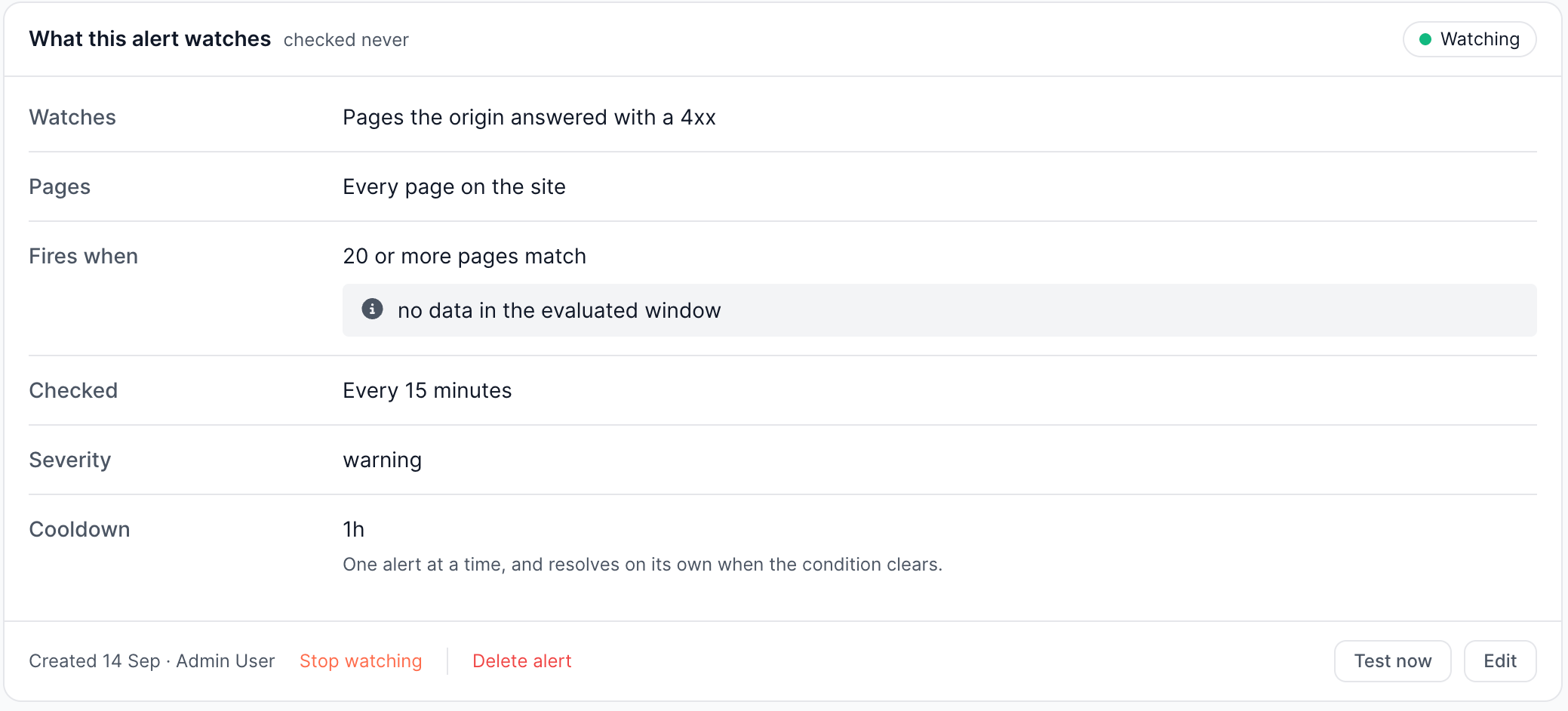
Skipped and broken rules are counted as blind spots, because a category whose only rule is broken is not being watched, however quiet it looks. The Overview names those blind spots rather than reporting the category as healthy.
One case this does not cover: a rule whose scope matches no pages is running correctly and has nothing to report, so it reads as Watching. Check the page count when you build a scope, as Creating an alert describes.
Where to find incidents
| Page | What it holds |
|---|---|
| Alerts | The triage queue of open incidents, ranked by impressions at risk |
| History | Every incident inside 90 days, plus every still-open incident whatever its age |
| Rules | Every rule the site has, grouped by category |
History filters by 7, 30 or 90 days, by severity, and by category, and can be grouped by rule to show which rules fire most.