

How fast alerts fire and how many you can create
How soon an EdgeComet alert fires depends on what it reads. Alerts on bot traffic check every 5 minutes to once a day, alerts on Search Console when Google publishes a day, and crawl alerts when a crawl finishes. Sensitive file exposed notifies immediately.
Within those checks, detection follows real crawl demand: a page reports a problem the next time a bot fetches it or a pre-cache rule renders it.
A website holds up to 100 rules, 5 of which can check faster than once a day, and up to 20 destinations.
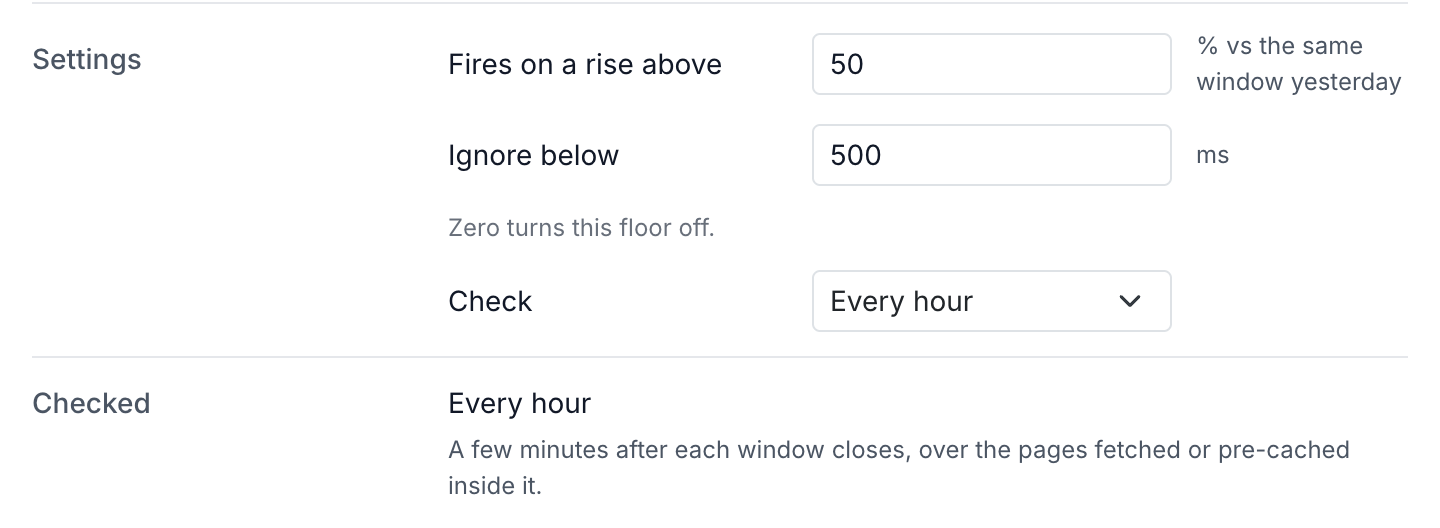
How often each alert checks
What a rule reads decides when it runs:
| The rule reads | It checks | When you hear |
|---|---|---|
| Bot requests and renders | Every 5 minutes, 15 minutes, hour or day, depending on the rule | A few minutes after each window closes, over the pages fetched or pre-cached inside it |
| The page change log (Pages changed) | Every hour by default, or as you set it | At the next check after a bot fetches or a pre-cache rule renders the changed page |
| Site releases | Every hour | At the next check after EdgeComet finds the release |
| Search Console | When Google publishes a complete day | Search Console runs about three days behind |
| Evergreen Crawl | When a crawl finishes | A change is reported at the next crawl of the page |
Sensitive file exposed is the exception among bot traffic alerts: it notifies immediately.
Checks on bot traffic sit on a fixed UTC grid. A 15-minute rule reads the windows ending at :00, :15, :30 and :45, and a daily rule the day ending at midnight UTC.
How bot traffic shapes detection speed
Alerts read the requests bots actually make, not a scheduled crawl of their own. A page that Googlebot fetches every hour is observed within the hour, and an hourly rule reports a problem on it at its next check. A page deep in the long tail reports only when a bot or a pre-cache rule next fetches it.
Pre-cache rules add renders of their own on a schedule, which keeps pages bots rarely visit observed too. Log Analyzer shows how often bots reach each section. Use it to choose the interval. See Log file analysis for search and AI bots, without log files.
Origin stopped answering counts pre-cache attempts as well as live fetches. While your origin is down, EdgeComet keeps serving cached pages, and the outage shows through the pre-cache.
Which intervals you can change
These templates offer Check with every 5 minutes, 15 minutes, hour or once a day:
| Template | Default |
|---|---|
| Origin stopped answering | Every 5 minutes |
| Pages started answering 4xx | Every 15 minutes |
| Renders are failing | Every 15 minutes |
| Fake search-engine traffic | Every hour |
| Renders got slower | Every hour |
| Responses got slower | Every hour |
| JavaScript errors rose | Every hour |
| Sub-resources are failing to load | Every hour |
| Cache hit rate fell | Every hour |
| Pages changed | Every hour |
The other templates have a fixed check:
- Immediately: Sensitive file exposed.
- Once a day: A page block stopped rendering, Renders came back hollow, Sitemap pages that stopped re-rendering, Bots stopped fetching, Noindex on live pages and A robots directive appeared.
- Every hour: Site releases.
- When a crawl finishes: every Crawl alert.
- When Search Console publishes a day: the Search alerts and A section lost its clicks.
Pick the slowest interval that still catches the problem in time. An outage alert earns 5 minutes; a rendering slowdown rarely needs more than an hour.
Caps on rules, destinations and history
A website holds up to 100 rules, 5 of them faster than daily, and 20 destinations.
| Limit | Value |
|---|---|
| Rules per website | 100, paused rules included |
| Rules that check faster than once a day | 5 per website |
| Destinations per website (email addresses, Slack channels and webhooks) | 20, switched-off ones included |
| Cooldown | 15 minutes to 7 days, 1 hour by default |
| Snooze | 1 hour, 4 hours, 24 hours or 7 days |
| Incidents on the Alerts page | Every open incident, plus 90 days of closed ones |
| A rule's check history | Kept 180 days |
Only switched-on rules that check every 5 minutes, 15 minutes or hour count toward the 5. Daily, crawl, Search Console and Site releases rules do not, and neither do paused rules.
At the limit, a new fast rule is refused: "This site already checks 5 different things faster than once a day, which is as many fast checks as one site can run. Check this one once a day, or slow down one of the others."
Where to find it
In the dashboard: Check in the Add rule window under Alerts > Rules > Templates, or Edit on a rule's page.