

Keyword research in Ask
EdgeComet Ask researches keywords from a plain question. It finds keyword ideas, qualifies them by search volume, difficulty and intent, reads the live Google results, and lists the keywords your competitors rank for and you do not. Also called AI keyword research or keyword gap analysis.
It starts from your own data. The queries your pages already earn in Search Console, and the pages that rank for them, come first. Live keyword data then sizes what is missing.
The research can end on an Action Board finding, in a coverage plan for pages you do not have yet, or in a content brief for a new article.
How Ask researches keywords
A keyword question usually runs in five steps:
- It reads your queries. Ask pulls the Search Console queries of the site or section, with their pages, impressions, clicks and positions.
- It expands them. Strong queries and topics grow into keyword ideas you do not rank for yet.
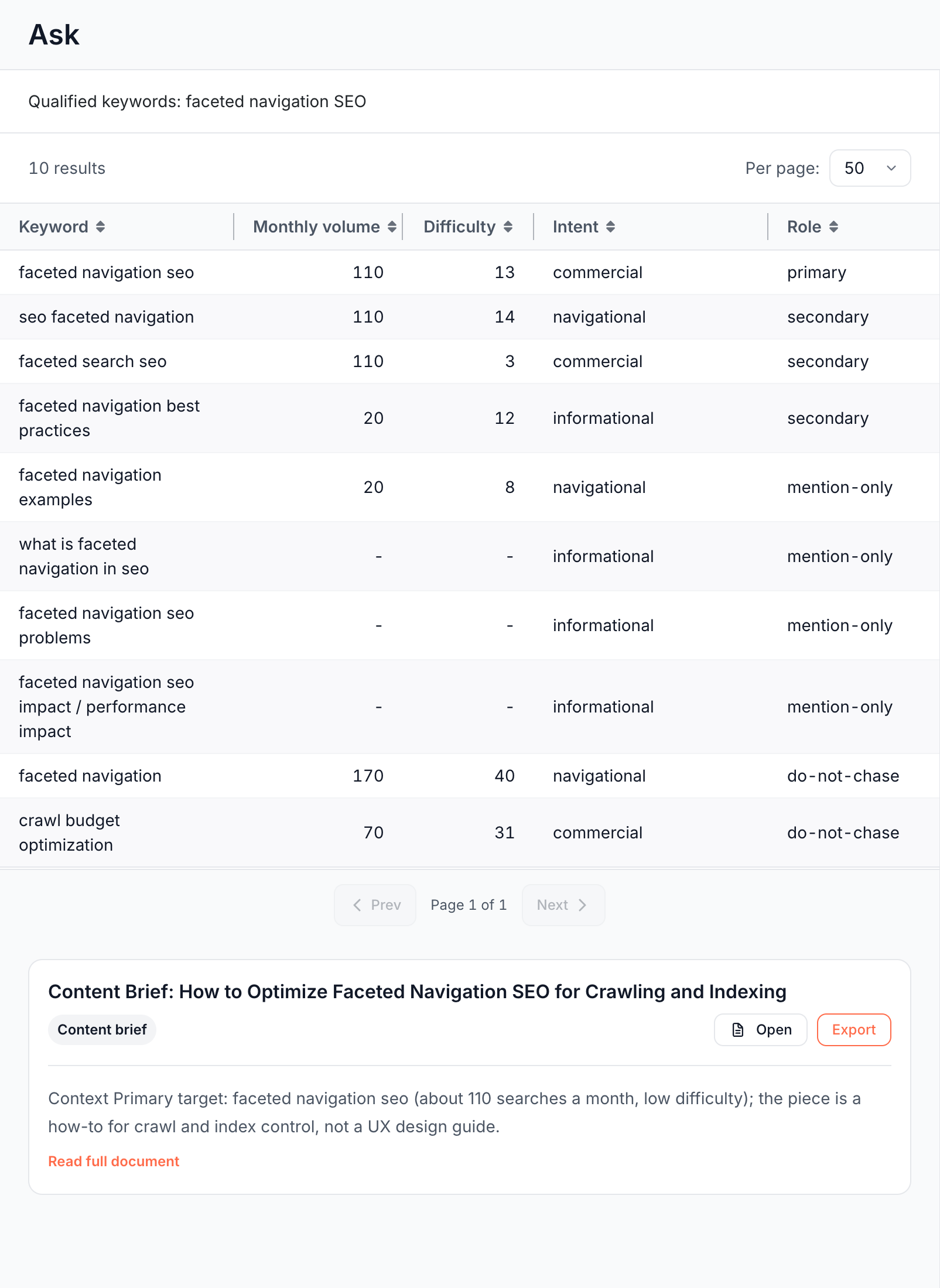
- It qualifies the ideas. Ask looks up search volume, keyword difficulty, CPC and intent for every candidate at once.
- It compares you with competitors. A keyword gap lists what a competitor ranks for that you do not.
- It checks your coverage. For each group of keywords, Ask checks whether one of your pages already targets it, even weakly.
Live keyword data decides which keywords to look at. When Ask records a finding from the research, the finding's pages and counts still come from your own Search Console data, and the engine recounts them.
Start keyword research
- Open Ask > New conversation.
- Press + and choose the Keyword research chip. The field reads "A topic, a competitor or a section of the site".
- Ask your question, such as "Which keywords do our competitors rank for that /blog/ does not cover?".
- The research appears as tables in the conversation, and the chat sums up what they show.
Without the Keyword research chip, Ask still uses keyword data when a question is about a competitor or about searches beyond your own Search Console queries. A follow-up such as "only informational keywords" narrows the research.
Questions to try:
- "Expand our top 20 Search Console queries into keyword ideas with difficulty under 30."
- "Which pages rank 5 to 20 for queries with real search volume?"
- "Find our competitors for log file analysis and show the keyword gap against the first one."
- "Qualify these keywords: prerendering, dynamic rendering, javascript seo."
What you can ask for
Ask reads seven kinds of keyword and search data, for your site or any other domain.
Live search results and AI Overviews
Ask reads the live Google results for a keyword:
- The top organic results: position, title, URL, domain and description of each.
- Search features on the page: featured snippet, People Also Ask, video, local pack and knowledge graph.
- People Also Ask questions and related searches, which feed topic ideas.
- The AI Overview: whether one shows for the query, which domains it cites, and whether your site is one of them.
For example: "Who ranks for single page application SEO, and does the AI Overview cite us?"
Keywords a domain or page ranks for
Give a domain, or one page's full URL, and Ask lists the keywords it ranks for in Google. Each keyword comes with its position, search volume, estimated traffic value and the ranking URL, plus how the rankings spread across positions. It works for your site and for a competitor's.
Keyword ideas
Ask grows a seed topic or one of your queries into new keywords in three ways:
- Ideas: keywords related by topic to one or more seeds.
- Suggestions: longer phrases that contain the seed.
- Related searches: Google's "searches related to" the seed.
Each idea comes with search volume, CPC, competition, keyword difficulty, intent and a yearly trend. Ask can keep only the winnable ones, such as ideas above a volume and below a difficulty you name.
Volume, difficulty and intent
Ask qualifies a list of keywords in one batch: search volume, CPC, competition, keyword difficulty, search intent and a recent monthly trend for each. Paste your own list, or let Ask build it from your queries.
Keyword gap against a competitor
Ask lists the keywords a competitor ranks for that your site does not, with volume, difficulty, intent and the competitor's position. It can also list the keywords you share, and compare two specific pages instead of whole domains.
Search Console cannot make this comparison, because it shows only the queries you already appear for.
Find your competitors
Ask finds who competes with you in Google, in two ways:
- By keywords: the domains that rank for a set of seed keywords, such as your top Search Console queries.
- By domain: the domains whose rankings overlap your site's or another domain's.
Each competitor comes with its average position, the number of keywords it shares with you and its estimated traffic. Ask uses the result for a keyword gap.
Backlink profile
Ask summarizes the backlinks of a domain or URL: total backlinks, referring domains, the dofollow and nofollow split, spam score, broken backlinks, and the top referring top-level domains, link types and countries.
Research another market
Keyword and search data cover one country and one language at a time. Ask uses your site's market and falls back to the United States in English.
To research another market, name it in the question, such as "for Germany, in German". A rewrite or brief that the chat starts keeps the market the chat researched. A run started elsewhere uses the country of your domain, such as .de for Germany, otherwise the United States in English.
Use your competitor list
Ask passes the domains on your Competitors list to its keyword gap and competitor tools on every run. Add them once in Guidelines, one domain per line. See Add your competitors.
When a question names no competitor and the list is empty, Ask finds the competitors itself first.
Where the research goes
Ask keeps the research in the conversation and can carry it to a finding, a coverage plan or a content brief:
- Tables in the conversation. Keyword rows appear as snapshot tables, fixed at the time of the answer. Changing the period does not recount them. See Snapshot tables.
- On an Action Board finding. Ask attaches research about a finding's pages to that finding, where it shows under External research. Later chats and briefs on that finding reuse the table without fetching it again. See Findings from Ask and skills.
- In a coverage plan. Topics with no page on your site have no data of their own to make a finding from. Ask writes them into a research document instead, listed under Action Board > Outputs > Documents. See Documents.
- In a content brief. Hand any topic to the Content brief skill to get a brief for a new article. See Content brief skill.
Run the full process with a skill
The Keyword opportunity research skill runs the whole process on the site, a segment or a list of pages, and routes every keyword group:
- Groups your pages already rank for become a proposed finding, with the qualified keyword table attached.
- Groups no page covers go into a coverage-plan document, one section per group, with target keywords, intent and the page to create.
On edgecomet.com, one run proposed the finding "Product landing pages hold the site's search demand but convert almost none of it to clicks". It also wrote a coverage plan with clusters such as single page application SEO and the robots meta tag. See Keyword opportunity research skill.
How Ask differs from a keyword research tool
A keyword tool shows search demand for a list of words. Ask joins that demand with the queries your pages already get, the pages that rank for them, and what Googlebot and AI bots fetch from those pages. The research then goes on to the finding, the brief or the fix in the same conversation.
Where to find it
In the dashboard: Ask > New conversation > + > Keyword research. The competitor list is under Action Board > Skills > Guidelines.