

Query fan-out: how AI assistants search the web
Query fan-out is the way AI assistants answer one question with several web searches: the assistant splits the question into subtopics, searches for each one, and writes a single answer from the combined results. Also called fan-out queries, AI Mode fan-out, sub-queries or synthetic queries.
Google uses the name for AI Mode and AI Overviews (Google Search Central).
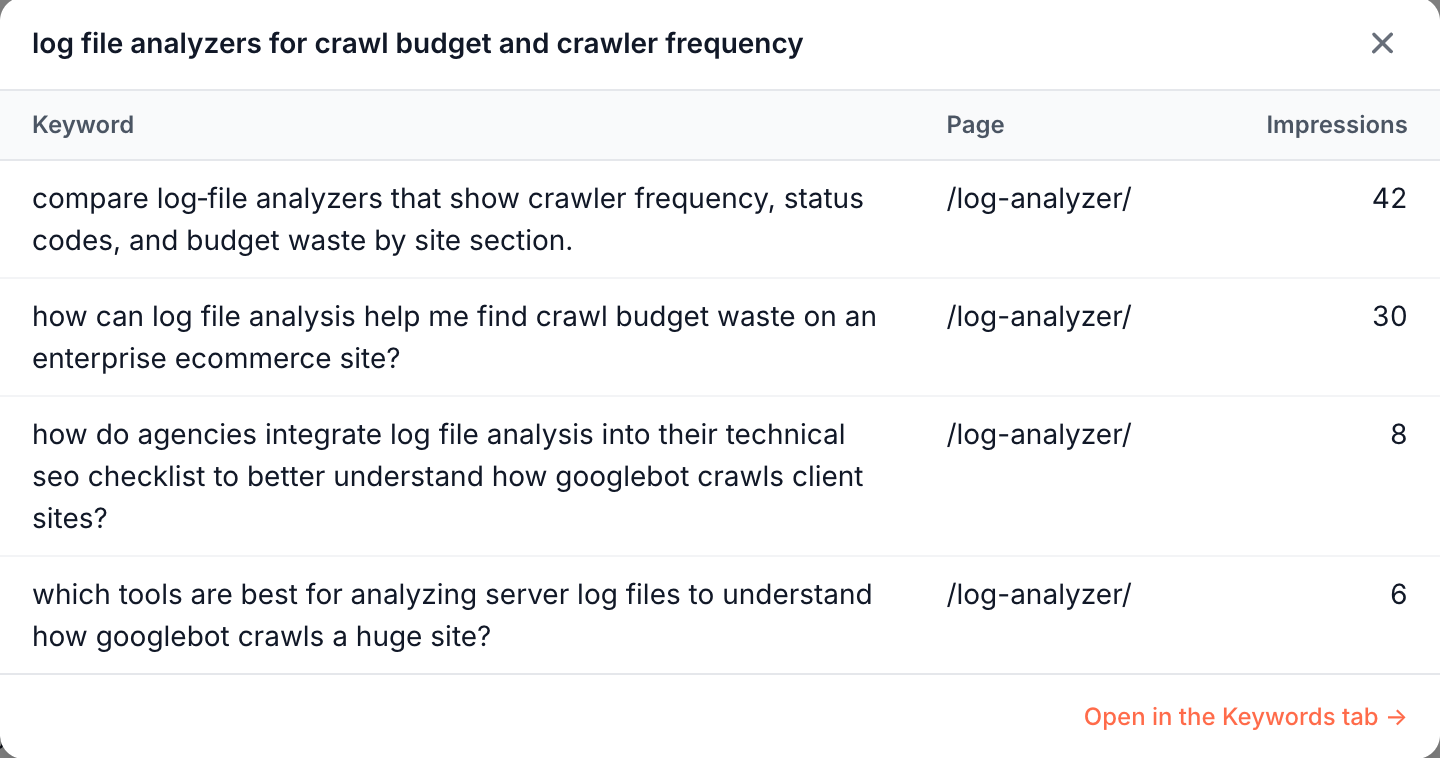
When fan-out searches run on Google, they reach your Search Console as queries, and EdgeComet groups them back into the questions people most likely asked.
Query fan-out in brief
Query fan-out is the way AI assistants answer one question with several web searches. The person sees one answer. Behind it, the assistant has searched many times.
A person who asks an assistant for a running shoe for flat feet on a budget might trigger searches such as "best stability running shoes for flat feet", "are cushioned running shoes good for overpronation" and "affordable running shoes for flat feet reviews". Each search covers one part of the question.
Google describes the technique in its own words:
- When it introduced AI Mode on 2025-03-05, Google wrote: "It uses a 'query fan-out' technique, issuing multiple related searches concurrently across subtopics", and then "brings those results together to provide an easy-to-understand response." (Google blog)
- On 2025-05-20 Google added: "Under the hood, AI Mode uses our query fan-out technique, breaking down your question into subtopics." Deep Search in AI Mode "uses the same query fan-out technique but taken to the next level" and "can issue hundreds of searches". (Google blog)
- Google Search Central says both AI Overviews and AI Mode "may use a 'query fan-out' technique", which it describes as "issuing multiple related searches across subtopics and data sources", to develop a response. (Google Search Central)
Why it matters for search and AI bots
Query fan-out changes which searches find your pages and what those searches look like in your data.
- More of your pages can be found. Each sub-question is its own search, and a page can be found for a subtopic it covers well, even when it does not rank for the person's question as a whole. Google says its models "identify more supporting web pages" than a classic web search (Google Search Central).
- The searches show what assistants look for. An assistant writes fan-out searches while it answers people about your topics. The ones Google served your pages for are in your own Search Console data, not estimated by a keyword tool.
- They look like failing keywords. A fan-out search draws impressions and almost never a click. In a click-based keyword report, it looks like a keyword with a click-through rate near zero, when it is demand from AI answers.
Google's assistants are not the only ones that search this way. OpenAI says a reasoning model in its API "can perform web searches as part of its chain of thought, analyze results, and decide whether to keep searching" (OpenAI). Anthropic says "Claude determines when to search based on the prompt", and adds: "This process can repeat multiple times throughout a single request." (Anthropic).
Each assistant runs its searches on the search engine it uses. They reach your Search Console only when they are Google searches.
After a search, some assistants also open the pages they found to read them, with AI user bots such as ChatGPT-User and Claude-User, and EdgeComet records those requests in AI bot activity.
How EdgeComet measures it
EdgeComet detects fan-out keywords in your Search Console data and classifies them with AI. You see the result in two places:
- The Fan-out Queries report groups fan-out keywords into the question a person most likely asked, files each question under a topic, and labels it with a type and an intent. It also lists the vendors, products and technologies the keywords name. See Fan-out queries: what AI assistants search for about you.
- The Fan-out tab of Page Analysis shows the questions AI assistants ask about one page, next to that page's fetches by
ChatGPT-User,Claude-UserandPerplexity-User. Its coverage check reads the page as EdgeComet serves it to bots and grades whether the page answers each question. See Check if a page answers the questions AI assistants ask.
Fan-out detection needs no setup. See the Fan-out threshold card for your site.
Fan-out is a lens, not a correction. Marking a keyword as fan-out changes no number in your other Search reports, and the Fan-out queries filter narrows any keyword table to fan-out keywords.
Fan-out counts are floors, because Google withholds rare queries from keyword data. See anonymized queries.
Common questions
Does Google AI Mode use query fan-out?
Yes. Google says AI Mode "uses our query fan-out technique, breaking down your question into subtopics", and that Deep Search "can issue hundreds of searches" (Google blog, 2025-05-20). Google Search Central says AI Overviews "may use" the technique as well (Google Search Central).
Can I see fan-out queries in Search Console?
Yes, mixed in with the searches people typed. Google says traffic from AI features is "included in the overall search traffic in Search Console" and reported "within the 'Web' search type" (Google Search Central).
EdgeComet finds the fan-out searches that ran on Google among the ordinary query rows of your Search Console data, and groups them into questions and topics in Search > Fan-out Queries. Connect Search Console first: see Connect Google Search Console.
Why do fan-out queries get impressions but no clicks?
A person usually does not see the results page of a fan-out search. The assistant reads the results and uses them to write its answer. Your page can still earn an impression for the query, with no person on that results page to click it.
This is why fan-out keywords look weak in a report sorted by clicks or click-through rate, and why EdgeComet reports them by impressions, questions and topics instead.
How do I optimize a page for fan-out queries?
Google says "There are no additional requirements to appear in AI Overviews or AI Mode, nor other special optimizations necessary", and that a page must be "indexed and eligible to be shown in Google Search with a snippet" (Google Search Central).
In practice, fan-out data tells you which sub-questions to answer:
- Find the questions. Open the page in Page Analysis and read Questions AI asks about this page on the Fan-out tab.
- Check what the page answers. Run the coverage check. It grades each question, for example Answered, Partly answered or Not answered, and quotes the passages it found.
- Close the gaps. Add plain answers in the sections they belong to, or send the gaps to the Article optimization skill in Ask. For a whole blog, run Blog fan-out coverage.
- Make sure bots receive the content. An answer only counts if the bot gets it. See How Googlebot and AI bots handle JavaScript.
Is a fan-out query the same as a long-tail keyword?
No. A long-tail keyword is a specific search a person types, and it can earn clicks. A fan-out query is written by an assistant while it answers someone, and its results are read by the assistant, not by a person.
Both can be long and specific. EdgeComet also sets apart keywords that AI tooling and scrapers produce, called probes, from the ones that carry a person's question.