

JavaScript SEO: how Googlebot and AI bots handle JavaScript
JavaScript SEO in brief
JavaScript SEO, also called JS SEO, is the work of making sure the content, links and metadata that JavaScript builds in the browser also reach search engines and AI bots.
A client-side rendered page sends a nearly empty HTML document and builds the page with JavaScript. Bots handle that JavaScript differently:
- Googlebot runs it in a separate, later rendering pass.
- The AI bots EdgeComet has tested practically never run it, so they read only the HTML the server sends.
Server-side rendering, static generation and prerendering each fix this by putting the finished content into that first HTML response. EdgeComet prerenders JavaScript pages in headless Chrome and serves the result to search and AI bots from a cache.
Why it matters for search and AI bots
- Google indexes JavaScript content later, and only if the render works. A script error or a blocked resource can leave that content out of the index.
- The AI fetchers EdgeComet tested miss JavaScript content and give up fast. The live fetchers of ChatGPT and Gemini read only the HTML document, and waited 4 to 5 seconds for it.
- Server logs do not show the failure. When JavaScript breaks the page, your server still returns
200.
Does Googlebot render JavaScript?
Yes. Google processes JavaScript pages in three phases: crawling, rendering and indexing.
- Crawling. Googlebot fetches the HTML and adds the links it finds there to its crawl queue.
- Rendering. Google queues every page that returns
200for rendering, unless a robots meta tag or header blocks indexing. In Google's words, "the page may stay on this queue for a few seconds, but it can take longer than that." A headless, evergreen version of Chromium then runs the page's JavaScript. - Indexing. Google indexes the rendered HTML and queues the links that JavaScript added.
What can stop the rendered content from reaching the index:
- Status codes. Google says that on a non-200 page, "rendering might be skipped".
- Blocked resources. Google does not render JavaScript from files that
robots.txtblocks. - Size. Googlebot reads the first 2 MB of an HTML file, counted uncompressed. Each script and stylesheet is fetched separately, with the same limit.
- Interaction. Google Search does not interact with your page. Content that loads only on a scroll, click or tap may never render.
Google still recommends HTML that does not need JavaScript, because it "makes your website faster for users and crawlers, and not all bots can run JavaScript." For a developer walkthrough, see How Googlebot crawls, renders, and indexes JavaScript.
Do GPTBot, ClaudeBot and other AI bots run JavaScript?
The AI bots EdgeComet has tested read the HTML document. The live fetchers never ran its JavaScript, and the training crawler GPTBot ran it once in hundreds of requests. EdgeComet tested them on OpenSeoTest, its open lab for bot behavior, with pages that need JavaScript to show their content:
| Bot | Operator | Runs JavaScript | Time it waited for the page | Published |
|---|---|---|---|---|
ChatGPT-User | OpenAI | No. It requested the HTML document only, with no scripts, stylesheets or images | 5 seconds, then it closed the request (499) | January 2026 |
GPTBot | OpenAI | Almost never. It downloads JavaScript and CSS files, but in hundreds of requests it ran a script once | Up to 9 seconds observed, no time limit measured | January 2026 |
Gemini (user agent Google) | No. It requested the HTML document only | 4 seconds | January 2026 |
Two details:
- Gemini's live fetcher is not Googlebot. In EdgeComet's January 2026 test, when a person asked Gemini to read a page, the request came from a fetcher with the user agent
Google, not from Googlebot. Googlebot rendering your page does not mean Gemini sees the rendered version. - Other AI crawlers, including
ClaudeBotandPerplexityBot, have not been shown to run JavaScript in published tests. Plan for every AI bot to read only the HTML your server sends.
For every AI bot EdgeComet identifies, with its purpose and IP verification, see AI crawler user agents.
Rendering options compared
Four ways to build a page decide what a bot receives in the first response.
Client-side rendering
The server sends an HTML shell and JavaScript bundles, and the browser builds the content. Single-page apps built with React, Vue or Angular without a server framework work this way. Bots that do not run JavaScript get the shell. Googlebot gets the content after its rendering pass.
Server-side rendering
The server runs the app for each request and returns complete HTML, and the browser then attaches JavaScript to it, a step called hydration. Next.js, Nuxt and Angular support it. Every bot gets the content, but an existing client-side app often needs a migration, and every request costs server time.
Static generation
Pages are built into HTML files at build or deploy time and served as files. Bots get complete HTML quickly. The content is as fresh as the last build, which suits blogs, documentation and marketing pages better than catalogs with live prices and stock.
Prerendering
A headless browser in front of your site runs the page's JavaScript and serves the resulting HTML to bots, usually from a cache, while visitors keep getting the client-side app. A routing rule at your CDN sends bot requests to the prerenderer, and the app does not change. Content is as fresh as the last render, and a page missing from the cache waits for its render.
Google calls this setup dynamic rendering. Angular uses the word for static generation at build time, and Next.js for any HTML built on the server: check which meaning a source has in mind. For whether serving bots a rendered page counts as cloaking, see Is prerendering for bots cloaking?
Rendering options side by side
| What bots get in the first response | Changes to your app | Content freshness | Bot response time depends on | |
|---|---|---|---|---|
| Client-side rendering | An HTML shell | None | Live | Your server, then Google's render queue |
| Server-side rendering | Complete HTML | Framework support, often a migration | Live | Your server's render time |
| Static generation | Complete HTML | A build pipeline | As of the last build | Your CDN |
| Prerendering | Complete HTML | None, a routing rule at the CDN | As of the last render | The prerender cache |
If you are building a new site or can migrate, server-side rendering or static generation is the fix Google recommends. If the site is client-rendered today and a rewrite is not planned, prerendering gives bots complete HTML without touching the app, and it also works as a bridge while a migration is under way.
How EdgeComet handles JavaScript
EdgeComet prerenders pages in the request path and records what every bot receives:
- Render once, serve from cache. On a Cache + Render website, EdgeComet renders the page in headless Chrome and waits until its network requests settle, for up to 15 seconds by default. It removes executable scripts, also by default, keeps JSON-LD structured data, and caches the result. Every bot routed to that copy gets the same finished HTML, so no bot has to run JavaScript.
- Fast enough for AI fetchers. A cache hit is served in under 15 ms, far inside the 5 seconds
ChatGPT-Userwaited. A page missing from the cache waits for its render, which takes seconds, so pre-cache rules render pages before bots ask. See How fast bots get a cached page. - Mobile and desktop copies. By default, Googlebot Smartphone and the OpenAI, Anthropic, Perplexity and Amazon bots get a mobile render, and Googlebot Desktop gets a desktop render. See What bots receive.
- Server-rendered sites skip rendering. In Cache-only mode, EdgeComet caches your server's HTML without rendering it. See Choose a serving mode.
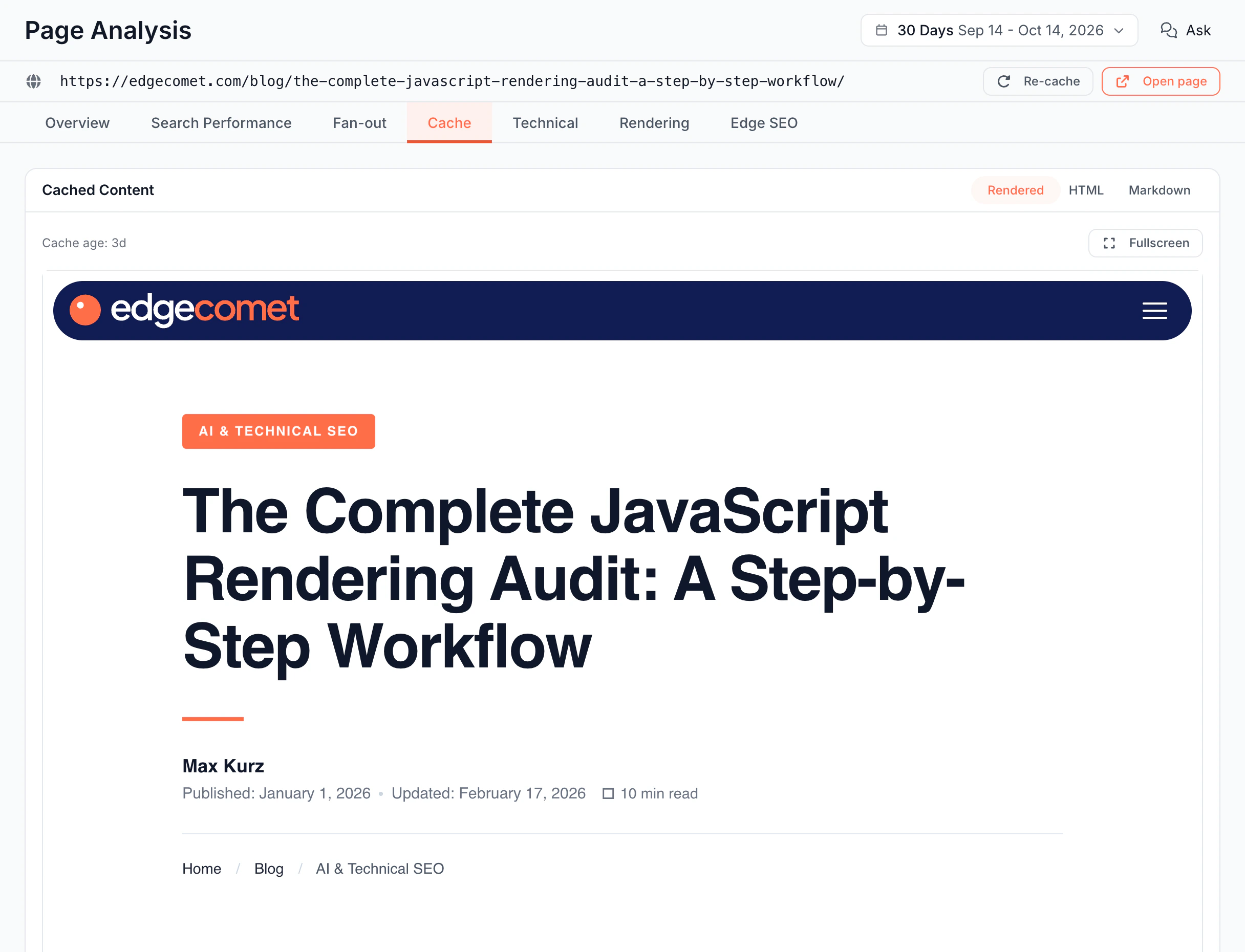
- You see what bots got. Page Analysis > Cache shows the copy EdgeComet serves to bots for any cached URL. Open Page Analysis with the magnifier icon next to a URL in a report, or press Cmd+K, type the URL and choose Analyze. Cache > Renders records render times, render failures and the JavaScript console errors from each render. Console errors happen in the browser, so they never reach a server log.
For how this compares with a standalone prerender service, see How EdgeComet differs from a prerender service.
Common questions
Is a single-page app bad for SEO?
Not by itself. Google can index client-rendered content after it renders the page. The risks are the delay before rendering, renders that fail, and AI fetchers that read only the empty shell. Server-side rendering, static generation and prerendering each give bots complete HTML in the first response, which addresses all three.
Do I need prerendering if my site uses server-side rendering?
Not if your server's HTML already holds all the content. Check the parts that load after the page, such as prices or reviews from an API. If none matter for search, EdgeComet's Cache-only mode serves your server's HTML to bots from a cache, without rendering. If they do, choose Cache + Render.
Does prerendering change what visitors see?
No. Only bot requests are routed to EdgeComet, and visitors keep loading your site directly. See Does EdgeComet slow down your site.
How can I see what a bot that does not run JavaScript sees?
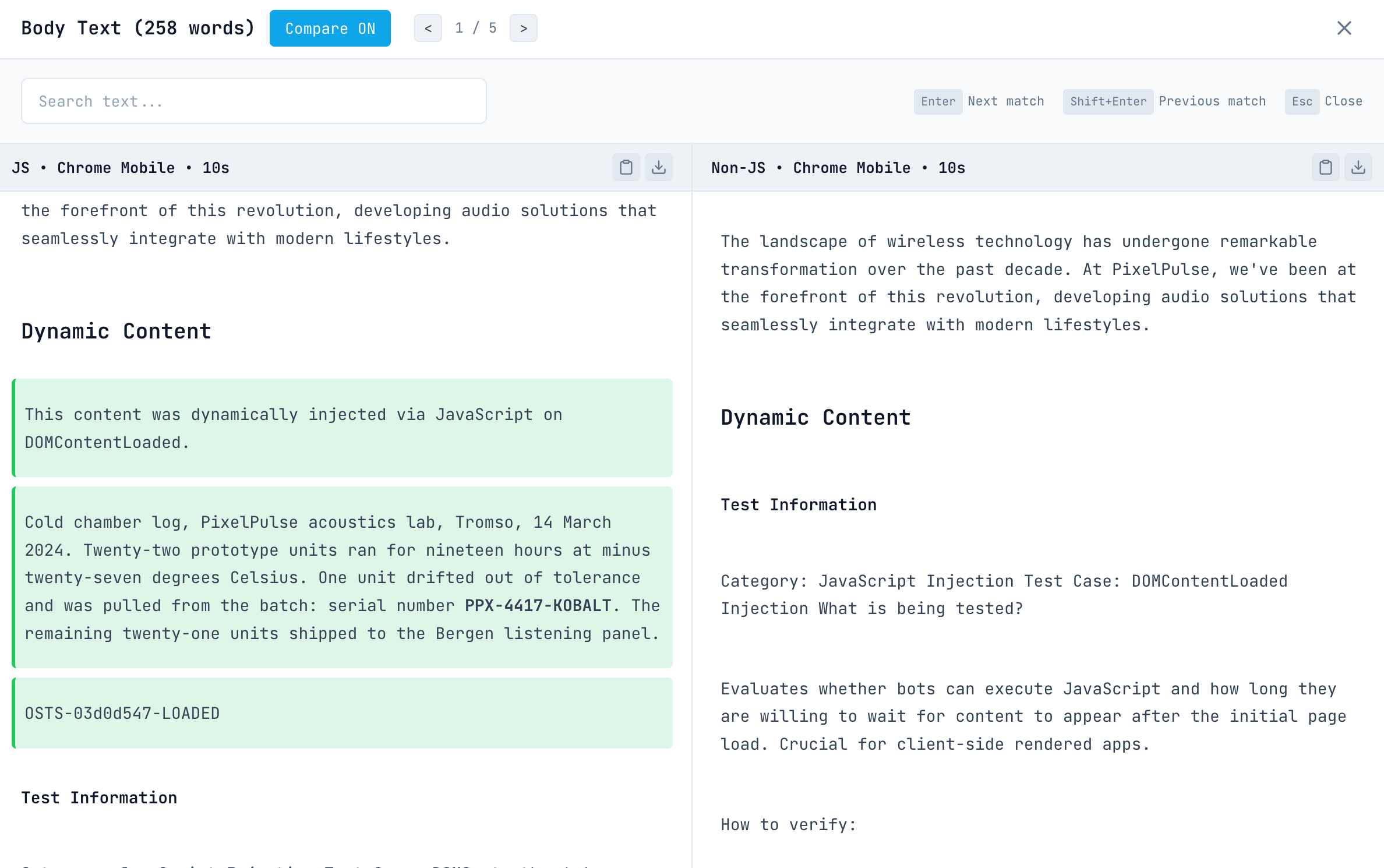
Compare the HTML your server sends with the page after JavaScript runs:
- View the page source in your browser. That is what the AI fetchers EdgeComet tested read. The browser's element inspector shows the page after JavaScript.
- jsbug.org, EdgeComet's free tool, loads a URL with and without JavaScript and highlights the differences in text, links and SEO tags.
- URL Inspection in Google Search Console, with Test live URL, shows the HTML Google's renderer produced.
- Page Analysis in EdgeComet shows the copy EdgeComet serves to bots.
Does Googlebot see content that loads on scroll?
Not reliably. Google Search does not scroll, click or type, so content must load without a user action, for example when it enters the viewport.
EdgeComet does not scroll by default either. To capture content that loads further down the page, turn on Scroll Page under Configuration > System Settings > Rendering. Scrolling adds about 1.6 seconds per render, up to 12 seconds.