

Connect EdgeComet to any CDN or reverse proxy
Any CDN, edge platform or reverse proxy that can inspect a request and send it to another backend can route bots to EdgeComet. You implement one rule: crawler page requests go to EdgeComet's render endpoint, and everything else, including failures, goes to your origin.
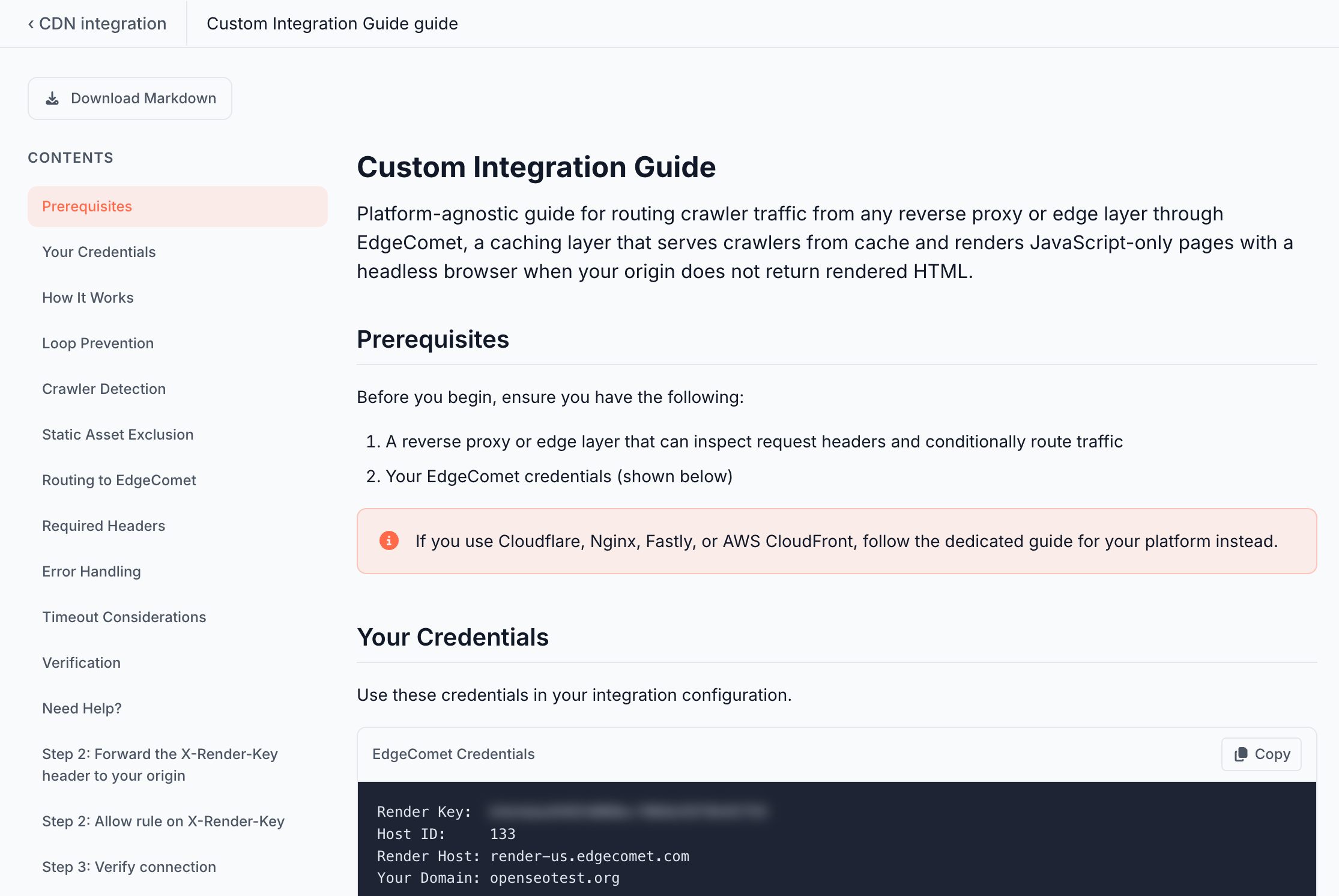
In the dashboard, open Configuration > Connections > CDN integration and pick Generic Integration. The guide opens as Custom Integration Guide. It shows your render key, render host, domain and Host ID, and runs the same connection and install tests as the platform guides.
Use a platform page instead when one exists. See Choose your platform.
What your rule must do
on each request:
  if method is not GET or HEAD                 -> origin
  if the request has an X-Edge-Render header   -> origin
  if the path ends in a static file extension  -> origin
  if the user agent is not a crawler           -> origin

  send to EdgeComet:
    GET or HEAD https://{render-host}/render?url={URL-encoded full page URL}
    headers: X-Render-Key, User-Agent (unchanged), X-Forwarded-For (bot IP), X-Forwarded-Proto
    timeout: 60 seconds, do not follow redirects

  if the connection fails or times out         -> origin
  if the response has no EC-Source header      -> origin
  if the status is 500 or higher               -> origin
  otherwise                                    -> return EdgeComet's response unchanged
The patterns, extensions, headers and status codes are listed in How EdgeComet routes bot traffic. The EdgeComet module for Cloudflare Workers implements this logic in about 100 lines of JavaScript and is a good reference for any runtime with the Fetch API.
Checklist
- Loop prevention comes first. Check for
X-Edge-Renderbefore anything else. EdgeComet's own requests to your site pass through your rule, and they must reach your origin. - Encode the whole URL. Put the scheme, host, path and query string into the
urlparameter as one URL-encoded value. An unencoded&cuts the query string short. - Send the render host as
Hostand connect over HTTPS with SNI for that name. Do not pass your own domain as theHostof the request to EdgeComet. - Keep the bot's user agent. Some CDNs replace
User-Agenton requests to a backend. EdgeComet needs the original to pick the rendering profile and to record the bot. - Pass the bot's IP address in
X-Forwarded-For. EdgeComet verifies Googlebot and other bots by IP. See The bot's IP address. - Fail open. Send the bot to your origin on errors, timeouts, a missing
EC-Sourceheader or a5xx. A bot must never get an error because EdgeComet is unavailable. - Return redirects as they are. Pass EdgeComet's
3xxandLocationto the bot, without following them. - Do not mix bot and visitor copies in your CDN cache. If your CDN caches responses, either pass EdgeComet's responses through uncached, or add a bot flag to the cache key. A cache keyed by URL alone can serve EdgeComet's copy to visitors.
- Forward
X-Render-Keyto your origin and allow it through your firewall. See Let EdgeComet through your firewall.
Health check
GET https://{render-host}/health answers 200 with the body OK. CDNs that mark backends healthy or unhealthy, such as Fastly or HAProxy, can use it to send bots to your origin while EdgeComet is unreachable. A health check does not replace the per-request fallback.
Timeouts
Wait up to 60 seconds for EdgeComet's answer, as the Cloudflare Worker does, and keep the connect timeout short. EdgeComet's render timeout defaults to 15 seconds and must stay below your rule's timeout. See Timeouts.
Test the integration
Run these checks before you send real bot traffic through the rule:
# Crawler: expect EC-Source and the other EC- headers
curl -s -o /dev/null -D - -A "Mozilla/5.0 (compatible; Googlebot/2.1; +http://www.google.com/bot.html)" \
  "https://example.com/" | grep -i "^ec-"

# Browser: expect no EC- headers
curl -s -o /dev/null -D - -A "Mozilla/5.0 (Macintosh; Intel Mac OS X 10_15_7) AppleWebKit/537.36" \
  "https://example.com/" | grep -i "^ec-"

# Loop guard: a request with X-Edge-Render must go to your origin, no EC- headers
curl -s -o /dev/null -D - -A "Googlebot" -H "X-Edge-Render: test" \
  "https://example.com/" | grep -i "^ec-"

# Static file: must go to your origin, no EC- headers
curl -s -o /dev/null -D - -A "Googlebot" "https://example.com/favicon.ico" | grep -i "^ec-"

# Query string: the URL with both parameters appears in Data Explorer > Bot log
curl -s -o /dev/null -A "Googlebot" "https://example.com/?a=1&b=2"
Then run Test connection and Verify install in the dashboard guide. See Set up from the dashboard and Check that search and AI bots reach EdgeComet.
Get help
Email [email protected] with your platform, the Host ID from the guide, and the request and response headers of a failing request, including EC-Request-ID when there is one.
Related
- How EdgeComet routes bot traffic
- Add EdgeComet to an existing Cloudflare Worker, the reference implementation
- Custom integration for the self-hosted engine, which covers the open-source engine you run yourself