

Write content briefs for existing pages
A page brief, shown as Content brief in the dashboard, is a short content brief for one existing page: what the page does today, where it falls short, and what to improve. The Action Board writes one per page when you choose Write N content briefs on a finding. Also called a content improvement brief.
Each brief is grounded in the page itself: the Search Console queries it earns impressions for, the content bots receive from it, and keyword research pinned to the finding. A writer gets a concrete list of changes, not a generic checklist.
For an article that does not exist yet, use the Content brief skill in Ask instead.
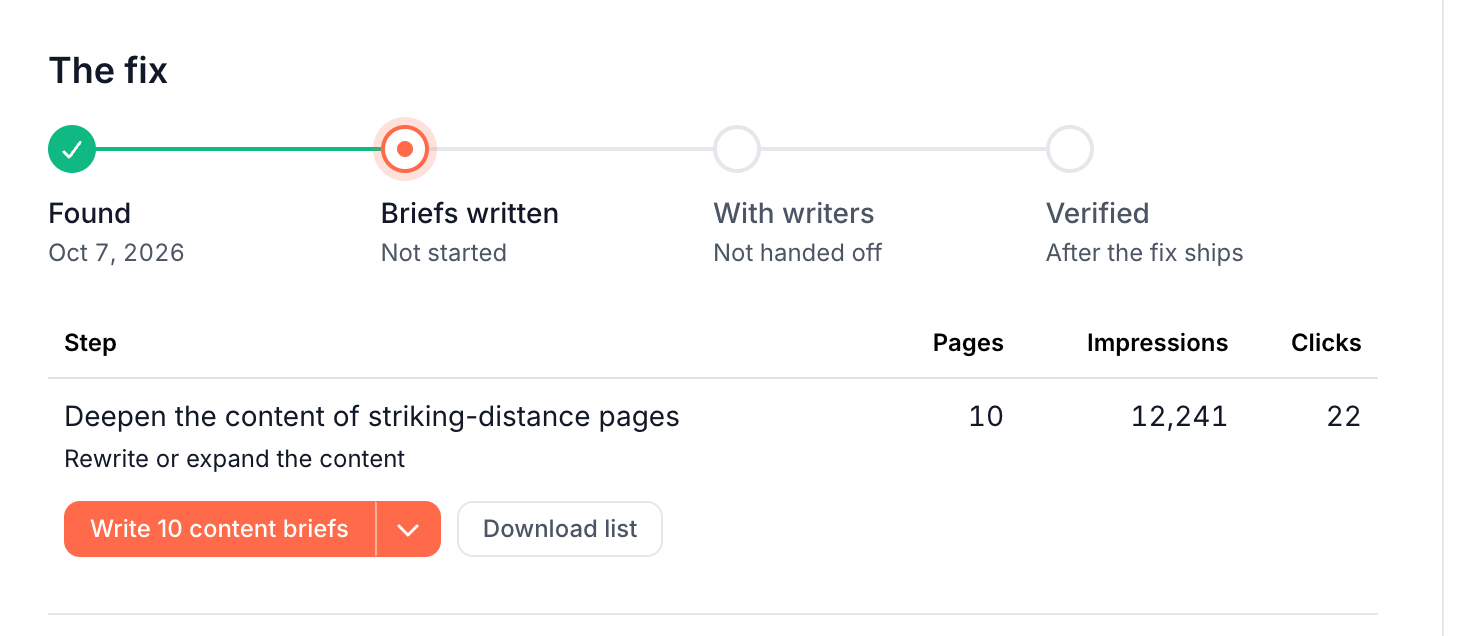
When the board suggests content briefs
The For your content team lane holds pages that need better writing. Examples are thin pages, pages stuck on page two of Google, and pages whose content does not answer the queries they rank for. Their steps lead with a content brief route. See Lanes: who fixes each finding.
A step that asks to rewrite or expand content offers content briefs and a developer brief. On a finding without steps, the route card is Brief a writer, with Write N content briefs or Brief top N.
Write the briefs
- Open the finding from the board.
- Under The fix, on the step, click Write N content briefs. A step with more than 50 pages offers Brief top 50 instead: "Content briefs are written for the top 50 pages by impressions."
- In the dialog, optionally add a Focus for this run to steer the briefs, such as "prioritize decayed posts". Then click Confirm & run.
- The task page opens and shows the progress. You can leave the page; the task keeps going.
When the briefs are written, the board's Status column reads Briefs ready to send, and the finding's fix progress reaches Briefs written.
What each brief contains
A brief opens with a heading that names the page, then a few sentences on what the page does now and where it falls short, then a What to improve list of specific actions.
EdgeComet writes each brief from:
- The page's top 10 Search Console queries.
- The page's content as EdgeComet serves it to bots.
- Keyword research pinned to the finding, such as a keyword table from a chat.
- The finding's diagnosis, which every brief works to resolve.
- Your Guidelines and the focus you entered.
EdgeComet writes each brief only from the page's data, with no invented facts, prices or keyword numbers. A page with little content and no keyword data gets a shorter brief limited to what the data shows.
Read, change and hand off the briefs
Each brief is its own document, titled with the finding and the page URL, such as "Pages stuck on page two for queries worth pushing - https://example.com/blog/crawl-budget/".
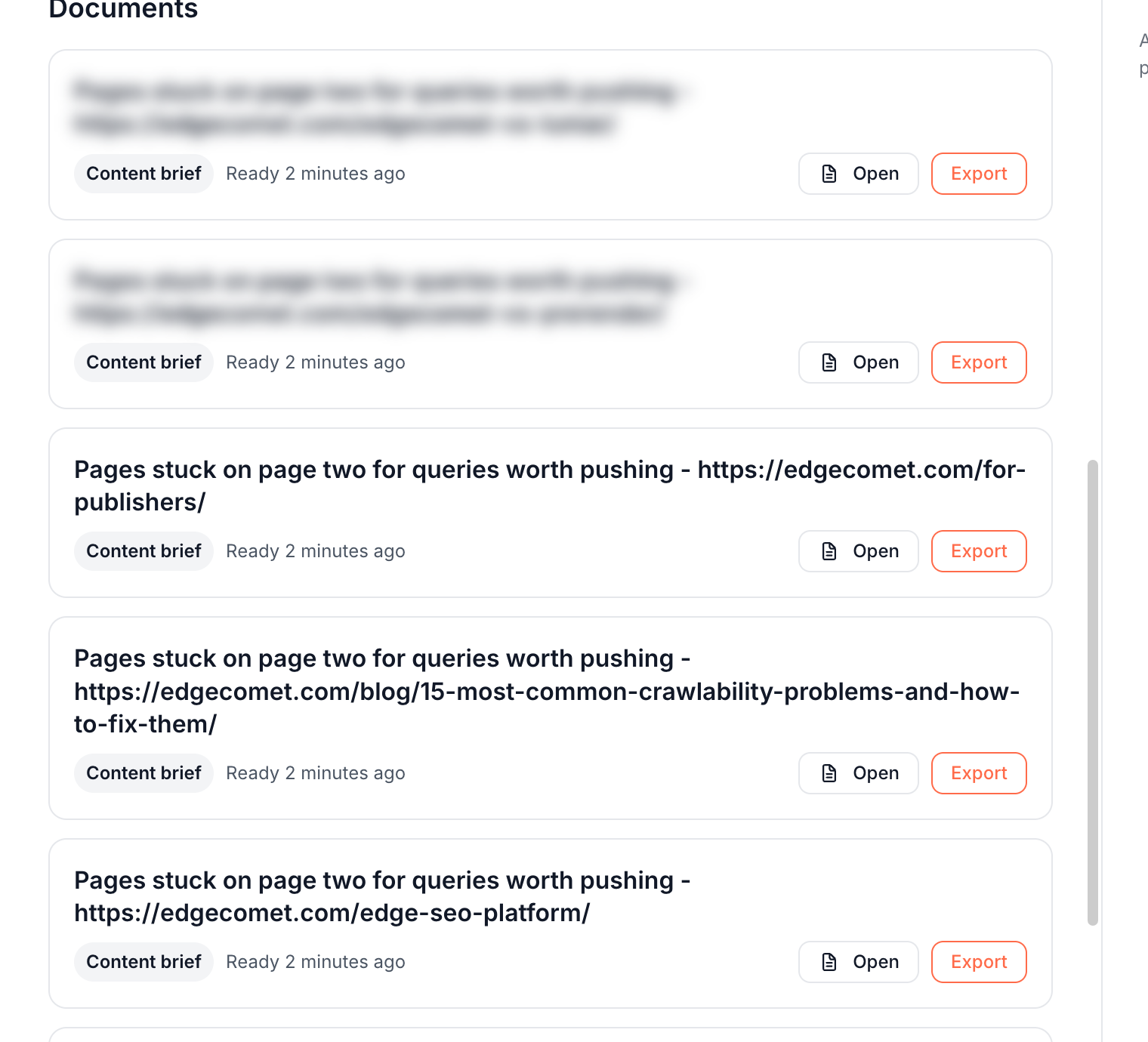
- On the finding: the Documents section lists every brief with Open and Export.
- On the task page: the Fix section reads "One brief per page, written toward this finding. Download them for your writer." The first brief shows under Content brief.
- In Outputs: Action Board > Outputs > Documents lists them as Content brief.
Export sends a brief to Google Docs in your Google account, or downloads it as a Markdown file. See Export a document.
To change a brief, ask the chat on the finding page, such as "add a section on pricing to the brief for the crawl budget page".
Track the writers' work
The task's Status moves the board and the fix progress along:
- To do with written briefs: the board reads Briefs ready to send.
- In progress: the board reads With writers and the days since the task was created, such as With writers · 5 days.
- Shipped: the next recount checks the pages.
Set an Assignee, a Due date and Notes on the task page. The fix progress moves through Found, Briefs written, With writers and Verified. See Track SEO tasks on the Tasks page.
How the fix is confirmed
Marking the task Shipped starts verification. See When verification starts. Each time the crawl is re-evaluated after that, EdgeComet recounts the step's pages against the finding's criteria, such as pages still on page two for their queries. The task reads Confirmed fixed when none are left. See Confirm that an SEO fix worked.
Page briefs compared with briefs for new articles
EdgeComet writes two kinds of content briefs:
- Page briefs improve pages you already have. They come from a finding, one per page, and work from the page's own queries and content.
- The Content brief skill plans an article you have not written yet. It qualifies keyword demand, reads the live search results and the top competitors, and writes a full brief with a heading structure. See Content brief.
Where to find it
In the dashboard: Action Board > Board, open a finding, then Write N content briefs under The fix. You find written briefs under Action Board > Outputs > Documents.