

Draft Edge SEO fixes in Ask
Ask turns a plain request, such as "noindex every URL under /tag/", into Edge SEO draft rules. Also called AI Edge SEO.
Nothing goes live from the chat. Every change lands as a draft, and a person reviews and deploys it in Edge SEO or on the Action Board task page.
Ask previews each change on one of your pages, rendered with your active rules, before it saves the draft. After you deploy it, the edge serves the fix to every bot from its next request, with no release on your site. See Edge SEO.
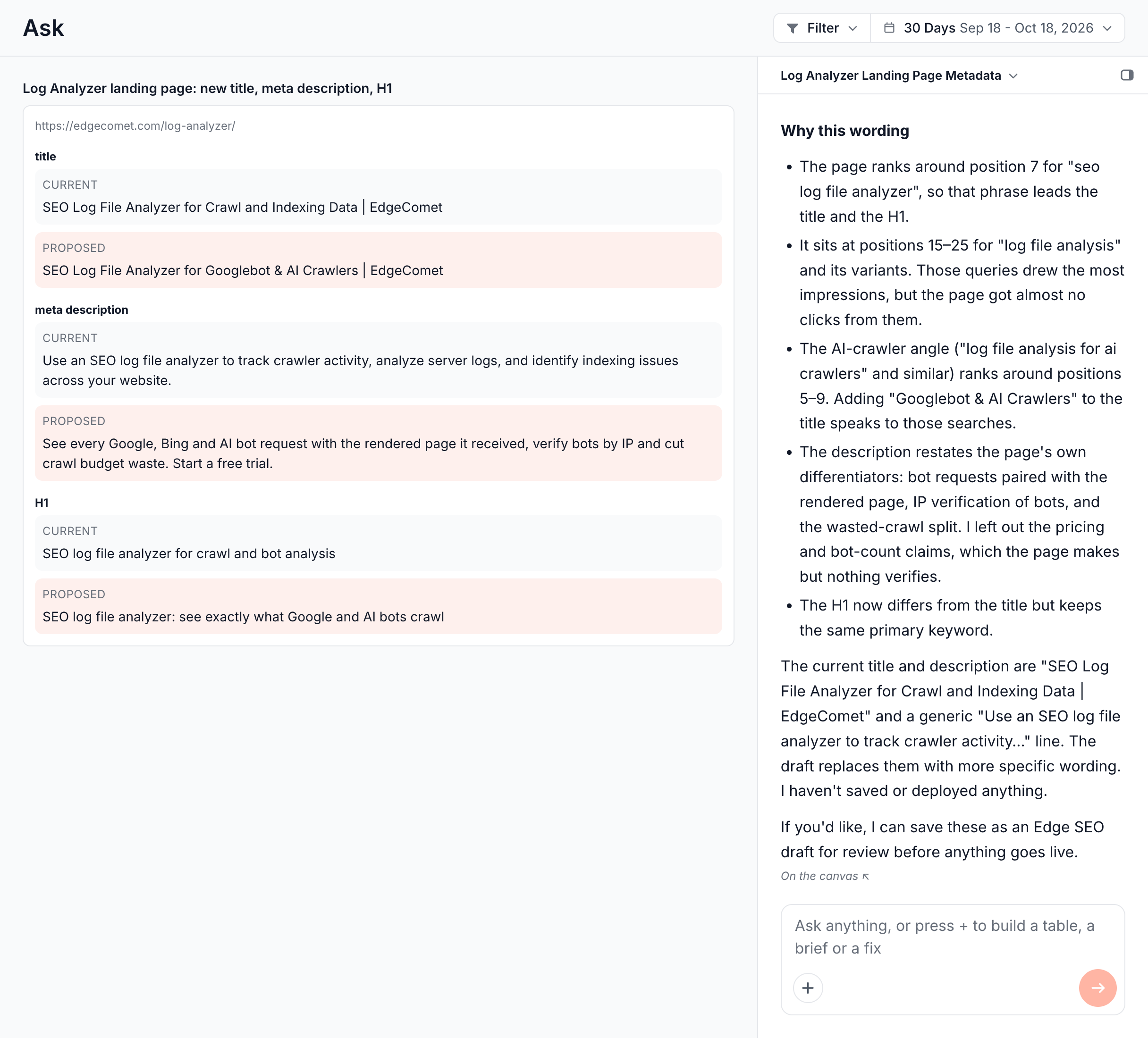
How Ask drafts a fix
Ask picks the form of the draft from the size and shape of the change:
- A few pages, a value each. Ask previews each page's change and saves one draft per page in a single batch. The chat shows the current and new values, and a card such as "Saved 15 drafts".
- The same change on many pages. Ask writes one pattern rule, such as noindex on a directory, and saves it as one Action Board task. The reply links the task and says how many known URLs the pattern matches.
- Different values on many pages. Ask records a finding over the pages and starts a generation run that writes a value for each page. The run lands on a task where you review every row. See AI generation runs.
Draft a fix with the Edge SEO fix chip
- Open Ask > New conversation, or the Ask panel on any report.
- Press + and choose the Edge SEO fix chip. The field reads "Which pages, and what to change".
- Describe the pages and the change, such as "noindex every URL under /tag/" or "redirect the old /docs/*.html pages to their new paths".
- Send it. Ask drafts the fix in the same answer and states the page count.
Choosing Edge SEO fix tells Ask to draft right away. Without the chip, Ask describes the possible fixes and checks with you before it saves drafts or starts a run.
What Ask can change
Ask can change tags on a few pages, apply one pattern rule across a section, insert JSON-LD, or edit any element it can locate with a CSS selector.
Tags on one page or a few
- Title and meta description. For bulk rewrites with review flags, see Titles and meta descriptions with AI.
- Robots directives, such as noindex or nofollow.
- The canonical URL, including a self-referencing canonical.
- The H1.
- Open Graph and other meta tags.
- Hreflang and other link tags, replacing or merging the page's set.
Values can use variables that read the page, such as {title}, {h1} or {url_path}. See Titles, descriptions and robots.
Structural fixes with one pattern rule
A change that is the same on every page of a pattern becomes one draft rule, scoped by URL, path, query string, status code or a page field:
- Noindex a thin directory or a parameter pattern.
- A canonical pattern, such as every page pointing at itself.
- 404 or 410 for a retired section.
- A pattern redirect, 301 or 302, with or without the query string.
- A list of redirects, one 301 per old and new URL pair, all under one task. Ask shows the mapping in its answer.
Structured data
Ask can insert a JSON-LD block, such as Product or Article markup, into the pages you name. See Add structured data at the edge.
To insert HTML, JSON-LD included, see Add content between blocks.
Any element on the page
For an element that is not a standard tag, such as a promo badge or a footer link, Ask finds the element first:
- It maps the page. Ask reads an outline of one page per template, as bots receive it, to find the element and write its CSS selector.
- It checks the selector. Ask tests the selector on sample pages of the set and reads how many elements it matches on each. When a selector matches nothing, or several elements, Ask narrows it and tests it again.
- It drafts the change. Ask rewrites the element's text, an attribute or its HTML, inserts new HTML before, after or inside it, or removes it.
Ask anchors selectors on an id, a data attribute or the tag. It does not use class names a build tool generates, because the next deploy of your site renames them.
The same custom targets are available when you fix an Action Board finding. See Choose what the fix changes.
Review and deploy the drafts
Review Ask's drafts in Edge SEO or on their Action Board task, then deploy what you accept. Edit on the page shows each per-page draft on the full page with the change. The chat card's Open in Edge SEO opens the batch review, and the chat links the task of a pattern rule or a generation run. On the Edge SEO page, Ask's drafts carry the Ask icon beside the author, and the Source filter lists them under Ask.
- Per-page drafts: review page by page and deploy only what you accept. See Review a batch page by page.
- Undo: on the chat card, puts back every draft that message touched. See Undo what the chat wrote.
- Tasks: review and deploy pattern rules and runs on their task page. See Review and deploy fixes from the Action Board.
Change or discard a draft
Change a draft Ask wrote with a new request, or have Ask discard it or say where it stands:
- Send a new request. A new request for the same page and the same elements replaces Ask's draft in place. A request that touches other elements adds a second draft. When two overlapping drafts both go live, the one deployed last wins.
- Discard it. Send a follow-up such as "discard the draft for /pricing/". Ask discards only undeployed drafts it wrote, never live, rolled-back or hand-made rules.
- Check it. Ask can say where a draft it wrote stands: draft, live or rolled back, and when it was deployed.
Where to find it
In the dashboard: Ask > New conversation > + > Edge SEO fix. The drafts are on the Drafts tab of Edge SEO.