

Apply one rule to thousands of pages
A multiple-pages Edge SEO rule applies to every page its filters match, including pages that first appear after you deploy it. Variables and steps give each page its own value, built from its H1, title or URL.
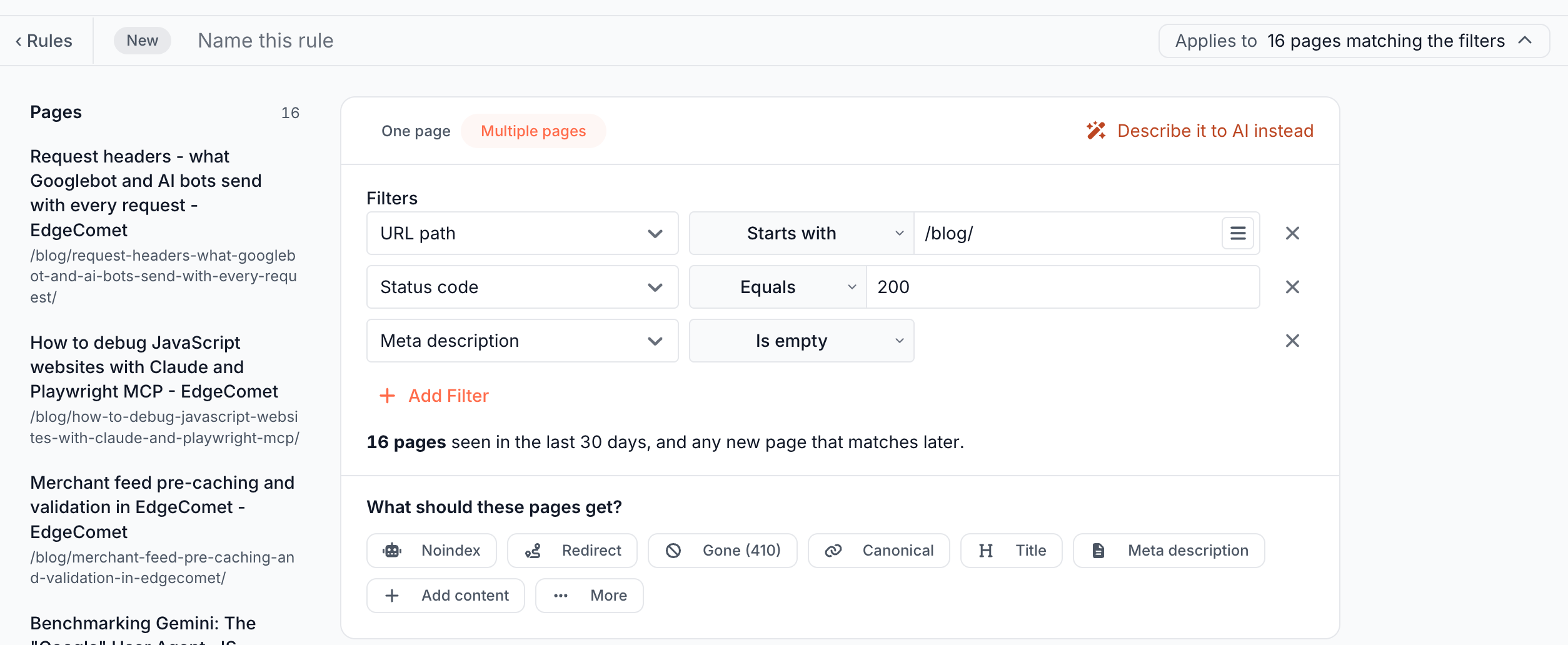
How a multiple-pages rule works
A multiple-pages rule holds filters, not a list of URLs. Each time EdgeComet renders or fetches a page for a bot, it checks the page against the filters of every live rule and applies the rules that match.
The count under the filters is the number of pages bots fetched in the last 30 days that match, such as "16 pages seen in the last 30 days, and any new page that matches later." The pages column lists them, most fetched first. See The editor layout.
To start one, click New rule, then Multiple pages. See One page or multiple pages.
Filters
A filter is a row of three parts: a field, an operator and a value. The first row starts on URL path Starts with, and Add Filter adds a row that starts on URL path Equals. The × at the end of a row removes it.
| Field | What it reads |
|---|---|
| URL | The full address with the query string, such as https://www.example.com/shop/?page=2. |
| URL path | The path without the query string, such as /shop/shoes/. |
| URL query | The query string without the ?, such as page=2&sort=price. |
| Status code | The status code the page answered with, such as 200 or 404. |
| Title | The page's <title>. |
| Meta description | The meta description. |
| Canonical URL | The canonical link. |
| Meta robots | The robots directives, joined with commas, such as noindex, follow. Use Contains to match one directive. |
| H1, H2, H3 | The page's headings of that level. The filter matches when any heading of that level matches. |
| Structured data types | The @type values of the page's JSON-LD blocks, such as Product or Article. |
The page fields, from Title down, read the page as EdgeComet rendered or fetched it, before any Edge SEO rule changed it. Redirect, 404 and 410 rules take only URL, URL path, URL query and Status code. See Serve 301 redirects and 404 or 410.
Operators
| Operator | Matches when | Case |
|---|---|---|
| Equals, Not equals | The whole value is, or is not, the text. | Matches case |
| Contains, Does not contain | The text appears, or does not appear, in the value. | Ignores case |
| Starts with, Ends with | The value starts or ends with the text. | Ignores case |
| Matches regex, Does not match regex | The regular expression matches, or does not match, anywhere in the value. | Matches case unless the pattern starts with (?i) |
| Greater than, Less than, Greater or equal, Less or equal | Status code only: the code compares as a number. | |
| Is present, Is empty | The page has, or has no, value for the field. They take no value. A missing tag and an empty one both count as empty. |
URL and URL path offer the text operators only. URL query and the page fields add Is present and Is empty. Status code offers Equals, Not equals and the four comparisons.
Regular expressions use RE2 syntax, which has no lookarounds and no backreferences. On /blog/Post-1, Post-\d matches, post-\d does not, and (?i)post-\d does.
How filters combine
Every filter must match. To match any one of several values, put them in one filter:
- A positive operator, such as Starts with, matches when any of the values matches.
- A negative operator, such as Does not contain, matches only when none of the values matches.
The same field can appear in two rows, such as URL path Starts with /blog/ and URL path Does not contain /tag/.
On H1, H2 and H3, a page with no heading of that level matches Is empty and Does not contain.
Several values in one filter
The button with the lines icon at the end of a text value, "Switch to multi-line mode (one value per line, OR logic)", turns the box into a list. Type one value per line, up to 200 lines.
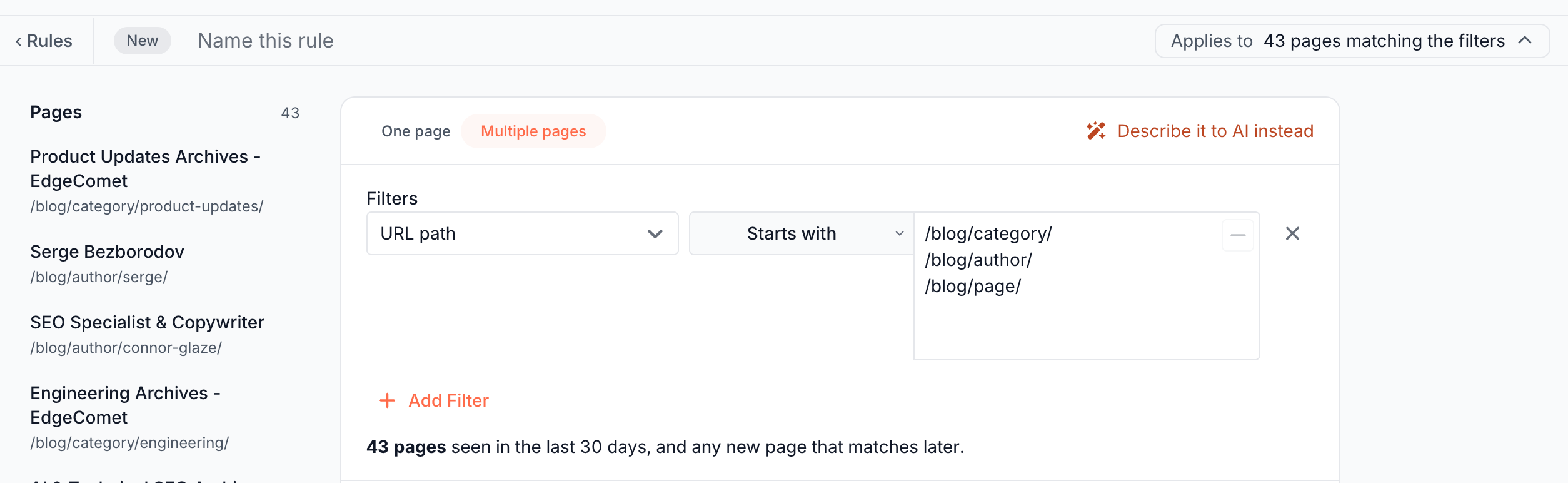
To go back to one line, clear the extra lines and click the same button, which then reads "Switch to single-line mode".
Build values from each page with variables
A variable in braces, such as {h1}, takes the value of the page being changed. The {x} button next to a value lists them and adds the one you pick at the end of the value.
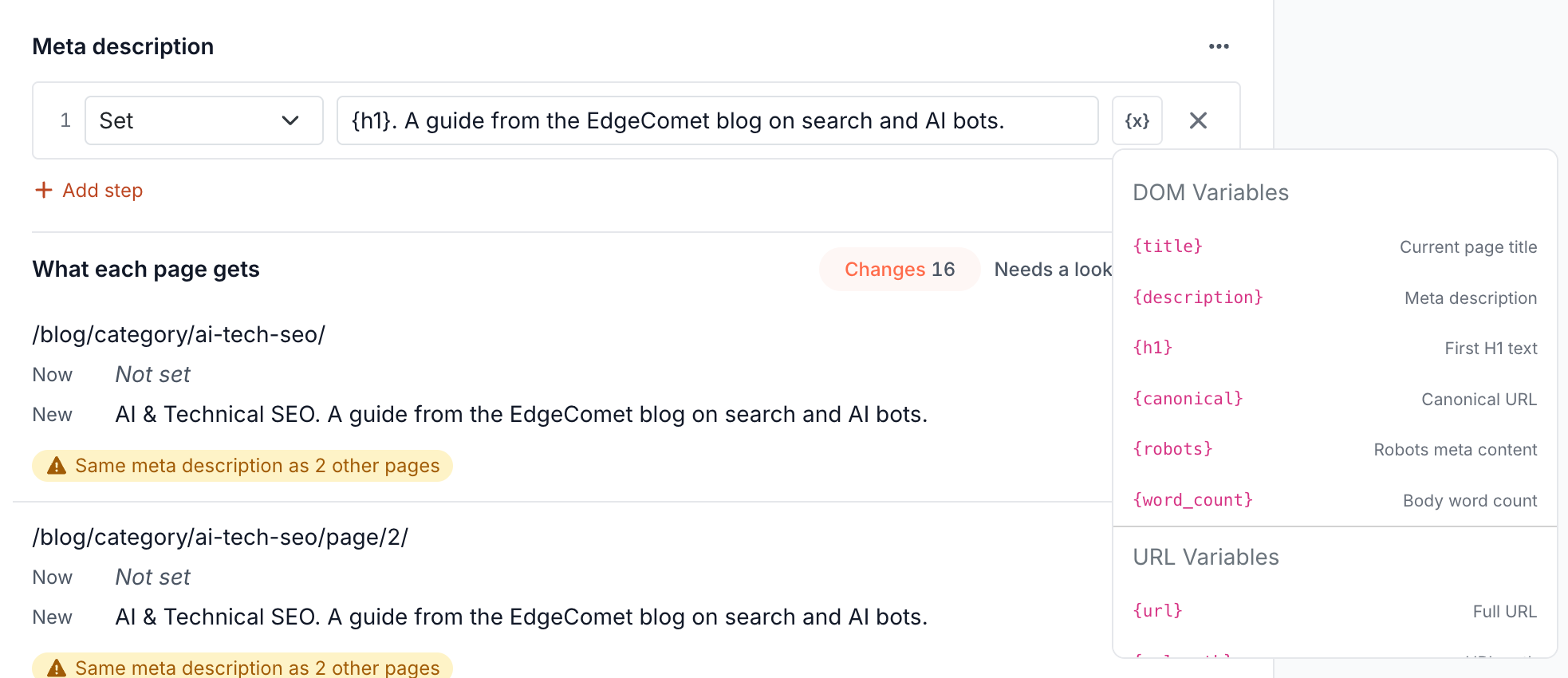
| Variable | Value |
|---|---|
{url} | The full address with the query string. |
{url_path} | The path, without the query string. |
{url_query} | The query string, without the ?. |
{domain} | The host name, such as www.example.com. |
{url_segment_1}, {url_segment_2} and up | One part of the path, counted from the left: shop and shoes in /shop/shoes/. The list shows the first two; type {url_segment_3} and higher. |
{url_param:name} | The value of one query parameter, such as {url_param:color}. |
{title} | The page title. |
{description} | The meta description. |
{h1} | The first H1. |
{canonical} | The canonical URL. |
{robots} | The robots directives, such as noindex, follow. |
{word_count} | The number of words in the page body. |
{og:name} | The content of an Open Graph tag, such as {og:image}. |
{meta:name} | The content of a meta tag by its name, such as {meta:author}. |
{status_code} | The page's status code. Type it: the list does not show it. |
Variables read the page as EdgeComet rendered or fetched it, before any Edge SEO rule ran. A variable the page has no value for, or a misspelled one, reads as empty, and the editor flags the page, such as "No H1 on this page". To write a literal brace, type it twice: {{ or }}.
Variables work in step values, in Replace with, in redirect destinations, in the Canonical, Hreflang and Head links edits, and in inserted HTML, where their values are escaped. Find, Pattern, filter values and selectors take text as written. In page edits, attributes that carry a URL, such as a link's href, take no variables. See Actions.
Change values with steps
On a multiple-pages rule, each text edit is a list of steps that run from top to bottom. Each step works on the result of the one before it.
Steps work on text edits: Title, Meta description, Canonical, the Social edits, Other head tag and Rewrite the H1. Page edits such as alt text offer them under Use an operation instead. Attributes that carry a URL and inserted HTML take one value.
| Step | What it does |
|---|---|
| Set | Replaces the value. |
| Prepend | Adds text before the value. |
| Append | Adds text after the value. |
| Find & Replace | Replaces every occurrence of a text. Aa (Match case) is off by default, which ignores case. An empty Replace with removes the text. |
| Regex Replace | Replaces every match of a Pattern, in RE2 syntax. In Replace with, $1 and $2 insert the pattern's groups. The pattern matches case unless it starts with (?i). |
| Truncate | Keeps the first N characters, with no ellipsis. Shorter values stay as they are. |
Add step adds a step, up to 10 per edit. The × on a step removes it, and steps cannot be reordered. Choosing another operation for a step clears its value.
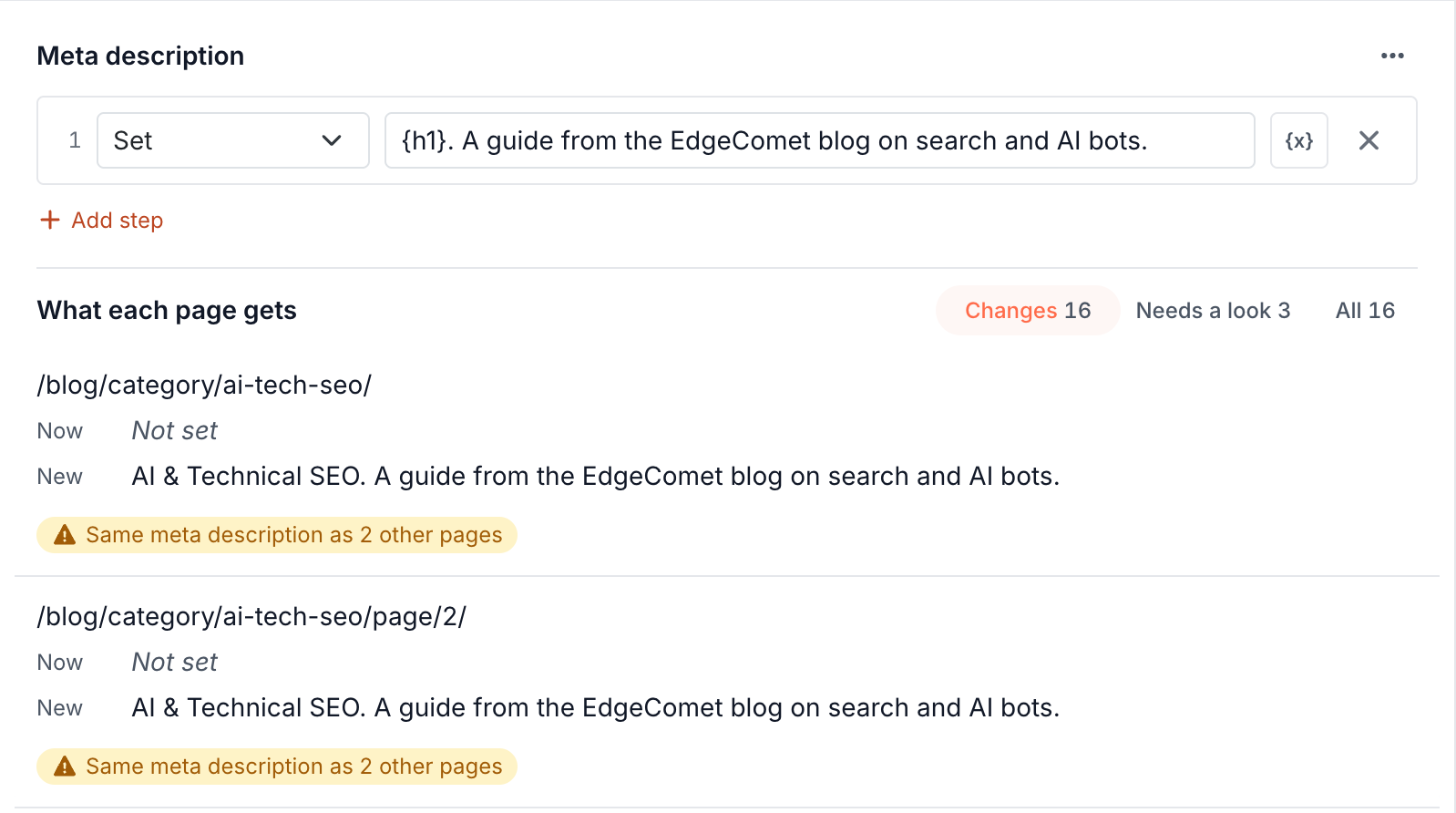
In this example, the rule gives the paginated archives of one category the same description. A filter URL path Does not contain /page/ leaves the later pages out. See What each page gets for every flag.
| Goal | Steps | A page gets |
|---|---|---|
| Build the title from the H1 | Set {h1} | Example | Blue Running Shoes | Example |
| Keep the product name, change the suffix | Regex Replace ^(.*?) - Shop - Example$ with $1 | Example | Blue Shoes | Example from Blue Shoes - Shop - Example |
| Give empty descriptions a template | Set {h1}. A guide from the Example blog. with a filter Meta description Is empty | Faceted navigation SEO. A guide from the Example blog. on a post whose H1 is "Faceted navigation SEO" |
More step examples for titles and meta descriptions are in Rewrite titles across many pages.
How much one rule can hold
One rule holds up to 20 edits with up to 10 steps each, and one filter holds up to 200 values of up to 1,000 characters.
| Item | Up to |
|---|---|
| Edits per rule | 20 |
| Steps per edit | 10 |
| Values in one filter | 200 |
| Characters in one filter value | 1,000 |
A rule needs at least one complete filter. To go past these limits, split the work into several rules: they run in the order they went live. See In deploy order.
What you should see
As you set filters, the count and the pages column update. Each edit lists what every page gets, with Changes, Needs a look, No change and All.
After the deploy, EdgeComet recaches the matching pages bots fetched in the last 30 days, and a page that appears later gets the rule on its first render or fetch. See What happens when you deploy.
If it does not work
"No page bots fetched in the last 30 days matches. The rule applies to any that appear later."
A URL filter compares the full address, with the domain. A path such as /blog/ belongs in a URL path filter. See Create an Edge SEO rule.
"The edge refused this deploy, so nothing changed. Check the rule and deploy again."
A regular expression in the rule uses syntax RE2 lacks, such as a lookahead (?=...) or a backreference \1. Rewrite the pattern without it and deploy again.
A filter on the title does not match pages another rule changed
Filters read the page before any Edge SEO rule ran. Filter on the page's original value, not on the value another rule writes.
A page gets an empty value
A variable in the value reads nothing on that page, such as {h1} on a page with no H1. The editor flags the page. Add a filter such as H1 Is present, or start the value from text that every page has.