

SEO developer briefs and tickets from the Action Board
A developer brief is one document that hands an SEO finding to your engineering team: the problem, the evidence, the recommended fix and how to confirm it. EdgeComet writes it from the finding's own data when you choose Create dev task. Also called an SEO ticket or a technical SEO handoff.
EdgeComet writes the brief from the rendered pages it served to bots. It describes the observable problem and the correct output, not guesses about your templates or code.
The brief opens on the task page, ready to read, export to Google Docs or paste into your ticket tracker. When the developers ship, the recount confirms the fix.
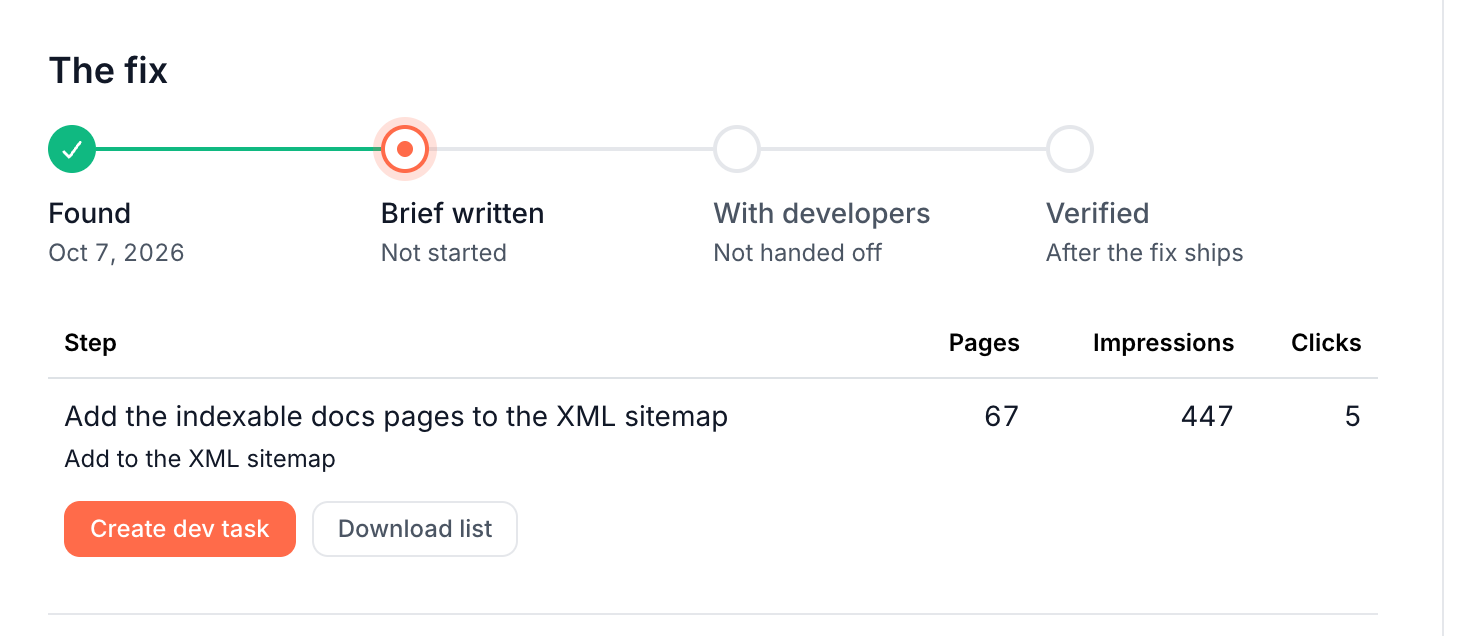
When a finding goes to developers
The For your developers lane holds fixes that need a code or template change, such as internal links, the XML sitemap or a page template. Their steps lead with Create dev task. See Lanes: who fixes each finding.
Some fixes the edge can serve still lead with a developer brief. When a title, description or H1 is wrong on more than 100 pages, the step offers Create dev task first and Fix the top 100 at the edge second. A field wrong on thousands of pages usually comes from one template, and developers fix it once for every page.
The brief's Recommended fix says whether an edge fix could cover the top pages in the meantime. You can run both: an edge batch for the 100 pages with the most Search Console impressions now, and the template fix for the rest. See Fix routes a step offers.
Create a developer brief
- Open the finding from the board.
- Under The fix, on the step, click Create dev task. It is the main button on developer steps and sits in the menu beside the first route on the others. On a finding without steps, choose Hand off to developers (Create dev brief).
- In the "Create dev task?" dialog, optionally add a Focus for this run to steer the brief, such as "mention that the sitemap is generated by our CMS plugin". Then click Confirm & run.
- The task page opens and shows the brief as EdgeComet writes it. You can leave the page; the task keeps going.
When the brief is written, the board's Status column reads Brief ready to send, and the finding's fix progress moves from Found to Brief written.
What the brief contains
The brief has four sections:
- Problem: the fields at fault, how many pages are affected and the pattern, in one or two sentences.
- Evidence: sample URLs from the finding with the symptom they share.
- Recommended fix: the correct output, and whether an interim edge fix could cover the top pages meanwhile.
- Acceptance criteria: what fixed looks like, phrased for the next crawl to confirm.
EdgeComet writes it from the finding's title, criteria and recommendation, the page count, the fields involved and up to 10 sample URLs. Research pinned to the finding, your Guidelines and your focus steer it. The brief quotes no code and uses only the counts and URLs the finding holds.
Read, change and export the brief
The task page shows the brief under Dev brief, with the time it became ready and Export. The Fix section reads "A single brief for your developers."
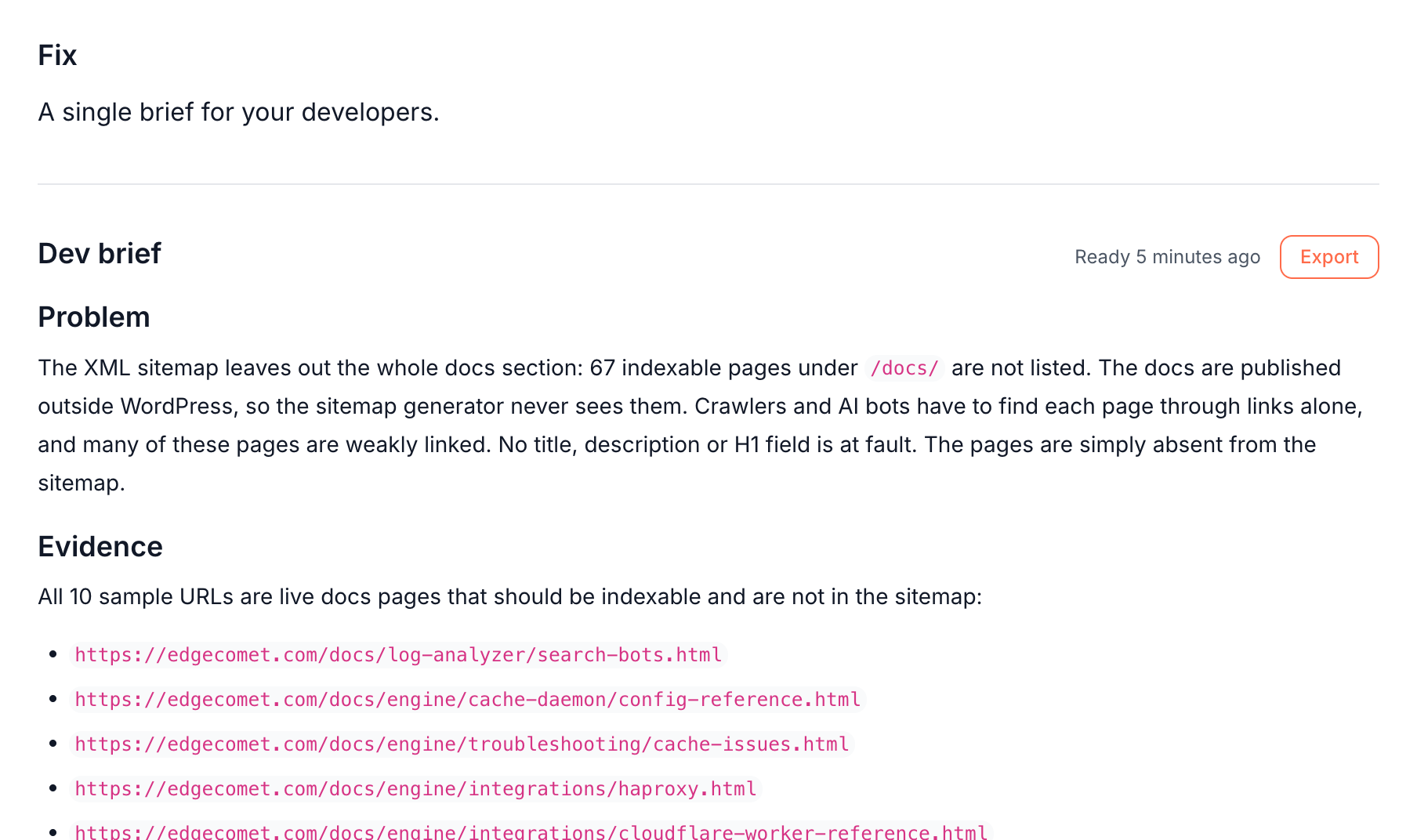
- Export sends the brief to Google Docs in your Google account, or downloads it as a Markdown file. See Export a document.
- The same brief appears in the finding's Documents section and in Outputs > Documents as a Developer brief.
- To change it, ask the chat on the finding page, such as "tighten the acceptance criteria" or "add the affected templates as a table". The agent edits the brief in place and its version goes up, such as v2.
Track the hand-off
The side panel of the task page holds the hand-off details:
- Assignee: free text up to 120 characters, such as a developer's name or a team. It works for people without an EdgeComet account.
- Due: a due date. An overdue task shows its date in red on the Tasks page.
- Notes: up to 5,000 characters, such as the ticket link. Click Save to keep them.
The task's Status moves the board and the fix progress along:
- To do with a written brief: the board reads Brief ready to send, and the fix progress says "The brief is ready. Send it to your developers, then mark the task In progress."
- In progress: the board reads With developers and the days since the task was created, such as With developers · 12 days. The fix progress says "With your developers. Mark the task Shipped when the fix is out."
- Shipped: the next recount checks the pages, and the finding closes when none are left.
Won't do closes the task without a fix. See Track SEO tasks on the Tasks page.
How the fix is confirmed
Marking the task Shipped starts verification. See When verification starts. Each time the crawl is re-evaluated after that, EdgeComet recounts the step's pages. The task reads Confirmed fixed when the step has no pages left, and Not fixed when pages remain.
When none of the finding's pages are left, the finding resolves and its row on the board reads Fixed. See Confirm that an SEO fix worked.
Where to find it
In the dashboard: Action Board > Board, open a finding, then Create dev task under The fix. You find written briefs under Action Board > Outputs > Documents.