

Set canonical, hreflang and other link tags at the edge
The Canonical, Hreflang and Head links edits of the rule editor set the link tags in the page head that bots receive: the canonical URL, the hreflang set, and any other <link rel> tag.
One rule can fix a canonical on a single page or give every page of a section the right canonical and language alternates.
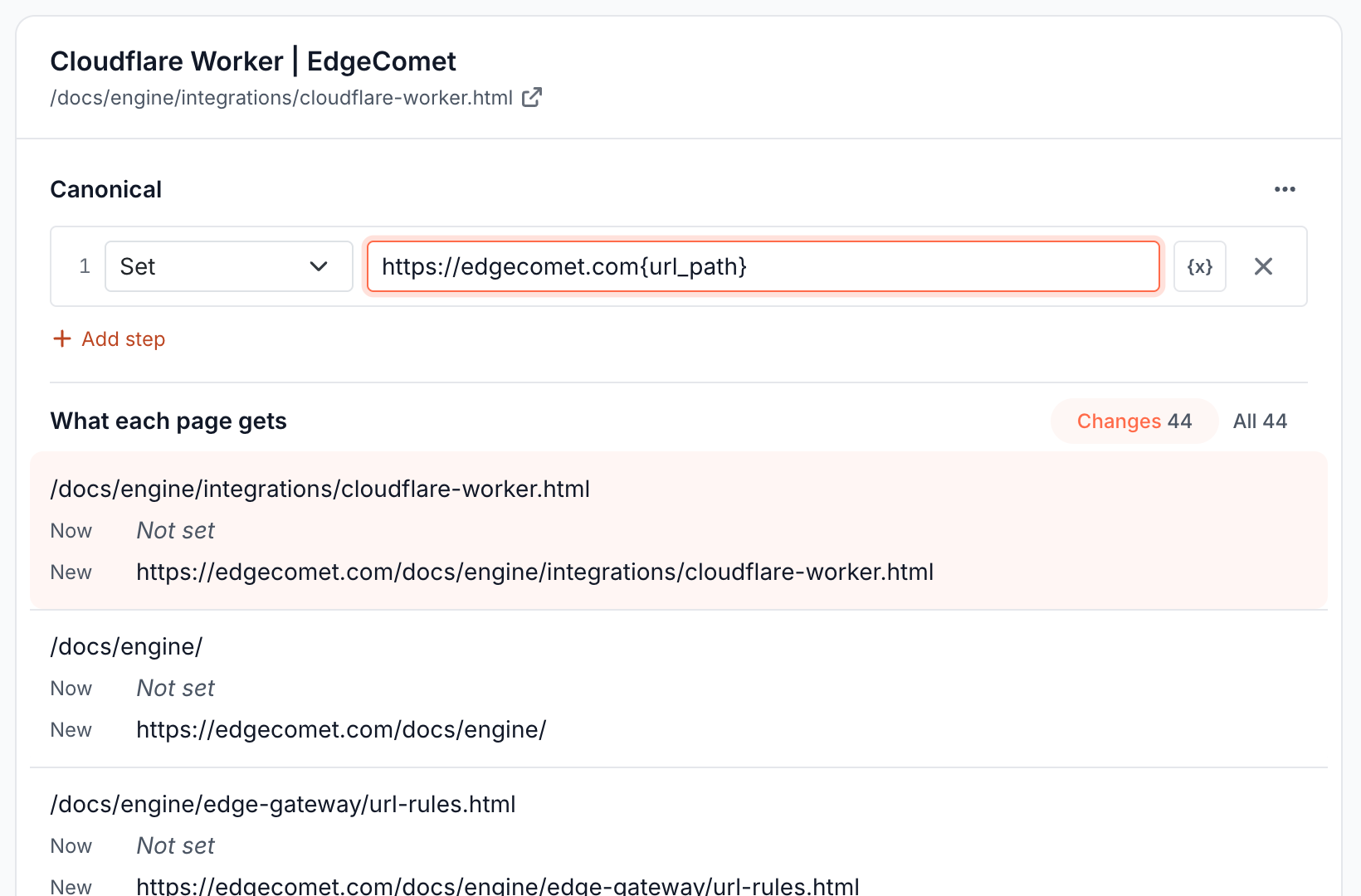
Fix a canonical tag
- In the rule editor, choose the pages.
- Click Canonical under the filters, or choose it in Add an edit.
- Enter the canonical URL. For Multiple pages, build it from the URL with variables, such as
https://www.example.com{url_path}, which keeps the path and drops every query parameter, or edit the current canonical with a step such as Regex Replace. - Check what each page gets under the edit, then save and deploy.
If a page has no canonical tag, the rule adds one to the head.
Typical canonical fixes:
| Problem | Rule |
|---|---|
Faceted or sorted URLs, such as /catalog/shoes?color=red&sort=price, compete with the main page | Multiple pages, filter URL Contains /catalog/, canonical step Regex Replace \?.*$ with nothing, which strips the query string |
| Pages moved in a migration still point their canonical to the old path | Filter Canonical URL Contains /legacy/, step Find & Replace /legacy/blog/ with /blog/ |
The canonical points to the http or non-www host | Step Find & Replace http://example.com with https://www.example.com |
| A product page has a broken canonical | One page, canonical set to the page's own URL |
For how canonicals affect crawling, see Crawl budget and crawl waste explained.
Add or replace hreflang tags
The Hreflang field writes a set of <link rel="alternate" hreflang> tags, one row per language:
Choose Hreflang in Add an edit.
Click + Add language and enter a Language code, such as
en-gb, and a URL template, such ashttps://example.com/uk{url_path}.Or click + Add multiple to add a group at once. Quick Sets add Western Europe (7 languages), Nordics (5), DACH (3), APAC (5) or Americas (4), and Or Pick Individually picks single languages, including
x-defaultfor the fallback page. URL Template For All sets one template for every row, where{lang}becomes the language code, such ashttps://example.com/{lang}{url_path}. Languages already in the list are skipped.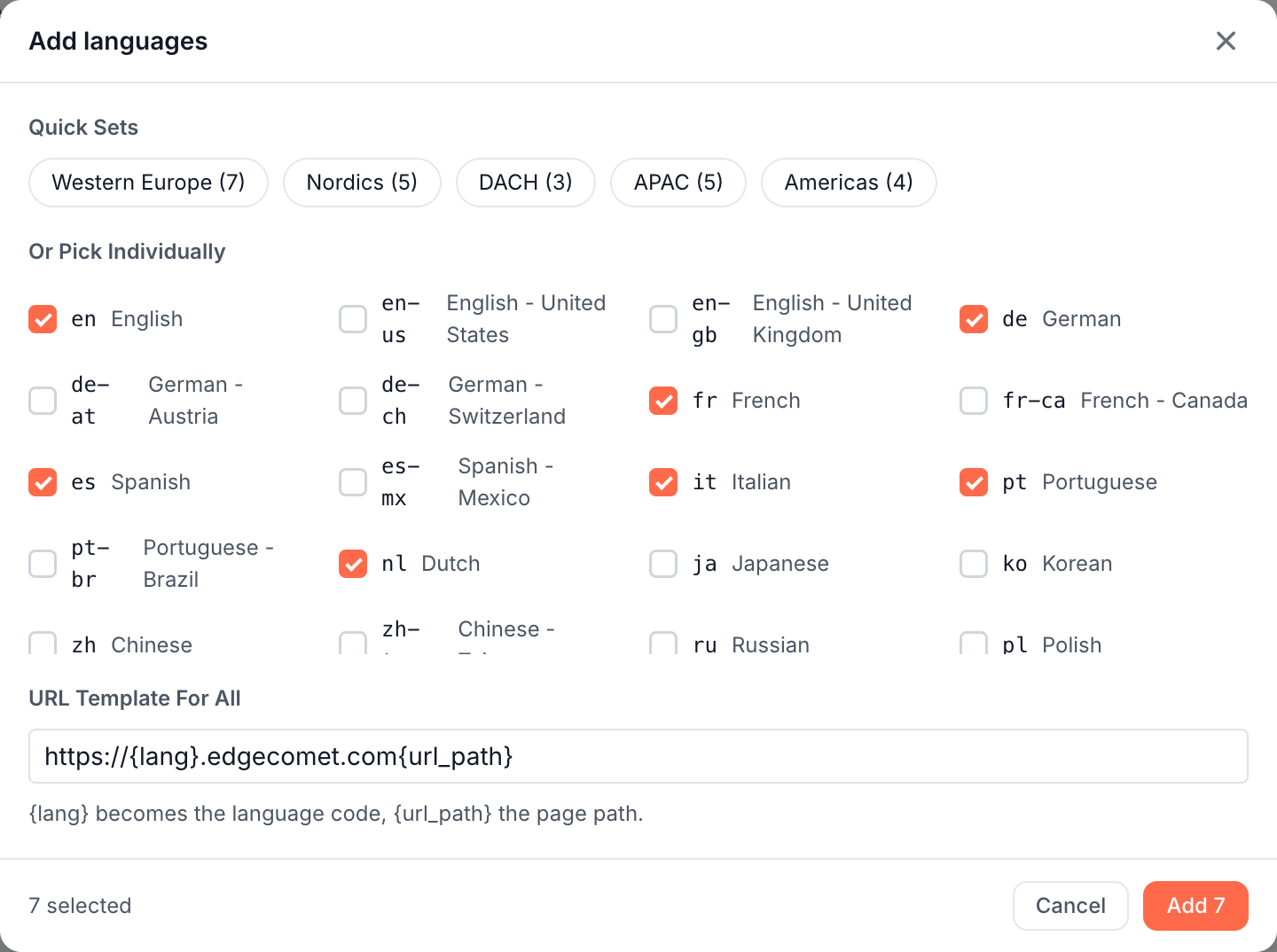
Choose what happens to hreflang tags the page already has: Merge with existing updates the URL of a language that is present and adds the rest, and Replace all removes "every alternate not listed below". A new set starts on Replace all.
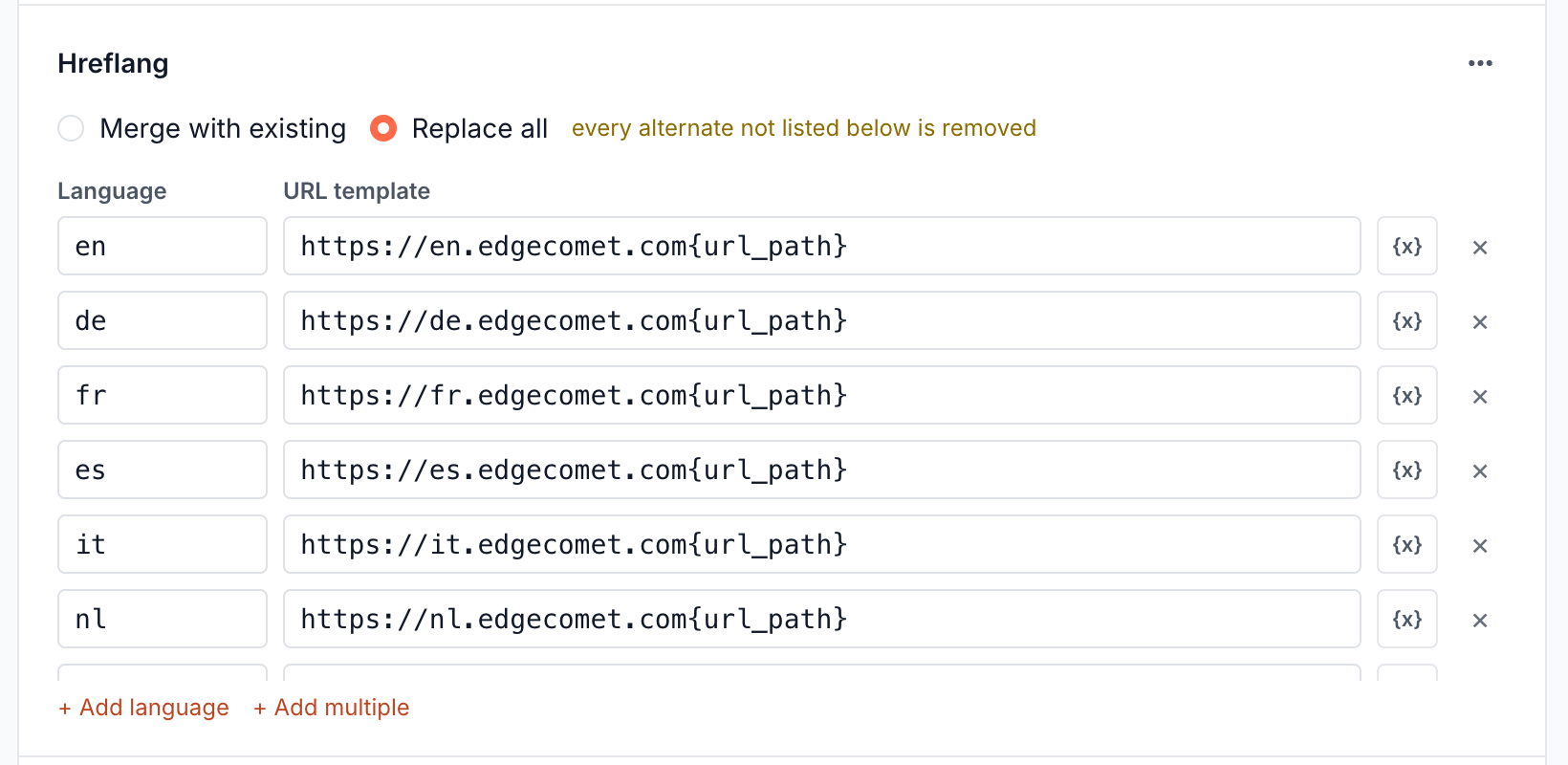
A set holds up to 500 languages and counts as one change in the rule.
Because the URL template is built from each page's own path, one rule that applies to every language version of a section gives each page the same complete set. That fixes missing return links, where page A lists page B but page B does not list page A.
Add other link tags
Head links in Add an edit adds <link> tags to the head. Click Add link and enter a Rel, such as preconnect, and an Href. EdgeComet adds each link and skips one when the page already has a link with the same rel and href.
Find the pages to fix
Evergreen Crawl reports canonical and hreflang issues found on the pages bots received, such as canonicals pointing to redirects or missing return links. See Find canonical issues and Find hreflang errors.
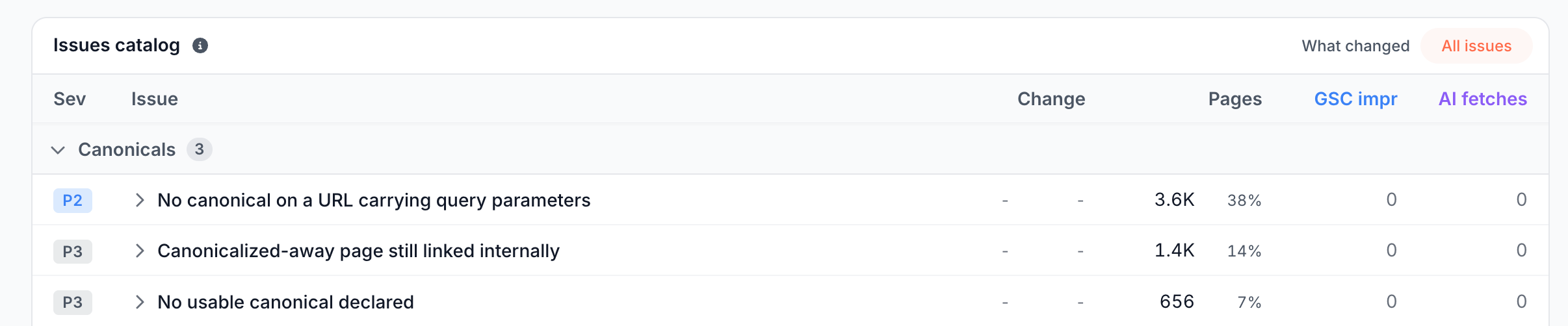
Filters in the editor can target pages by their current canonical, with the Canonical URL field.
The Action Board drafts canonical rules for the pages it flags. See Review drafts from the Action Board, Ask and AI clients.
What you should see
On a rule for multiple pages, the canonical edit lists the canonical each page gets. After the deploy and the recache, Page Analysis > Cache shows the new tags in the copy bots receive.
If it does not work
The canonical or hreflang did not change
Check that the rule is on the Live tab and the page has been recached. If several rules set the canonical on the same page, the one that went live last wins: paste the URL into Search or paste a URL on the Edge SEO page to see the order. Page Analysis > Cache shows which value bots get.