

Fix blank, partial or slow prerendered pages
When a prerendered page reaches bots empty, incomplete or late, Cache > Renders > Issues names the error type and the URLs it hit. Find the symptom here, check the cause, and fix it in the render settings or on your server.
Bots keep getting a page while you fix it: a failed render falls back to the last cached copy or your server's HTML.
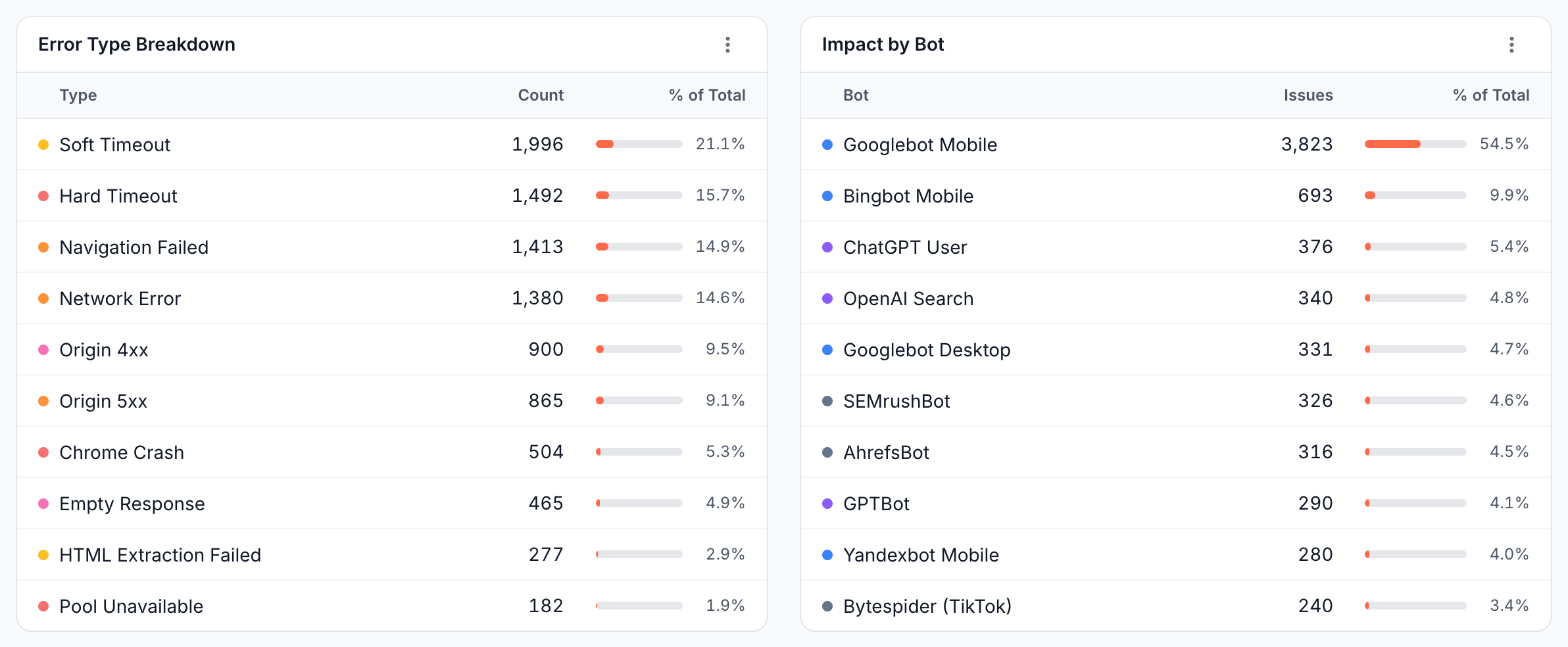
To look at one URL, open Page Analysis > Cache and compare the rendered copy with the page in your browser. To test what a bot gets, see Check the render check.
Bots get an empty page or a loading shell
Cause
EdgeComet captured the page before your content was on it. The Wait For Event fired too early, a request that loads content was blocked, or the content appears only after a click or a scroll.
Check
- Page Analysis > Cache shows the rendered copy without your content.
- Cache > Renders > Performance > Lifecycle Events shows when
DOMContentLoaded,loadandnetworkIdlefire on your pages. - The browser console of the page shows errors or failed API calls.

Fix
- Use
networkIdle, or setwindow.prerenderContentReady = truein your app and chooseprerenderContentReady. - Add an Additional Wait of 1 to 2 seconds for content that appears just after the page settles.
- Remove patterns from Blocked AJAX URL Patterns that match the API calls your content needs. EdgeComet also blocks common tracking and analytics domains during renders, so check that your content does not depend on one.
- Make the main content render without clicks. Bots do not click.
Then recache the affected pages.
Content that loads on scroll is missing
Lazy-loaded sections, such as product grids, reviews or related articles, load only when scrolled into view. Turn on Scroll Page under Configuration > System Settings > Rendering. It adds about 1.6 seconds per render, up to 12 seconds. See Scroll Page.
"Soft Timeout"
Cause
A soft timeout means the wait event did not fire before the Render Timeout. EdgeComet still captured and served the page as it was at that moment, which may be incomplete. A page that keeps a connection open, such as analytics polling, a chat widget or a WebSocket, may never reach networkIdle.
Check
Cache > Renders > Issues lists the URLs, and Lifecycle Events on the Performance tab shows which event is slow.
Fix
- Block the request that keeps the network busy under Blocked AJAX URL Patterns, or switch to
networkAlmostIdle. - With a readiness value, check that your app still sets the flag after its last release.
- Raise the timeout for slow URLs only, with a URL rule.
"Hard Timeout", "Chrome Crash" or "Pool Unavailable"
These are failures on EdgeComet's side: the render exceeded the rendering service's maximum time, the browser stopped, or no browser was free. No HTML was captured. Bots got the last cached copy or your server's HTML instead.
Occasional entries need no action. If they persist for one page, check that page for a script that never finishes. If they spread across the website, contact [email protected].
"Navigation Failed" or "Network Error"
Cause
Chrome could not load the page: a DNS, TLS or connection error, or your firewall or bot protection blocked EdgeComet's renderer.
Fix
Allow requests that carry the X-Render-Key header through your firewall, WAF or bot protection, and check that your server answers. See Render check: "Allow requests carrying the X-Render-Key header, then retry."
"Origin 5xx" or "Origin 4xx"
Your server answered the render with an error. A 5xx is a server problem: fix it, then recache the pages. A 4xx is often correct, such as a 404 for a removed page. Check that the URLs listed are pages you meant to remove.
Redirects and missing pages are cached as 200
A single-page app often shows its "not found" view or redirects in the browser, while the first response says 200. With a readiness wait, such URLs render a near-empty loading shell, also cached as a 200. Bots then index an empty page instead of following a redirect or dropping the URL.
Give these URLs a real status code: from your server, with a URL rule that answers Not Found (404), Gone (410) or a Custom status redirect, or with an Edge SEO response rule. See Actions.
Renders are slow
A bot waits for a render only when the page is not in the cache. To cut both render time and waiting:
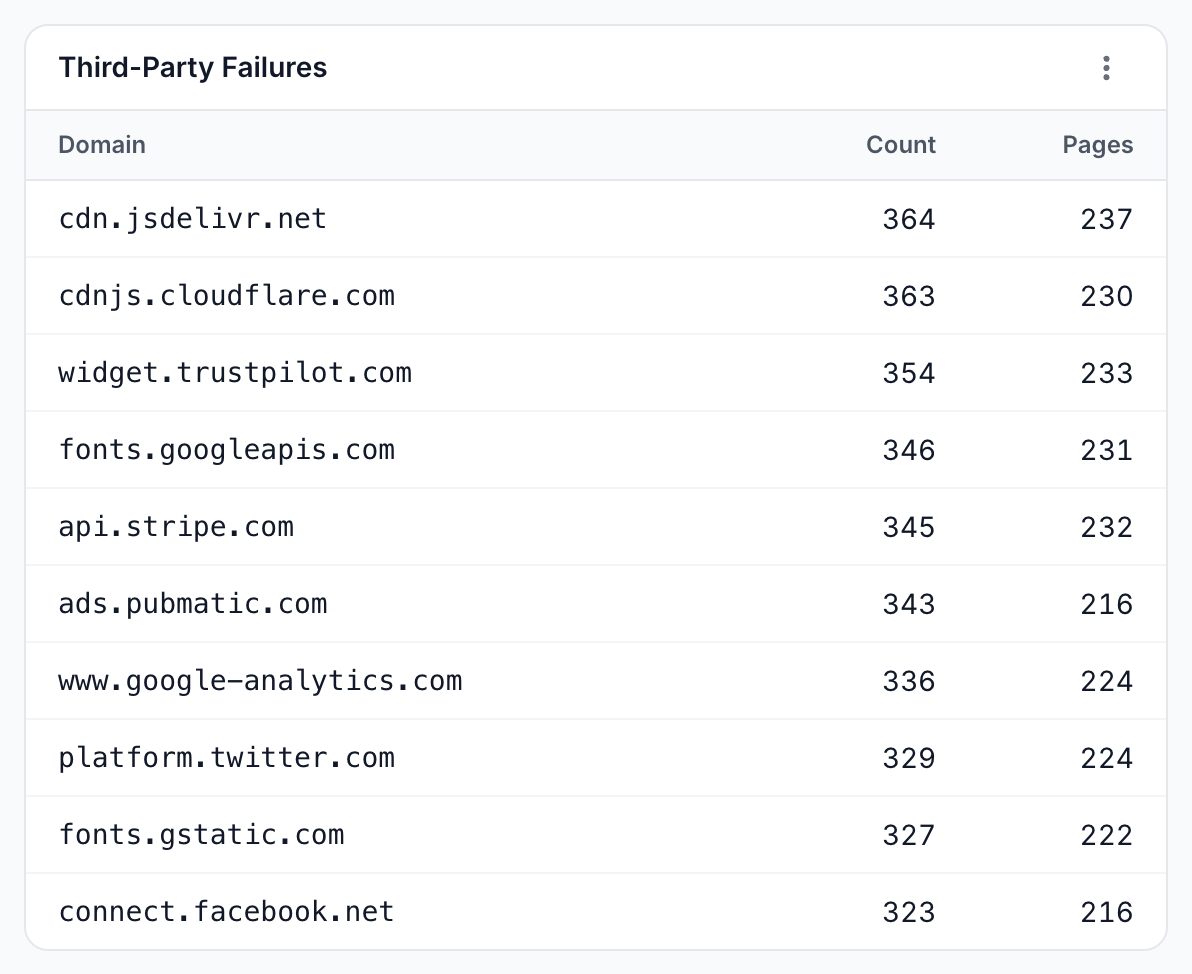
- Keep Image, Media and Font blocked, and block third-party scripts that add no content. Third-Party Failures on the Issues tab shows which domains fail.
- Use a Wait For Event that fires as soon as your content is on the page.
- Add pre-cache rules, so bots get cached pages instead of waiting.
"Empty Response" or "Response Too Large"
Empty Response means your page produced empty HTML. Check that the URL serves a page in a browser. Response Too Large means the rendered HTML was over 20 MB, often from inlined data or a list rendered in full. Paginate the list or move the data out of the HTML.
Error types and what they mean
Each failed render or pre-cache attempt carries one error type, shown with its severity on the Issues tab:
| Error type | Severity | Meaning | What to do |
|---|---|---|---|
| Hard Timeout | Critical | The render exceeded the rendering service's maximum time. No HTML | See Hard Timeout |
| Chrome Crash | Critical | The browser instance stopped | See Hard Timeout |
| Chrome Restart Failed | Critical | The browser could not restart | See Hard Timeout |
| Pool Unavailable | Critical | No browser was free | See Hard Timeout |
| Navigation Failed | High | Chrome could not open the page | See Navigation Failed |
| Network Error | High | DNS, TLS or connection error | See Navigation Failed |
| Origin 5xx | High | Your server answered 5xx | See Origin 5xx |
| Soft Timeout | Medium | The wait event did not fire in time. Partial HTML served | See Soft Timeout |
| HTML Extraction Failed | Medium | The rendered page could not be read | Check the page in a browser. Contact support if it repeats |
| Status Capture Failed | Medium | No HTTP status was captured | Check the page in a browser. Contact support if it repeats |
| Invalid URL | Low | The URL failed validation | Check the URL, or the sitemap or feed it came from |
| Origin 4xx | Low | Your server answered 4xx | See Origin 4xx |
| Empty Response | Low | The page produced empty HTML | See Empty Response |
| Response Too Large | Low | HTML over 20 MB | See Response Too Large |
| Origin Redirect | Low | Pre-cache got a redirect whose status is not in Cacheable Status Codes | Add the code to Cacheable Status Codes if bots should get it from the cache |
| Origin Uncacheable | Low | Pre-cache got another status that is not cacheable | Check the page, or the cacheable status codes |
| Render Unavailable | Low | Pre-cache found no rendering service | Retried automatically. Contact support if it repeats |
| Cache Write Failed | Low | Pre-cache fetched the page and could not store it | Retried automatically. Contact support if it repeats |
| Invalid Request | Low | A pre-cache request was rejected | Check the submitted URL |
| Unknown | Low | An unclassified pre-cache failure | Contact support if it repeats |
| Gave up after retries | Low | Pre-cache stopped after its retries | Check the earlier errors for the URL |
| Gave up - host unresolved | Low | Pre-cache could not resolve your domain | Check your DNS |
| Gave up - queue full | Low | The pre-cache queue was full | Contact support if it repeats |
If you still need help
Send [email protected] the URL, the time, and the EC-Request-ID header of a bot request for it. See Check the headers bots receive.