

Edge SEO FAQ: cloaking, site speed and safety
Edge SEO changes the HTML that search engines and AI bots receive, before EdgeComet caches it. It is not cloaking when bots and people get the same content, and it adds no step to your visitors' page loads.
Cloaking and Google
Search engines judge whether bots and people get the same content, not where the HTML was changed.
Is Edge SEO cloaking?
No, when bots and people get the same content. Google defines cloaking as "presenting different content to users and search engines with the intent to manipulate search rankings and mislead users" (Google spam policies).
On rendering for bots, Google says: "As long as your dynamic rendering produces similar content, Googlebot won't view dynamic rendering as cloaking." (Google Search Central) Bing's guidelines say: "Sites should not rely on cloaking or serving materially different experiences to crawlers and visitors." (Bing Webmaster Guidelines)
Edge SEO rules pick pages by URL and page content. A rule applies to every bot that requests a matching page, and the Edge SEO snippet, when installed, applies it for visitors.
Most changes are tags that describe the page: titles, meta descriptions, canonicals, hreflang, robots directives and structured data.
Text people read is different. Google's first example of cloaking is "Inserting text or keywords into a page only when the user agent that is requesting the page is a search engine, not a human visitor". When a rule rewrites visible text, adds content or redirects URLs, install the snippet to keep visitors on the same content.
Structured data follows the same rule: it describes what the page shows. See Is adding structured data at the edge cloaking?
Will Google penalize changes made at the edge?
Search engines act on content that misleads people, not on where a change is made. A change made at the edge reaches Googlebot as ordinary HTML, as if your server had sent it.
For canonicals and robots tags, Google prefers the HTML: "The best way to set the canonical URL is to use HTML", and "using JavaScript to change or remove the robots meta tag from noindex may not work as expected" (Google Search Central). Edge SEO puts them in the HTML bots receive. See Edge SEO compared with CMS changes and JavaScript snippets.
Are edge redirects sneaky redirects?
No, when the page really moved. Google lists "Moving your site to a new address" and "Consolidating several pages into one" as legitimate redirects, and asks "whether or not the redirect is intended to deceive either the users or search engines" (Google spam policies).
Bots get an Edge SEO redirect from EdgeComet. Visitors follow it when the Edge SEO snippet is installed. For a permanent move, install the snippet or add the same redirect on your server. See What bots and visitors get.
Speed and reliability
Edge SEO adds no step to your visitors' page loads, and bots get the changes inside cached pages.
Does Edge SEO slow down my site or hurt Core Web Vitals?
No. Human visitors never pass through EdgeComet, and Core Web Vitals come from those visitors. See Does EdgeComet slow down your site or change Core Web Vitals?
The only EdgeComet code in visitors' browsers is the optional snippet: a small script with your rules inside, which makes no other requests. See Why the tag is synchronous.
Does Edge SEO slow down responses to Googlebot and AI bots?
No for cached pages. EdgeComet applies the rules when it renders or fetches a page, before it stores the copy, in the same pass that reads the page's SEO tags. A cache hit already carries the changes and is served in under 15 ms, with no rule run.
What happens to the changes if EdgeComet is unavailable?
Your CDN integration sends bots to your server, and they get your regular pages, without the Edge SEO changes, until EdgeComet answers again. When a render fails inside EdgeComet, bots get the last cached copy, or your server's HTML with the rules applied. See What happens if EdgeComet or your origin is down.
For changes that must hold in every case, fix the source too. See Should I still fix my CMS?
What happens if a rule fails or a page cannot be read?
Bots get the page without that change:
- A page EdgeComet cannot parse is served without the changes.
- A rule the edge cannot read is left out, and the other rules keep running.
- An edit whose element is missing from a page changes nothing on that page. See An edit reads "Not found on this page".
- A deploy the edge refuses changes nothing, and the rule stays a draft. See The edge refused this deploy.
How soon do bots get a change?
On their next request once EdgeComet has recached the page. EdgeComet starts the recache at deploy instead of waiting for the cache to expire. See What happens when you deploy.
Search engines still decide when they crawl a page again, and Page Analysis shows when they fetched it.
What bots and visitors get
Every bot that EdgeComet serves gets the changes in the HTML, and visitors get them through the snippet.
Do visitors see Edge SEO changes?
Only with the Edge SEO snippet installed. Visitors open your server directly, and the snippet applies the same rules in their browsers.
Do ChatGPT and other AI bots get the changes?
Yes, every bot your CDN sends to EdgeComet gets them, including AI bots such as GPTBot and ChatGPT-User. The changes are in the HTML, which bots that do not run JavaScript read on the first request. See Do GPTBot, ClaudeBot and other AI bots run JavaScript? and How routing works.
How do I check what Googlebot receives?
Three ways:
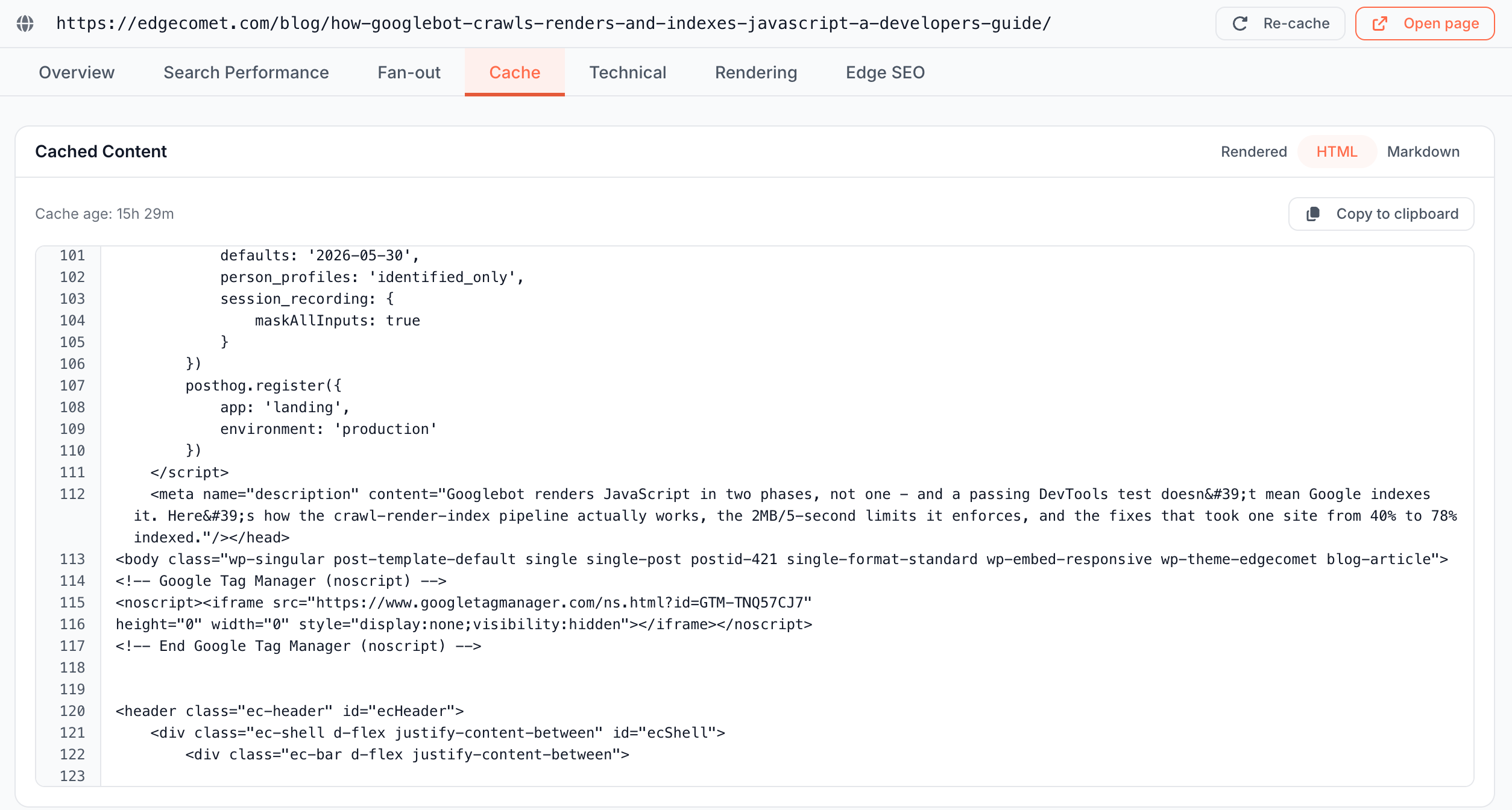
- Open the URL in Page Analysis > Cache and choose HTML. See HTML: which tags does the copy carry?
- Request the page with a bot user agent. See Check the headers bots receive.
- Test the live URL with URL Inspection in Search Console. See How can I see what a bot that does not run JavaScript sees?
Does Edge SEO work with React, Vue, Angular, Shopify or WordPress?
Yes, on any site EdgeComet serves. On a site EdgeComet renders, rules run on the page after its JavaScript ran. On a Cache-only site, they run on your server's HTML. See What edge SEO is and Choose a serving mode.
Hosted platforms such as Shopify route bots to EdgeComet through the Cloudflare integration.
Control and safety
A person deploys every change after checking it, and Roll back restores the original page.
Can a rule break my pages?
Each change is checked before it goes live:
- The editor shows the current and the new value on the matching pages bots fetched most, and checks the page you select with the rendering engine. See What each page gets.
- The deploy confirmation shows the pages and traffic at stake, and asks you to type your domain for indexing, canonical and response changes and for changes on 100 pages or more. See How many pages a rule affects.
- Inserted HTML is cleaned of scripts and event attributes. See Add content between blocks.
- Roll back takes a rule out of production. See Roll back a rule.
How do I undo a change?
Click Roll back on the rule. EdgeComet recaches the affected pages, and bots get your original page on their next request. See Roll back a rule.
Can AI or the Action Board change my site on its own?
No. The Action Board, Ask and AI clients connected over MCP save drafts, and a person deploys them. See Review drafts from the Action Board, Ask and AI clients.
What happens when my CMS changes after I deploy a rule?
A rule that sets a tag keeps setting it, whatever your CMS sends. A page edit whose element is gone from the page changes nothing there. To see every change on a page, paste its URL into Search or paste a URL on the Edge SEO page. See See every change on a page.
Should I still fix my CMS?
Both work together. Edge SEO ships the fix today, and your CMS or code stays the long-term home for content. When the source is fixed, roll the rule back. See Edge SEO compared with CMS changes and JavaScript snippets.
Can I A/B test with Edge SEO?
Yes, by splitting pages, not visitors. One rule changes a test group of pages, and a control group of similar pages stays as it is. Every bot and every visitor gets the same version of a given page.
An AI agent, Ask or a client connected over MCP, picks and splits the pages, drafts the test rule and reads the result from EdgeComet's data. See Run SEO split tests with Edge SEO and an AI agent.
What happens to my changes if I stop using EdgeComet?
Remove the routing, and bots get your pages from your server, without the Edge SEO changes. Your code and CMS were never changed. If you installed the snippet, remove its tag too. See How to pause or remove EdgeComet and Remove the snippet.