

Create and change alerts by describing them to Ask
Describe the alert you want in plain words, and Ask, EdgeComet's AI agent, drafts it from your site's real data. Each draft is tested against your data and, where the history exists, replayed over the site's recent past before you see it. Also called AI alerts or natural-language alerts.
Nothing turns on until you accept the draft on its review page. You can change a draft by asking for the change in the chat beside it.
The same chat changes an existing alert and answers why an alert fired. See Ask overview for everything else Ask does.
Describe an alert
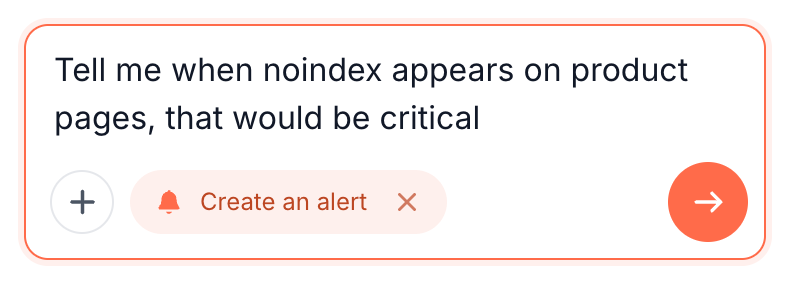
- Press Create a rule in the header of any alerts page. Ask opens beside the page with Create an alert selected and the placeholder "What should warn you, and on which pages?".
- Write what should warn you and on which pages, in your own words.
- Send it. Ask starts the drafts in the background and replies in the chat. The review page opens beside the chat as soon as drafting starts.
- Review each draft, change what you need, and press Create the alert. See Review the drafts.
A few requests that work:
Tell me the moment my origin stops answering on the checkout pages
Warn me when product prices drop by more than 20%
Alert me when Googlebot gets 404s on more than 10 blog posts in an hour
Tell me if a scanner finds an exposed .env or backup file
You can also start from the + menu in Ask with Create an alert, or ask for an alert in any Ask conversation. On a site with no alerts, the field at the bottom of the Alerts page sends to the same chat, with suggestions such as "Tell me if noindex appears on a live page".
How Ask drafts an alert
The drafting runs in four stages that the review page shows as they happen: Reading your setup, Measuring your site, Drafting and Wrapping up. Show what it did lists every step afterwards.
- Reading your setup: your existing alerts, page groups, custom extraction fields and data sources.
- Measuring your site: the last 30 days of bot traffic, renders, Search Console and crawls, and live pages where the request names page content.
- Drafting: each candidate goes through the same save checks and the same engine as a live rule, against the newest window of your data. A candidate that fails is reworked, and the feed says why. A candidate that passes is replayed over the recent past, where the history exists, to count how many alerts it would have raised, and when.
- Wrapping up: Ask closes the set and writes its note on the result.
When a request names page content no extraction field covers yet, such as review stars or a delivery promise, Ask can propose a new custom extraction field with the alert. It tests the selector on live renders and keeps it only if it pulls a real value from at least 2 pages.
The field is created together with the alert, and the draft shows it under Measures, such as "Tested on 4 real pages - matched 3/4".
When an alert already covers the request
When alerts you have already answer the request, Ask does not draft a second alert that would warn you twice about one problem. The review page lists them under Already watched by, each with its on and off switch, its fires in the last 30 days and the reason it covers the request.
If only part of the request is covered, the draft covers the rest. Parts Ask could not draft at all are listed under Asked for, but not drafted.
Review the drafts
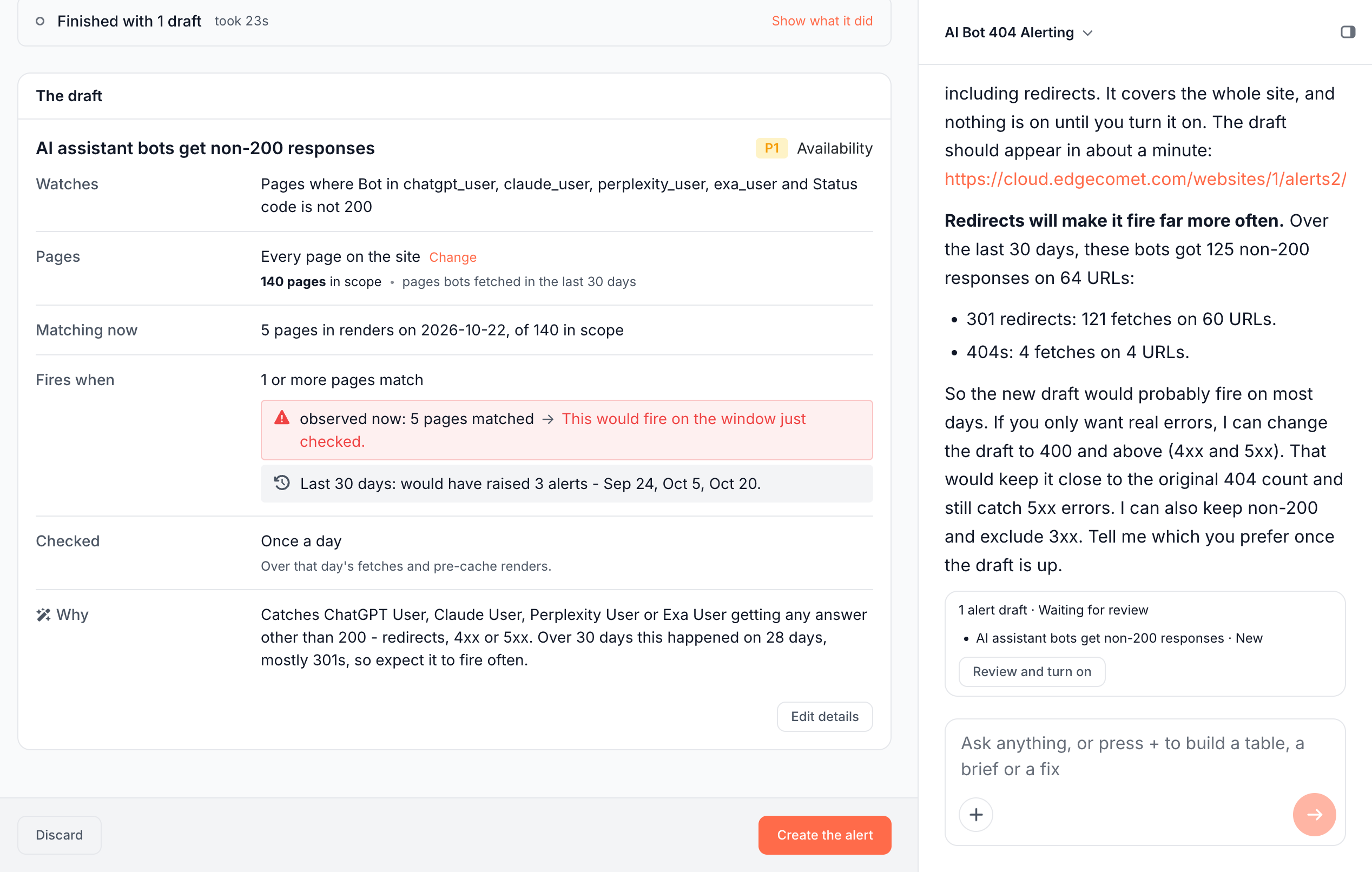
The review page is titled Create an alert, or Change an alert for a change to an existing one. It starts with Your request, including what the conversation settled, and Ask's own note on the result.
Each draft has a card:
- Watches: what the draft counts. To change it, ask in the chat.
- Pages: the scope, with Change to edit it on the card.
- Matching now: what the newest window shows, such as "5 pages in renders on 2026-10-22, of 140 in scope".
- Fires when: the condition, the verdict on the newest window, and the history line, such as "Last 30 days: would have raised 3 alerts - Sep 24, Oct 5, Oct 20." Some hourly rules replay only the last 7 days, and some 15- and 5-minute rules the last 2; the line names the span.
- Normally: for Pages changed drafts, how many pages change in a typical check. See See how much these pages normally move.
- Checked: how often it runs and how soon you hear.
- Measures: a new extraction field, when the draft brings one.
- Why: Ask's reasoning, with the numbers behind the threshold.
Edit details changes the name, severity, pages and threshold of a draft. With several drafts, Accept or Reject each one.
The bar at the bottom decides:
- Create the alert, or Create N alerts with several drafts. Changes read Update the alert or Update N alerts, and a mix of new alerts and changes reads Apply N changes.
- Discard leaves without writing anything.
The chat shows the same draft set as a card, such as "1 alert draft · Waiting for review", with Review and turn on. After you apply, it reads "Turned on: 1 created, 0 updated".
Change drafts in the chat
To change a draft, ask in the chat beside the review page, such as "leave out redirects", "raise it to 5 pages" or "check it hourly". Small edits change the draft in place within seconds. A bigger change drafts a new set, and drafts you already accepted carry over.
While the chat works, the page locks its buttons and reads "The chat is editing these drafts". The chat never turns an alert on: you do that on the review page.
Change an existing alert
Every rule page, except a Site releases rule's, has a field under the rule: "What should this alert do differently?". Its hint gives examples: "only 5xx, not 404s", "this fires too often", "check it hourly".
- Open the rule, or press Too noisy? Tune this alert on one of its incidents.
- Describe the change and send it. Ask works out the change in the chat beside the page.
- Review it on the Change an alert page: the card shows the new settings, checked against your data.
- Press Update the alert. The rule keeps its history and its incidents.
When the AI reading of an incident says the change looks intended or is mostly noise, and suggests pages to leave out, Leave these pages out on the incident sends that exclusion to Ask as a change request. See The AI reading.
Ask about an alert or an incident
Ask in the header of every alerts page opens the chat beside it. On a rule's page it opens with "Ask about this alert", on an incident with "Ask about this incident": "Ask why it fired, or ask for a change. A change comes back as drafts you review."
Ask reads what is on screen: the rule as it runs, or the incident with its affected pages, its AI reading and the rule it fired on. It can list every affected page from your data, not only the 20 the incident shows, or export them.
If it does not work
"... is drafting alerts for this site right now, and only one run drafts at a time."
Another request or the site analysis is drafting for this site. Ask again when it finishes, usually within a few minutes. Draft sets that only wait for review do not block a new request.
"These alerts are still being drafted."
This conversation's own drafts are not ready yet. Wait for them, or press Stop this run on the review page.
"This run did not draft anything it could stand behind."
The request was too vague, or nothing in your data could measure it. Say more in the chat beside the page, or add a rule from a template.
"This run stopped responding and was closed."
Drafting went silent for 30 minutes and was closed. Nothing was written to your alerts. Ask again to start a new draft.
Where to find it
In the dashboard: Create a rule in the header of any alerts page, or Create an alert in the + menu of Ask. The review pages open from the chat, and from Review it on the Rules page while drafts wait.