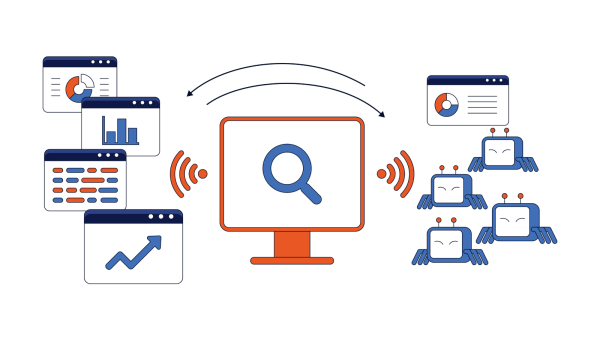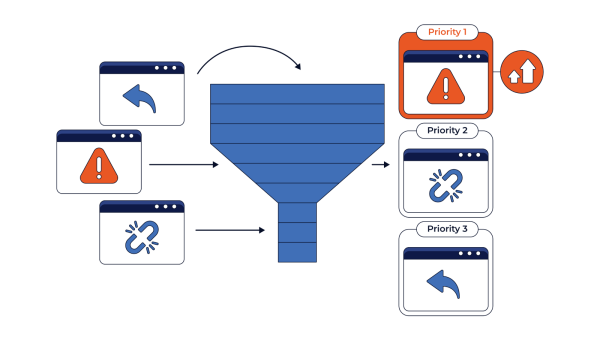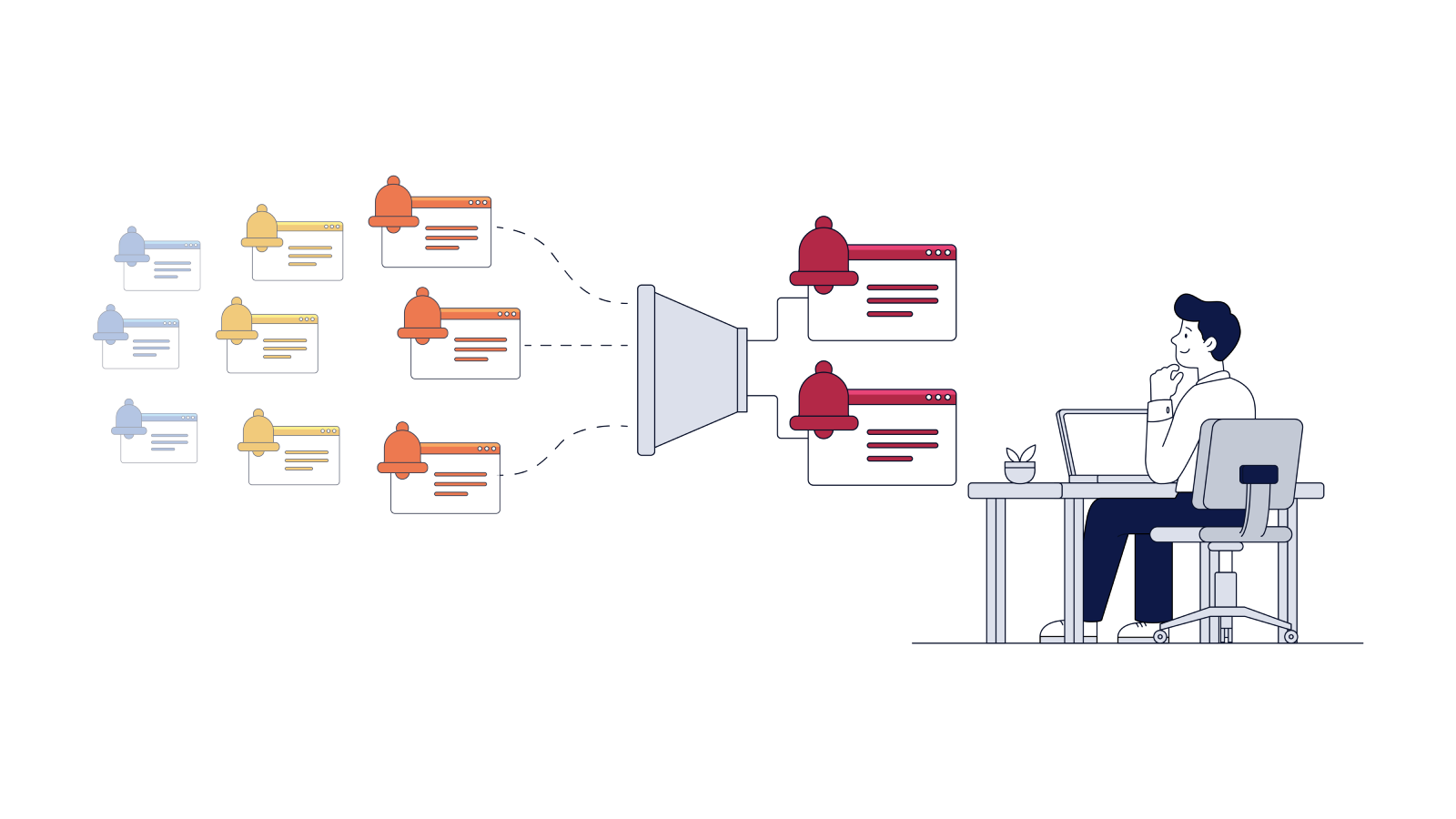
Small sites can get from 1 to 5 alerts weekly, while large sites, especially e-commerce marketplaces, can reach 20+ alerts per day. How would you treat each alert? Would you respond similarly fast to each? Our article is about why prioritizing issues matters and how to do this with the help of the right SEO monitoring tools.
Table of Contents:
Why SEO Monitoring Needs Prioritization
SEO Change Monitoring: What Should Trigger a Real-Time Alert?
What Can Be Monitored Daily or Weekly: Priority, Severity, and Next Actions
What Alerts to Monitor for JavaScript Websites and Why This Matters
Common SEO Alerts Teams Often Ignore
Why SEO Monitoring Needs Prioritization
If your team responds to each SEO issue similarly, it will soon be overwhelmed and will easily miss really critical problems. That’s the reason why SEO change monitoring should be built not around the number of alerts, but around their priority.
When a noindex of the main page and minor ranking decrease have the same priority, the team loses the ability to quickly distinguish a real fire from a minor issue. As a result, people are tired of continuous website monitoring and can accidentally miss a really important problem worth paying attention.
In practice, prioritization means matching each SEO alert to its potential impact and response time. Critical changes need immediate attention. Lower-impact fluctuations can wait for a regular review cycle.
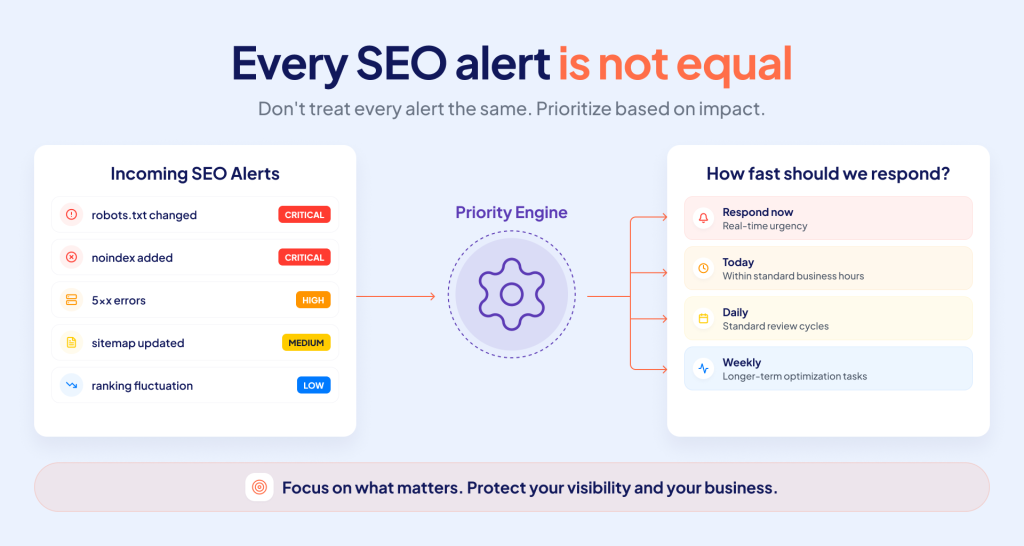
Priority determines how quickly an alert needs attention. However, response time is just one aspect of an effective monitoring strategy. Different SEO events require varying monitoring frequencies based on how quickly they can impact crawler access, indexability, and search visibility.
Here’s an example of how your attention and efforts can be distributed according to some SEO events:
| Event | What’s at risk | Monitoring frequency | Why this frequency |
|---|---|---|---|
| robots.txt changes | Crawler access across the site | Real-time | One unintended rule can block large sections of the site |
| noindex added | Indexability of important pages | Real-time | Key pages can start disappearing from search results |
| 5xx error growth | Bot access and page availability | Real-time/frequent | A sudden spike may prevent crawlers from accessing pages |
| 404 growth | Internal paths and valuable URLs | Daily | Individual errors are not as urgent, but if they form a pattern, they might indicate a bigger problem. |
| Sitemap changes | URL discovery and indexation signals | Daily | Changes matter, but usually don’t require an immediate response |
| Ranking fluctuations | Search visibility and performance | Weekly | Short-term movements are often just noise. They require a broader trend context. |
SEO Change Monitoring: What Should Trigger a Real-Time Alert?
Not every SEO issue needs your instant attention. However, ignoring some problems for even a few hours can cost you traffic. When analyzing problems, it is important to understand not only what happened but also what should be checked at first and who is responsible for that.
Crawling issues
The crawling issues are usually the responsibility of SEO specialists together with developers. Below are top crawling issues with recommendations on what to check.
A sudden decrease in crawl rate
- What happened: the bot visits the site less often
- Why it’s critical: new and updated pages take longer to get into the index
- What to check: server logs, robots.txt, server response time
Many 5xx errors when the bot visits
- What happened: the bot receives server errors instead of content
- Why it’s critical: Google may temporarily lower the trust of the site
- What to check: server logs, load, last deployment
Increased number of blocked bot requests
- What happened: the server rejects or limits bot requests
- Why it’s critical: the bot stops accessing pages and crawling the site
- What to check: rate limiting settings, firewall rules, user-agent bots
Indexing issues
The responsibility for indexing issues is shared between the SEO and product teams. Here are the most common indexing issues and recommendations on what to analyze.
Canonical URL changes for no obvious reasons
- What happened: The page started pointing to a different canonical
- Why it’s critical: Traffic and rankings may go to the wrong page
- What to check: canonical tag templates, recent changes in the CMS
Large removal of pages from the index
- What happened: pages that were previously indexed disappeared
- Why it’s critical: the loss of traffic happens quickly
- What to check: Search Console, canonical status, noindex tags
Growth of pages with the “Discovered, not indexed” status
- What happened: Google sees the page, but doesn’t index it
- Why it’s critical: a signal that the page’s content or tech quality is low
- What to check: content quality, internal links, crawl budget
Content
Content issues that should be monitored include the following:
Change in the content amount on the page
- What happened: the text became much shorter or disappeared
- Why it’s critical: Google may decide that the page has lost value
- What to check: recent CMS changes, rendering errors
Duplicate title or meta description
- What happened: Multiple pages received the same tags
- Why it’s critical: it confuses the search engine and weakens the relevance of the pages
- What to check: Metadata generation templates, latest deploy
Rendering
The responsibility for rendering issues is usually developers’, so this type of alerts should go straight to the development team’s channel.
Increase in page rendering time
- What happened: Rendering takes much longer than usually
- Why it’s critical: The bot may not wait for the full rendering and see incomplete content
- What to check: JS performance, bundle size, third-party scripts
Hydration errors after release
- What happened: The page looks fine, but the JavaScript breaks after loading
- Why it’s critical: The bot may see an empty or incomplete page
- What to check: Browser console, rendering logs, recent code changes
Empty DOM
- What happened: Some content doesn’t make it into the HTML after rendering
- Why it’s critical: This content is effectively invisible to the search engine
- What to check: Compare the visible content and the rendered HTML
Infrastructure
Infrastructure issues may include an increase in 5xx errors, CDN issues, changes to robots.txt, and more. This is a DevOps area of responsibility, and delays here may cause lost crawl budget.
CDN failures or resource blocking
- What happened: Scripts, styles or APIs are not loading
- Why it’s critical: The page may not render fully
- What to check: CDN status, CORS settings, browser console
Changes to robots.txt
- What happened: Someone updated the bot access rules
- Why it’s critical: One incorrect directive can block part of the site from indexing
- What to check: File diff, allowed and blocked paths
SSL certificate change or expiration
- What happened: SSL certificate became invalid or changed suddenly
- Why it’s critical: Browsers and bots may mark the site as unsafe
- What to check: Certificate expiration, HTTPS settings, redirects
Security
A website hack, spam injection, or suspicious redirects are events that require the response of product and security teams simultaneously with SEO. Here, speed of response is no less important than for infrastructure failures.
Unauthorized changes to the page code
- What happened: A third-party code or link appeared in the HTML
- Why it’s critical: This can be a sign of a hack and threatens the domain’s reputation
- What to check: code diff, access rights, change logs
A sharp drop in traffic for no apparent reason
- What happened: Traffic decreased significantly
- Why it’s critical: It’s the first visible symptom of a hack
- What to check: Search Console for manual sanctions, SSL status, redirects
New pages appear that the team didn’t create
- What happened: Pages appeared that weren’t created by your team
- Why it’s critical: A sign of hacking and use of the site for spam or phishing
- What to check: list of new URLs, CMS access rights, server logs.
A quick way to use the right SEO monitoring tool and check if a certain alert is worth an instant response is to ask yourself whether this change affects crawling or indexing during an hour. If yes, it needs your instant attention. If not, weekly monitoring will be enough.
What Can Be Monitored Daily or Weekly: Priority, Severity, and Next Actions
Reacting similarly fast to each alert makes no sense. The frequency of monitoring depends on the severity of issues. Below is a table with the most frequent signals, when they appear, their priority, and required actions.
| Signal | When to alert | Priority | First action |
| Changes in Robots.txt and noindex | Important sections get blocked or indexable pages switch to noindex | Critical | Explore the latest deployment and impacted URL patterns |
| 5xx errors and timeouts | Error rates increase above the site’s baseline or influence priority pages | Critical | Check server availability, CDN, and cache responses |
| Rendering failures | Crawlers get missing content, links, or structured data | Critical | Compare rendered HTML with the expected page output |
| Canonical and redirect changes | Canonicals point to unexpected URLs or redirect patterns change at scale | High | Find affected templates and recent releases |
| Bot activity | Googlebot or AI bot requests suddenly decrease, increase, or go to low-value URLs | High | Check logs, access rules, and crawl allocation |
| Crawl response time | Response time increases significantly compared with the standard baseline | High | Check server load, caching, and slow page templates |
| XML sitemap health | A sitemap is unavailable, loses URLs, or has non-indexable pages | High | Validate sitemap status, URL count, and indexability |
| Indexability trends | The amount of indexable pages decreases or excluded URLs grow unusually | High | Segment the change by page type and exclusion reason |
| Rankings and organic visibility | Priority page groups demonstrate a sustained decline, not a one-day fluctuation | Medium | Compare the decline with tech changes and SERP volatility |
| Internal links | Priority pages lose links or become orphaned after a website update | Medium | Check navigation, templates, and links removed recently |
Daily monitoring
Crawl errors and index coverage should be checked daily, because this is where the problem first appears as a trend. For example, a steady increase in crawl errors for several consecutive days already signals a systemic problem, even if no single event seems critical.
Top 3 alerts to track daily:
- A spike in 5xx errors. Each failed bot request is a lost crawl budget that can’t be recovered.
- A decrease in indexed pages. A decrease in the number of indexed pages is often caused by modifications in noindex, canonicals, or robots.txt.
- An increase in crawl errors within a certain page group. It is related to an increase of 404s, timeouts, or blocked resources, which means a common cause affecting many pages immediately.
Weekly monitoring
It is enough to check search positions and internal linking status once a week. For a large marketplace, position fluctuations of 2–3 ranking points within a week are normal volatility in the results, which does not require a separate alert.
Top 3 alerts to track monthly:
- Crawl budget shifting towards low-value URLs. Bots increasingly spend budget on filtered pages or duplicates – monthly dynamic shows that priority pages are not explored by bots.
- A decrease in the number of internal links to priority pages. It gradually reduces their weight without any noticeable event.
- A decline in the priority pages’ positions. It can last for multiple weeks and signal a loss of visibility.
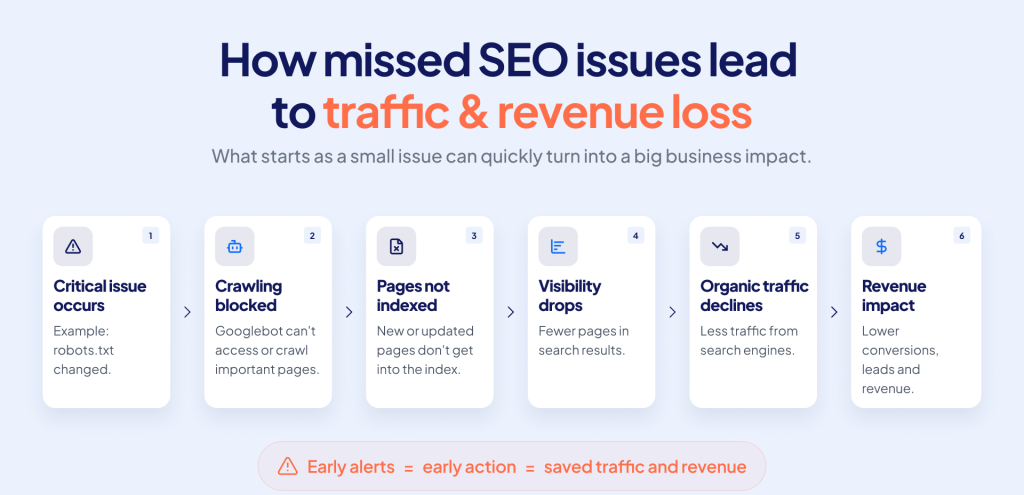
How an SEO alert is prioritized, monitored, and acted on determines whether the issue is contained early or allowed to escalate. Critical signals require quick decisions and immediate action. Even a small technical change can lead to a chain of problems, from crawling and indexing issues to lost visibility, traffic, and revenue.
Choosing SEO Monitoring Tools for Real-Time Alerts
Instead of listing specific services, it’s worth focusing on the features without which website change monitoring is incomplete.
The system should provide real-time notifications about critical changes, not just daily reports. It needs scheduled scans to regularly check the status of the site between critical events. A separate and often underestimated criterion is monitoring JavaScript rendering, since most standard SEO alert tracker tools don’t see what exactly the bot receives after executing scripts.
Change detection is important for pages that historically bring traffic, as well as log file analysis that shows real bot behavior, rather than assumptions based on crawl simulations.
The system should be integrated with your team’s preferred communication channel so that the alert will reach the right person quickly. Finally, the solution should offer problem prioritization, not just a list of events without context.
EdgeComet offers all these capabilities in one SEO alerts platform. Below, you can learn more about this SEO monitor tool and its features.
What Alerts to Monitor for JavaScript Websites and Why This Matters
Monitoring the right technical alerts for JavaScript websites is critical because hidden errors can quietly destroy your SEO rankings.
Hydration errors
What to monitor: Look for differences between the initial HTML and JavaScript that runs after the page loads. Hydration errors happen when the page looks fine when it first appears but breaks when you try to interact with it.
Why typical SEO audits miss that: Most site crawlers take a snapshot of the page after it loads. They don’t wait during the complete hydration cycle. The page can look fine for bots and still fail for real users.
How fast it impacts indexing: If hydration breaks right after a release, Googlebot can face the same issue on the next crawl. Pages that depend on hydrated content can disappear from the index quickly.
Rendering failures
Monitoring focus: Full or partial failures, including timeouts, JS exceptions that stop execution, or a blank page where content should load.
Why standard SEO audit doesn’t work here: Audits check basic page structure, but not whether the JavaScript finished executing. Pages can return a 200 status and still render missing content.
Speed of impact on indexing: The impact can be either immediate or multiple days. By the time you understand that, the page can already be marked as thin or empty.
Missing rendered content
Things to monitor: Gaps between what developers see on screen and what is in the page code can be quite big. For example, some parts of the page might stay hidden until users click something.
Why standard SEO audits miss it: Manual QAs test the visual part of the page, not the code. Content can be visible on screen, but invisible to Google.
Speed of impact on indexing: Google won’t instantly delete your page from search results just because content was missing. But your rankings will gradually decrease.
Blocked JS resources
Alerts to track: Stylesheets, scripts, and API calls blocked by robots.txt rules, misconfigurations in CDNs.
Why standard audits miss it: When a file or resource gets blocked, it usually fails without triggering any monitoring alert. The page still loads and looks working, but crucial parts might be missing.
How fast it impacts indexing: If your page depends on an API, script, or style to load content and the required file is blocked, the content won’t appear.
Client-side routing changes
What to monitor: Changes to how the site handles navigation between pages can easily break how content loads or how search engines navigate your site.
Why a typical SEO audits misses it: Routing changes usually pass manual testing. However, search engine bots visit URLs directly. A routing update can break how bots find and load your pages.
Speed of impact on indexing: Routing changes that generate duplicates, broken canonicals, or 404s can impact indexing across the site within a single crawl.
API failures
What to track: Failed and slow API calls feeding your product data, pricing, inventory, or any content assembled at render time.
Why standard SEO audits miss it: API failures are tied to load, rate limits, or timing. A one-time manual audit can capture the page in a moment when the API happens to respond correctly.
Speed of impact on indexing: A single failure has limited effect. Сonsistent patterns remove the page’s real content from what Google sees, and your rankings can decrease within just 1-2 crawl cycles.
EdgeComet is a technical SEO monitoring platform that offers not only SEO alerts tracking. It also allows your team to:
- Make SEO-related changes without developers
- Automate site-wide SEO changes
- Get AI-powered SEO recommendations
- Analyze SEO changes impact
Common SEO Alerts Teams Often Ignore
Unfortunately, some signals are regularly ignored, although they are the ones that ultimately lead to the greatest traffic losses.
- Slow server response time. It is often attributed to temporary load, but a trend lasting more than a few days already affects the crawl budget and the speed of crawling new pages.
- Minor changes to canonical tags during refactoring. Developers make them without consulting the SEO team, and the result is a gradual consolidation of signals on the wrong page.
- Changes to structured data after a template update. The problem is noticed only when rich snippets disappear from the search results, and the lost CTR has already affected traffic.
- Partial JavaScript rendering failures. If the error affects only a specific type of page, it can easily get lost among the general crawl statistics.
Each of these problems is an example of cases when SEO alerts matter. Those should be considered real-time if the change affects pages with high traffic or is part of an automated release process where human control is minimal.
FAQ
How do SEO alert tracking tools work?
An SEO alert rank tracker continuously monitors your site, compares the current state with the previous one, and sends you notifications when significant changes are detected. The difference between the tools available in the market is how accurately they distinguish critical changes from background noise. For example, a good system will distinguish between a mass noindex removal and a single technical error on a test page.
Can Google Search Console replace SEO monitoring tools?
No, GSC can’t completely replace dedicated SEO monitoring solutions because it doesn’t provide competitor data, in-depth backlink information, and real-time alert tracking. However, it is a good tool to receive direct Google data. When compared with dedicated SEO monitoring products like EdgeComet, it can help build a strong SEO strategy.
How often should I check crawl and indexing issues?
It depends on your website volume. If you have a small to medium website, it is sufficient to check crawling and indexing issues weekly. However, if you’ve got a large e-commerce site with billions of products, checking it daily will help you avoid unexpected errors. Also, it is a good practice to check your site after redesigns, data migrations, and important technical updates.
What’s the difference between real-time SEO alerts and scheduled monitoring?
Real-time alerts inform you about critical issues immediately, while scheduled monitoring checks your site on a pre-defined time. The first type prevents traffic loss, the second – helps to see trends. Both are needed simultaneously, not as a replacement for each other.
Who should receive SEO alerts in large organizations?
The recipient of the alert depends on the type of event: crawling and indexing go to the SEO team, rendering – to developers, server errors – to DevOps. In large companies, it is worth configuring routing so that the alert immediately goes to the appropriate channel, and doesn’t go through the SEO specialist as an intermediary.
How can I reduce alert fatigue in website health monitoring?
The main way is to separate critical events and information trends into different notification channels. Real-time alerts should remain rare and only concern events that really threaten traffic. If the channel is filled with daily fluctuations in positions, the team quickly stops paying attention to even real problems.