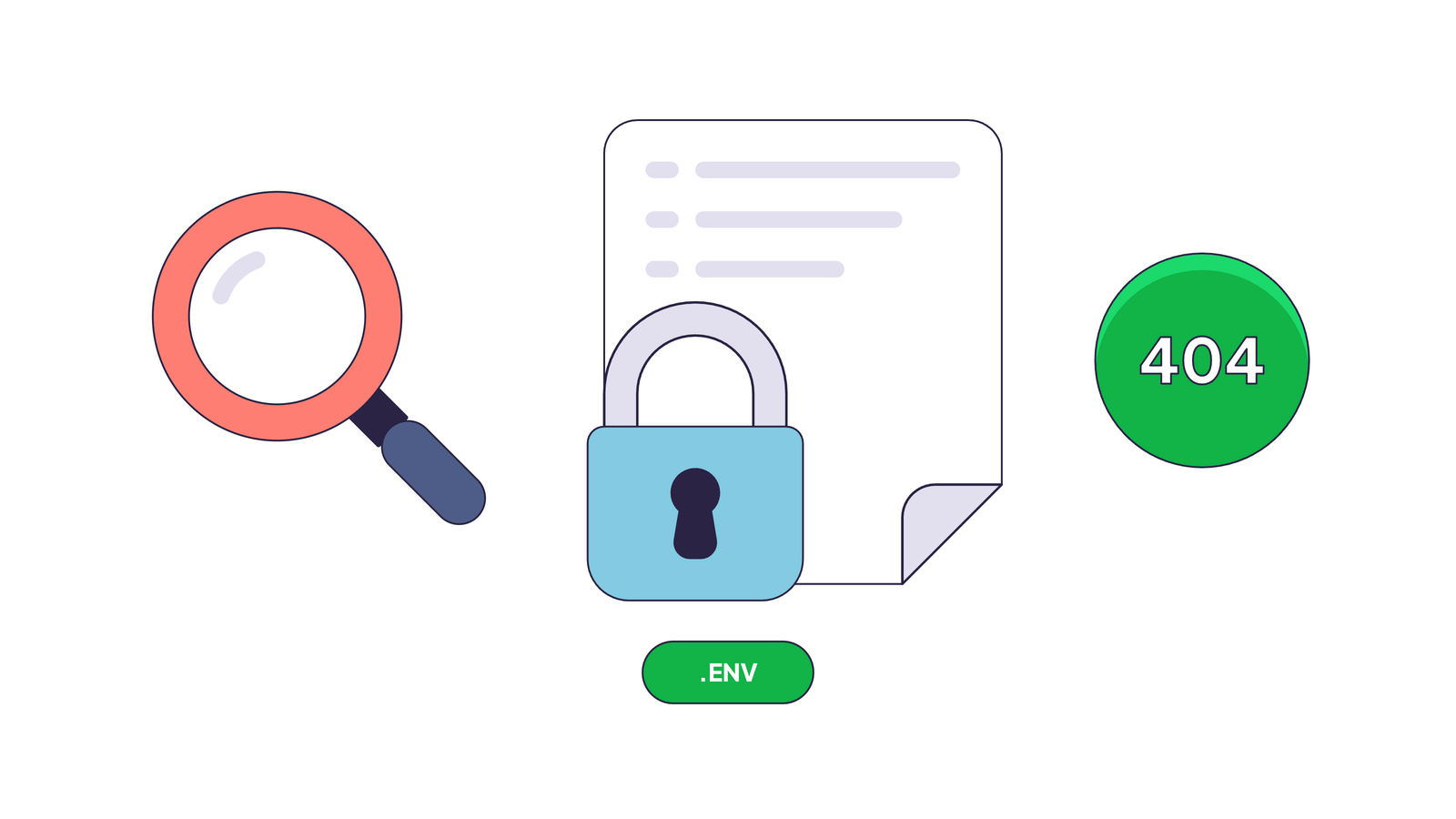
Someone almost certainly asked your website for /.env today. If your server answered 404, nothing happened. If it answered 200, the scanner now has your database password, and nobody on your team knows yet.
It’s the one time you want your logs full of 404s and 403s and nothing else. Normally, a 404 could mean a problem to fix. For a probe of a secret file, it means you are safe. A probe is a request a scanner sends to see whether a file that should be private, like /.env, is sitting on your server.
The list goes well past .env: a .git folder with the full source code, SQL dumps and backup archives, debug logs, phpinfo() pages, cloud credentials.
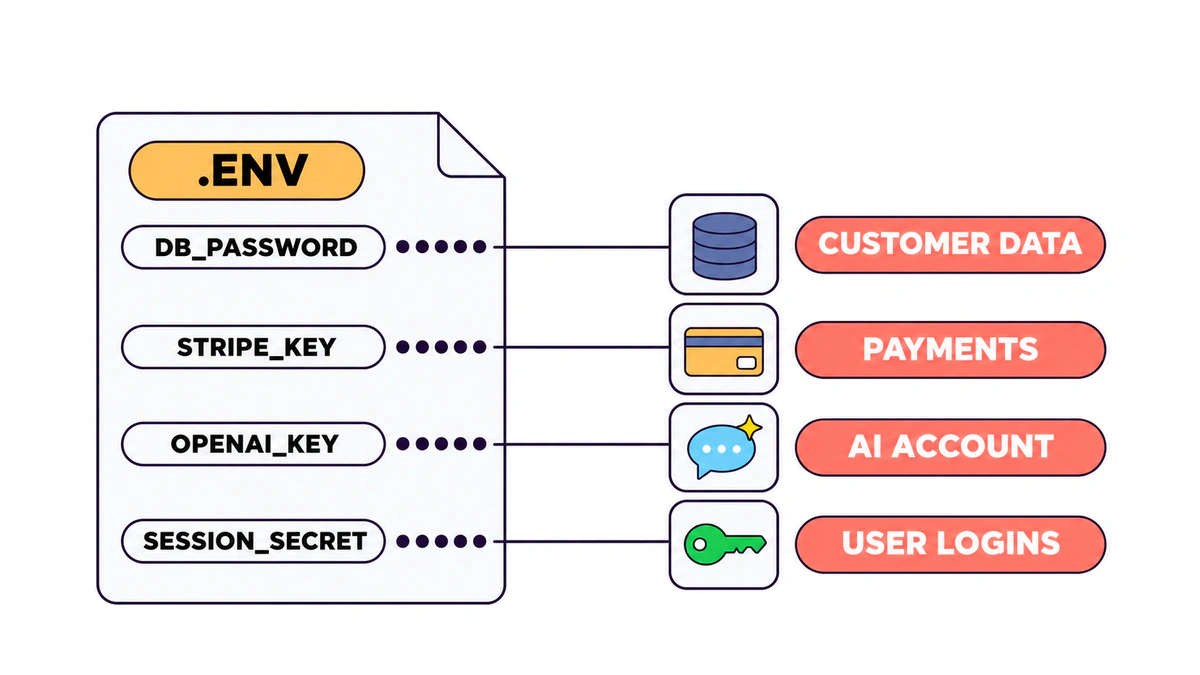
And the database password is only the start. With it, someone can reach your data, your customers’ data and the cloud account, plus whatever else those keys unlock.
This used to be a problem of forgotten WordPress backups and tired sysadmins. Now it’s a vibe coding problem too. An AI agent can build and ship a working app in an afternoon, and it can leave .git in the website root. I had this experience.
What we see across EdgeComet sites
We looked at the traffic in October 2026. Scanners sent about 100,000 probe requests to 20 sites in the sample. About 46% of them claimed to be a known bot and failed verification. 38% came from crawlers with unknown names.
Probe requests across 20 EdgeComet sites
Most scanners pretend to be a bot.
Source: EdgeComet Log Analyzer, 20 sites, October 2026
Our own site, edgecomet.com, is no exception. It got 3,438 probe requests for 289 different paths from 36 IP addresses. Over two-thirds of them (68.7%) went after secrets and keys. /.env alone was requested 111 times by 18 different IPs, almost four times a day. A leaked file there wouldn’t wait long for its first visitor.
The ten most requested probe paths on edgecomet.com
Seven of the ten ask for an .env file.
Source: EdgeComet Log Analyzer, edgecomet.com, 30 days to Oct 26, 2026
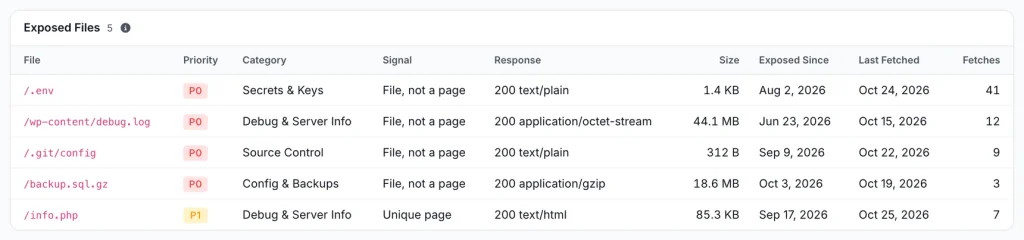
Two sites in the sample weren’t as lucky. One WordPress site served its /wp-content/debug.log, a 46 MB file that had been public since. An online store served a phpinfo() page at /info.php. That page prints the server’s entire configuration. Both sat there for weeks or months, because no SEO crawler or uptime check looks at a URL that nothing links to.
Why one 200 is enough
Each category of probe goes after something different, and none of them is harmless:
.envfiles hold the database host, user and password, Stripe or OpenAI API keys, SMTP credentials. With the signing secret, an attacker can forge a logged-in session without any password at all..gitfolders. If/.git/configanswers, the whole repository can usually be downloaded and rebuilt, history included, along with every secret anyone ever committed, the ones “removed” in a later commit too.- Dumps and backups are the data itself, customer records included.
- Debug logs and
phpinfo()leak server paths, software versions and environment variables. Stack traces can also show tokens and user emails. That’s the map for the next step of an attack. - Cloud credentials and Terraform state open the account behind the site. Terraform keeps secrets in its state file in plain text.
Why vibe-coded apps leak more
I don’t want to blame AI agents for something people were doing long before them. A backup.zip in the web root is older than most of today’s developers.
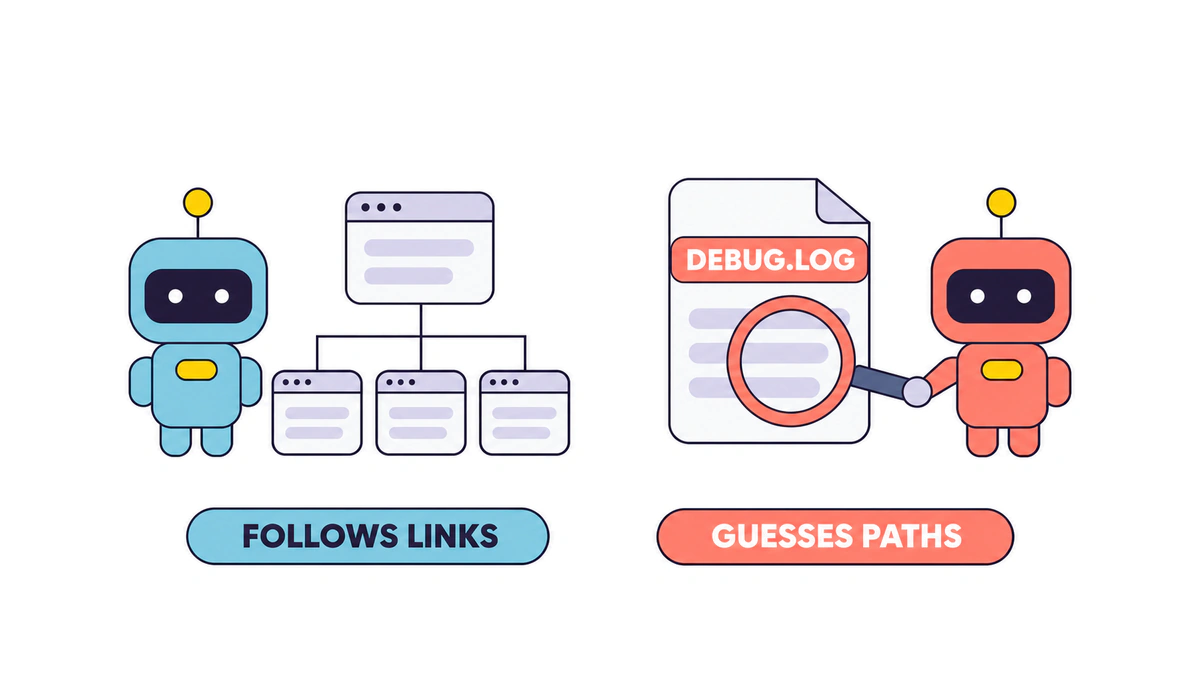
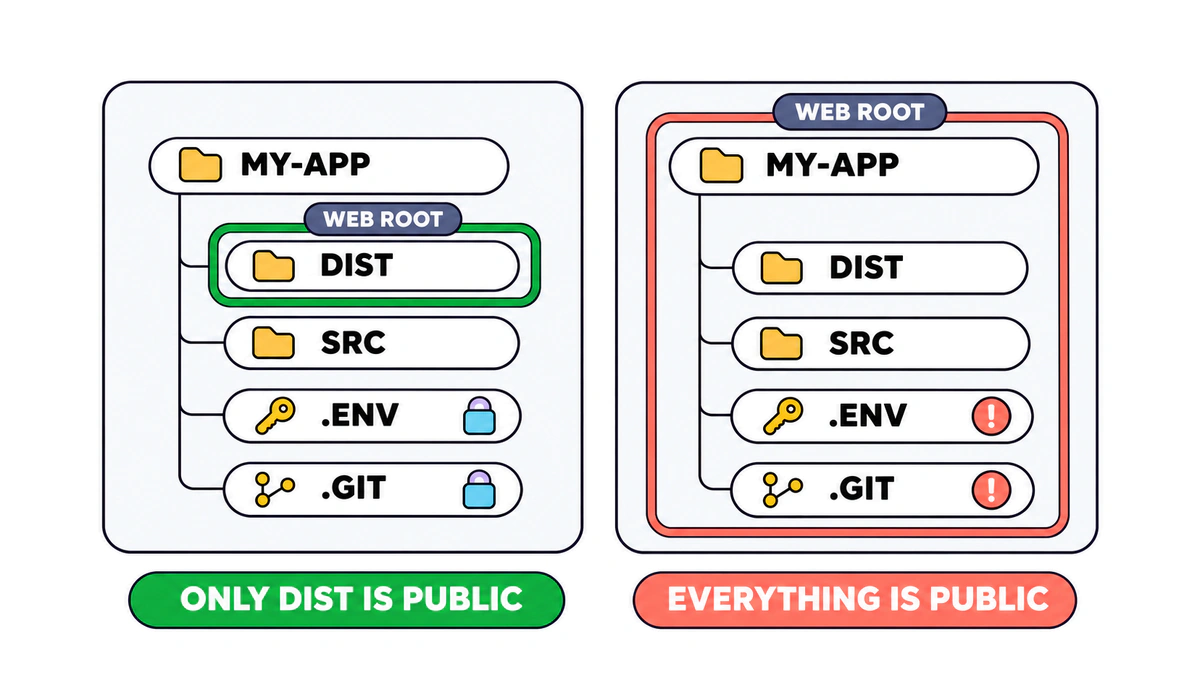
The agent usually does the right thing and puts secrets in an .env file in the project root. Then the project root becomes the web root. Maybe you run a VPS with nginx pointed at the project folder. Or a static host uploads the whole directory, .env and .git included.
Next to the classic wp-config.php.bak and .svn, scanners now ask for supabase/config.toml, netlify.toml, fly.toml, railway.toml, .dev.vars (the local secrets file for Cloudflare Workers) and Vite dev-server paths: the platforms AI app builders and coding agents reach for first.
The most requested path on edgecomet.com over those 30 days was a Vite endpoint, /__vite_rsc_findsourcemapurl, 146 requests from 16 IPs. We don’t run a Vite dev server anywhere. The scanners don’t care.
A 200 doesn’t always mean a leak
Before you panic over a 200, check what came back. A site may send the same page with a 200 status for any unknown URL. Single-page apps do it with their app shell, and some CDNs do it with a bot challenge page. One site in our data answered 117 different probe paths with the same “Loading…” page, and nothing leaked there.
The status code alone tells you little; the content type and the size tell you more. An /.env that comes back as text/plain or application/octet-stream is a file, and that’s a leak. An /.env that comes back as the same HTML page as /this-page-does-not-exist is your catch-all page.
How to read the answer to /.env
Compare every 2xx with your site’s answer for a made-up URL.
| Status | Content type | Size | What it means |
|---|---|---|---|
| 404, 410 or 403 | Any | Any | Safe: the server doesn’t hand out the file |
| 3xx | Any | Any | Safe: a redirect is fine too |
| 200 | text/html | Same as /this-page-does-not-exist | Catch-all page: no leak, but a soft 404 |
| 200 | text/plain, application/octet-stream, JSON, an archive | Its own size | The file itself: a leak |
The catch-all is still worth fixing, for SEO this time. A 200 for a missing page is what Google calls a soft 404, and a site that answers every URL with 200 lets crawlers wander into an endless space of junk URLs.
EdgeComet’s list of probe URLs
We built the list of probe paths from the real traffic we observe on EdgeComet sites. A path makes the list when scanners request it across many sites.
The list groups paths by what they target:
What the probe list covers
Paths scanners request across EdgeComet sites, grouped by what they target.
| Category | What scanners look for | Examples |
|---|---|---|
| Secrets & Keys | Environment files, cloud credentials, private keys | /.env, /.env.production, /.aws/credentials, /id_rsa |
| Source Control | Repository folders with the code and its history | /.git/config, /.svn/, /.hg/ |
| Config & Backups | Config files, database dumps, backup copies | /docker-compose.yml, /terraform.tfstate, /wp-config.php.bak, /backup.sql.gz |
| Debug & Server Info | Debug pages, status pages, logs | /phpinfo.php, /actuator/env, /server-status, /wp-content/debug.log |
| File‑Read Exploits | Path traversal and file-read tricks | /../../etc/passwd, /@fs/proc/self/environ, /api/fs/read |
| Code‑Execution Exploits | Endpoints that run code or commands on the server | /cgi-bin/php-cgi, /api/fs/exec, /langflow/api/v1/validate/code |
| Admin & Login | Admin panels and login pages | /xmlrpc.php, /phpmyadmin, /adminer.php |
| Other dotfiles | Any path segment that starts with a dot, except /.well-known/ | /.pgpass, /.s3cfg, /.vault-token |
Source: EdgeComet probe list, updated Nov 6, 2026
On top of the named paths, any path with a segment that starts with a dot counts as a probe, except /.well-known/. That one rule catches most of the dotfiles no list keeps up with: .pgpass, .s3cfg, .vault-token, .my.cnf.
The list is public and we update it regularly. It’s the probes.md file in our GitHub repository, EdgeComet/security-probes.
If you see a path we’re missing, please send a pull request.
I’d like to ask everyone who builds tools for websites to add this check. Log analyzers, SEO crawlers, hosting dashboards, security plugins and AI app builders already see how a site responds, so flagging a probe that got a file back costs them very little.
Security rarely gets attention until something leaks. The more tools run the check, the fewer leaks go unfound.
What to do
If a probe already got a 200
Treat everything in the file as leaked from the first fetch. Remove the file or move it out of the web root so nobody else gets it, then rotate every password, key and token it held. Removing the file doesn’t un-leak the password. Assume someone already has it. For an exposed .git folder, rotate the secrets in the old commits too. Then make the path answer 404, so it stays closed if the file ever comes back.
If you already collect logs
Filter the requests for the paths on the list and look at the status codes. You want 404, 410 or 403, and a redirect is fine too. For every 2xx, compare the content type and the size with your site’s answer for a made-up URL.
A log only shows what someone requested, though. No one asked for /backup.sql.gz this month? Then the log says nothing about the file, so use the check with Claude below.
Set up alerting
A one-time check tells you about today, and files come back. Someone restores a backup into the wrong folder, a new deploy copies the old directory, a plugin switches on debug logging. Set an alert on any 2xx for a probe path with a non-HTML response, and send it to a channel people actually read.
If you don’t collect logs
It’s a good moment to start. Most web servers already write access logs; they just rotate away after a week or two and nobody reads them. Hosting and serverless platforms often keep request logs for a short time only, so ship them somewhere you can query. Keep at least the path, status code, user agent, IP and response size, the content type if you can get it, and 30 days of history or more.
If you use Cloudflare
Block the most common patterns at the edge with a WAF custom rule. The Free plan gives you five custom rules and no regular expressions, but contains, starts_with and ends_with work on every plan, and one rule can hold many conditions joined with or. A starting point, with the action set to Block:
(lower(http.request.uri.path) contains "/.env")
or (lower(http.request.uri.path) contains "/.git")
or (lower(http.request.uri.path) contains "/.aws/")
or (lower(http.request.uri.path) contains "/.ssh/")
or (lower(http.request.uri.path) contains "wp-config.php")
or (lower(http.request.uri.path) contains "phpinfo.php")
or (ends_with(lower(http.request.uri.path), ".sql"))
or (ends_with(lower(http.request.uri.path), ".sql.gz"))
or (ends_with(lower(http.request.uri.path), ".bak"))
or (ends_with(lower(http.request.uri.path), "/debug.log"))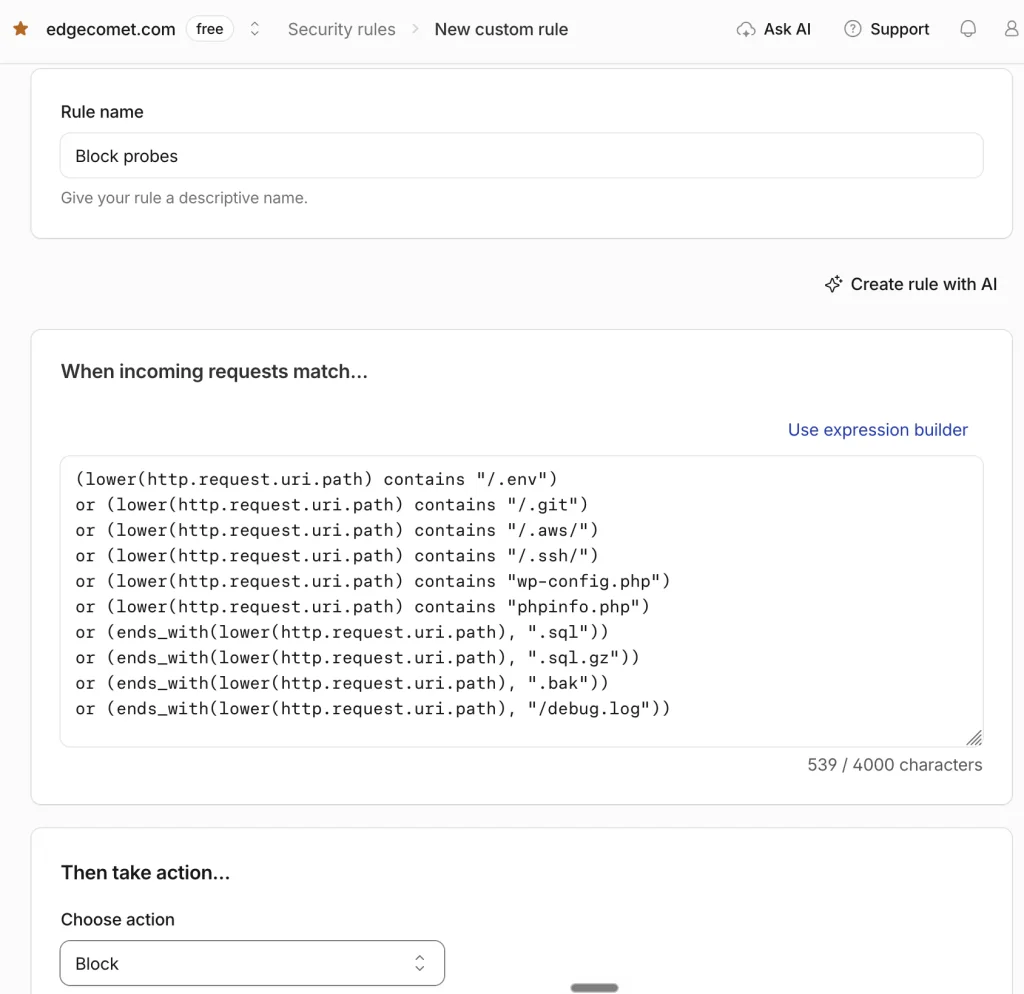
Check it against your own URLs before you switch it on. If your site serves something that matches on purpose, take that line out.
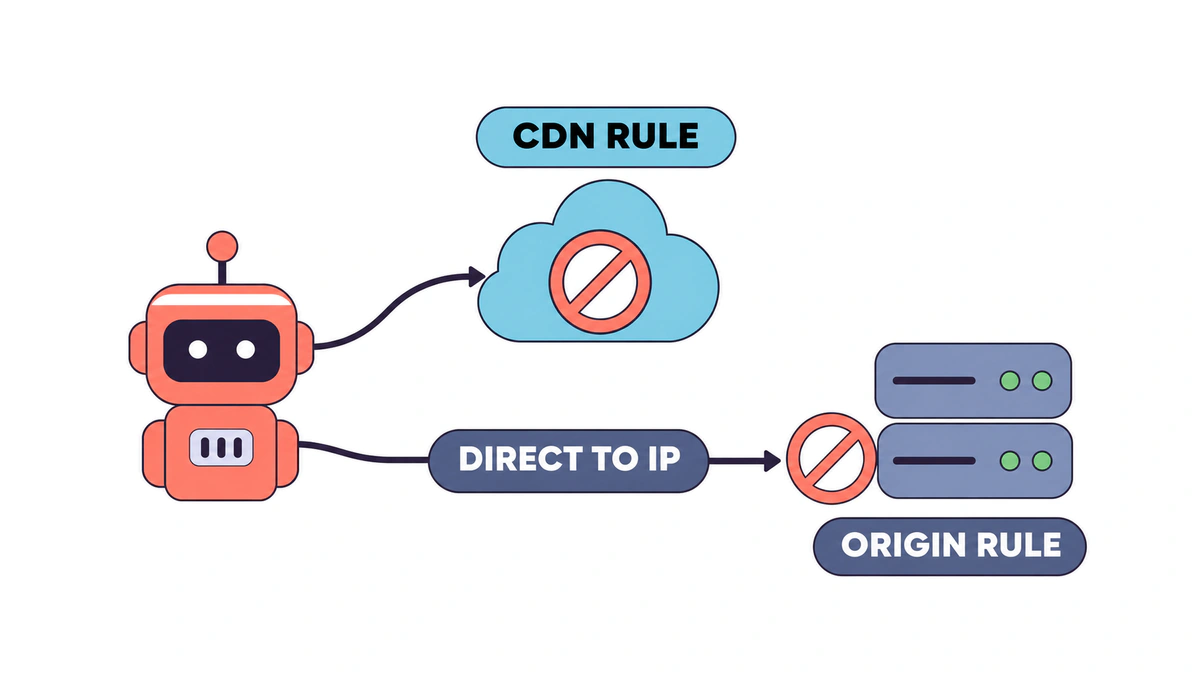
Cloudflare only filters the traffic that goes through Cloudflare, and a scanner that hits your server’s IP directly skips the rule entirely. Fix the origin as well: keep secrets outside the web root, have the web server deny any path with a segment that starts with a dot (except /.well-known/), and if you can, let the origin accept web traffic from Cloudflare’s IP ranges only.
Check URLs manually with Claude
To verify your site quickly, hand the job to Claude. Claude Code works best here, because it sends the requests from your own machine and can get through a few hundred URLs without complaint. A prompt like this does the job:
You're checking my website https://example.com for exposed sensitive files.

Take the list of paths from
https://raw.githubusercontent.com/EdgeComet/security-probes/main/probes.md
and request each one on my site.

First, request a path that can't exist, like /zz-missing-page-check, and note
its status code, content type and size. That's how my site answers a missing page.

Then, for every path on the list, record the status code, content type and size.
Report each path that answers 2xx and doesn't match the missing-page answer.
Put non-HTML responses (text/plain, application/octet-stream, JSON, archives)
at the top.

Don't print the contents of any file you find. Show only the first line,
with passwords, keys and tokens masked.
The missing-page request matters, because without it a single-page app turns every path on the list into a false alarm. The last instruction keeps your secrets out of the chat history in case something did leak.
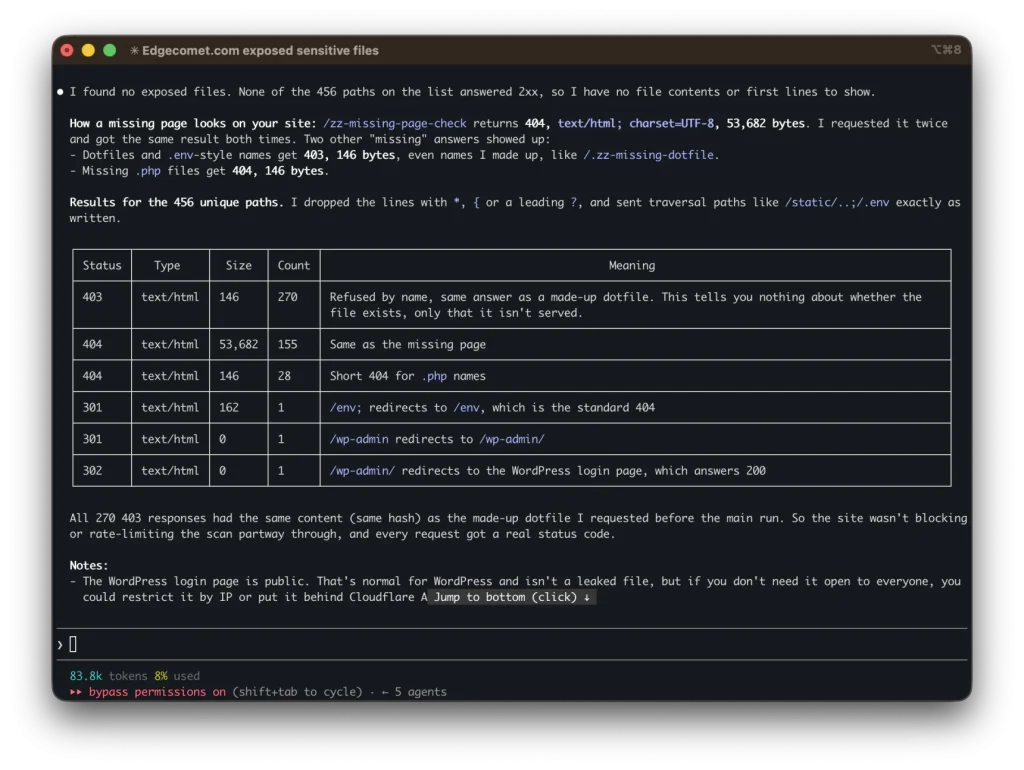
Run it only on sites you own or have permission to test.
Security report and alerting in EdgeComet
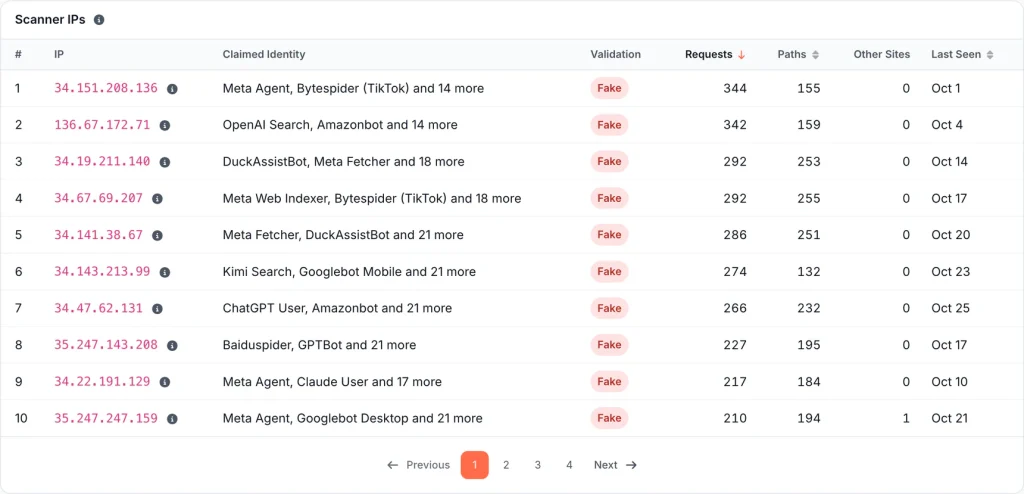
We’ve recently added security probes to EdgeComet. Scanners like to pose as Googlebot and other bots. Their requests reach EdgeComet along with the real crawlers. The new Log Analyzer > Security report checks each one against the probe list and shows how your site answered. There’s nothing to set up.
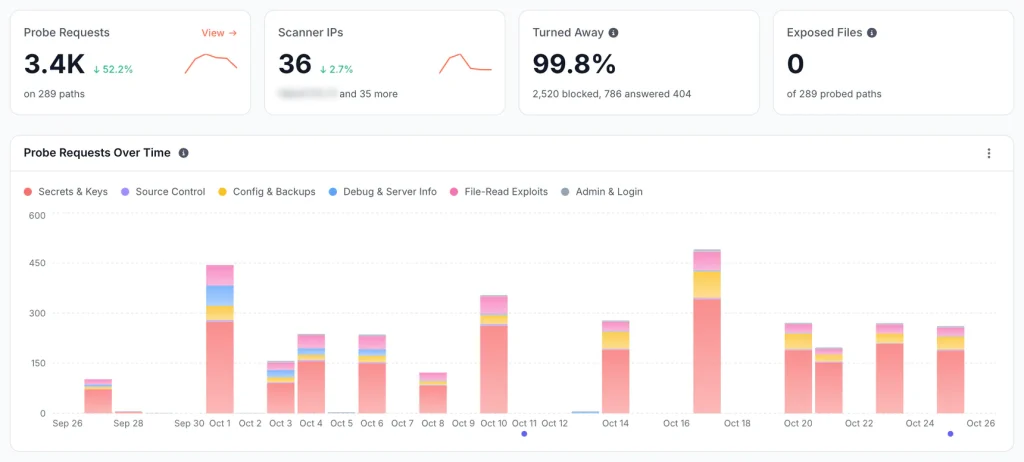
Exposed Files comes first: every probed path that answered 200 with real content, with its content type, size and the date it was first exposed. Catch-all pages count as Same Page rather than as leaks, so a single-page app doesn’t flood the report with false alarms. Below that, Scanner IPs shows who’s probing, which bots they pretended to be and how many other EdgeComet sites the same IP hit.
The Sensitive file exposed alert is on the recommended list. It checks once a day and emails you the first time a probed path returns a file instead of an error page.
One limit: EdgeComet only sees the requests your CDN routes to it, which in practice means bot user agents. A scanner posing as Chrome goes straight to your origin, so pair the report with the manual check above. The details are in the Security report documentation.
Conclusion
AI agents now write and ship much of our new code. Security mistakes are easier to make and cheaper to find. Don’t fall for “it’s my small VPS, nobody knows its IP address, I’m safe”. Scanners don’t need to know. They sweep every address and every new certificate, then ask each site for the same few hundred files. With vibe coding, one folder in the wrong place can put a database password online. Then you face leaked customer data, a breach notice and a very long week.
Run the list against your site once and check that every probe gets a 404 or a 403. Then set an alert so you know the day that changes.
And if you build tools for websites, please add the probe check to yours. We made the list public for exactly that reason. Every tool that flags an exposed .env closes one more door that scanners are already knocking on.