
Log File Analysis for SEO: A Practical Guide for 2027
Server log analysis provides technical SEO teams with direct visibility into how search engines and AI crawlers interact with a...
Read ArticleMonitor every request that comes from search engines and AI crawlers.
Log Analyzer captures every bot request with the actual rendered page content attached, so you know exactly what bots are indexing.
With EdgeComet’s SEO log analyzer, find the hidden issues of wasted crawl budget, broken rendering,
and inappropriate content indexing.
Instead of focusing on your most important content, bots spend time on errors, duplications, and low-value URLs. It slows down discovery and reduces the amount of indexed pages.
You have no idea who is exploring your website and how frequently. You won’t be able to see how your content is being discovered and surfaced by AI crawlers without a log analyzer.
Bots’ visits can cause pages to fail without appearing in regular monitoring. Even when everything seems good to users, bots can see incomplete or broken content.
The majority of tools either display partial data or simulate bots. What was actually provided to crawlers is hidden from view.
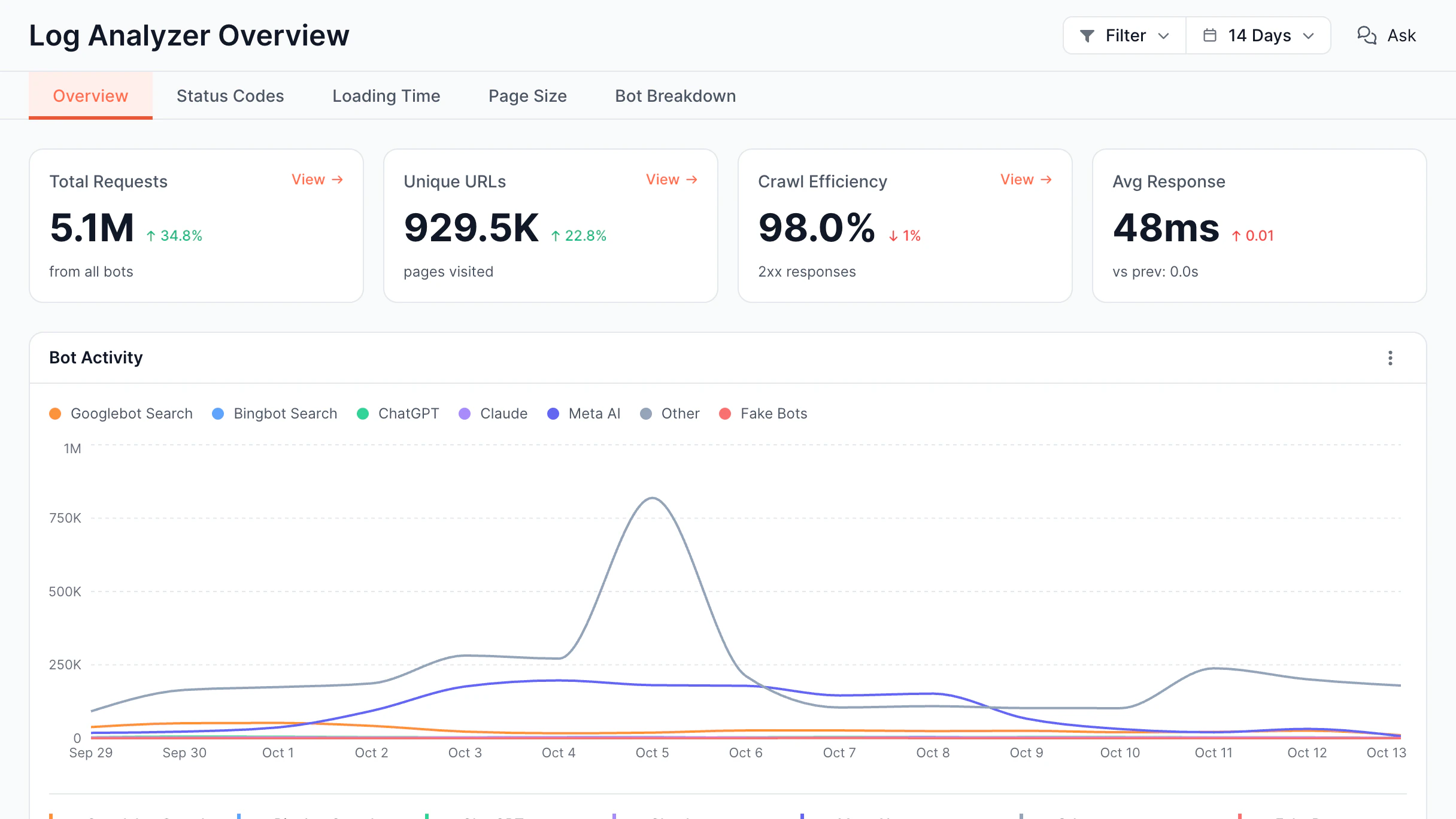
Log Analyzer gives website owners a complete view of how search engines and AI platforms engage
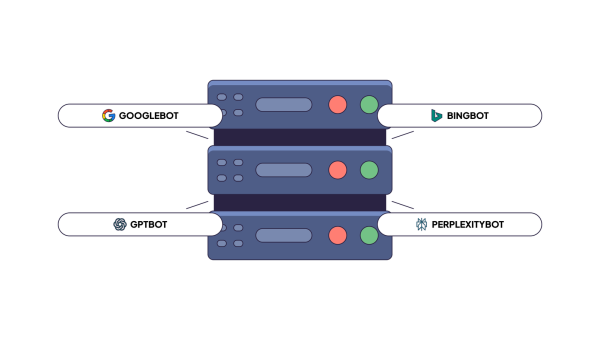
with their content. It tracks every request made by bots from Google, Bing, GPT, Claude, Perplexity,
and others, displaying what they inspect.
Inspect the full page HTML each bot actually got, not just the URL, status code, and response time it left in the log. No second crawl is needed.
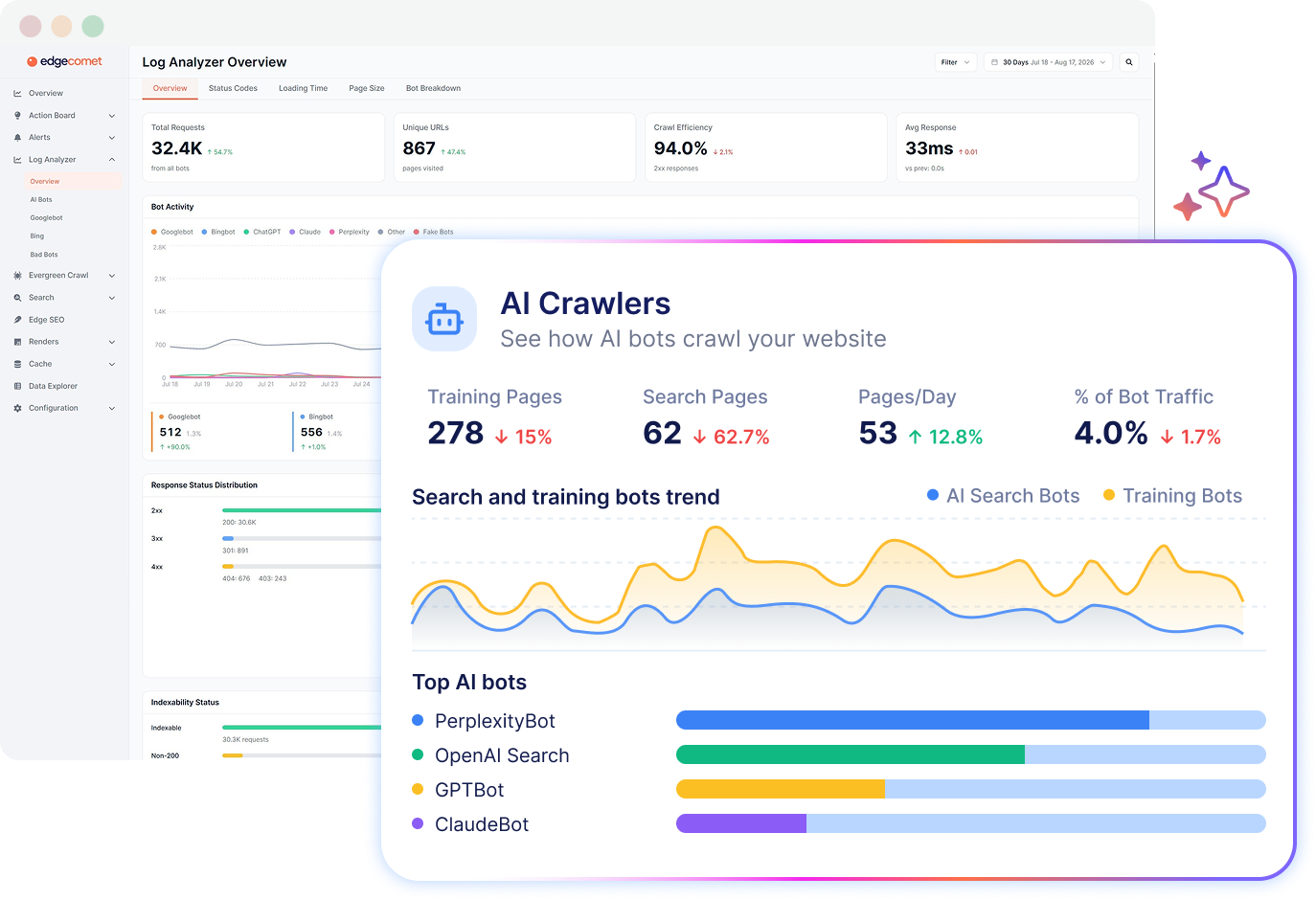
Analyze GPTBot, ClaudeBot, and Perplexity separately from search bots: see what each one requests, how often, and what it skips.
Learn where a crawling budget is wasted and how to fix that. Detect low-value requests and ensure bots focus on the most important pages.
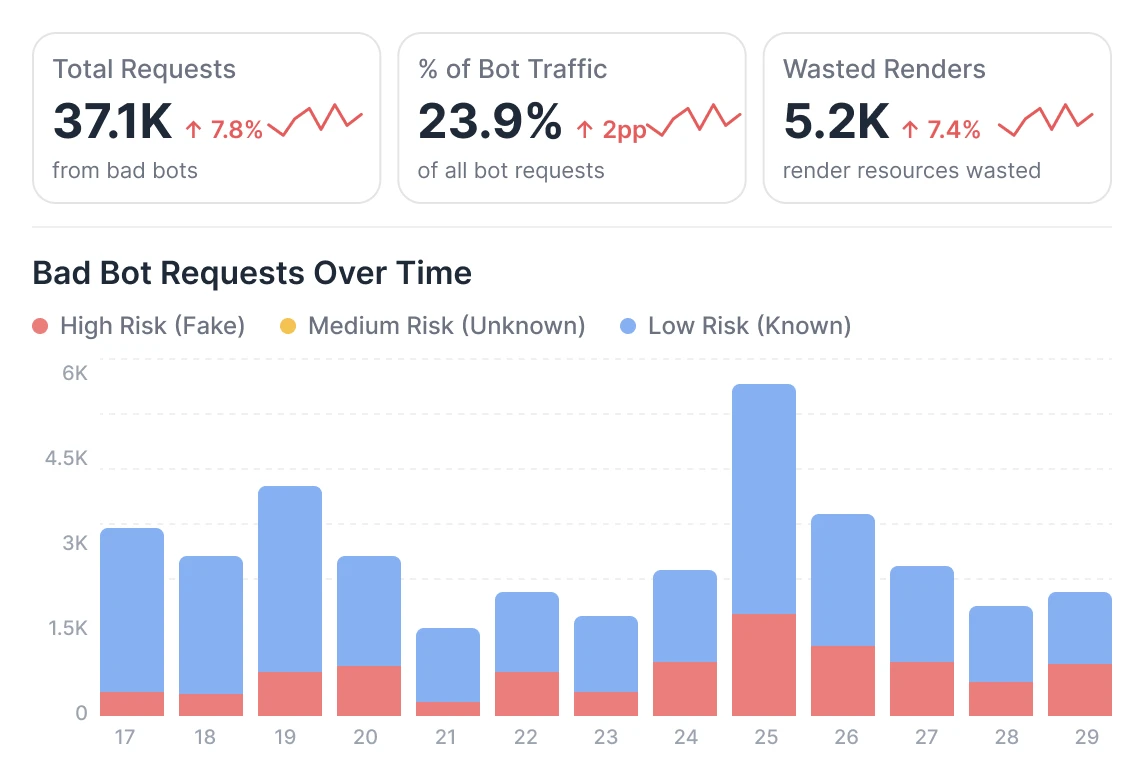
Fake bots can copy a user agent, but not the IP range. EdgeComet verifies every request against published bot IPs, so you see only real bot traffic.
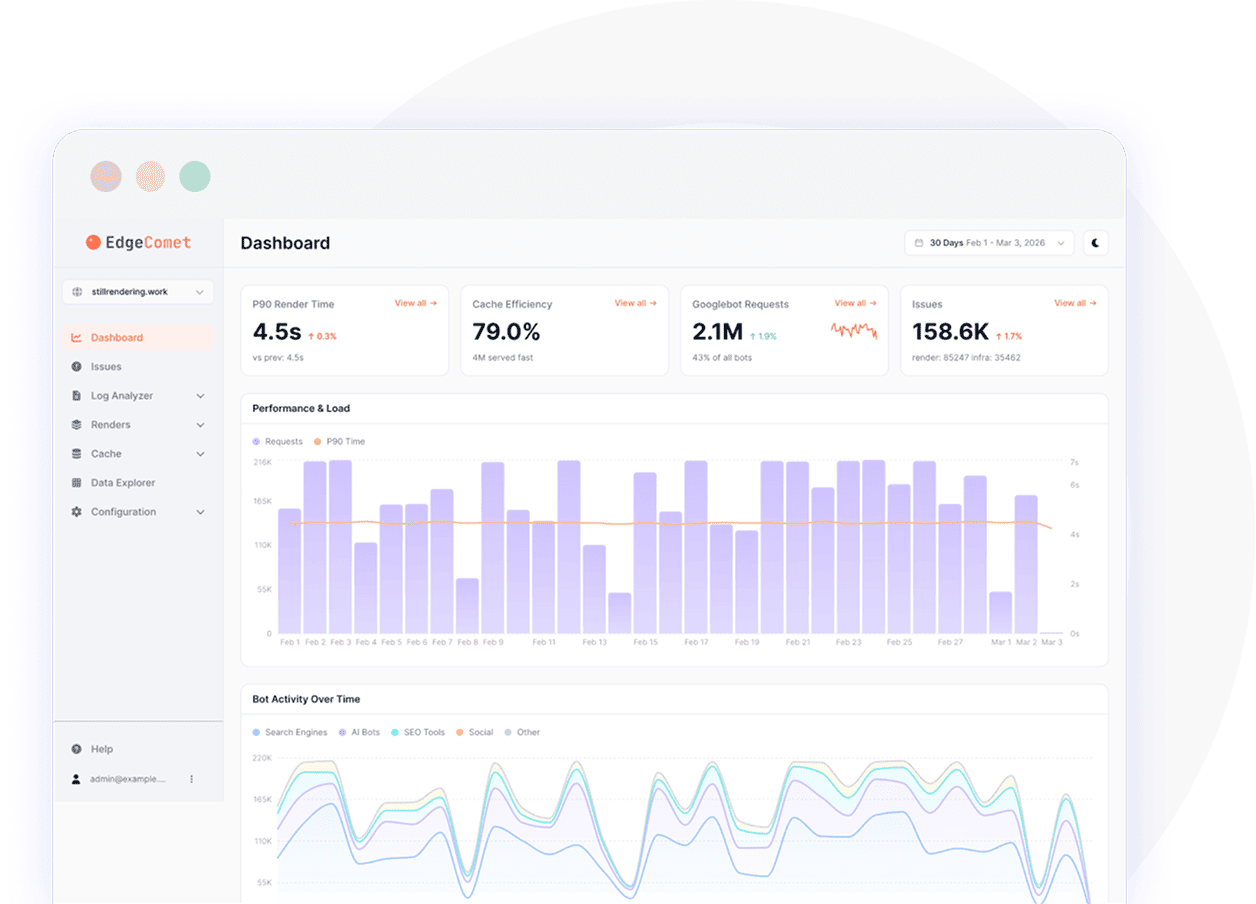
Here's what a real working session with log analyzer looks like - from the raw bot activity right through to clear and useful insights.
14-day free trialWebsite log analyzer is just one layer. EdgeComet helps you control rendering
performance, cache, and indexing in real time. Explore other features.
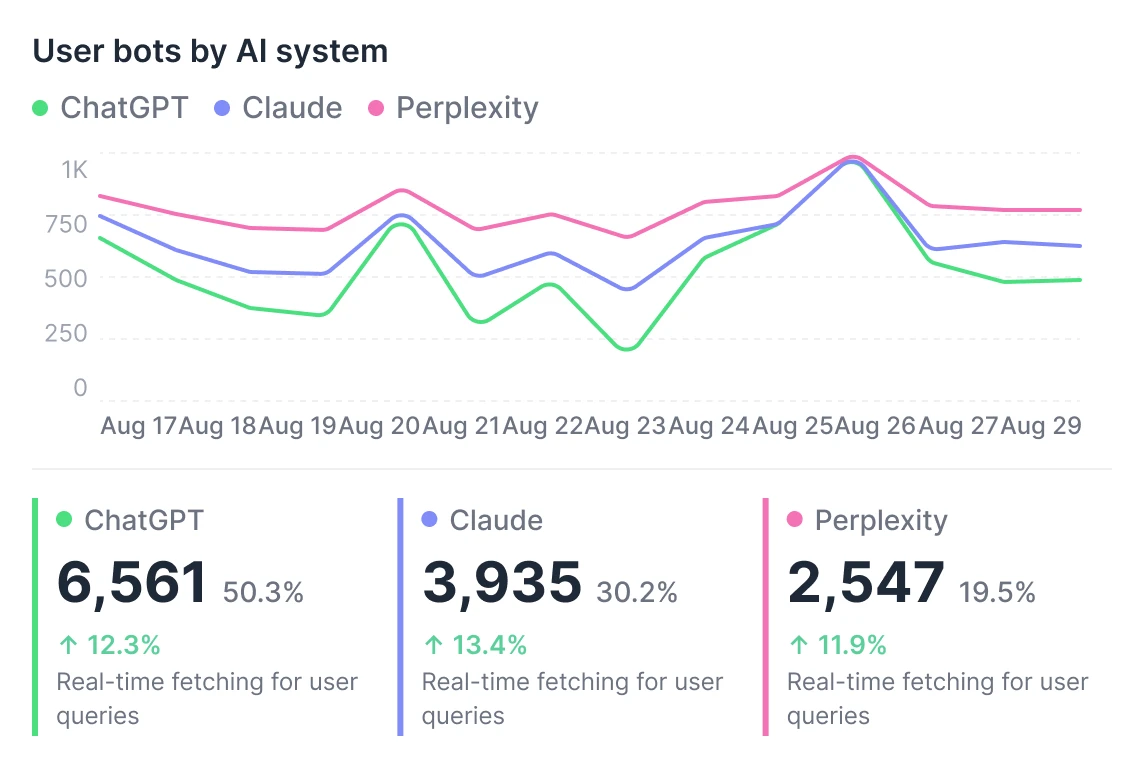
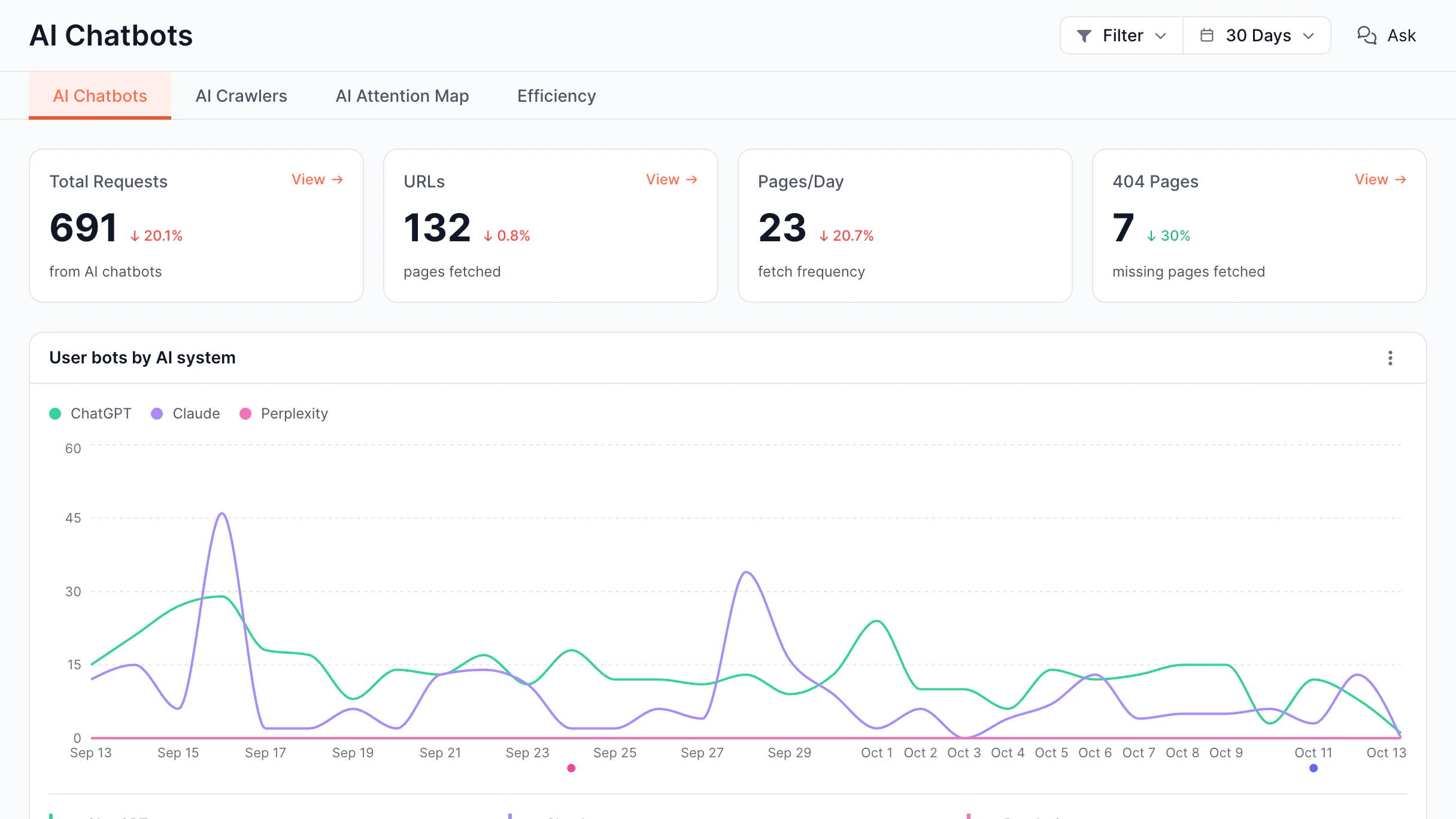
Pages ChatGPT, Claude, and Perplexity fetch while answering users, by day.
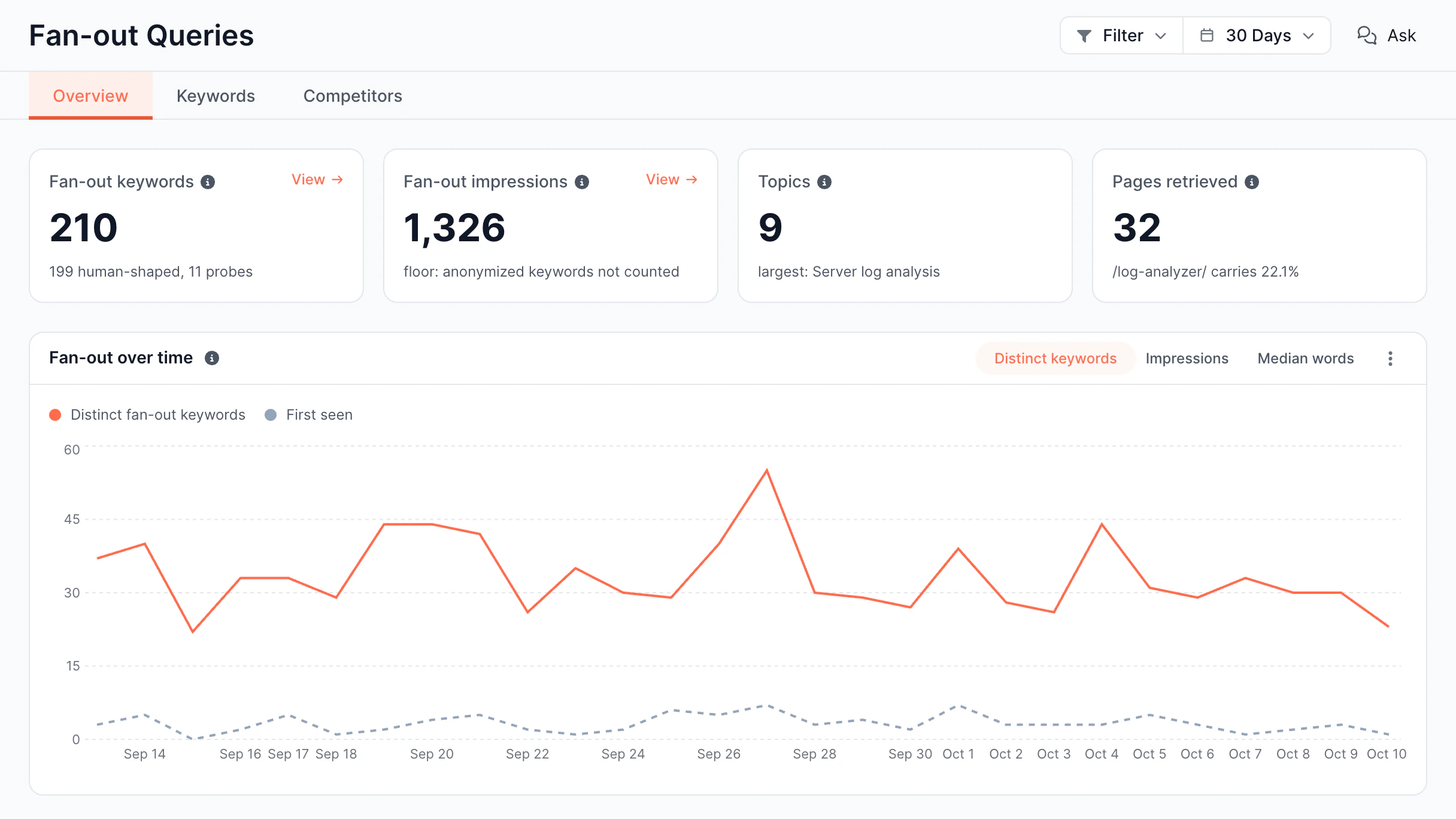
Fan-out keywords from Search Console, grouped into topics, with impressions.
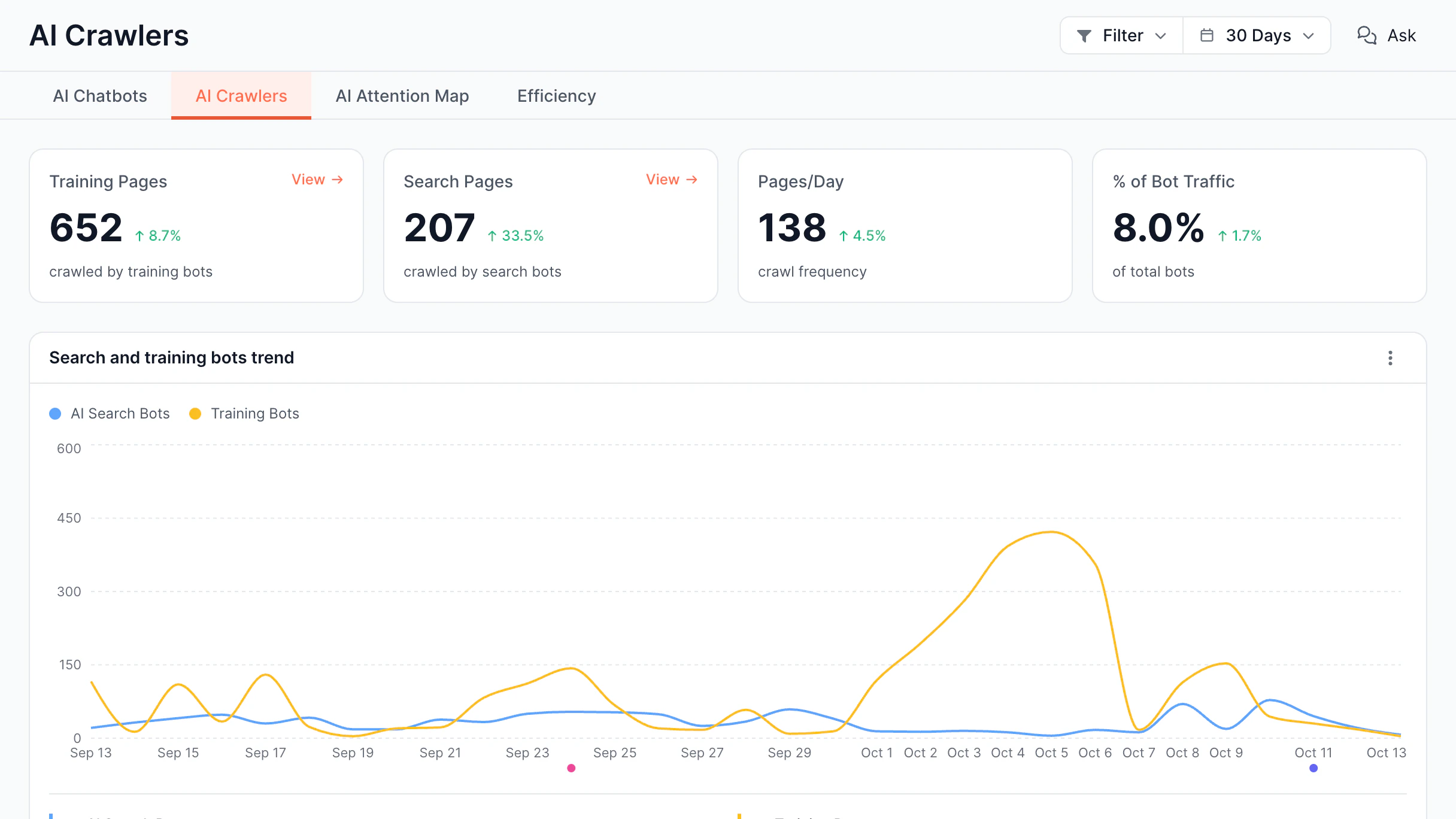
AI training and search bots: pages crawled, pages per day, share of traffic.
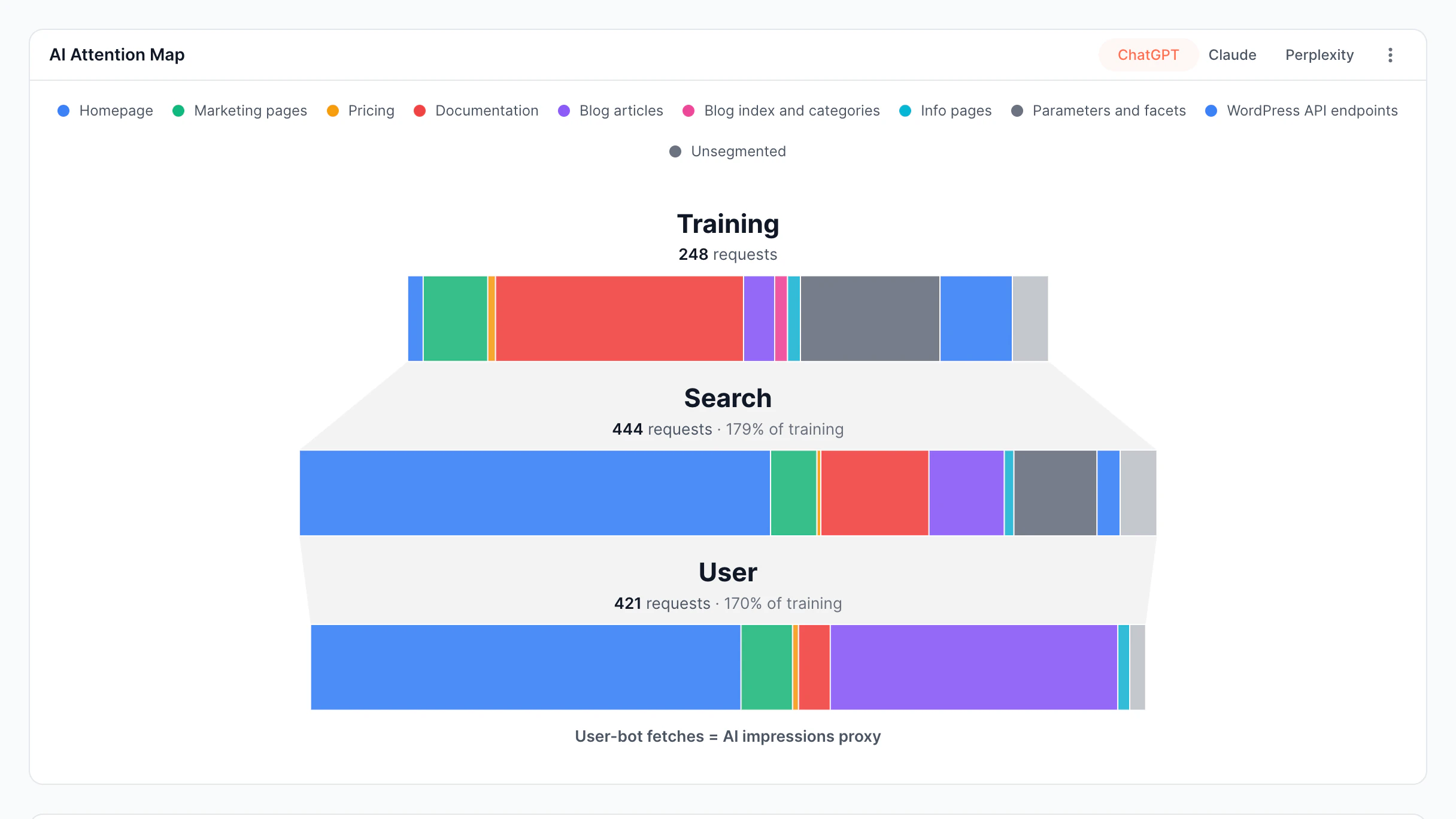
Training, search, and user bot requests by page type, for each AI provider.
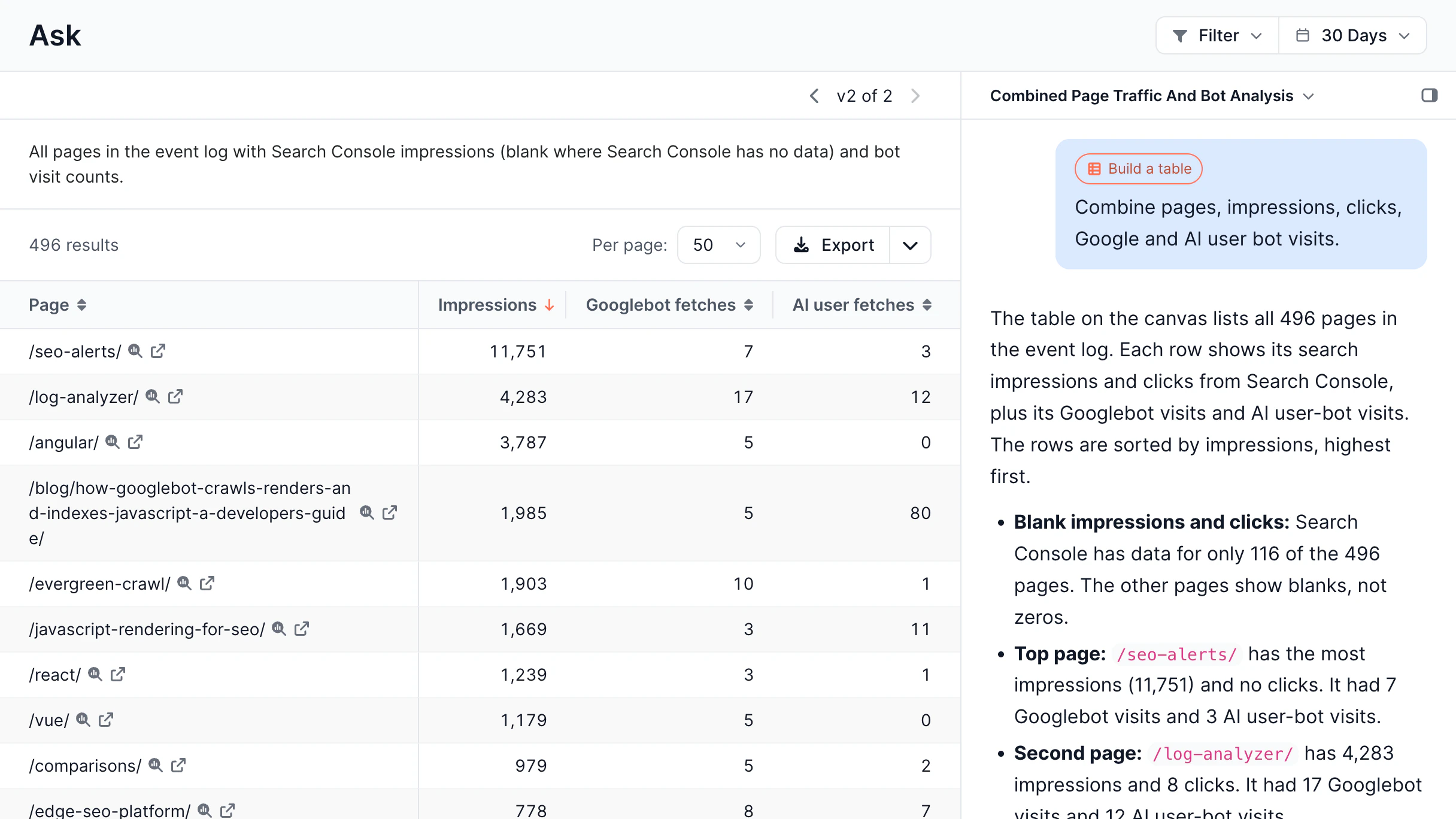
Chat that answers with sortable tables you can export to CSV or Google Sheets.
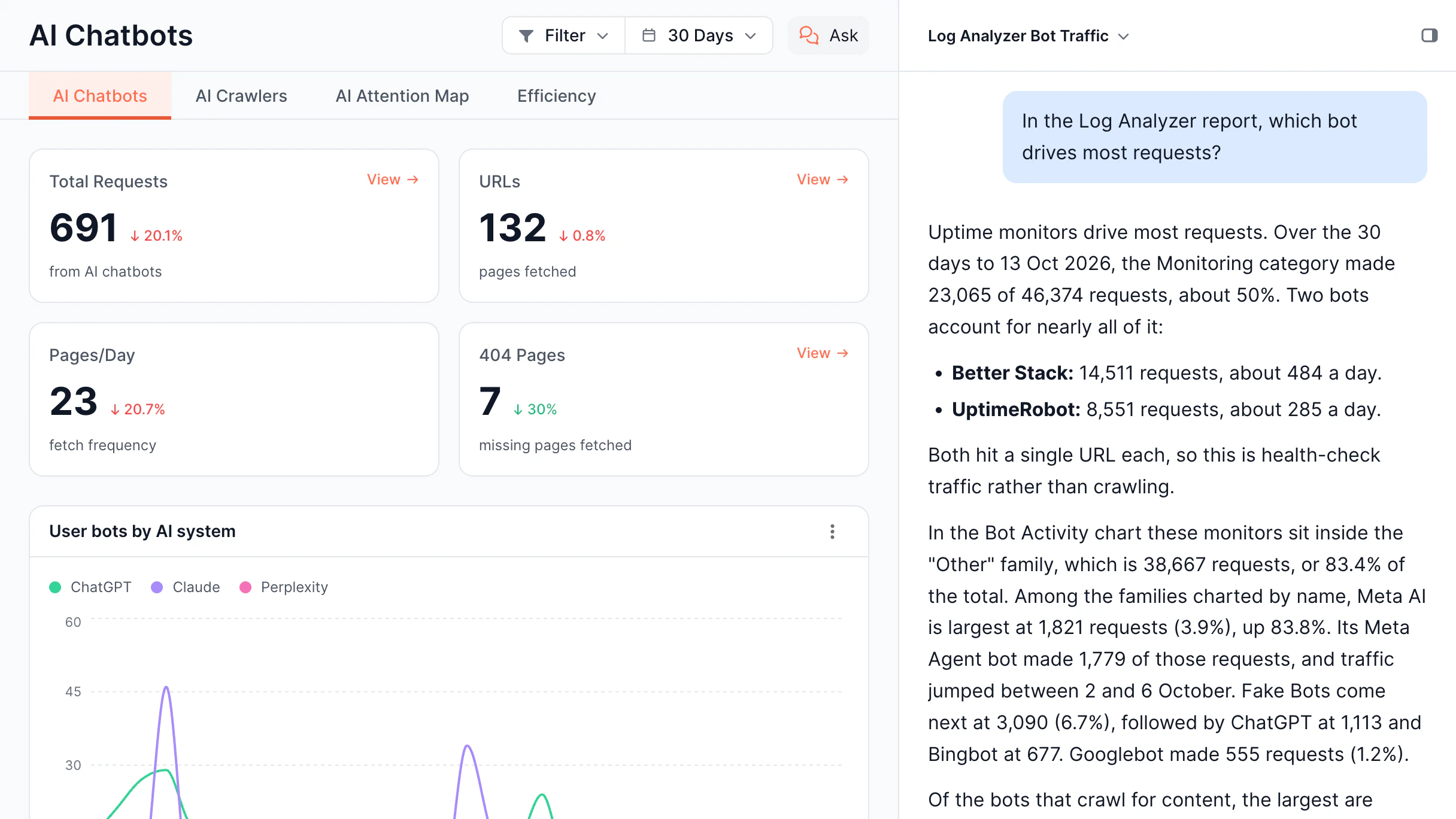
Chat panel next to any report that answers questions about its data.
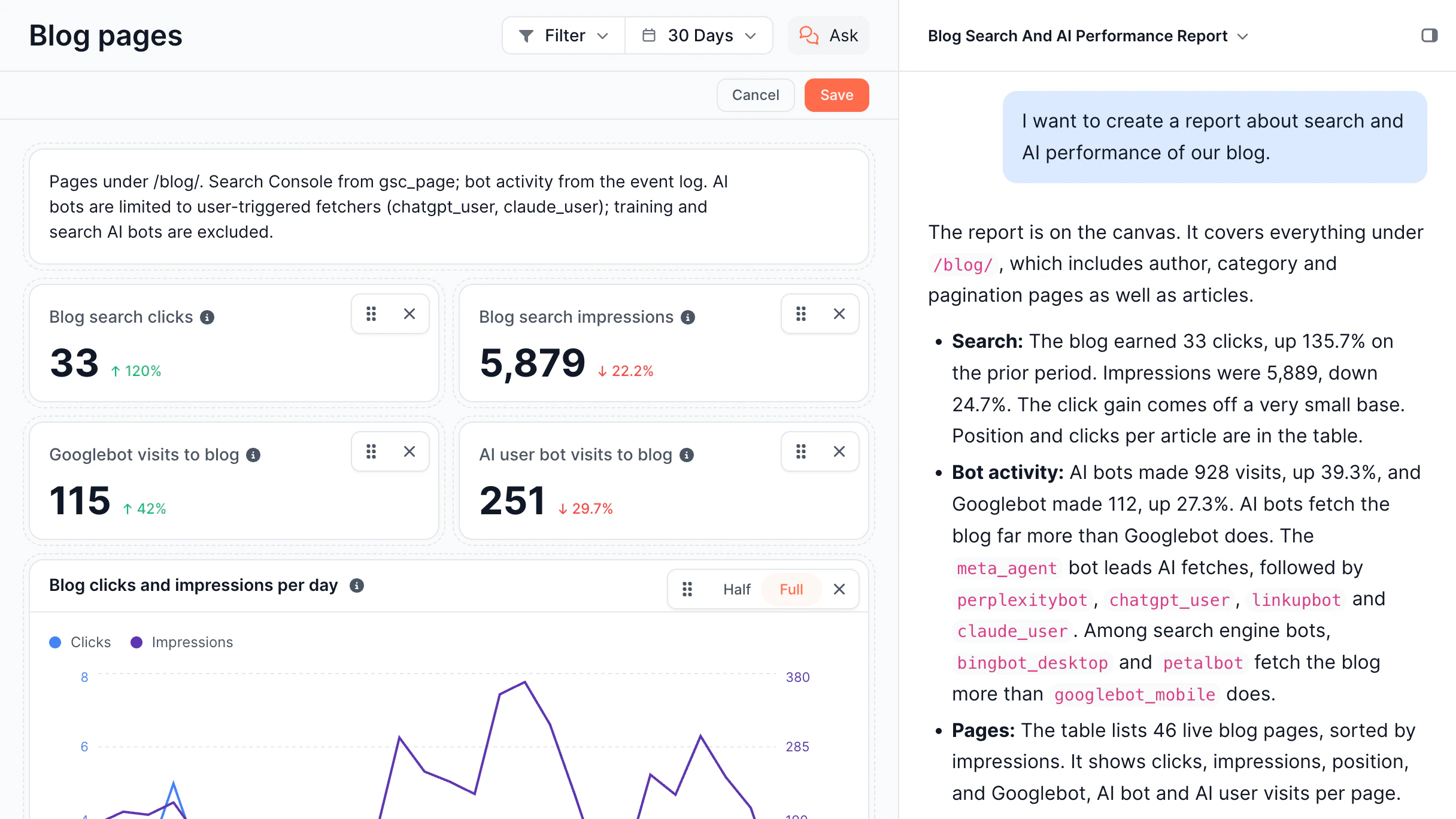
Custom reports built from a chat request, with widgets you can edit and save.
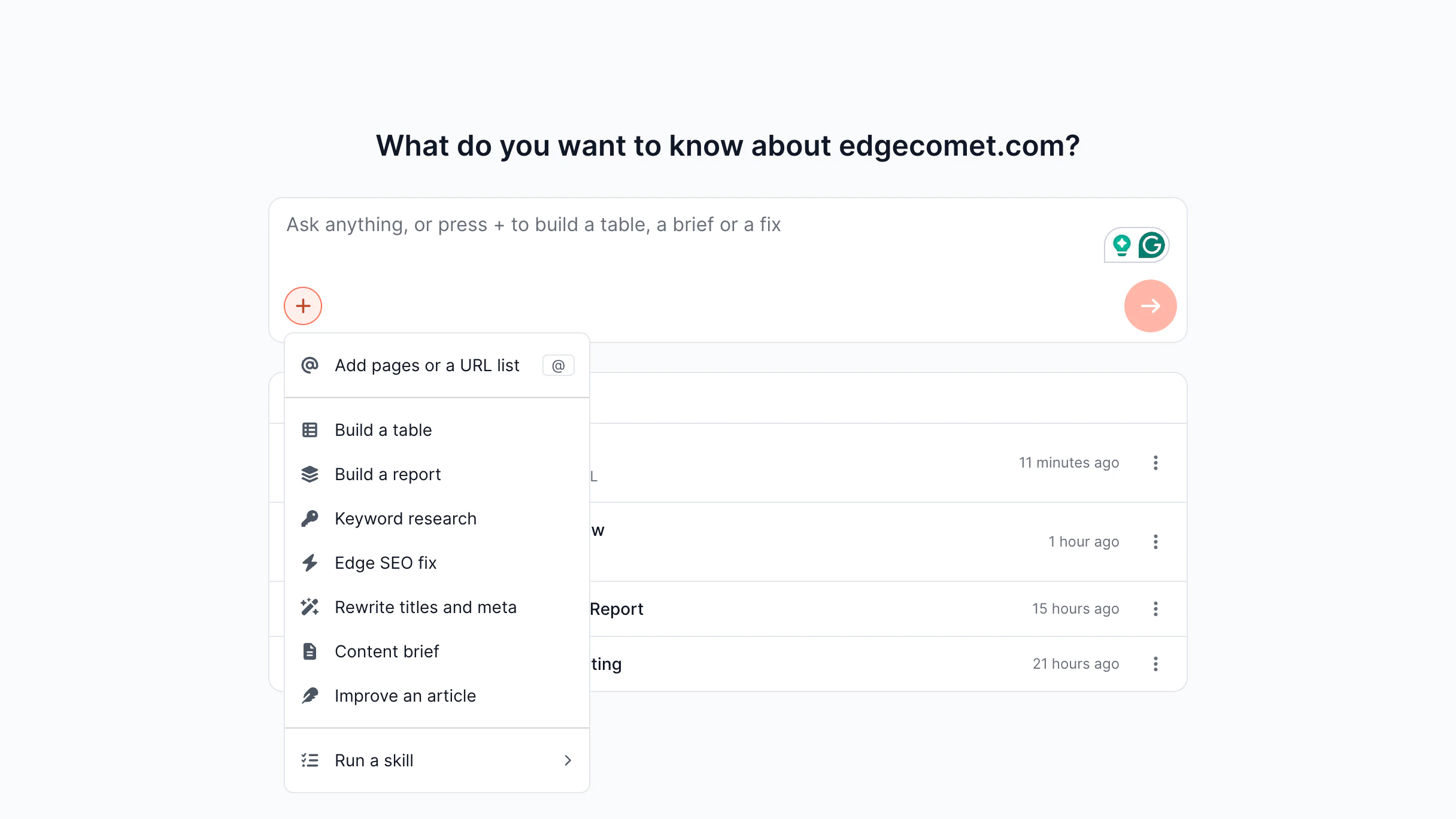
Skills menu: keyword research, content briefs, article and meta rewrites.
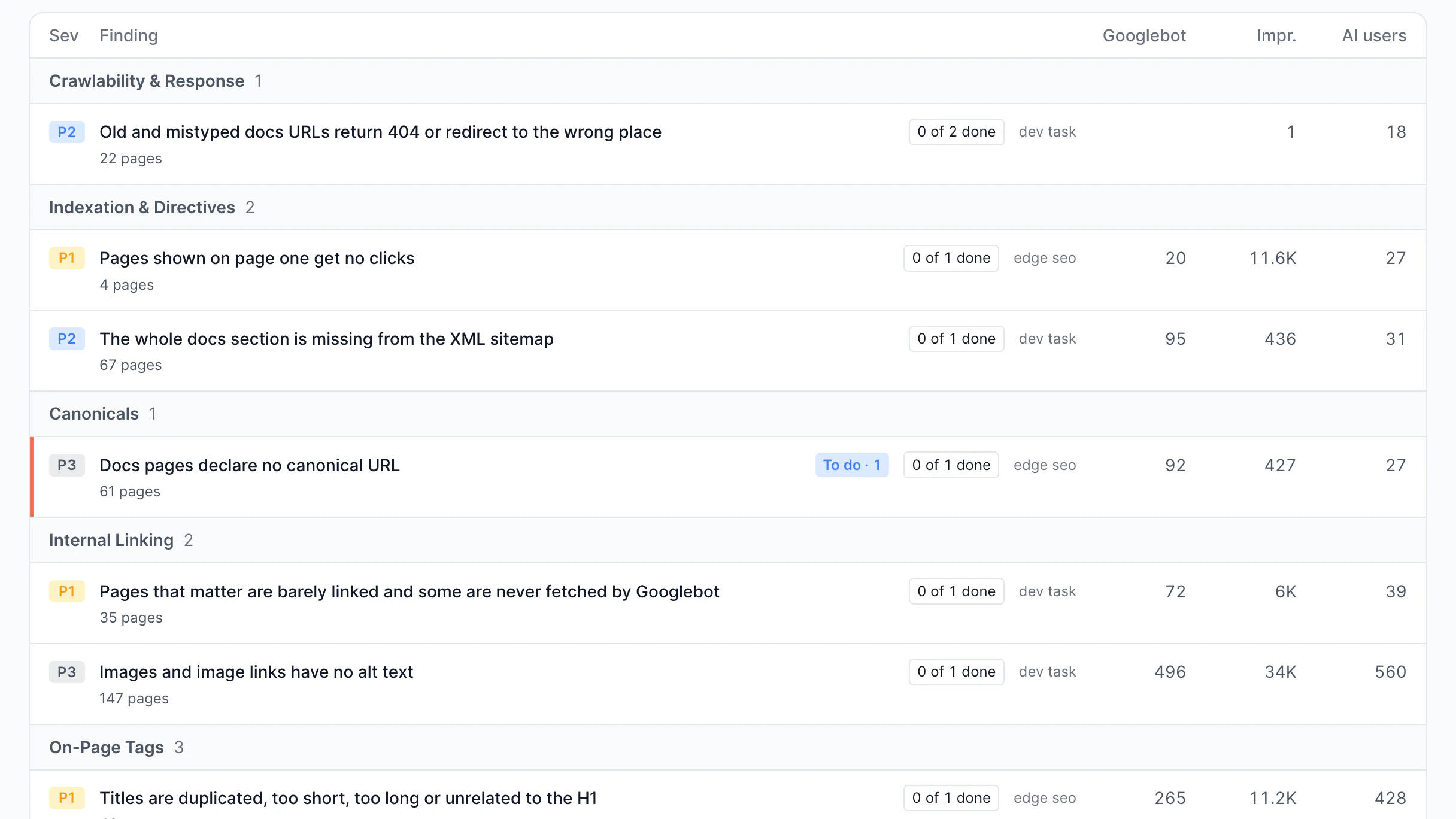
Findings by type and severity, with traffic per issue.
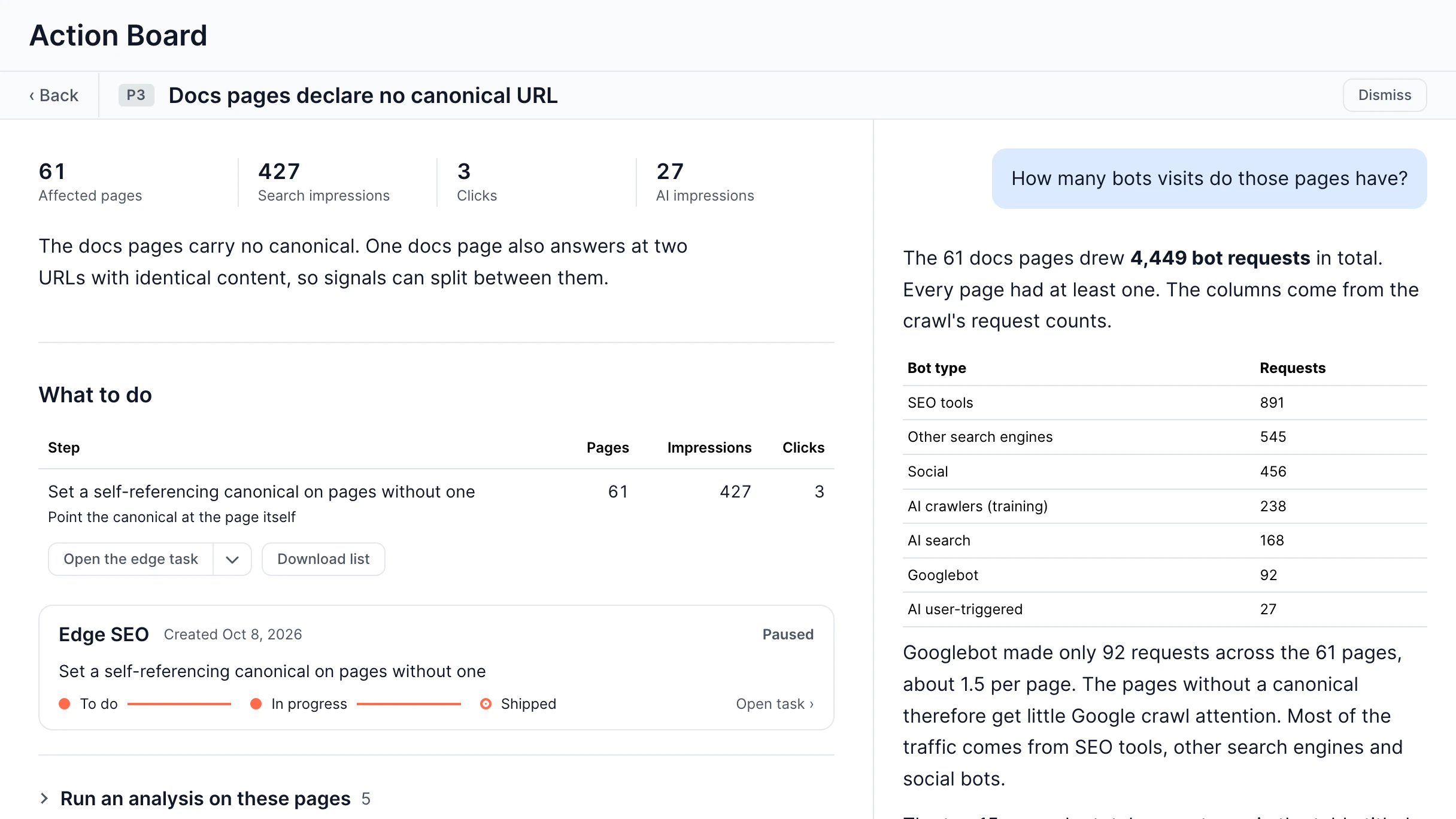
One finding: affected pages, fix steps, task status.
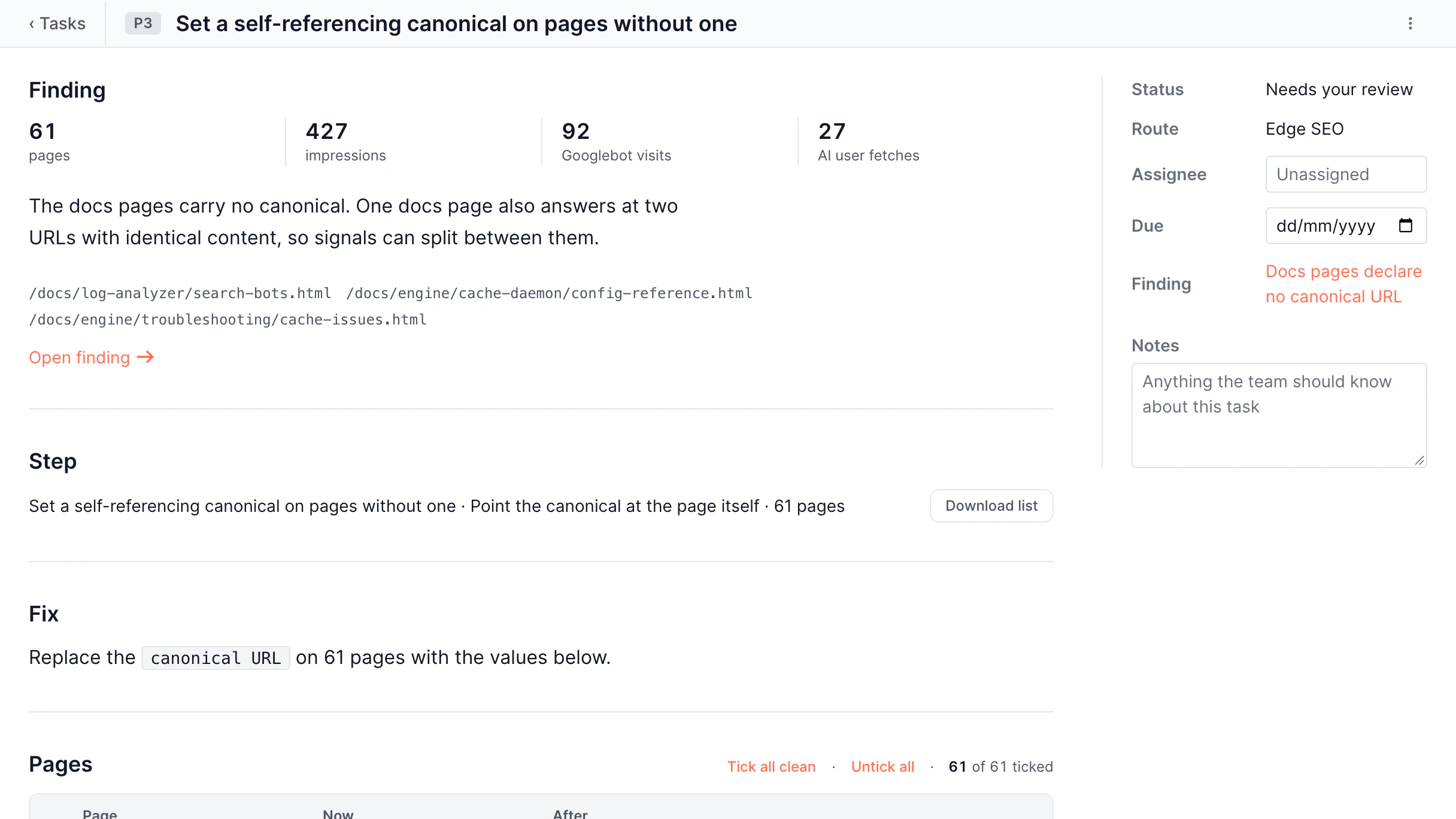
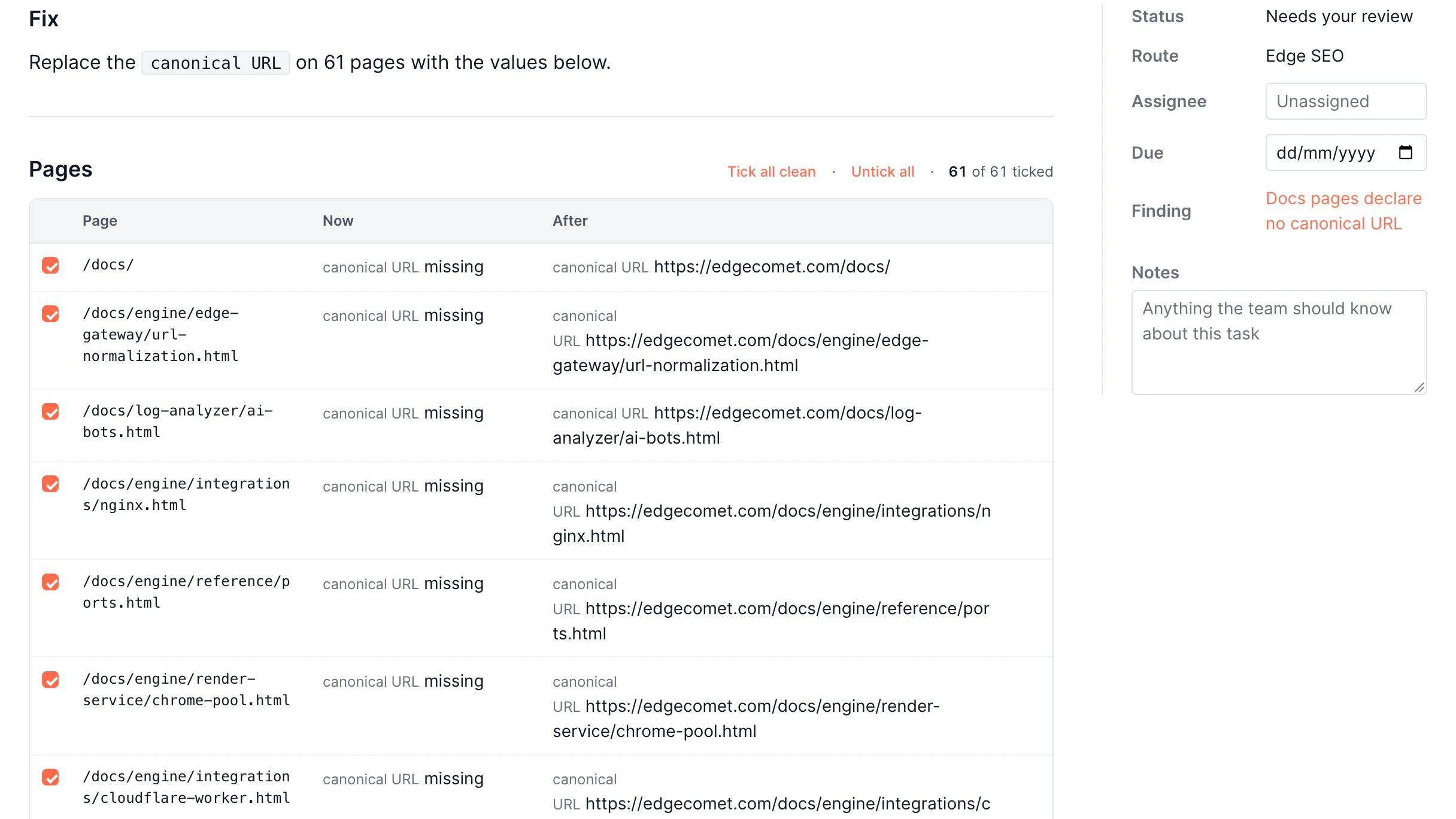
Task page with status, assignee, due date, and notes.
Before and after values per page, with edge deploy.
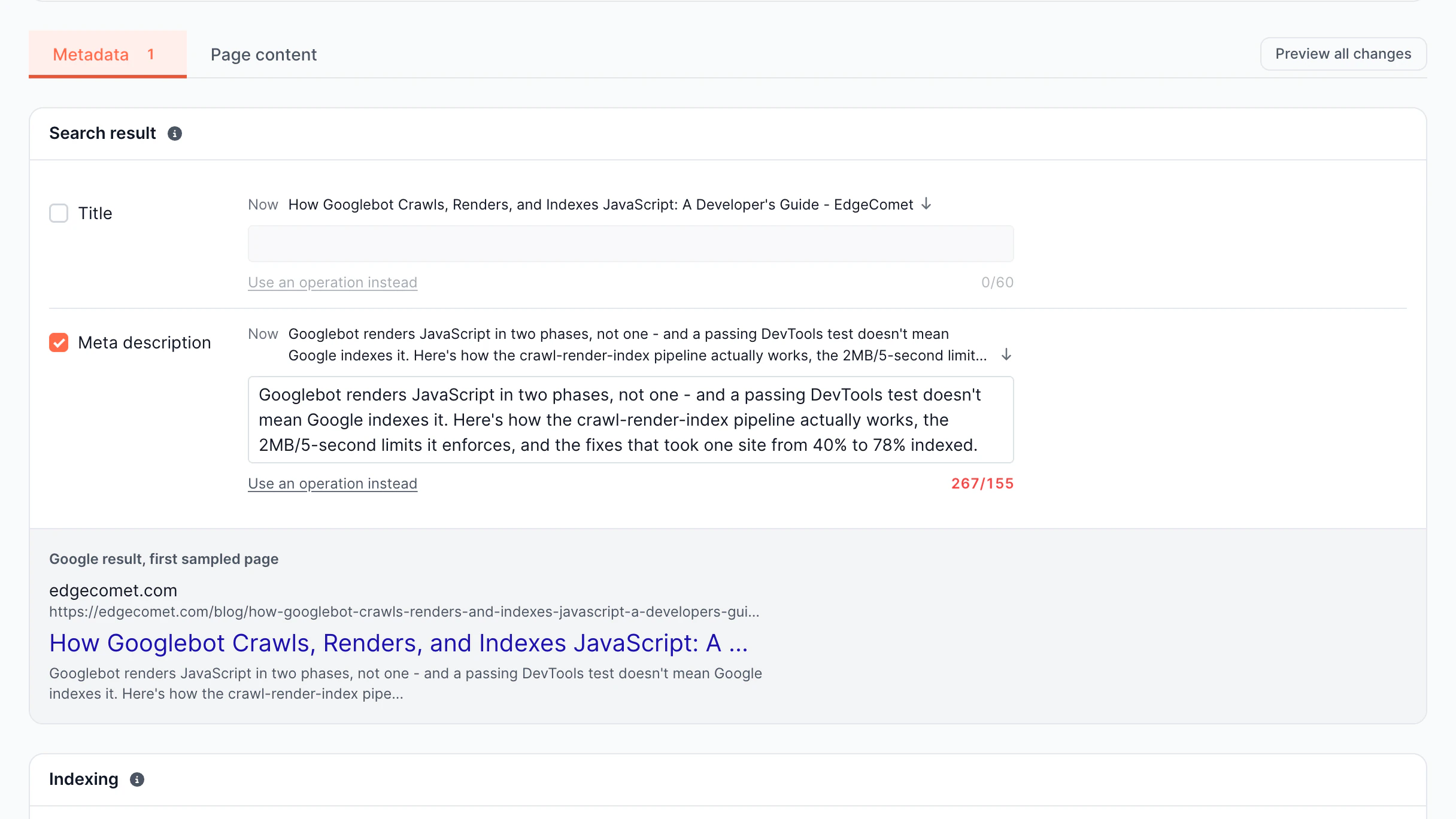
Title and meta overrides with a Google result preview.
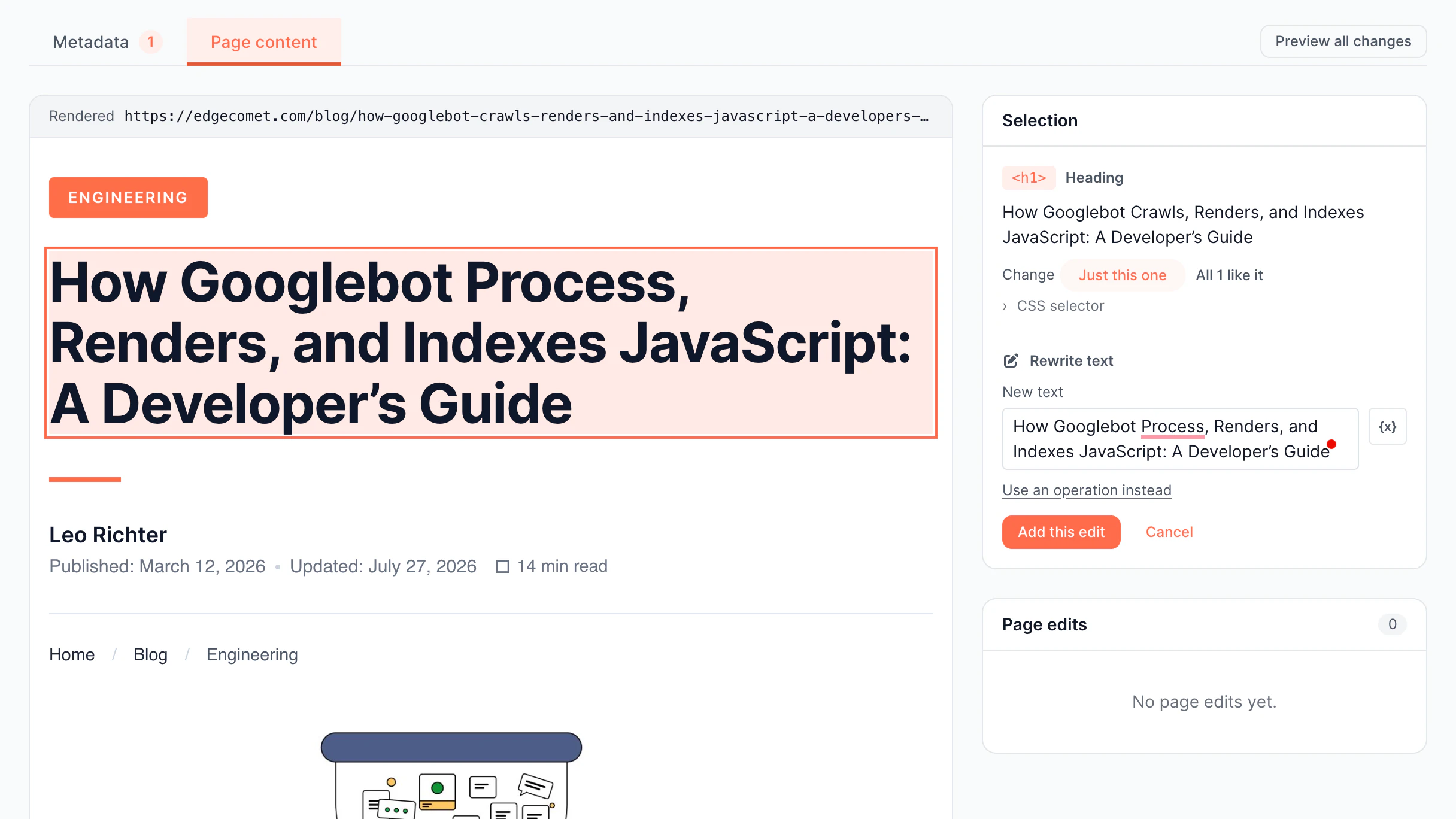
Select an element on the rendered page and edit its text.
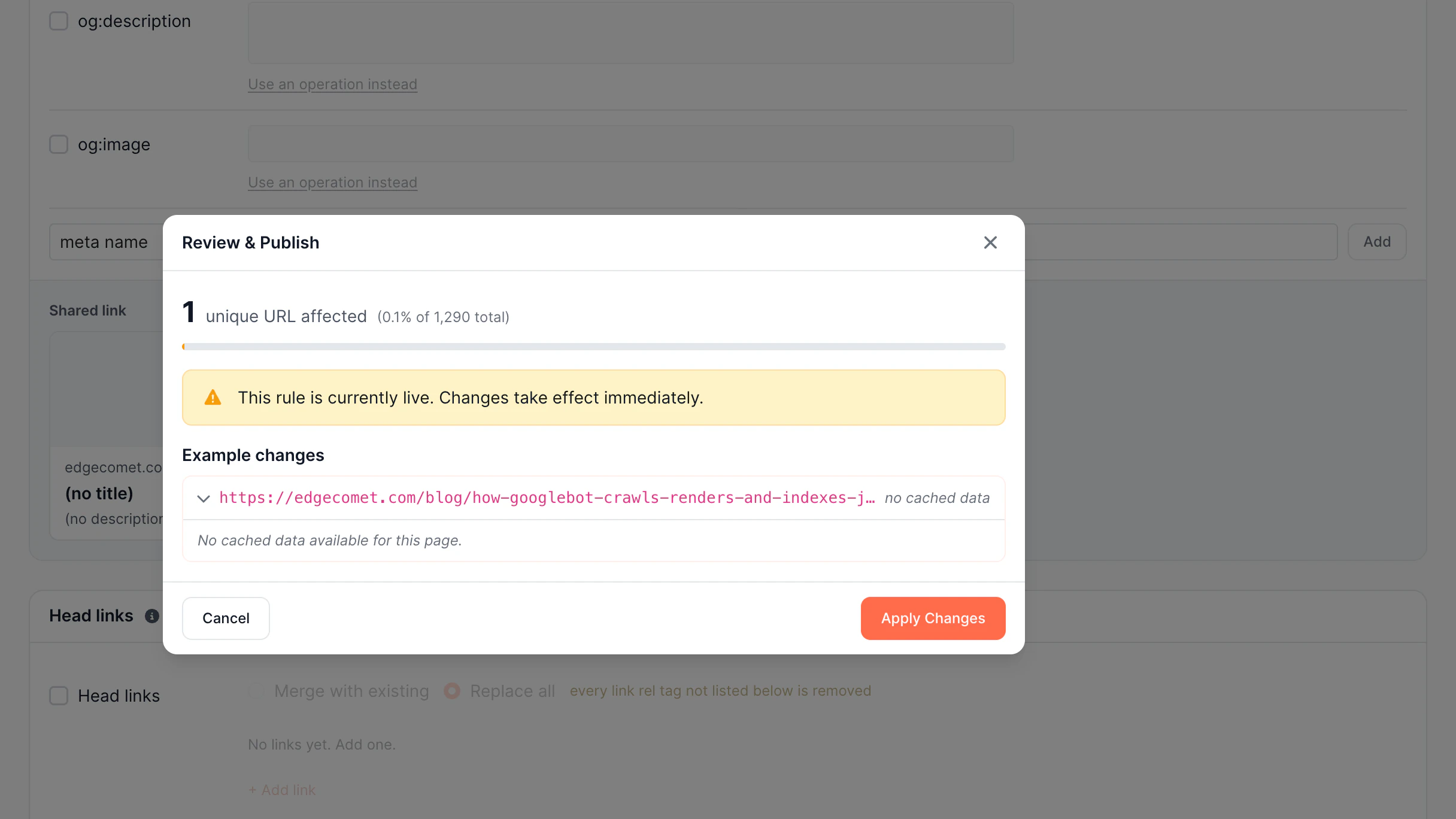
Review dialog with the number of URLs a rule changes.
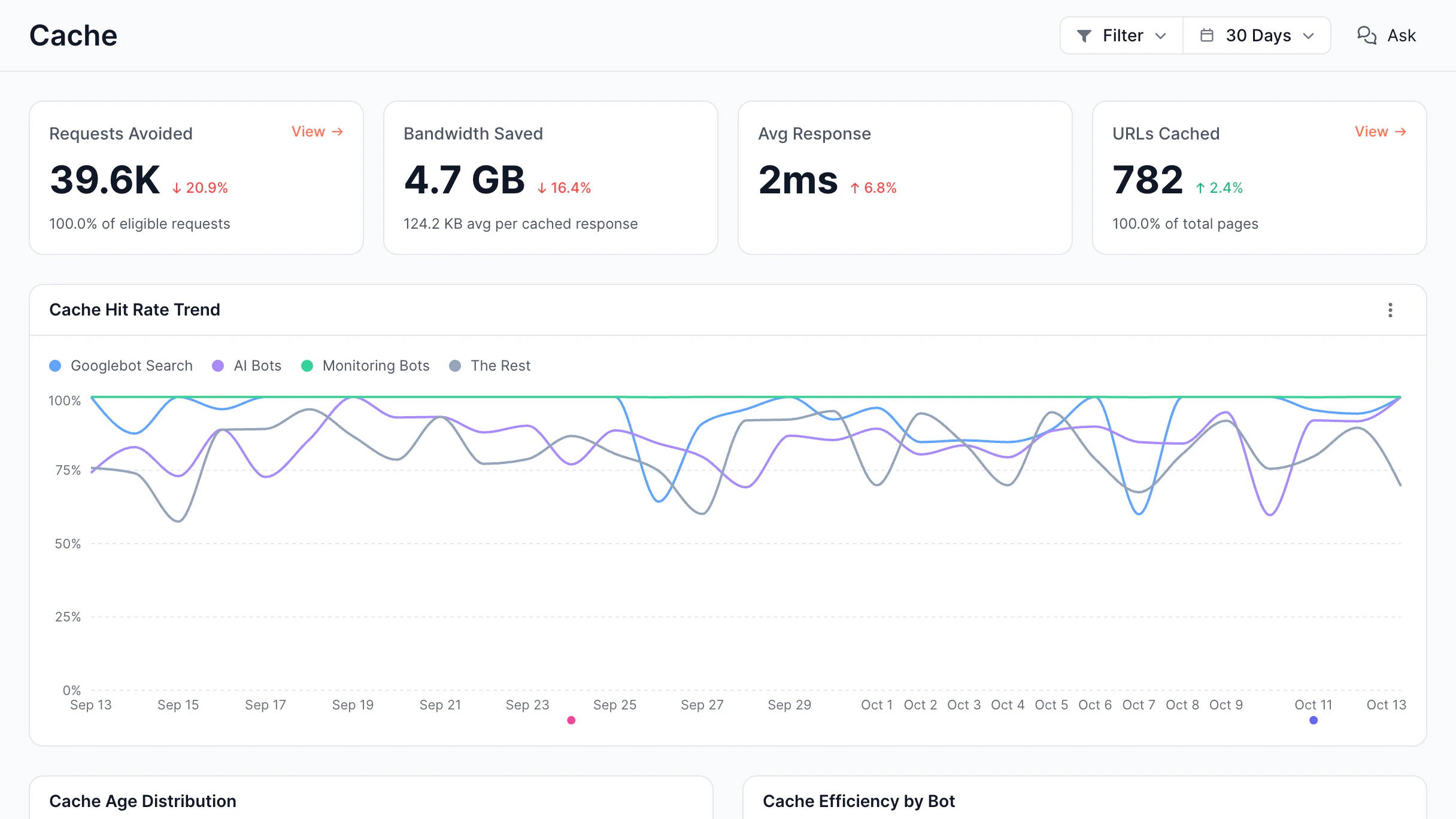
Hit rate, bandwidth saved, and cache age.
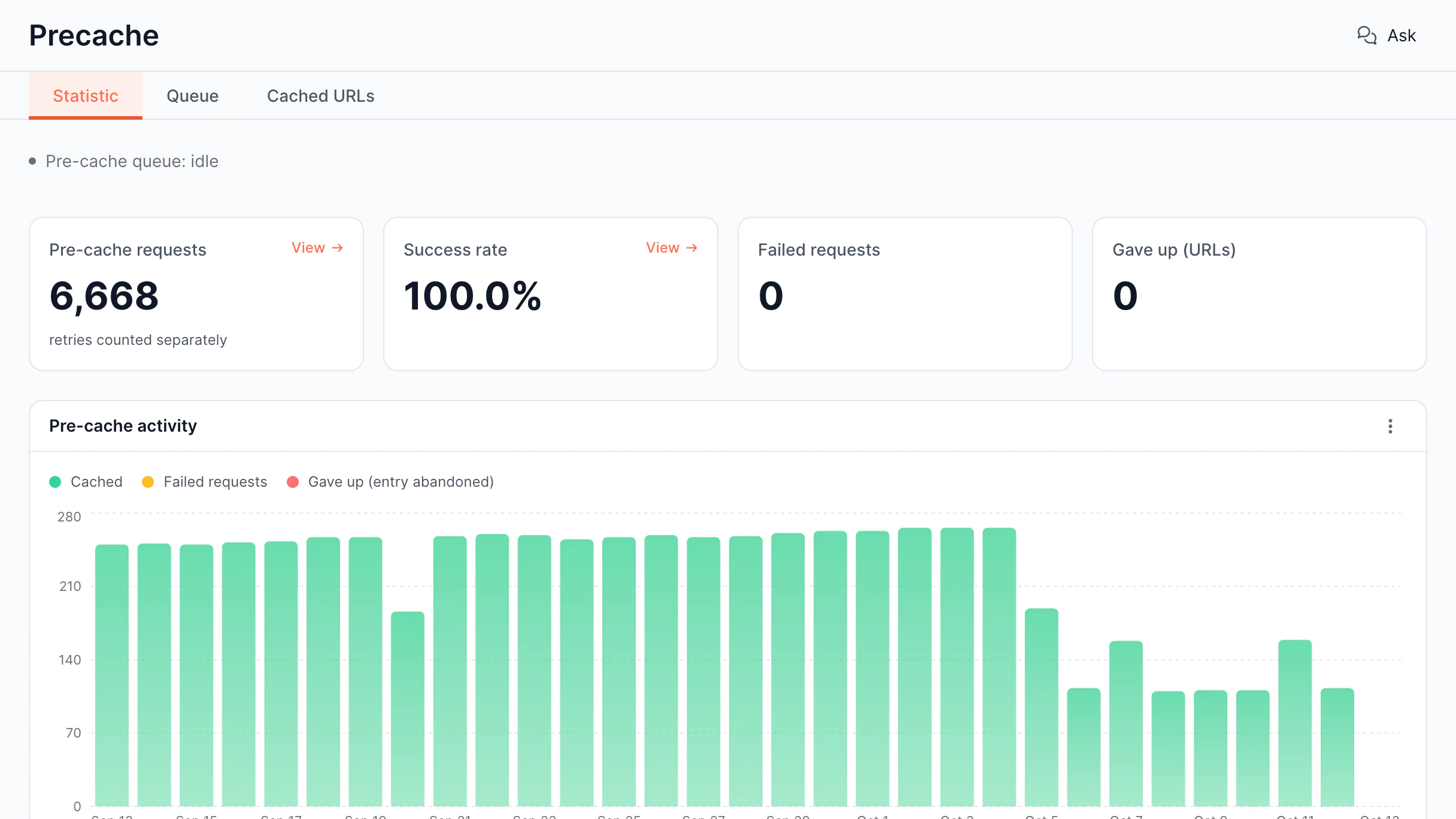
Pre-cache queue, success rate, and failures.
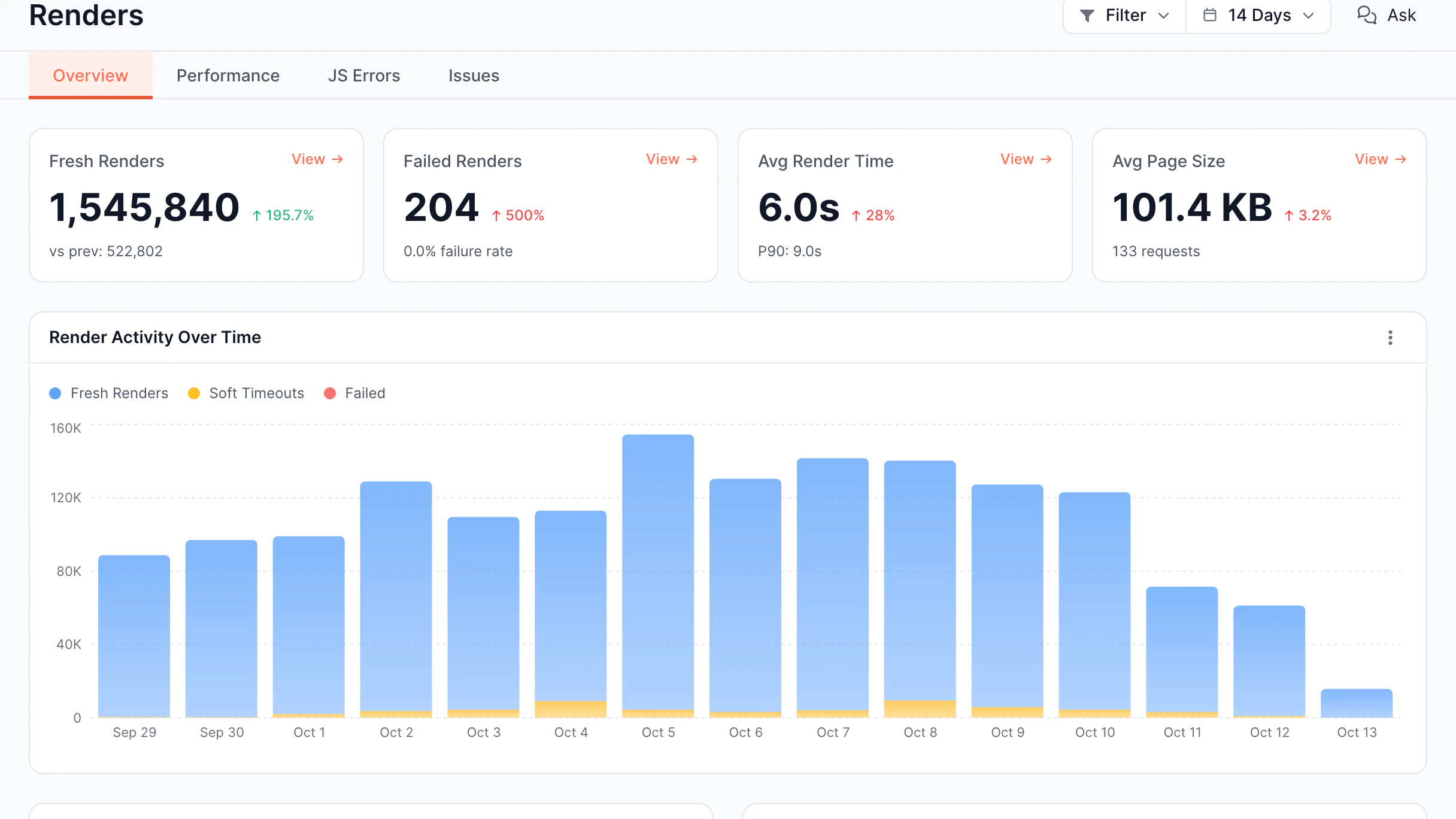
Renders per day, failures, and render time.
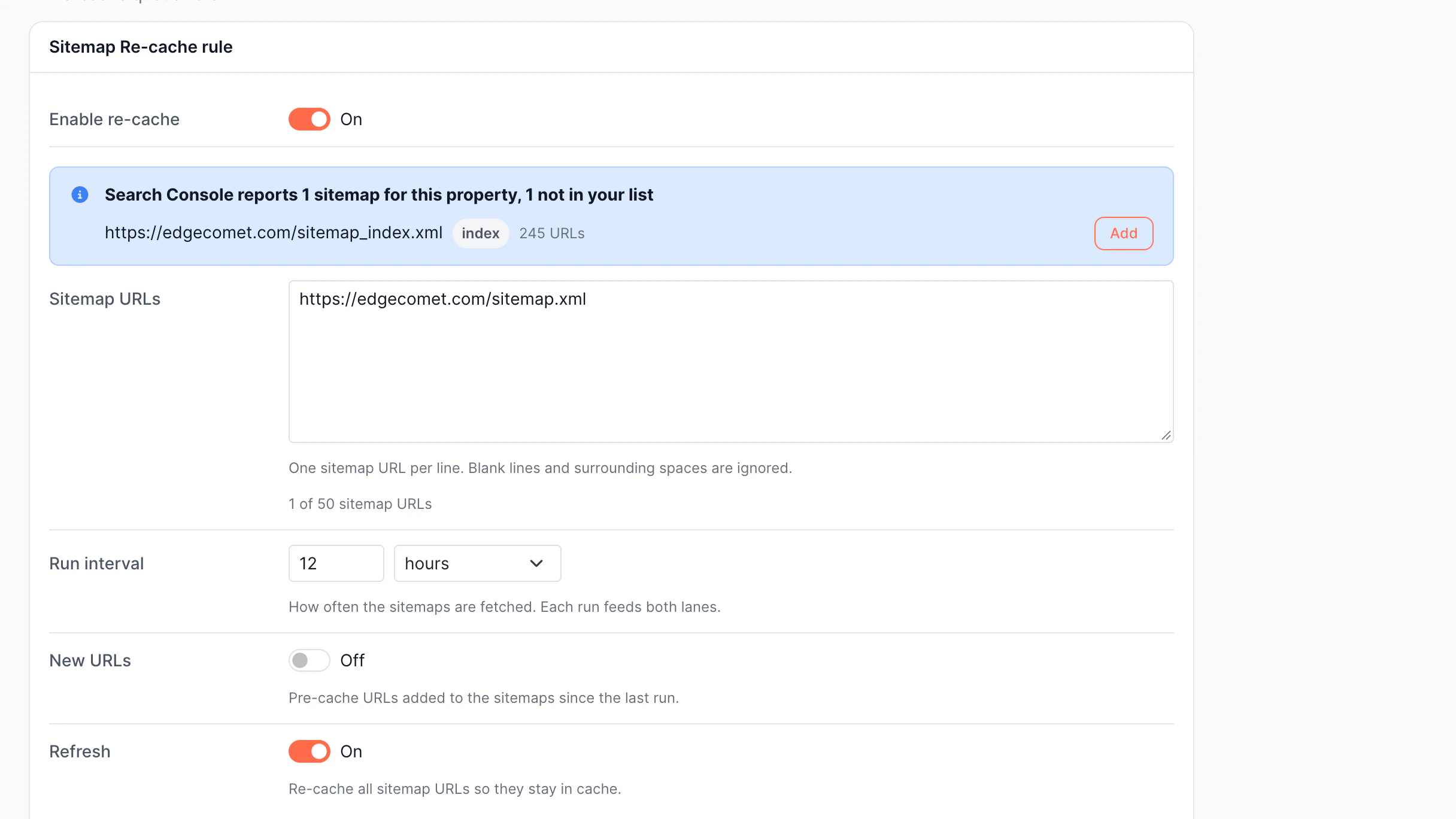
Re-cache rule for sitemap URLs on a schedule.
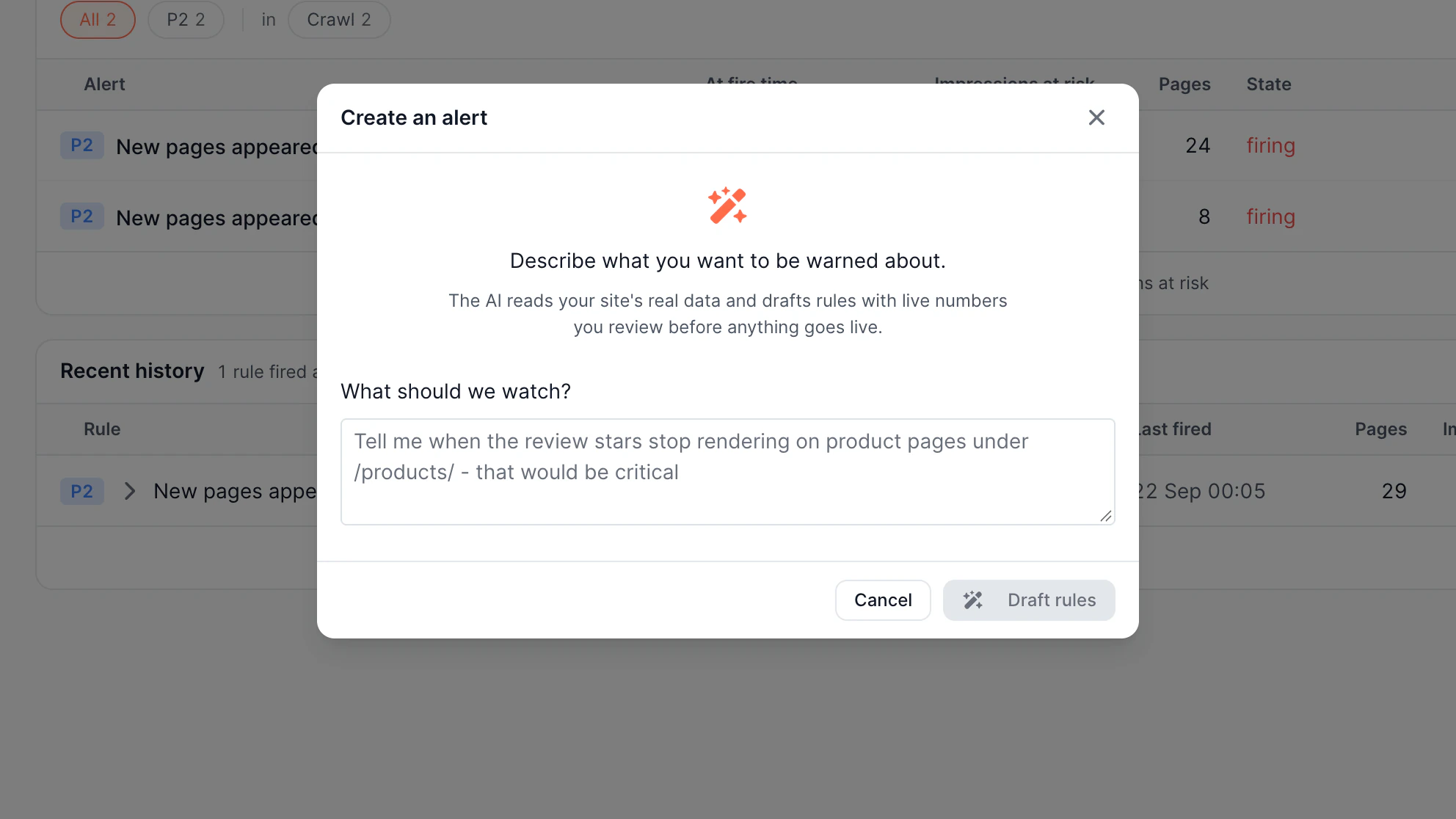
Create an alert by describing it in plain text.
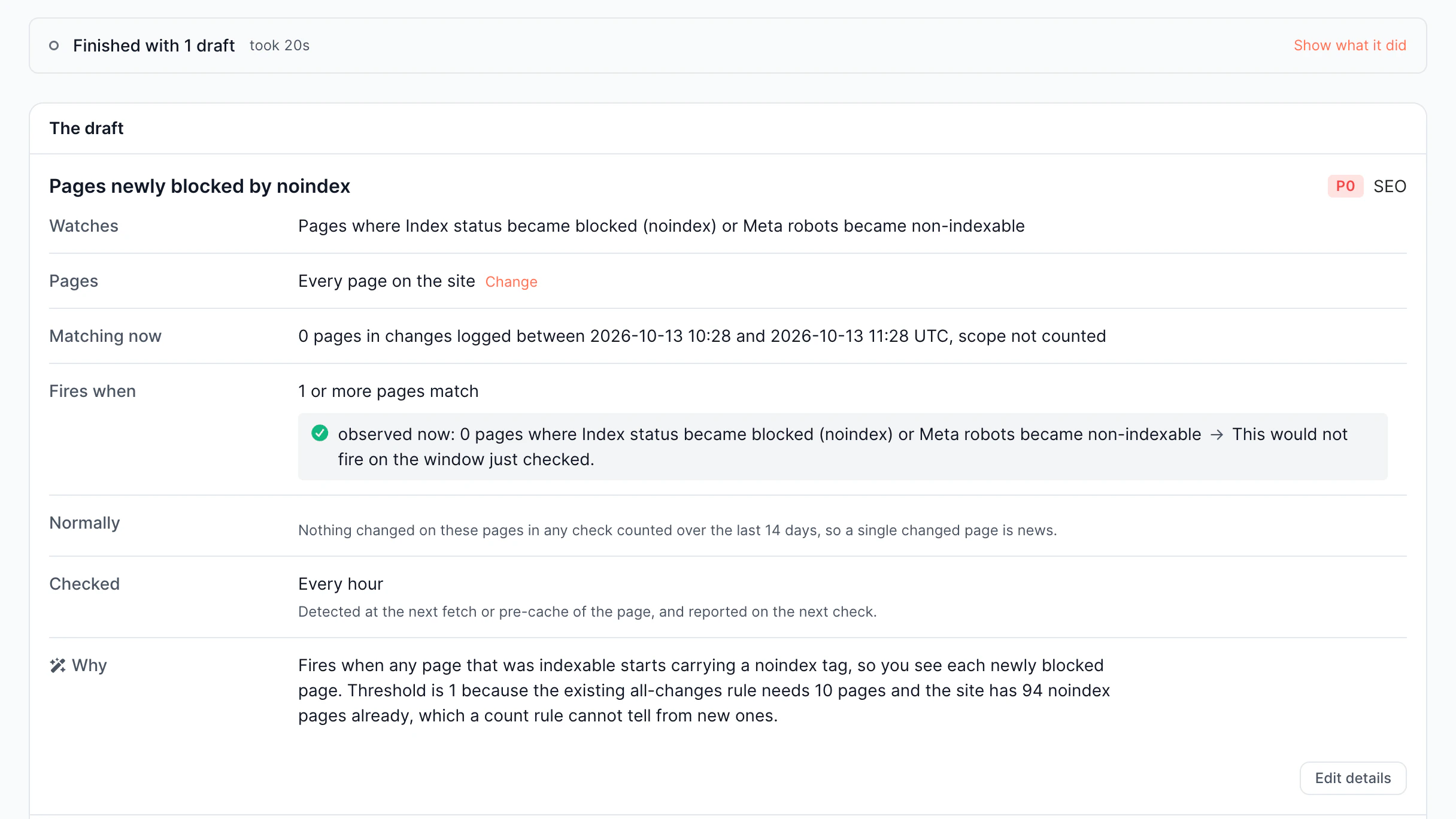
AI-drafted rule: what it watches and when it fires.
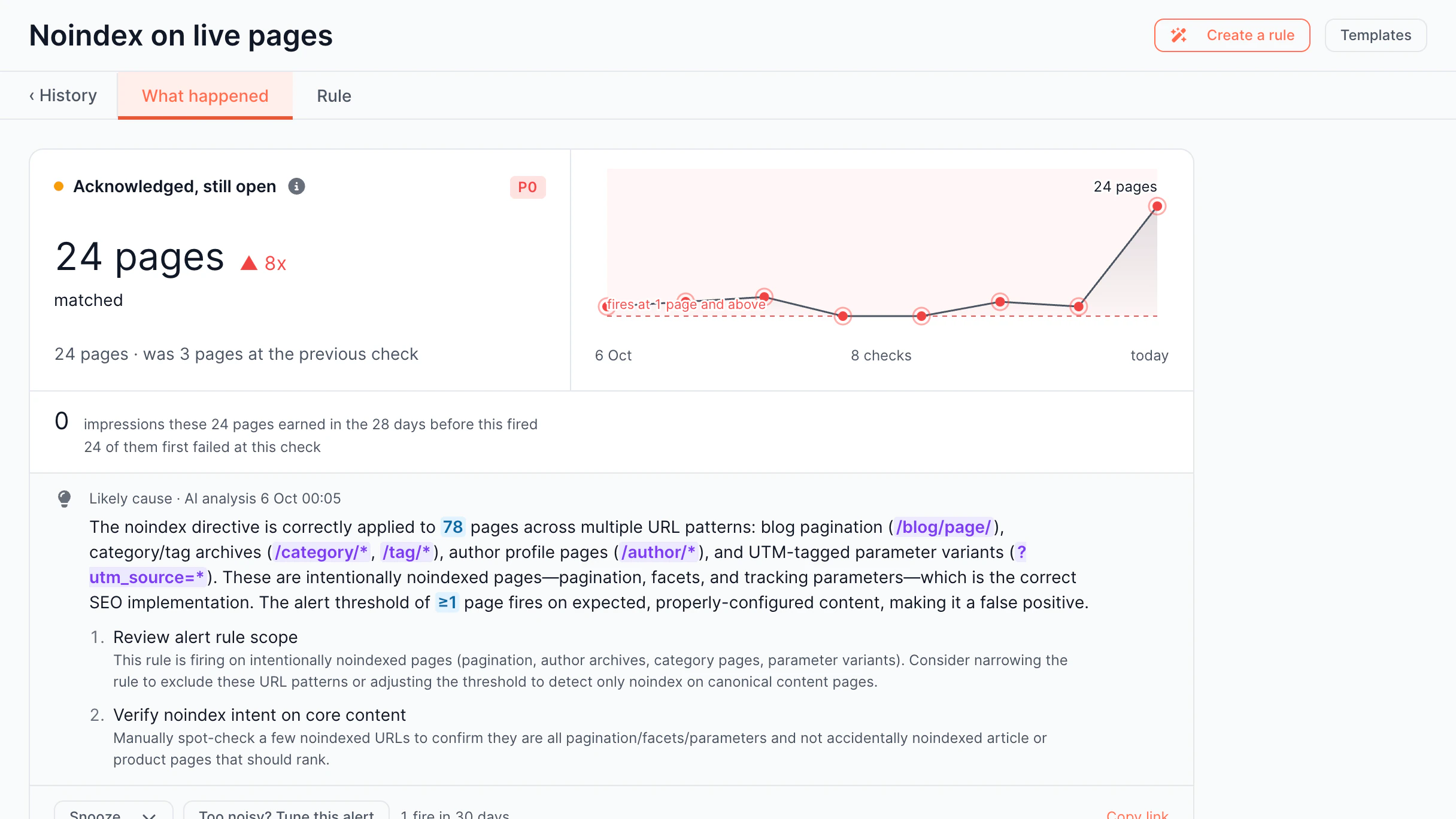
Incident page with matched pages and AI cause analysis.
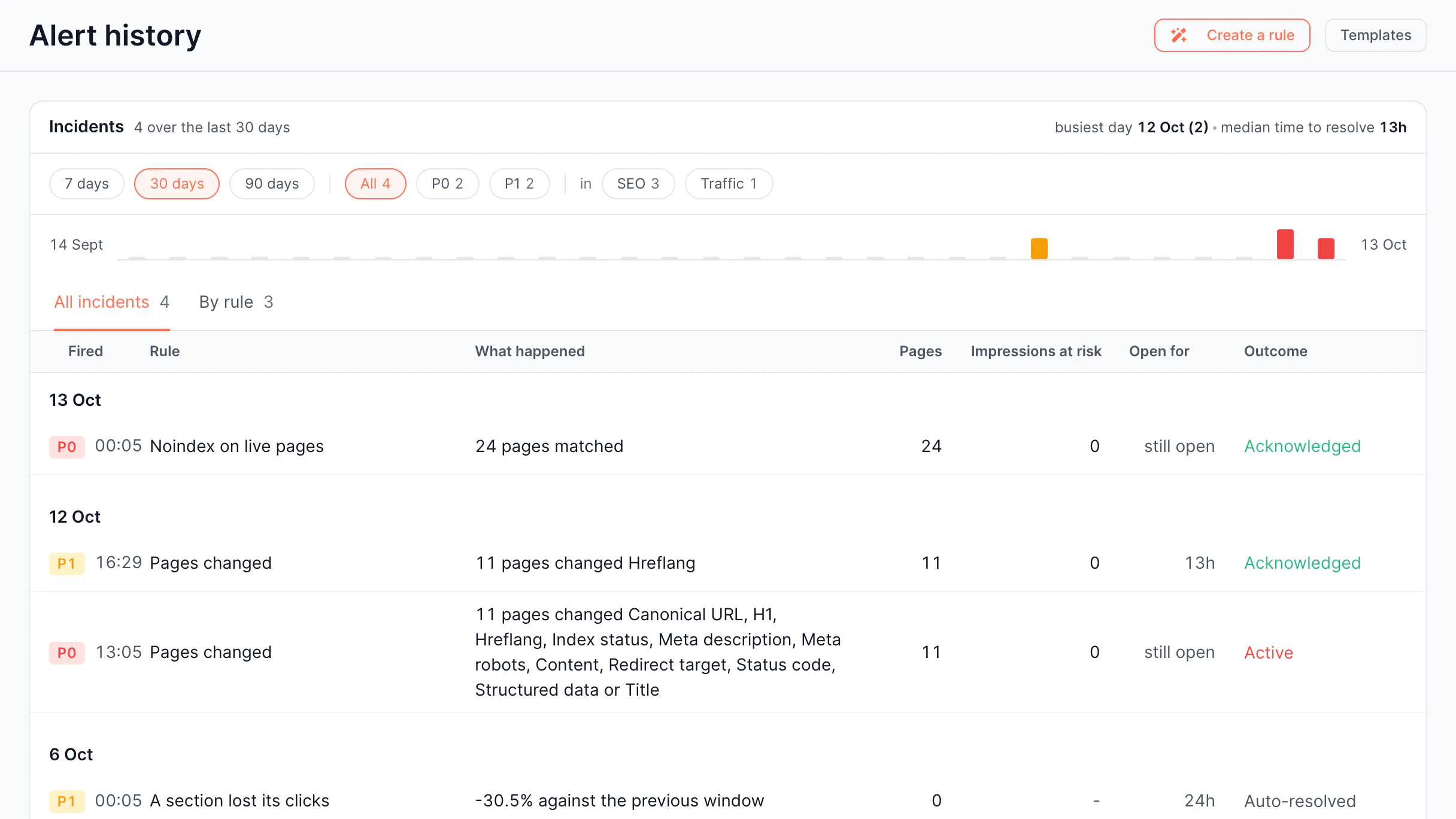
Incident log with pages, impressions at risk, and outcome.
Requests per bot family, with status and response time.
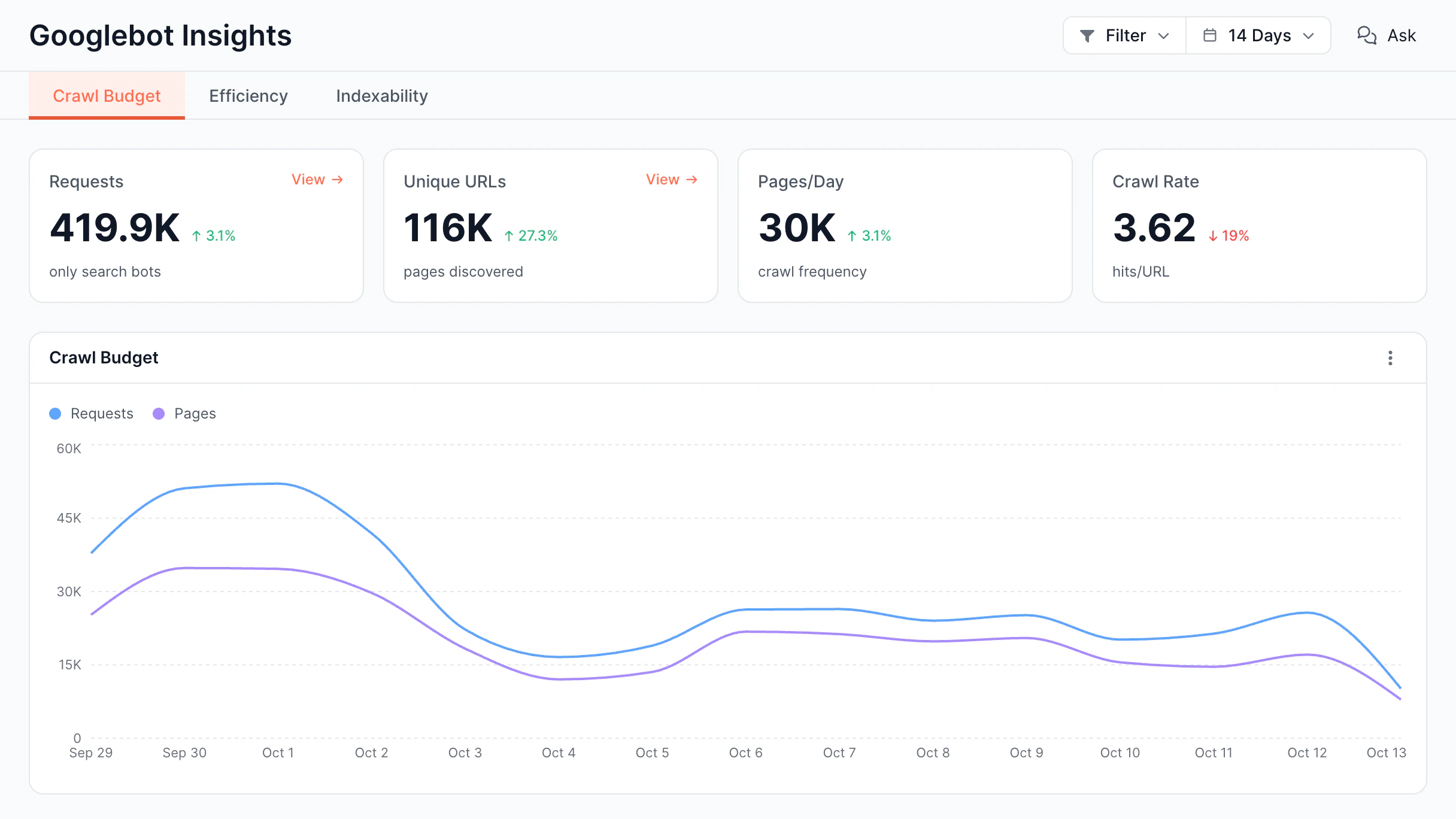
Googlebot requests, unique URLs, and crawl rate per day.
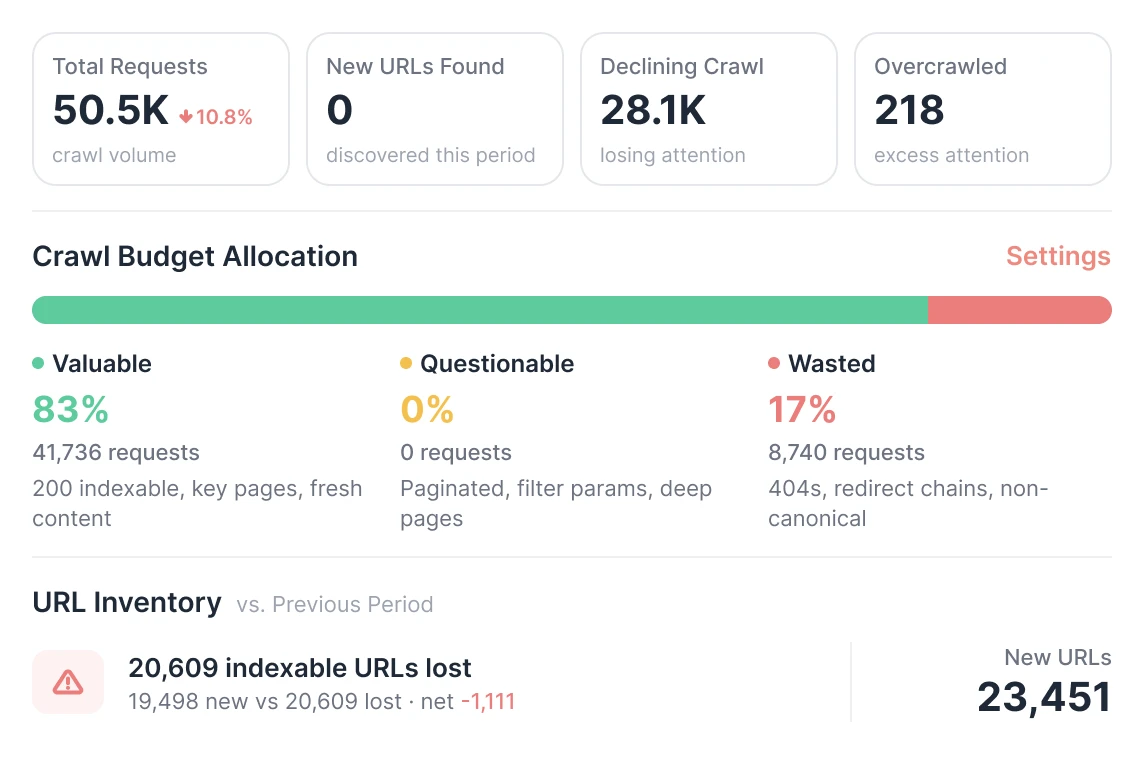
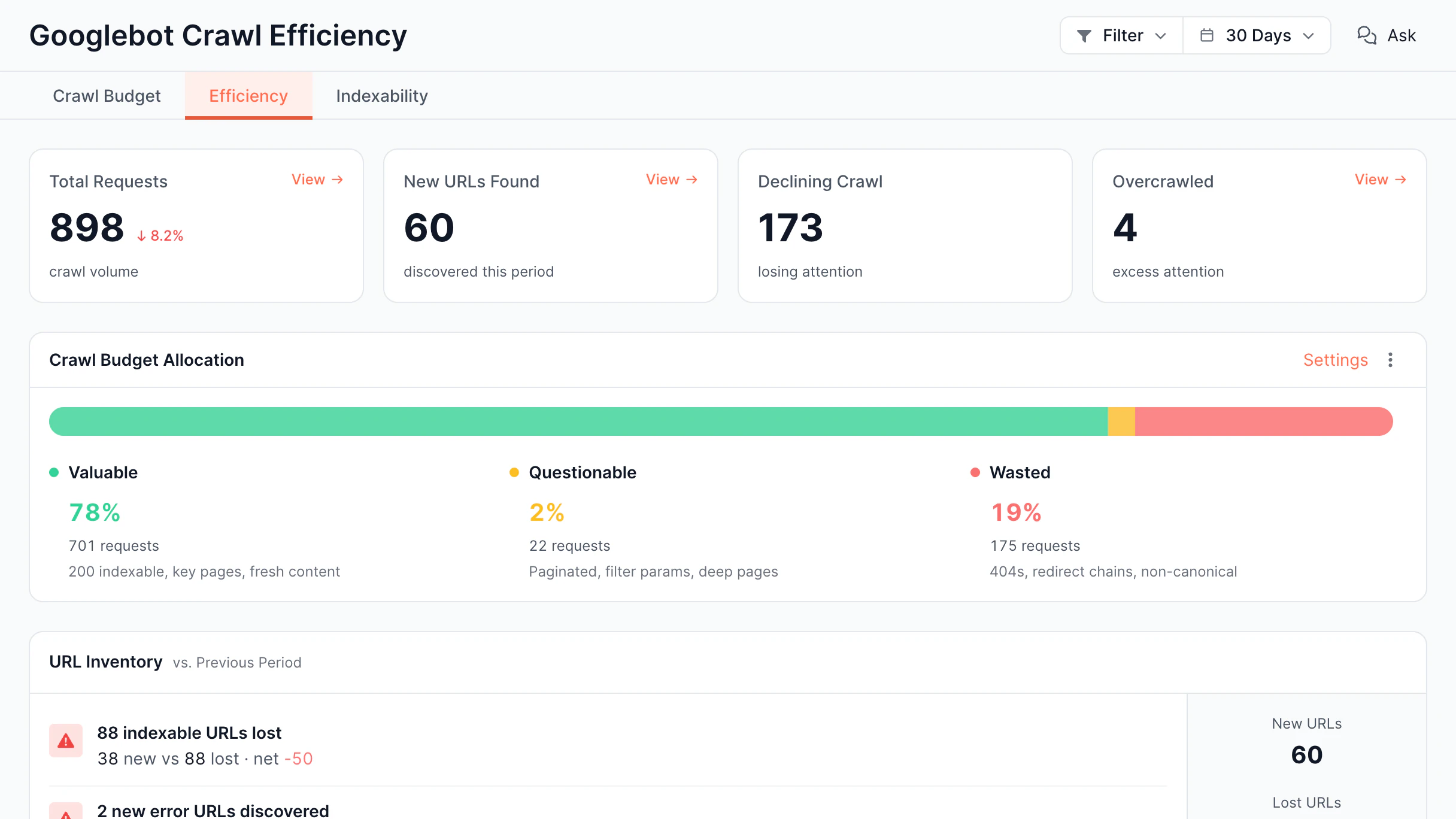
Googlebot crawl split into valuable, questionable, wasted.
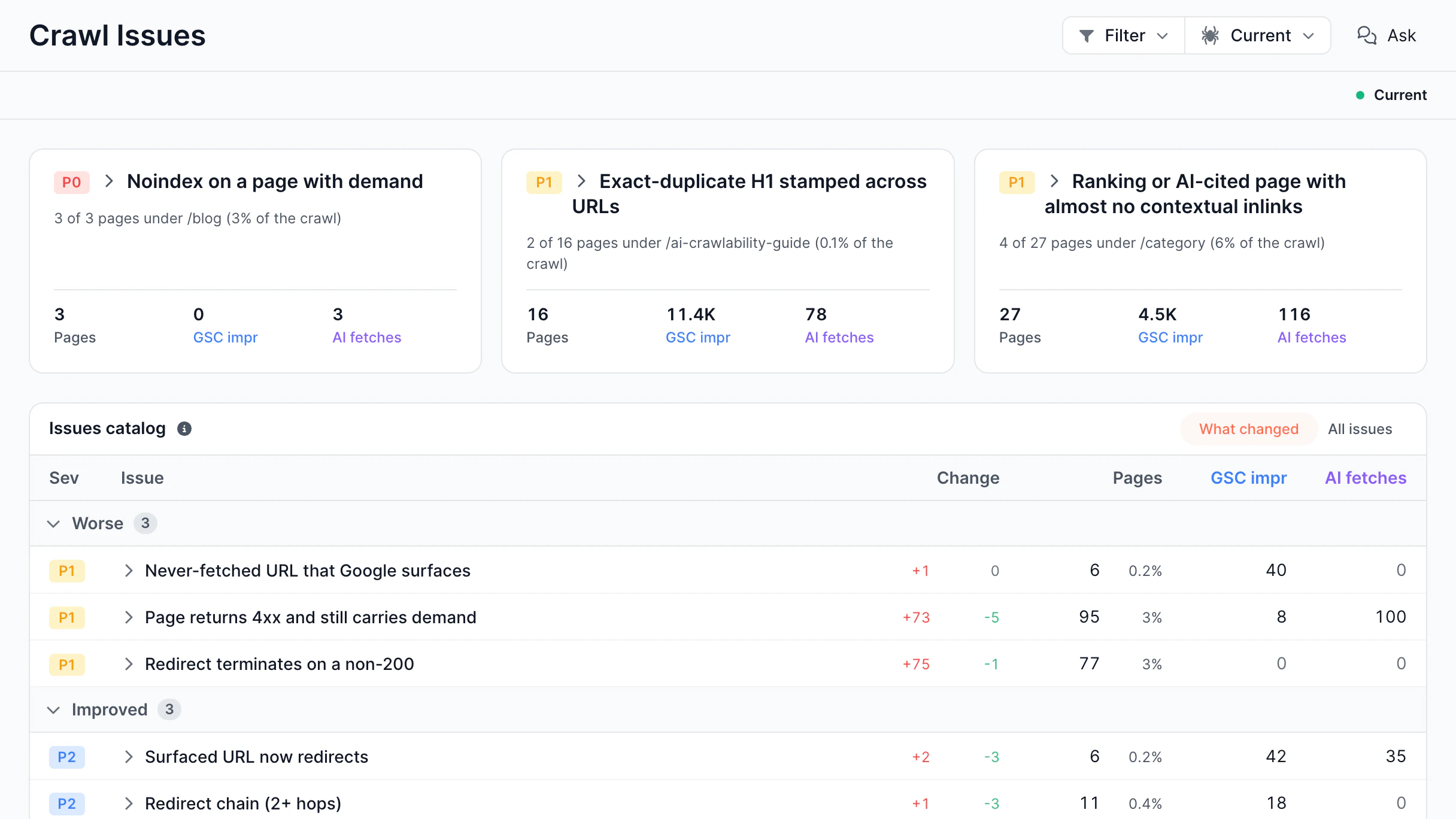
Audit issues that changed since the last crawl.
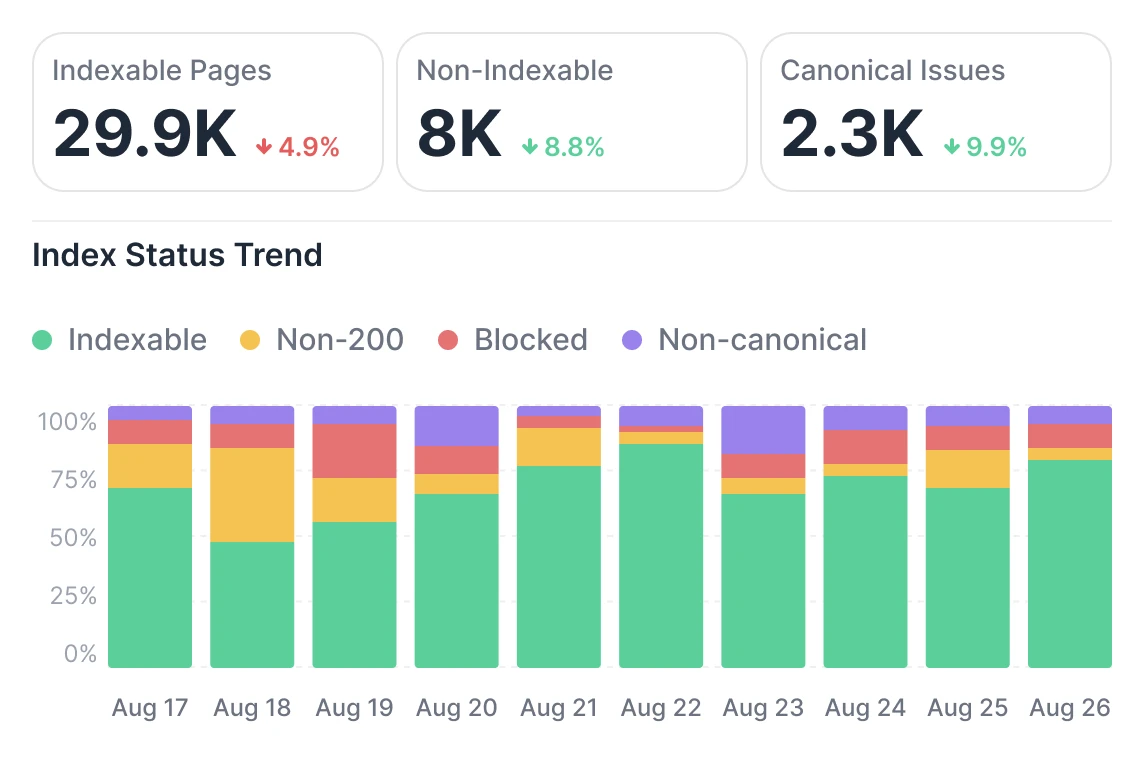
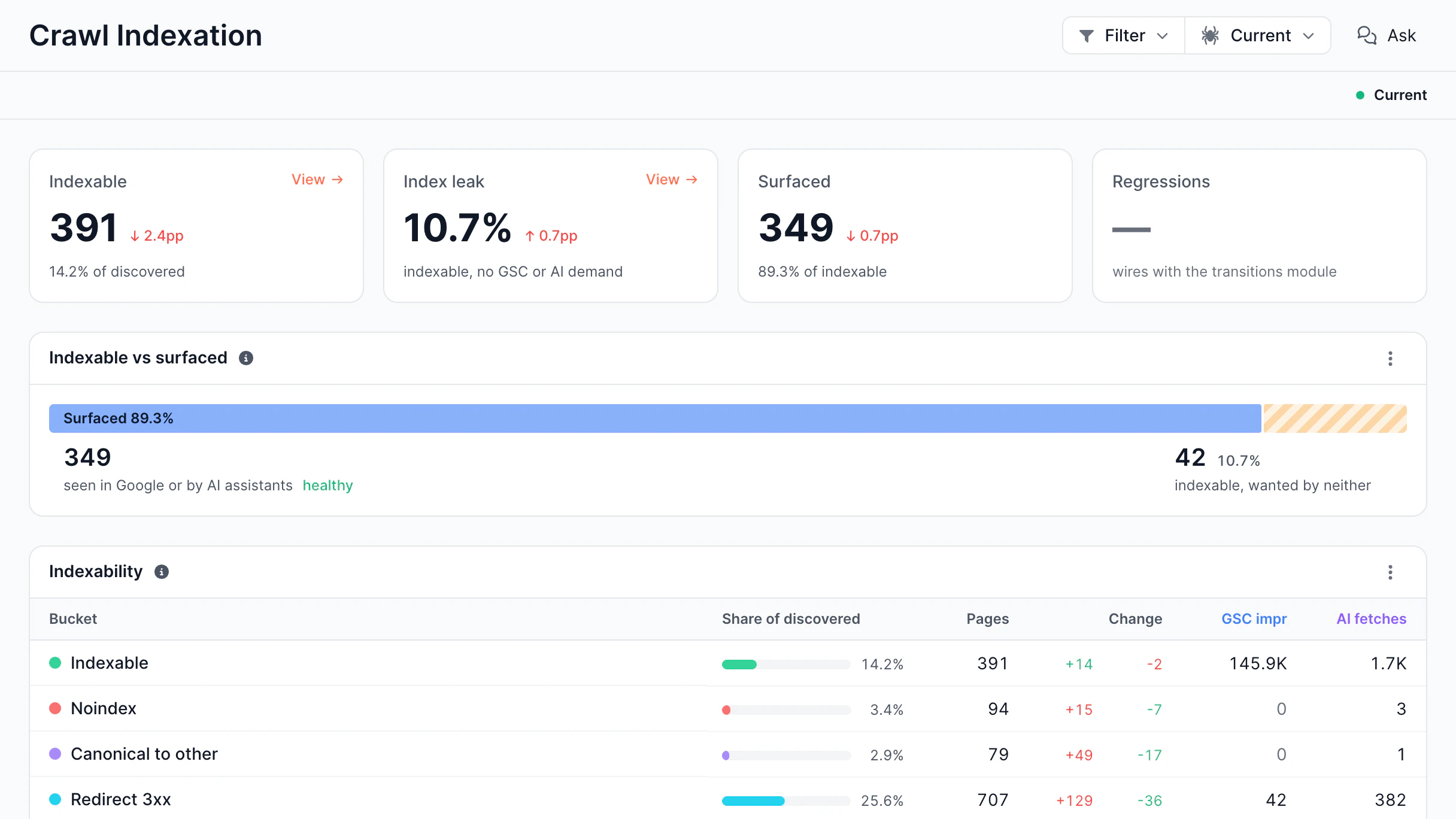
Indexable, noindex, canonicalized, and redirected pages.
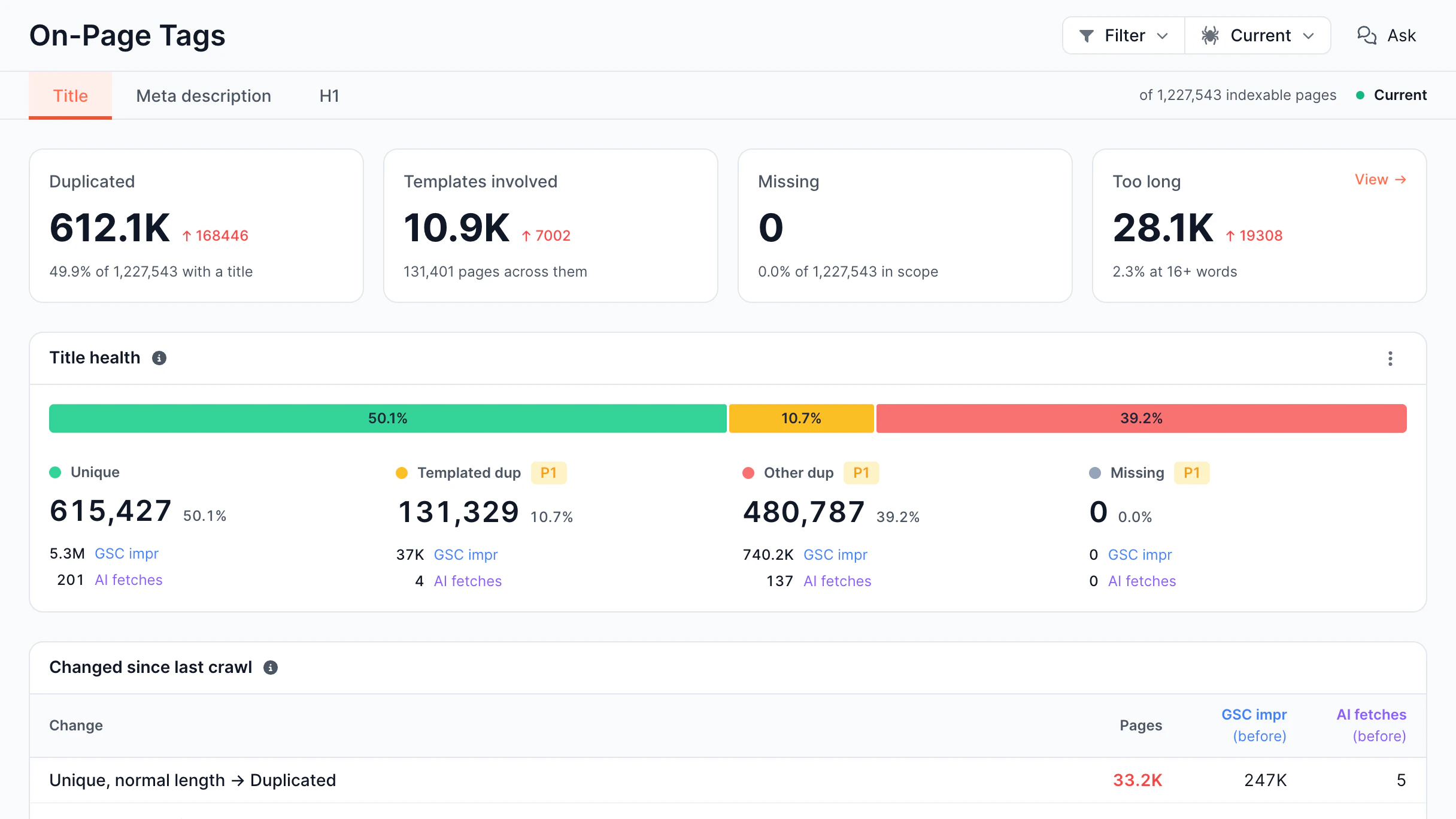
Duplicate, missing, and too-long titles.
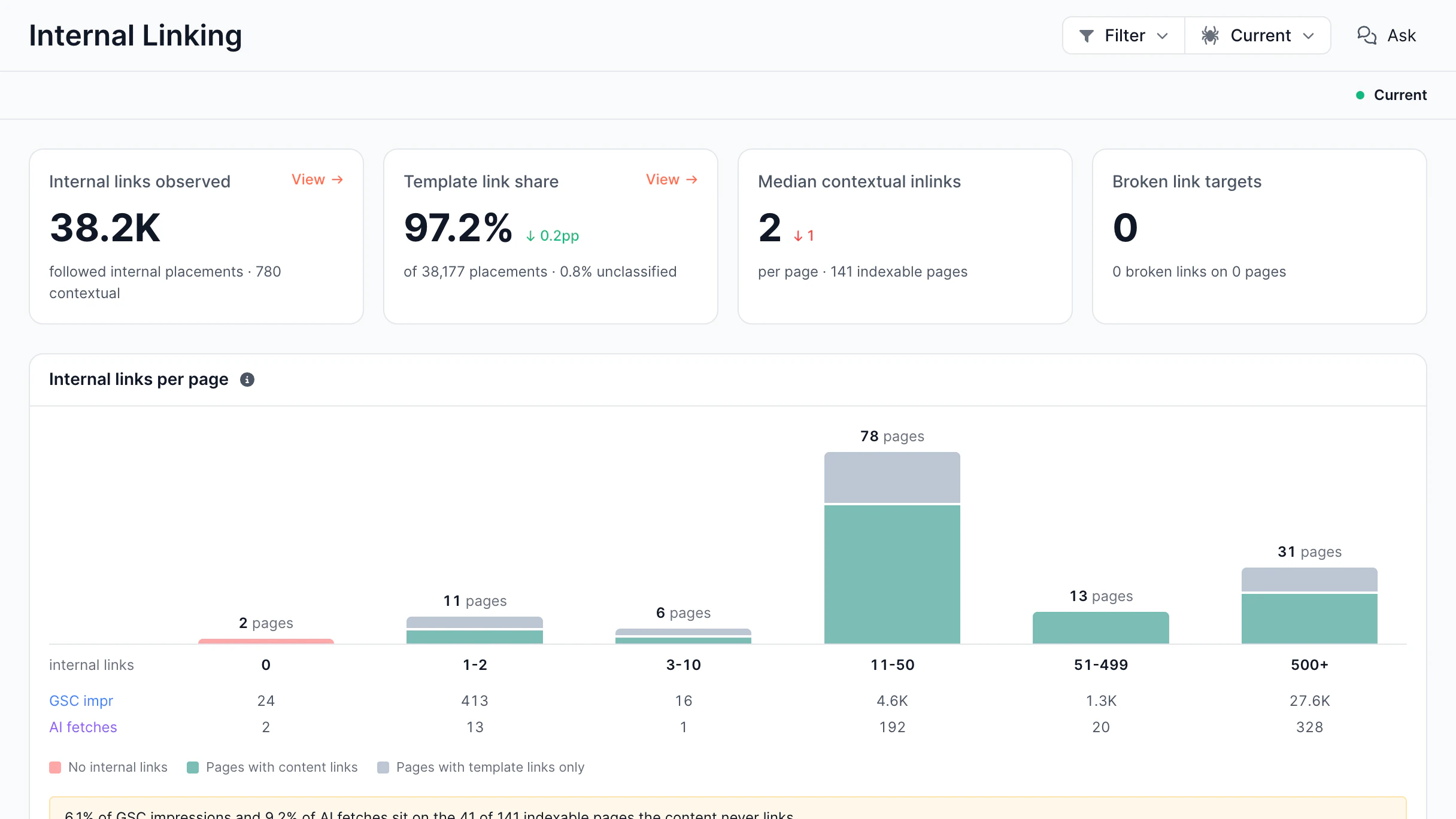
Internal links per page, content vs template.
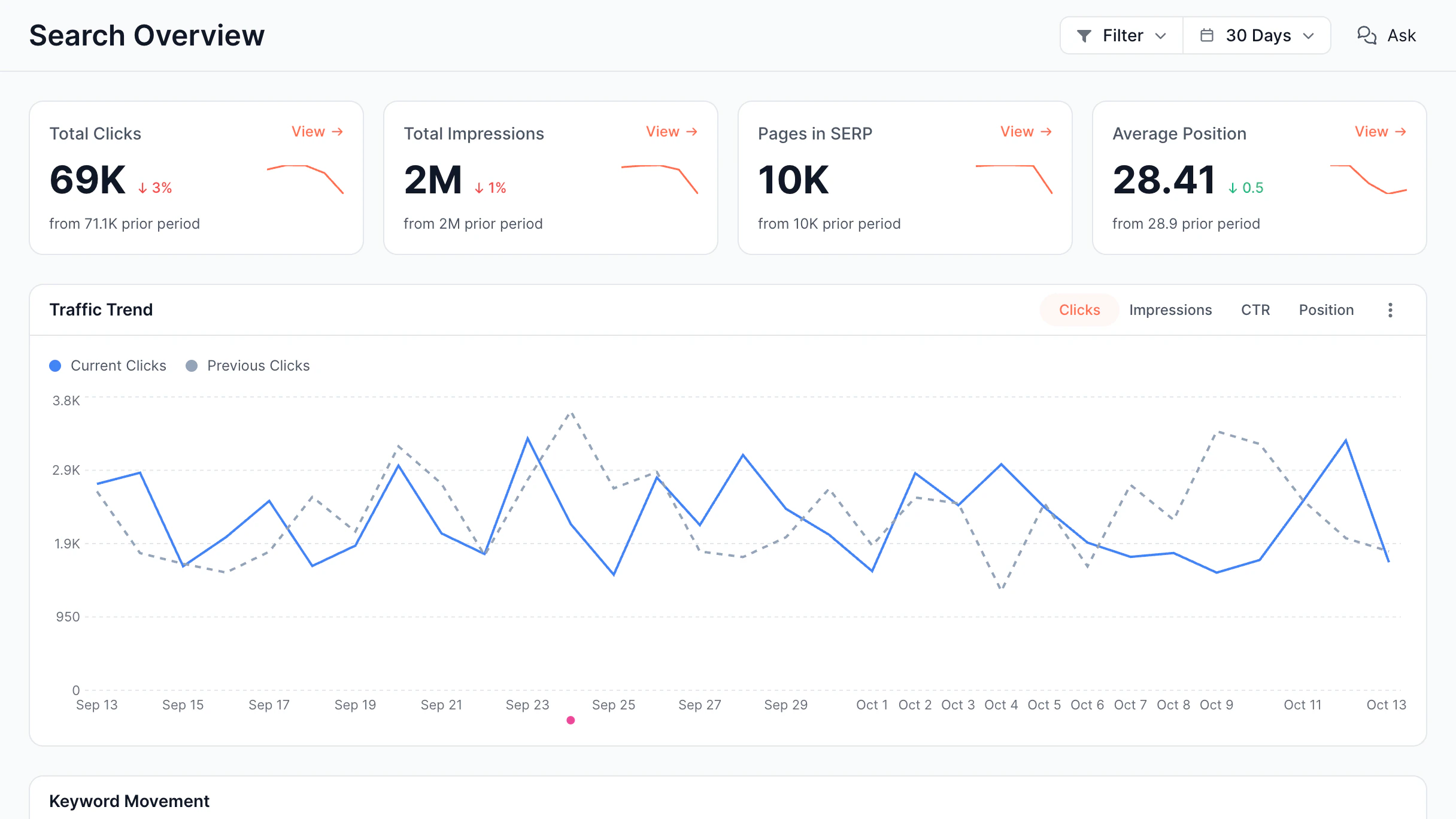
Search Console clicks, impressions, and position vs the previous period.
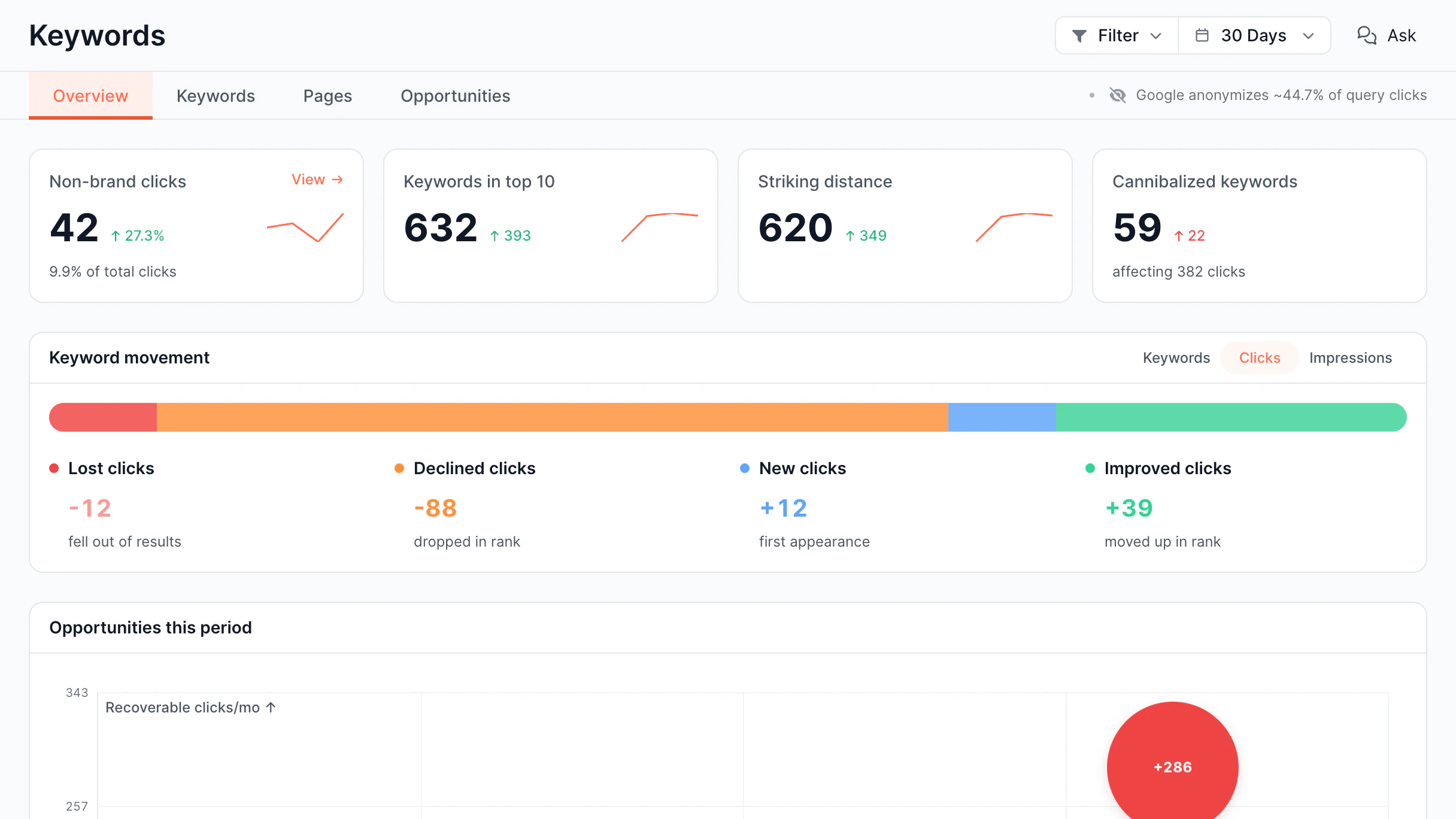
Keyword movement, top-10 counts, and striking-distance keywords.
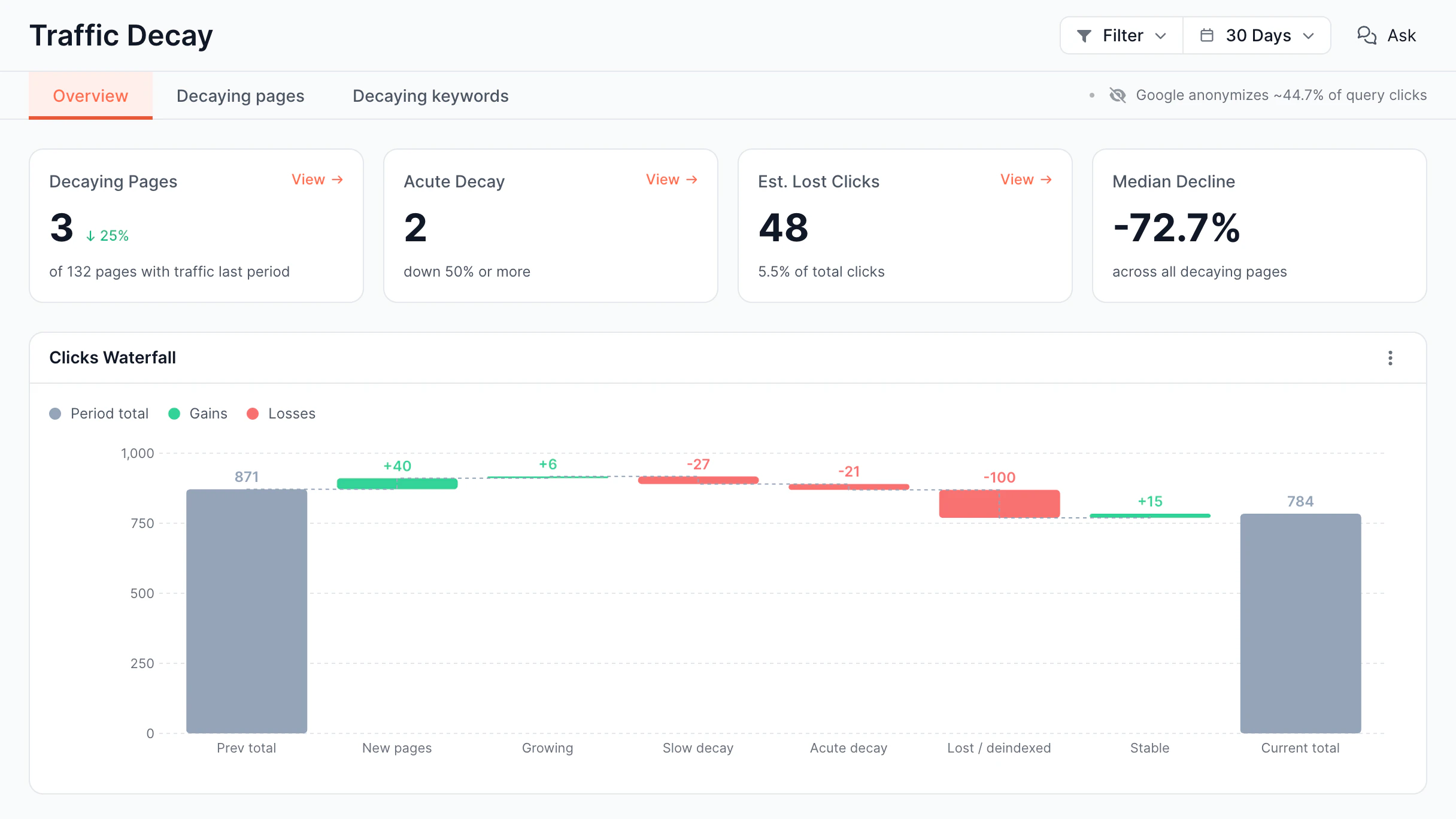
Pages losing clicks, split into slow decay, acute decay, and deindexed.
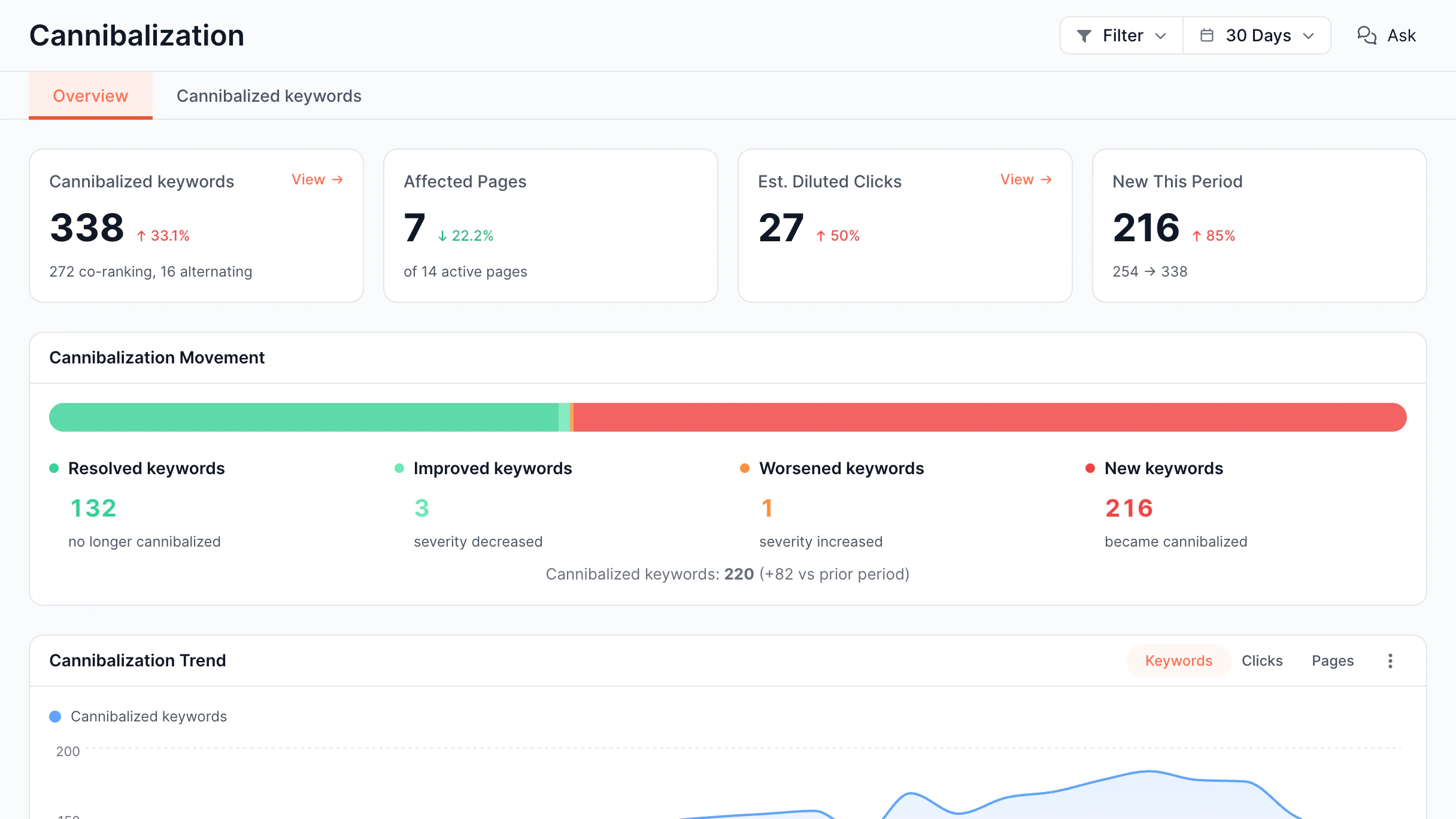
Keywords where several of your pages rank, and how that changed.
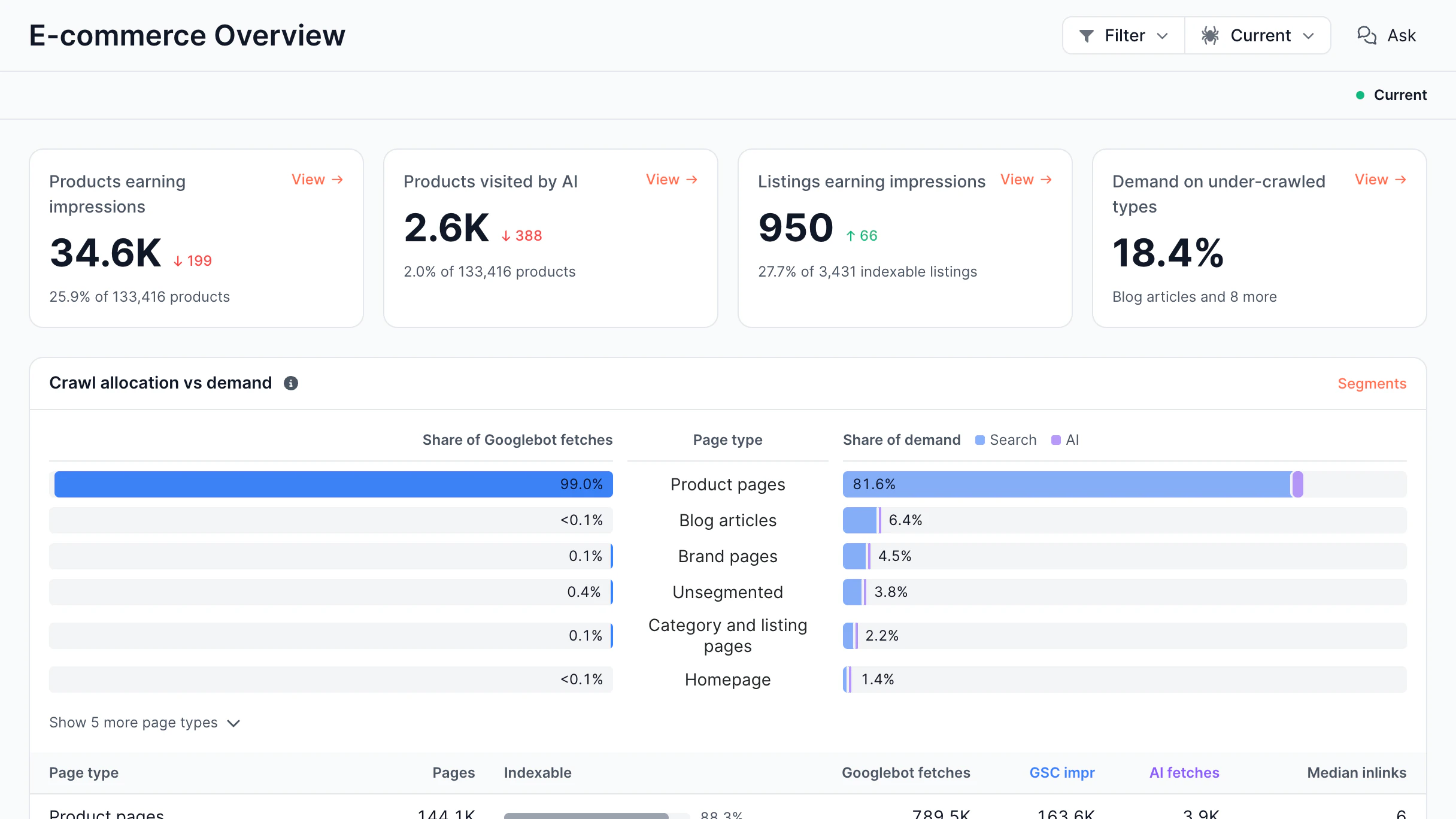
Googlebot fetches vs search and AI demand by page type.
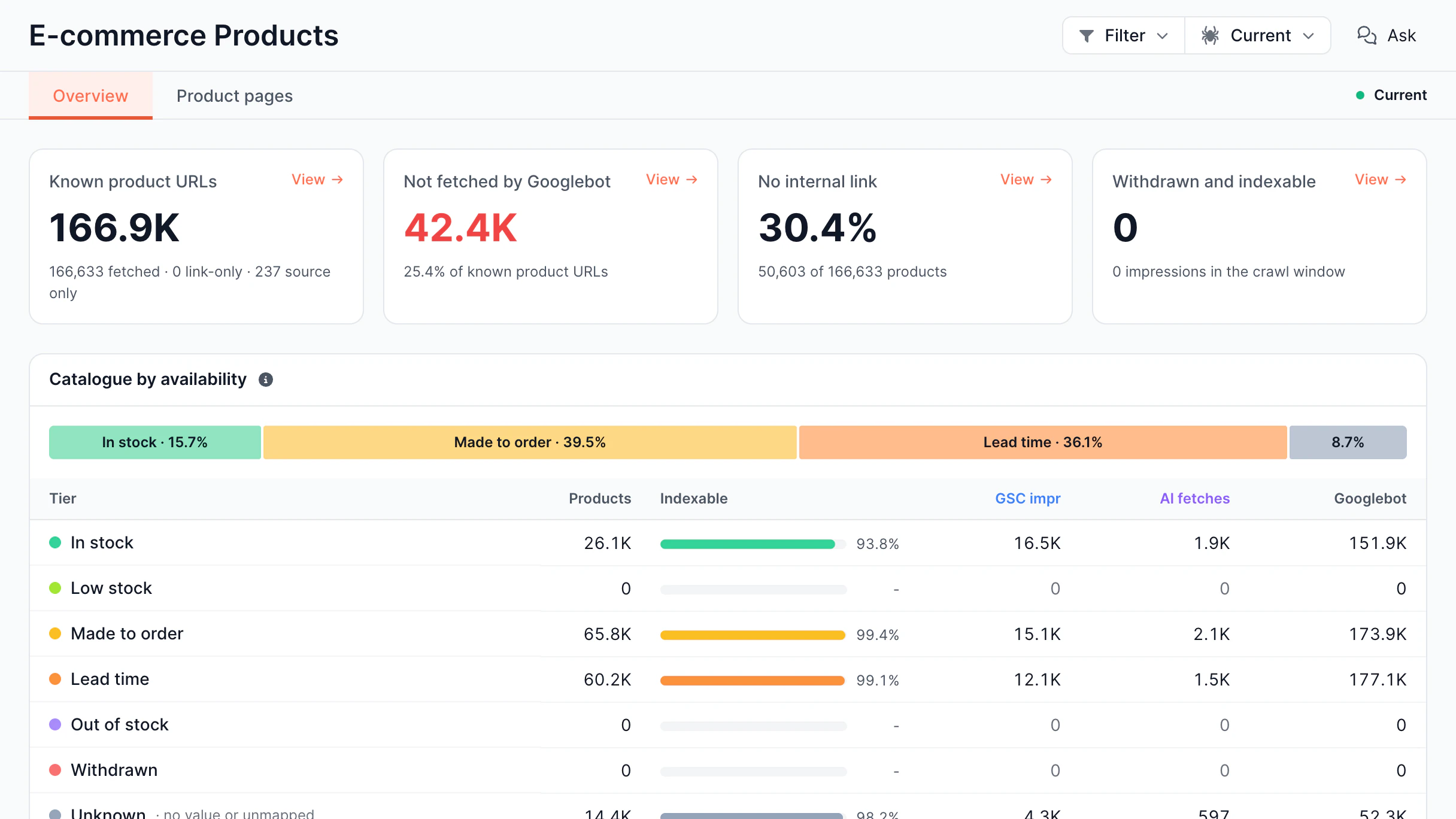
Products not fetched by Googlebot or not linked.
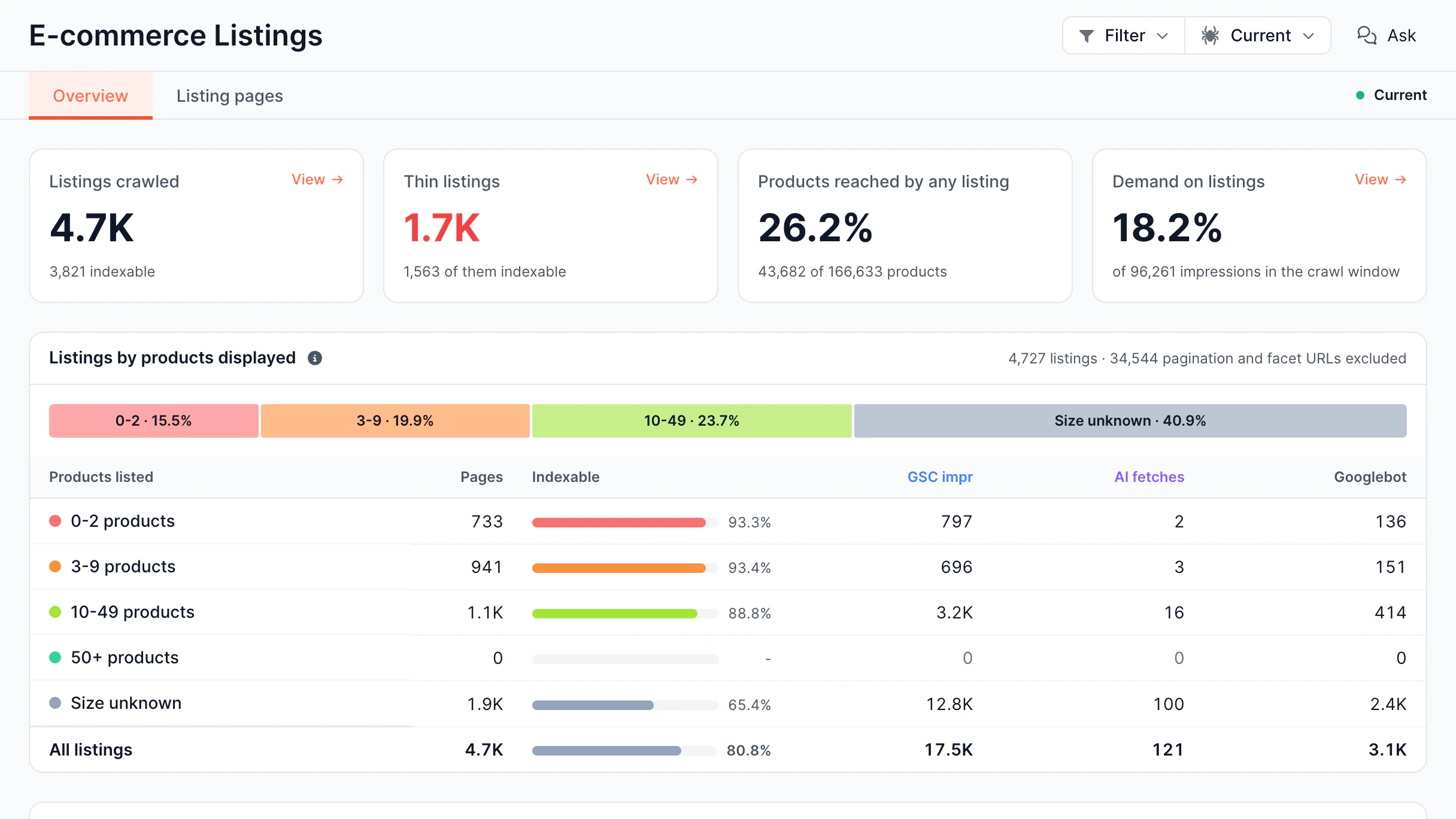
Category pages by number of products listed.
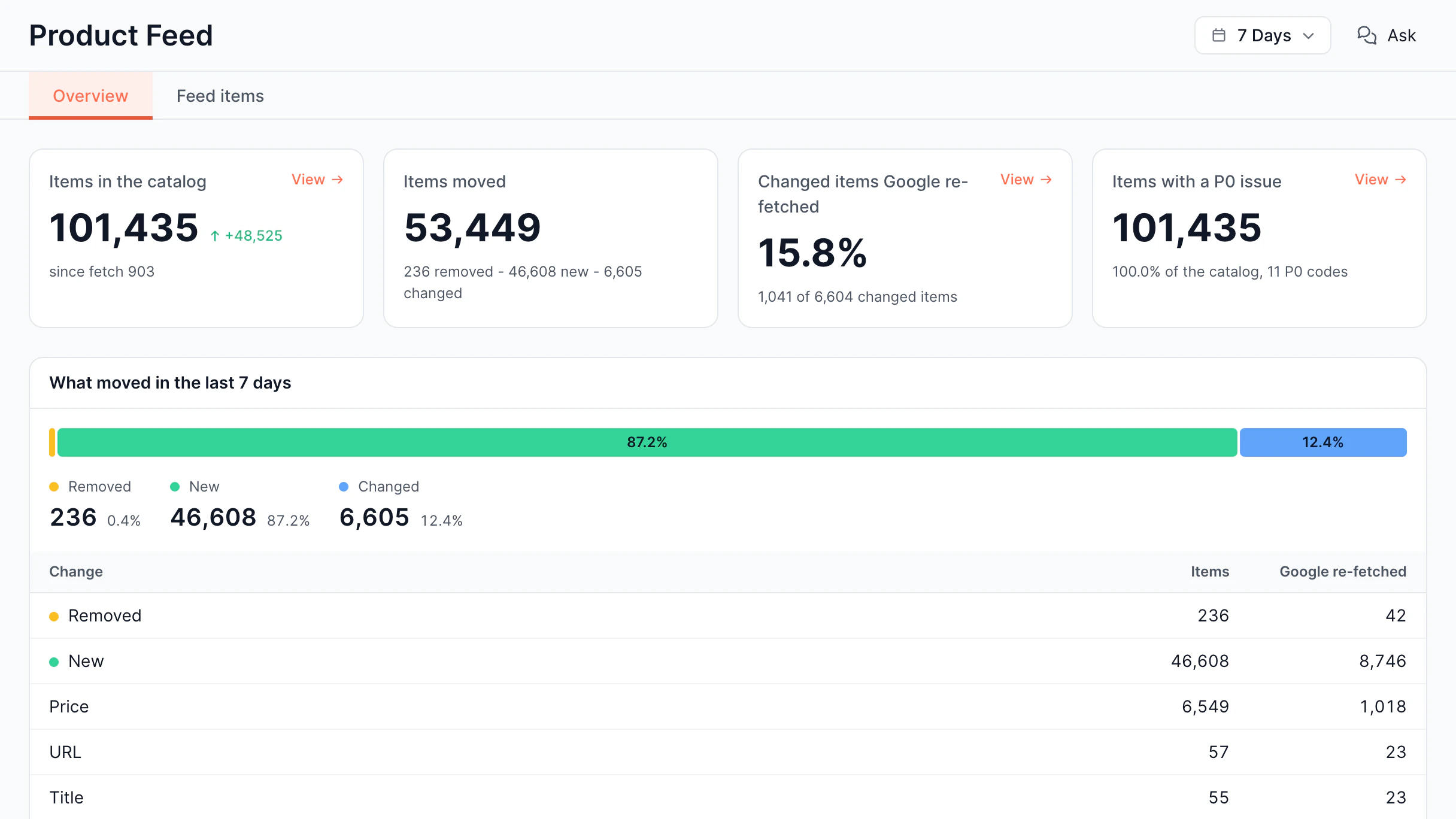
Merchant feed changes and Google re-fetches.
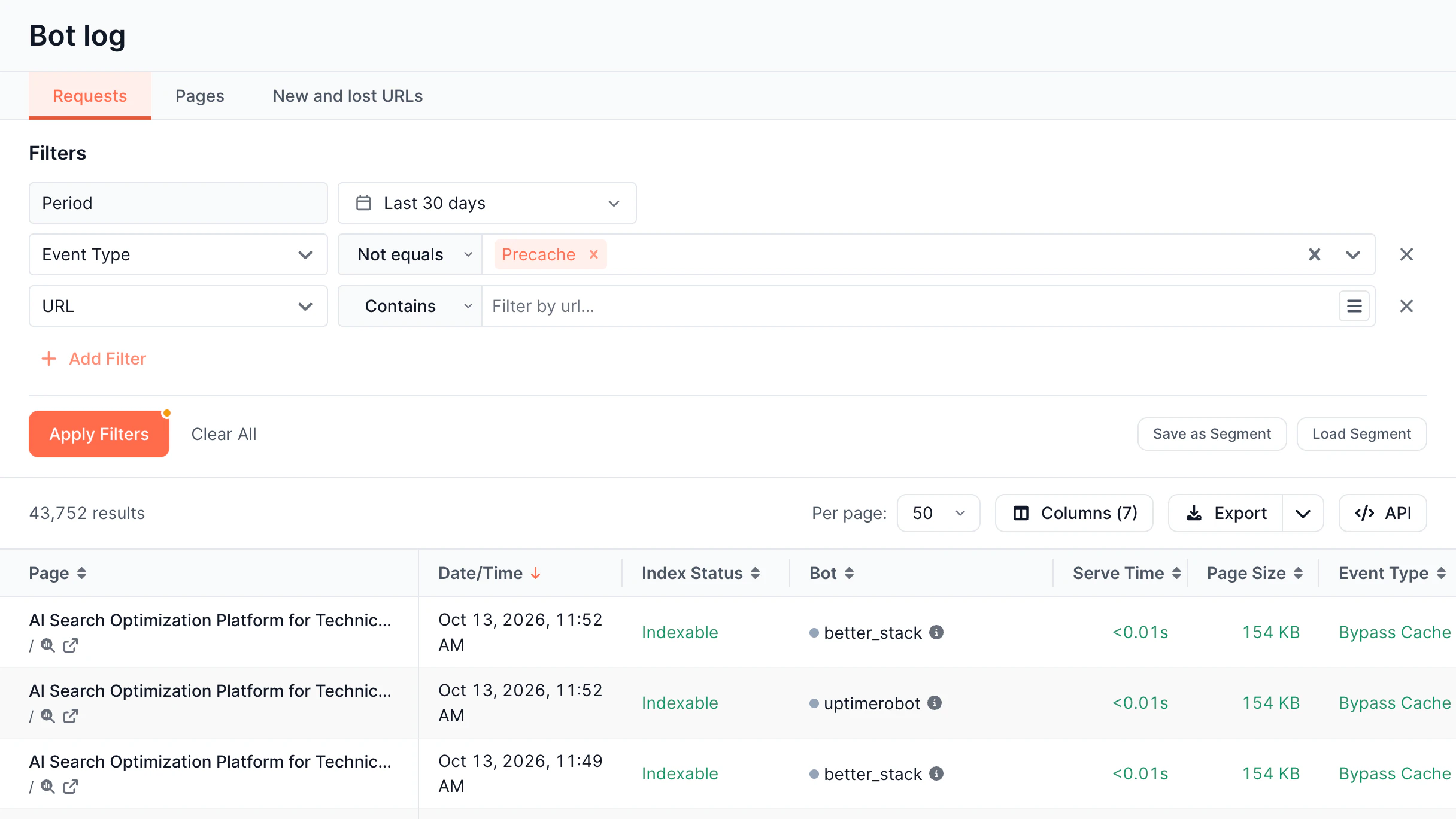
Table of every bot request with filters, segments, and export.
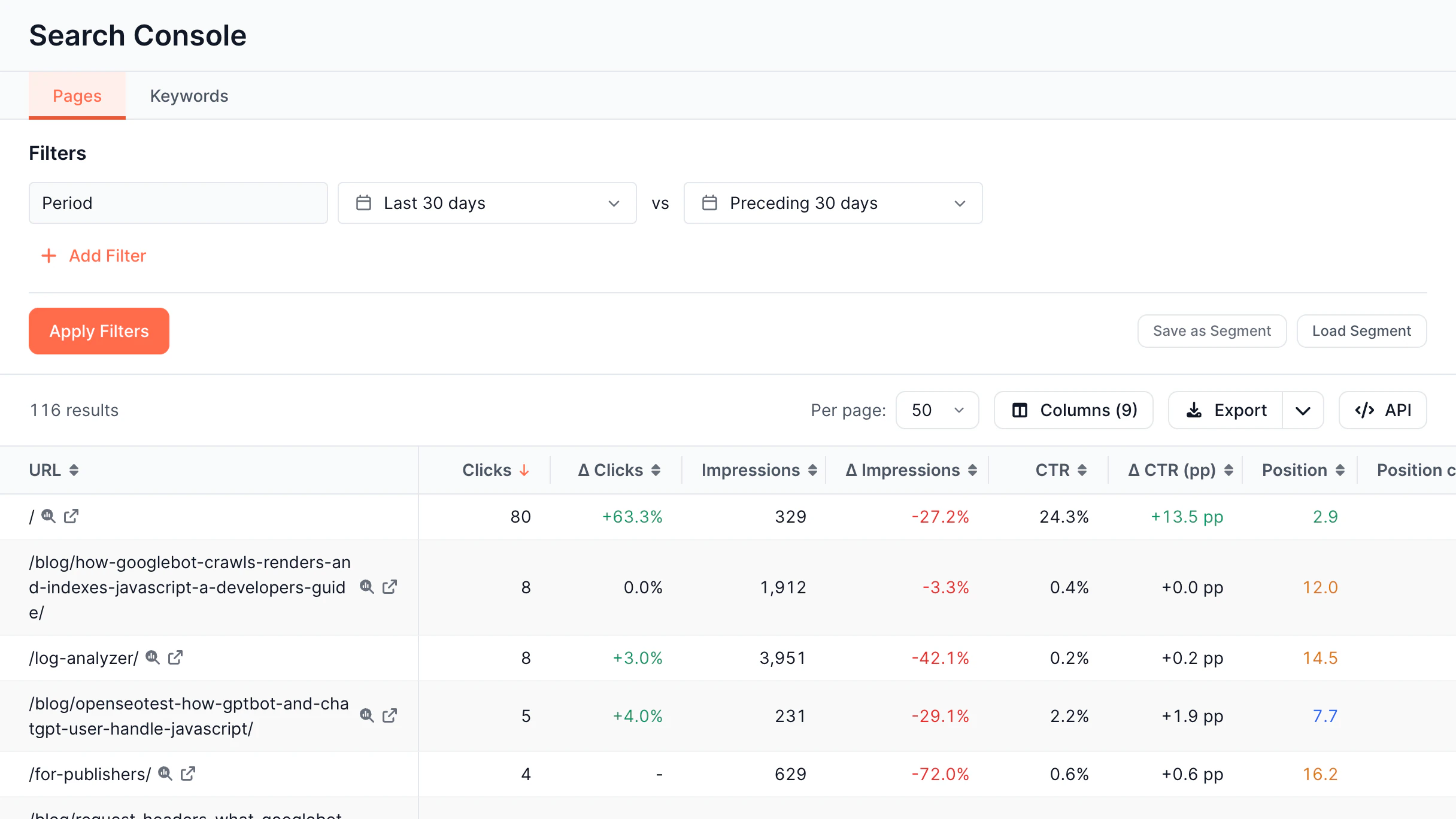
Search Console rows by page or keyword, with filters and period comparison.
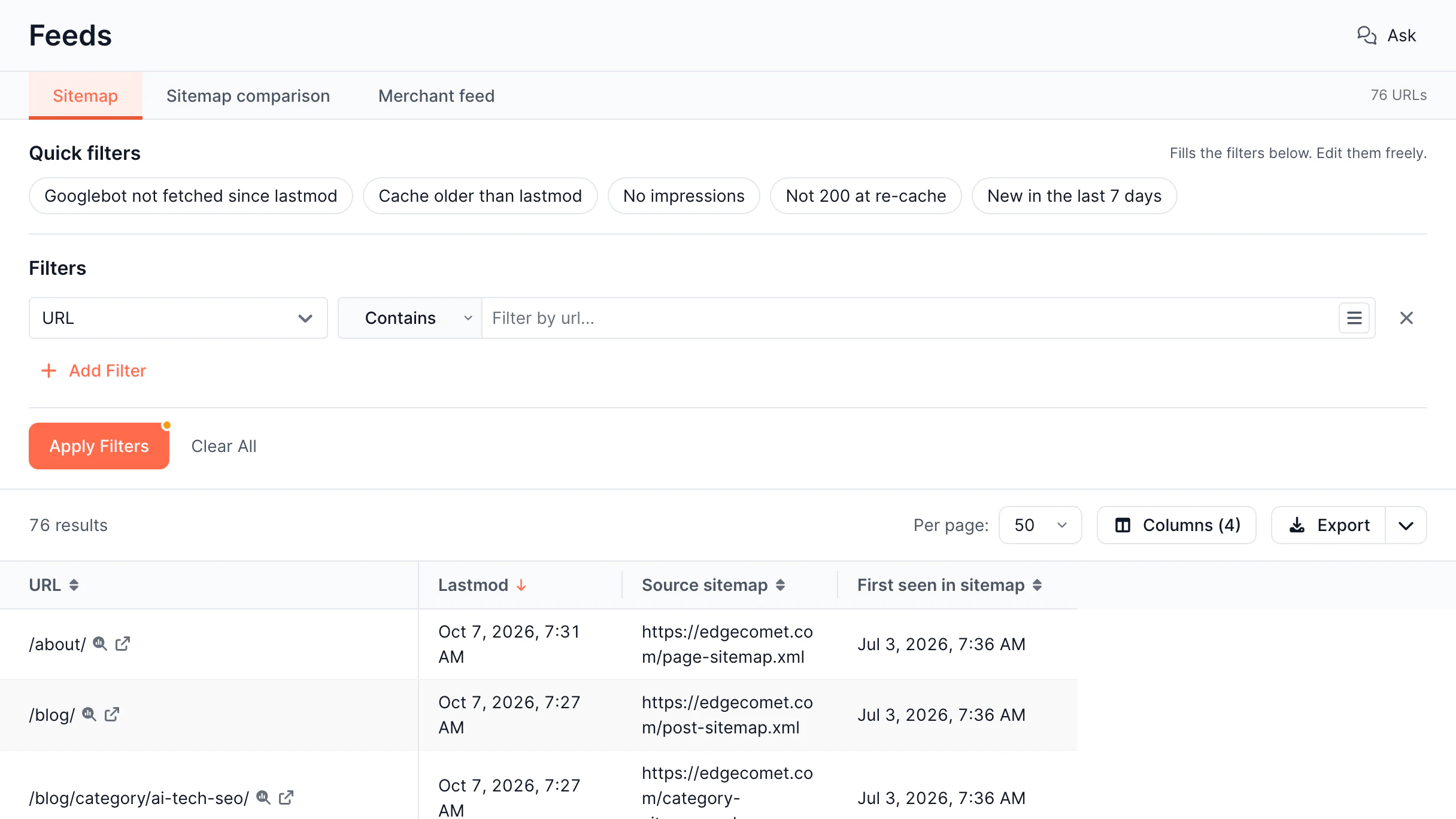
Sitemap and Merchant feed URLs with quick filters and export.
See how EdgeComet differs from traditional log file analyzers and analytics platforms – across raw bot requests, AI crawler reporting, and crawl budget data. Here's an SEO log analyzer comparison.
EdgeComet combines real bot traffic, rendering data, and SEO log analysis in one system.
It shows how crawlers act on your website, so you can quickly fix indexation issues.
You see which pages are crawled, but not whether they are worth crawling.
EdgeComet shows you what bots crawl and helps you fix it.
They show you what a Googlebot can do on your site, but not what it actually did.
EdgeComet tracks real Googlebot sessions, so you get actual data.
They don’t know what bots visited their site and how frequently.
EdgeComet monitors each crawler along with Googlebot.
Run EdgeComet on your real traffic with full access to the platform, including rendering, monitoring, and Edge SEO.
SEO log file analyzer processes raw server logs from bot visits, recording URLs, status codes,
response time, and timestamps. It turns this data into clear dashboards showing which pages
are accessed, how often, and where issues occur.
When Googlebot, GPTBot, or ClaudeBot visits your site, your server creates a log entry. EdgeComet gets these requests in real time and attaches the complete rendered page information.
The analyzer groups log entries by bot type, URL, status code, and response time, uncovering which pages get attention, which are ignored, and where budget is being wasted on errors or duplicates.
Unlike traditional solutions that only confirm a bot visited a URL, EdgeComet checks what it received: title tags, canonicals, or structured data, showing invisible issues that standard bots miss.
Website log analysis will help your business optimize budget and improve website and AI traffic performance.
For content-related businesses where every minute of indexing delay results in lost traffic, Log Analyzer shows exactly which issues are slowing Google's discovery of new content.
Websites with short-lived listings can waste budgets on expired ads and filters instead of active inventory – Log Analyzer shows where budget goes and how to use it effectively.
Dynamic listings struggle with Googlebot crawling filters instead of property pages – Log Analyzer identifies the crawl patterns that drain budget away from indexable listings.
Online stores may lose revenue if product pages fail to render for Googlebot – Log Analyzer reveals which pages bots can't reach and why.
Improve indexing, visibility, and traffic from day one.
14-day free trial
SEO log file analyzers process raw server logs to show how search engines and AI bots crawl a website: which URLs they request, how pages respond, and where errors occur. EdgeComet's Log Analyzer takes this further, pairing every crawler request with the actual rendered page it got.
It identifies where crawl budget is wasted on errors, duplication, and low-value pages, so you can redirect attention to content that actually gets indexed.
Website log file analyzer uses raw server data – every bot request with its URL, timestamp, status code, response time, and bot type.
You should connect your server logs to EdgeComet server log analyzer and monitor crawl patterns, response efficiency, and indexability across all crawlers in one dashboard.
Search Console gives aggregated, Google-only data – SEO log file analyzer gives full request-level detail across every bot, including AI crawlers, with no gaps.
Any large or complex website, where crawl inefficiency affects indexing, needs SEO log file analysis tools. These websites include e-commerce and enterprise platforms, JavaScript-heavy applications, and SEO agencies.
Log Analyzer shows exactly how Googlebot inspects your site: daily crawl rate, crawl budget allocation across valuable, questionable, and wasted pages, desktop vs. mobile breakdown, and response quality. You can also monitor new URL discovery, URL loss, overcrawled pages, and declining crawl interest.
Log Analyzer breaks every Googlebot request into three buckets: valuable, questionable, and wasted crawl budget – based on the actual page it got. It flags overcrawled pages, declining crawl interest, and non-indexable URLs using requests, so you see where exactly Googlebot's attention is focused.
Stay ahead with expert insights on search visibility, AI optimization, and technical SEO
Server log analysis provides technical SEO teams with direct visibility into how search engines and AI crawlers interact with a...
Read Article
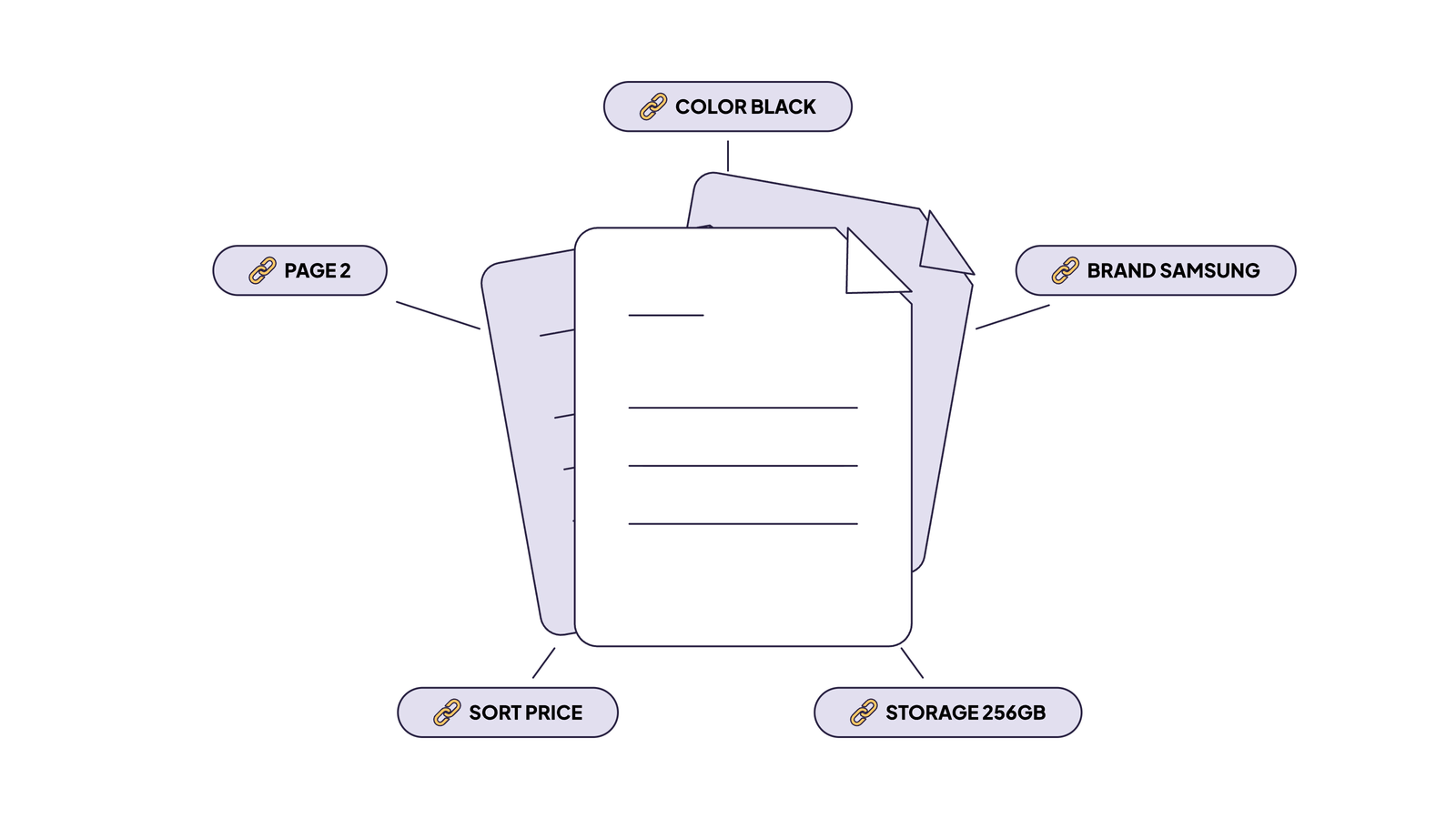
Faceted navigation SEO comes down to two decisions for every filter URL: may search engines crawl it, and may they...
Read Article
We’ve just released the second version of SEO alerts in EdgeComet, and it’s a huge step up from the first...
Read Article