Tech SEO Connect 2026 recap: logs, AI bots and Edge SEO
Tech SEO Connect 2026 is over, and after my third year in a row in Durham/Raleigh, I can say it’s...
Read ArticleQuery live SEO data, SEO traffic, and Search Console in plain language with Claude, ChatGPT, or any client that supports MCP.
With EdgeComet MCP, your AI assistant has direct access to the information and tools it requires to research, suggest, and create SEO changes.
https://cloud.edgecomet.com/mcp
SEO work remains fragmented across tools, data sources, and manual workflows. Teams waste too much time collecting context, connecting insights, and moving tasks forward instead of acting on what they already know.
Ask Claude, ChatGPT, or any client that supports MCP for the SEO information you need, without switching tools or translating technical terms.
Making a weekly or monthly SEO report requires you to pull data, create charts, and compose the report – without doing anything to advance the business.
You receive a suggestion, open another tool, find the right page, make the change, and line it up for review. Most workflows stall when moving from analysis to execution.
While most AI tools can explain SEO theory, they cannot access your actual traffic data, bot activity, or live website pages. Recommendations remain superficial and generic without access to this data.
EdgeComet MCP turns your AI assistant into an SEO teammate that can read your data, investigate
problems, and prepare changes inside the same conversation.
Query your EdgeComet data directly and get answers without digging through multiple reports or dashboards.
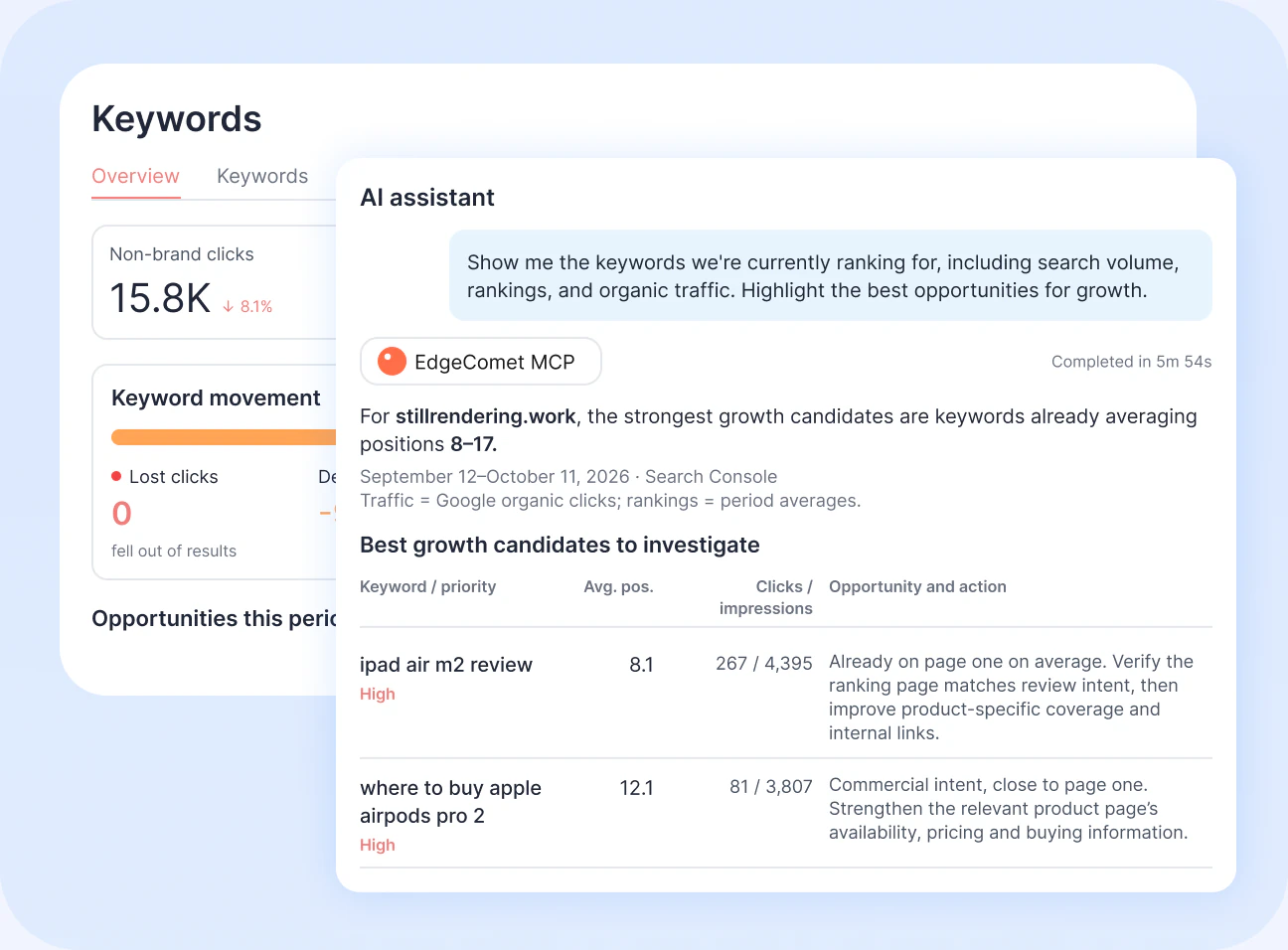
Connect your AI assistant to EdgeComet via MCP to research growth opportunities using your actual search performance data. Get insights and action plan.
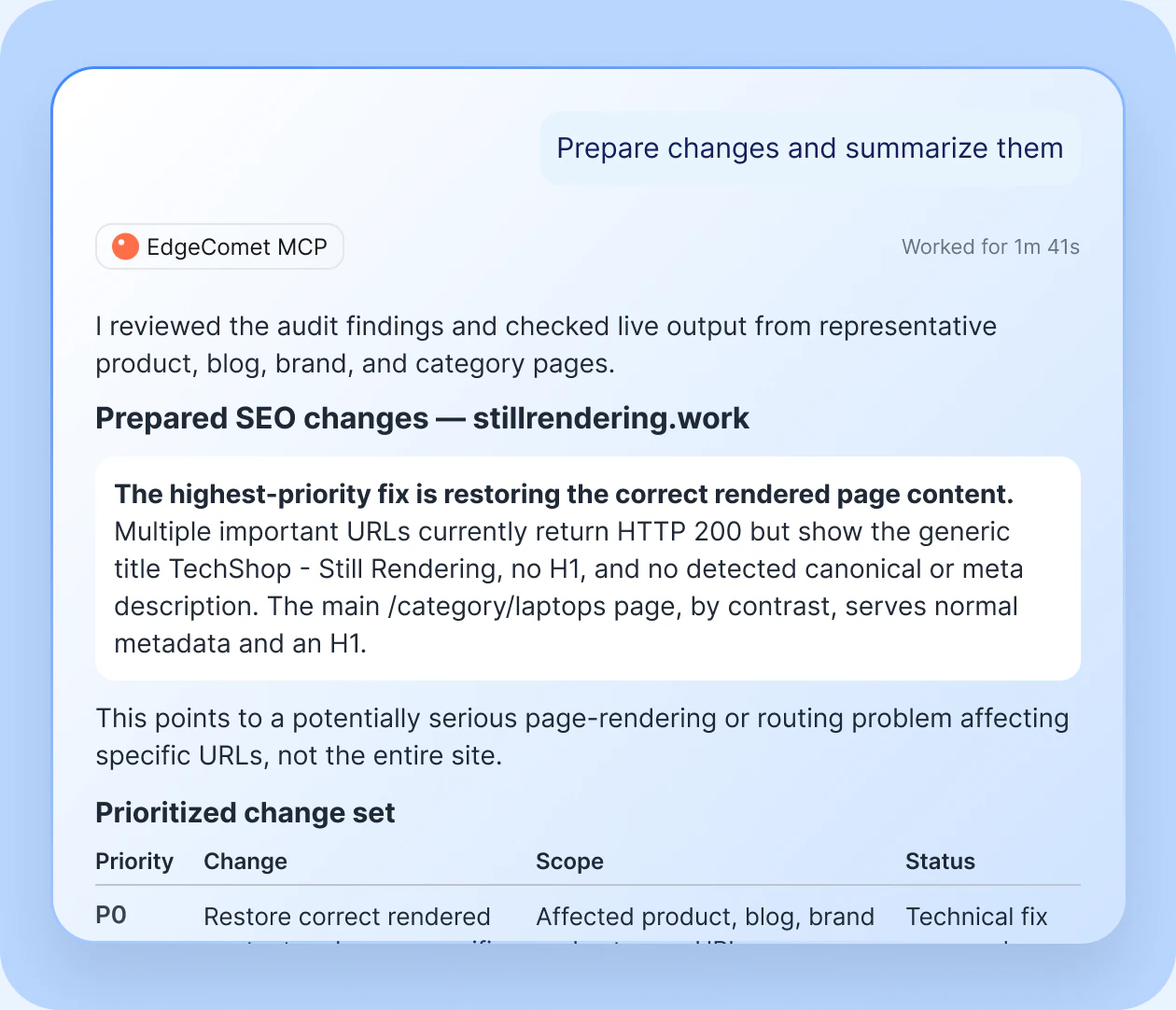
Go beyond recommendations. Let your assistant prepare actual Edge SEO updates based on what it finds.
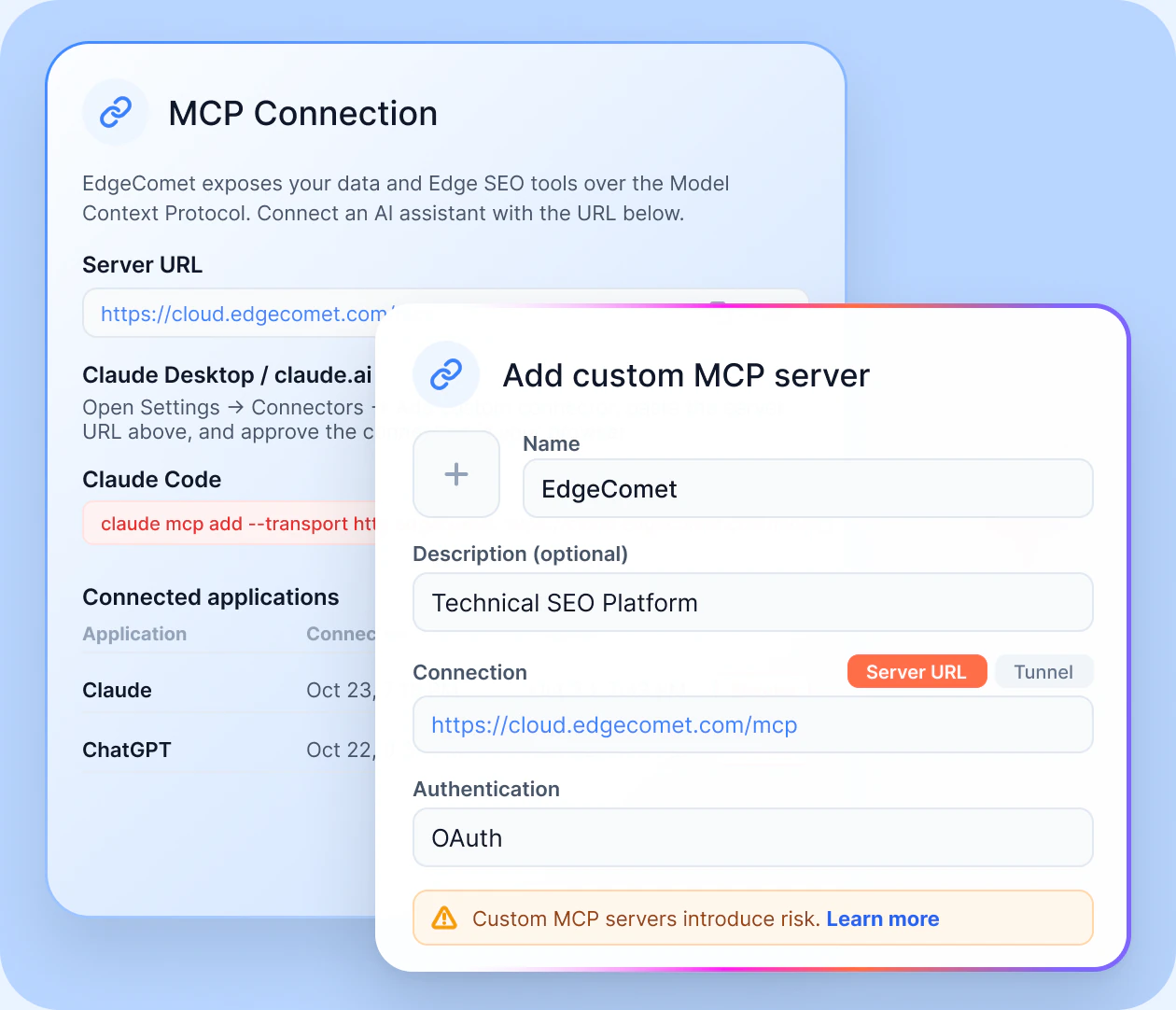
Add EdgeComet MCP to Claude or any MCP-compatible client. Sign in via OAuth to give your assistant secure access to your websites and SEO data, without manual exports or uploads.
https://cloud.edgecomet.com/mcp
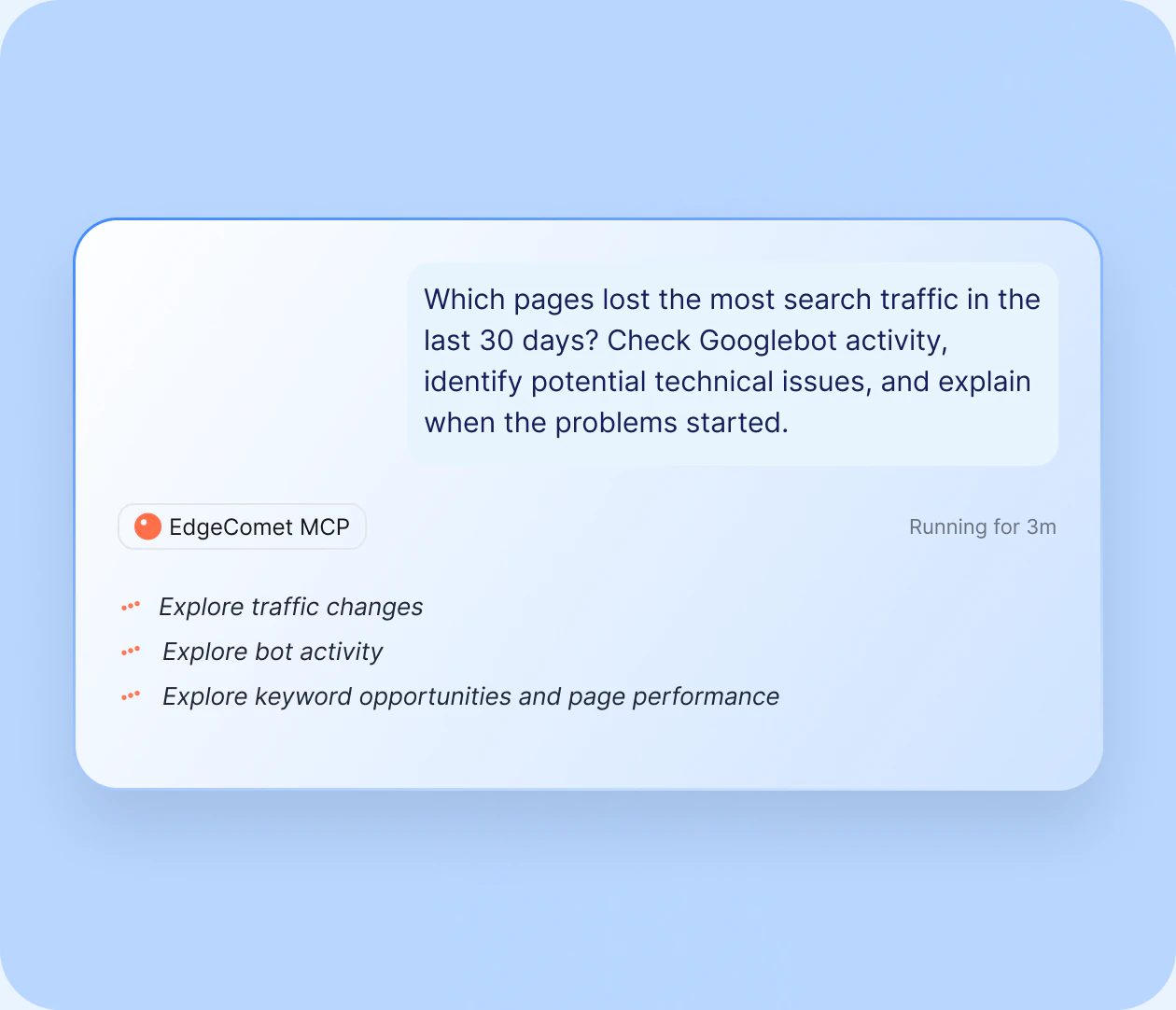
Write a question as if to a colleague. Explore traffic changes, bot activity, keyword opportunities, page performance, and other SEO questions using your real data.
Try for free
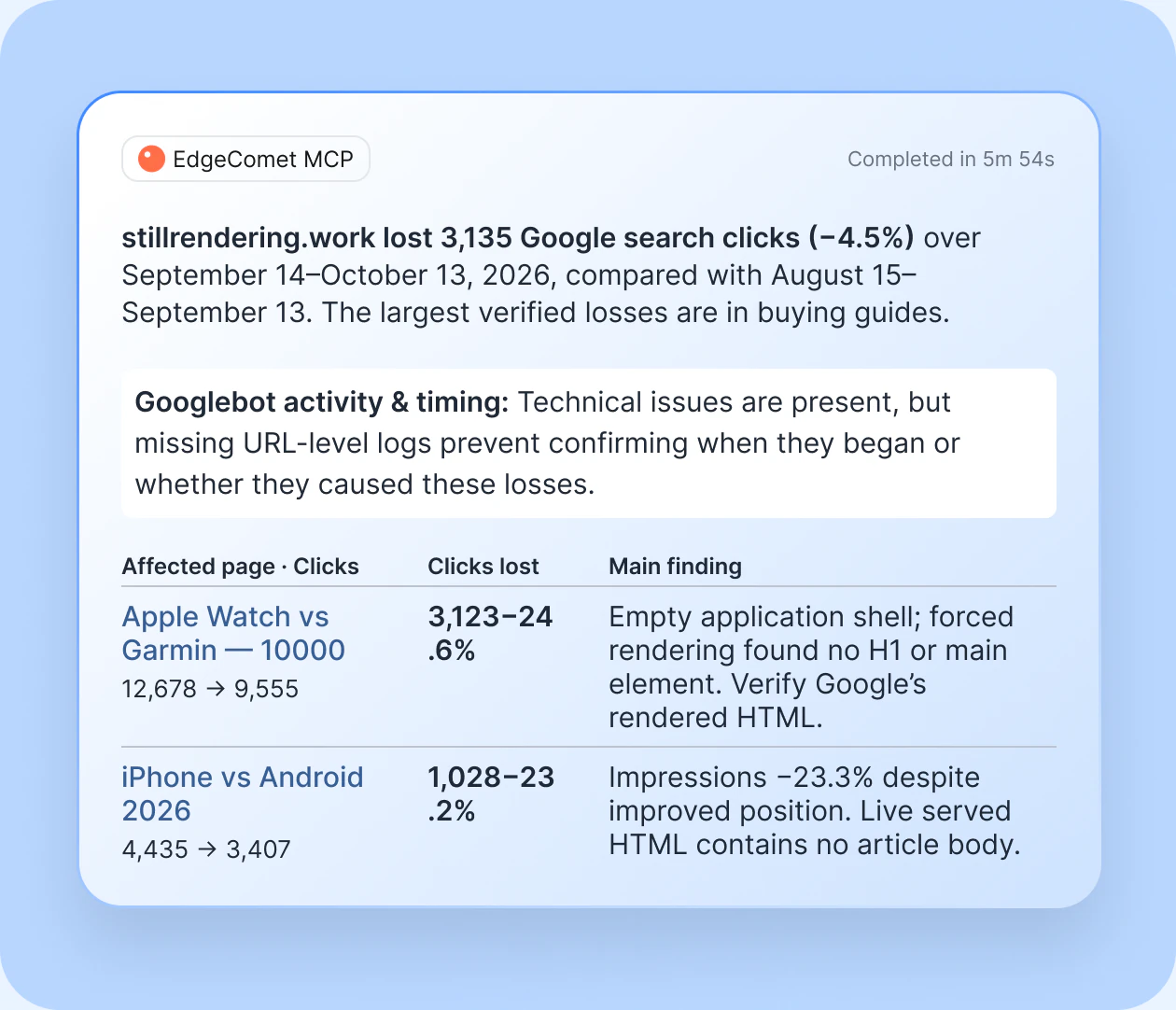
Your assistant automatically combines Search Console, bot logs, page content, and keyword data to analyze live pages, track historical trends, and deliver site-specific answers.
Try for free
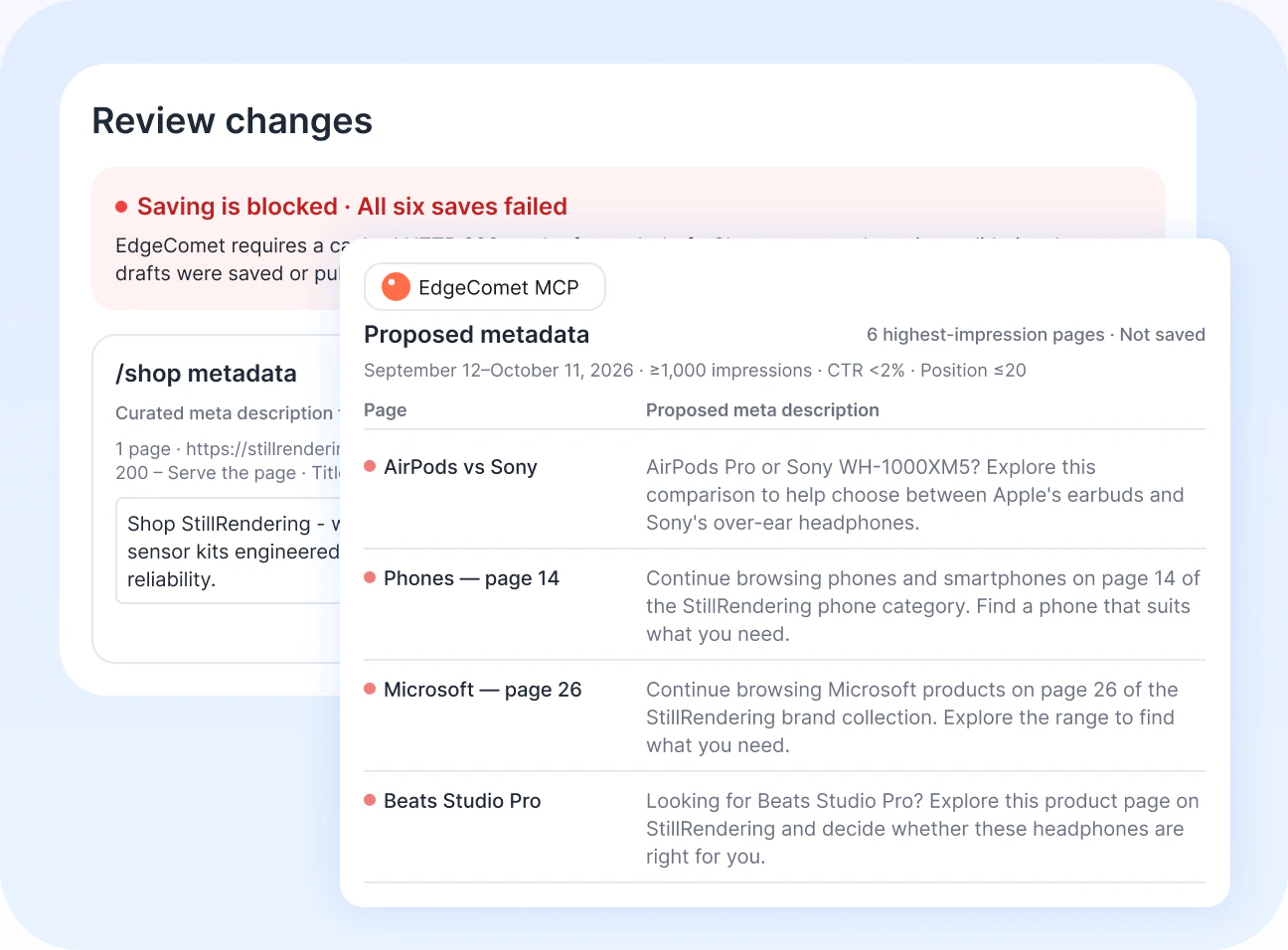
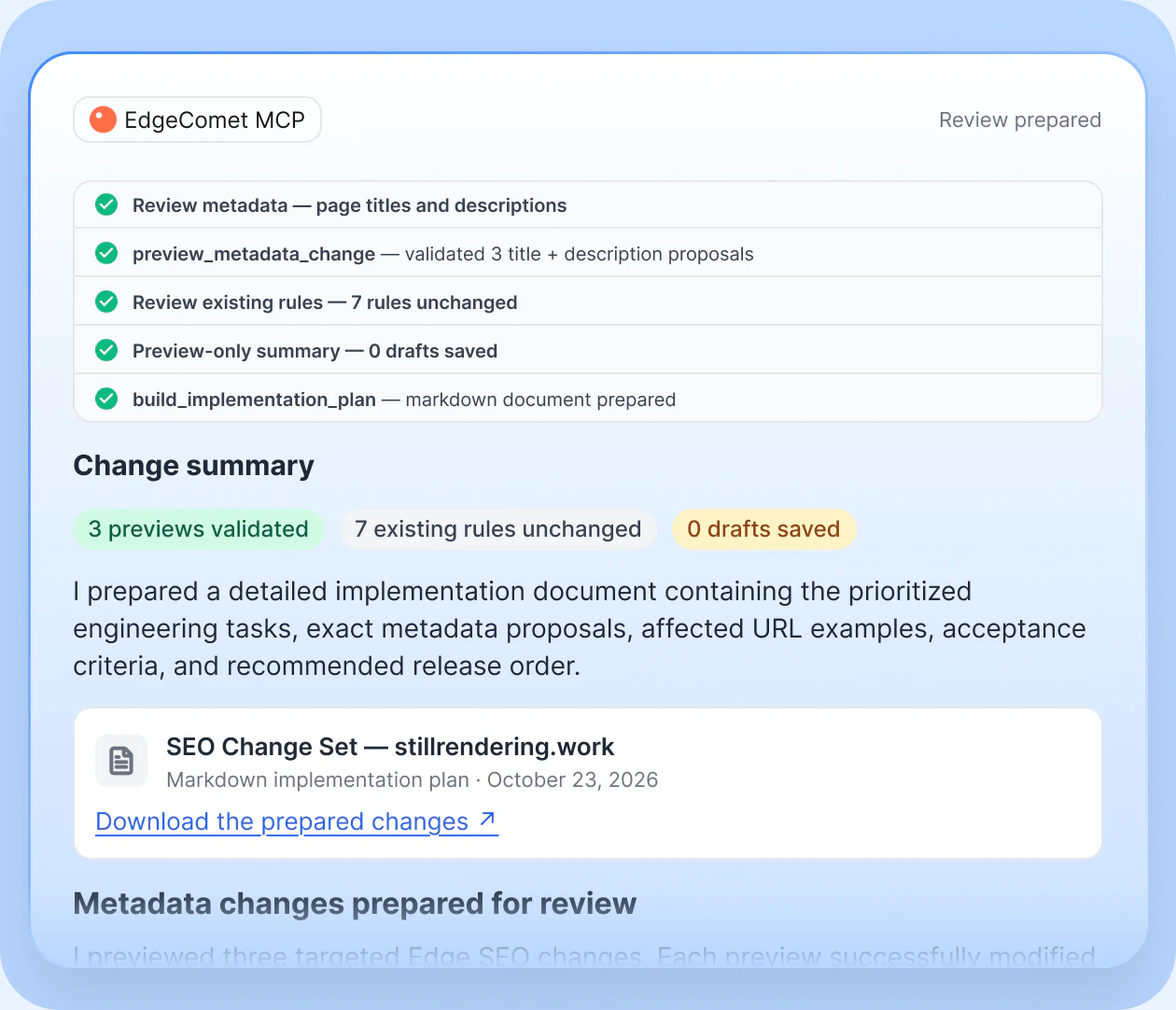
EdgeComet MCP generates Edge SEO changes, tests them against your current configuration, and saves drafts for your review.
Try for free
Review SEO drafts in your EdgeComet dashboard and approve changes before deployment. MCP never publishes directly, so you stay in full control.
Try for free
Connect your AI assistant to live SEO data. Analyze traffic, investigate bot activity, and prepare SEO changes—all in one conversation.
Our MCP server supports major LLMs and AI Automation tools
https://cloud.edgecomet.com/mcp
These aren't hypothetical use cases. These are the kinds of questions SEO
teams actually ask and answer with MCP.
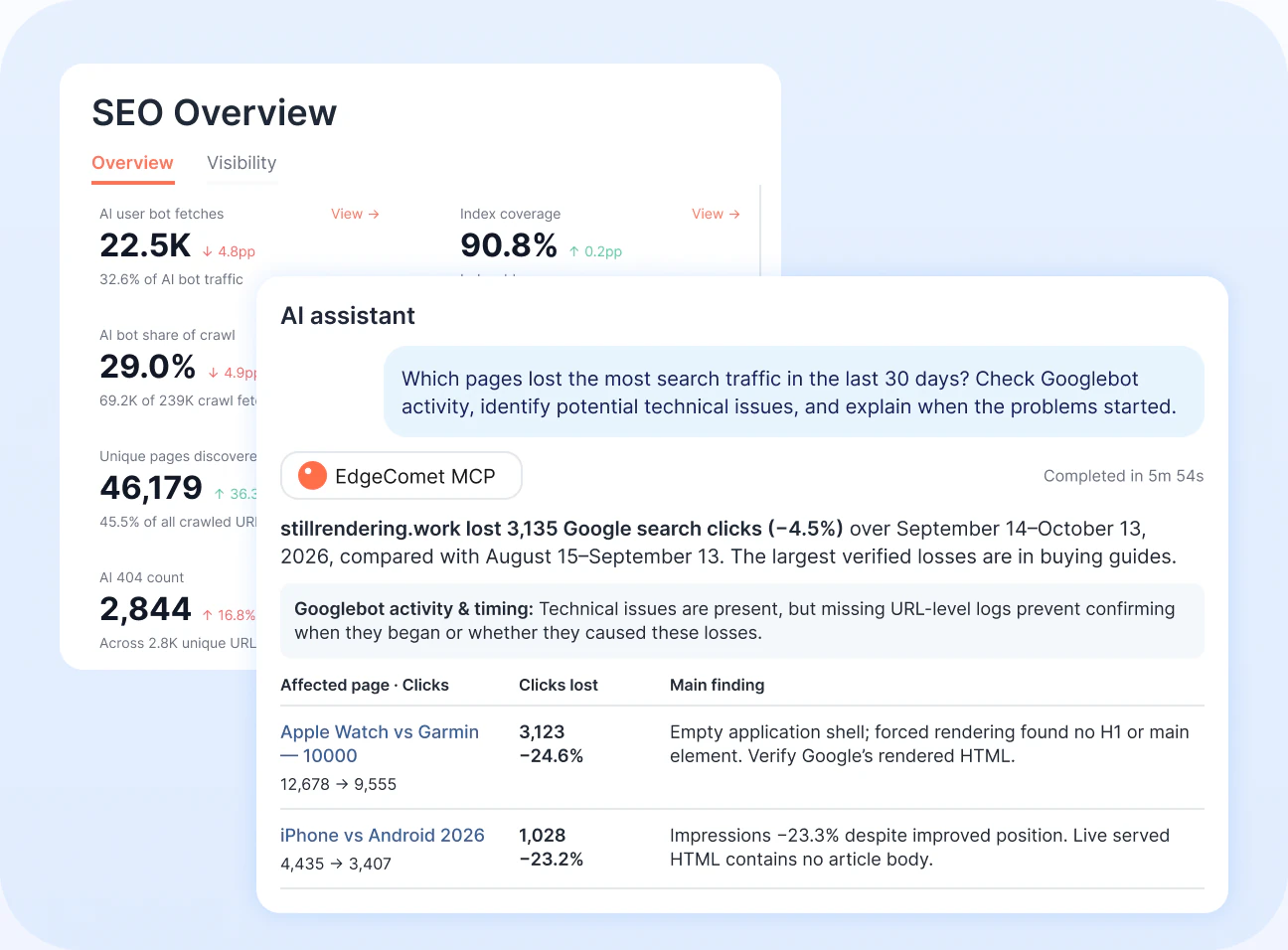
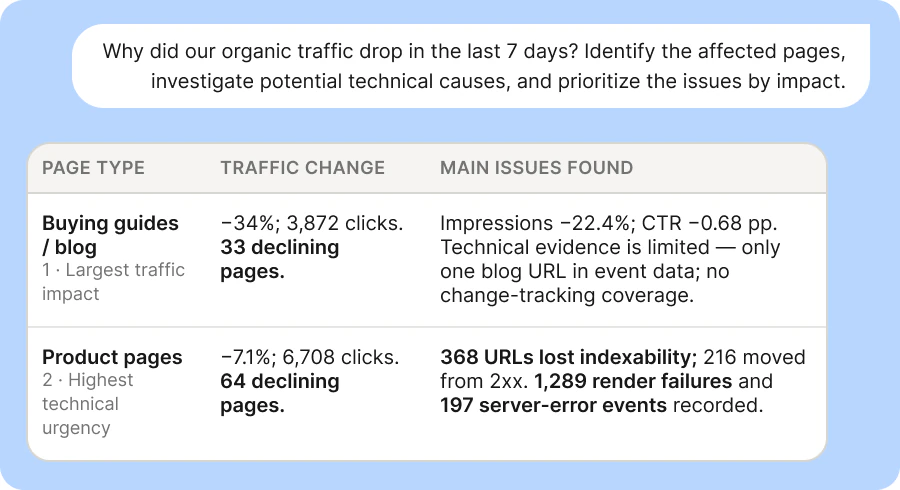
This month, traffic to your product pages decreased by 30%, or more than a third, from your previous organic traffic levels. You have to identify the changes, pages involved, and causes.
AI Bot Visibility shows that GPTBot has never crawled the documentation section. AI systems simply don't know these pages exist
Ask your assistant to draft Edge SEO changes for the affected pages and refresh their meta descriptions. Drafts are saved in EdgeComet for review.
One conversation connects affected pages, likely causes, and prioritized fixes—with drafts ready to review and deploy.
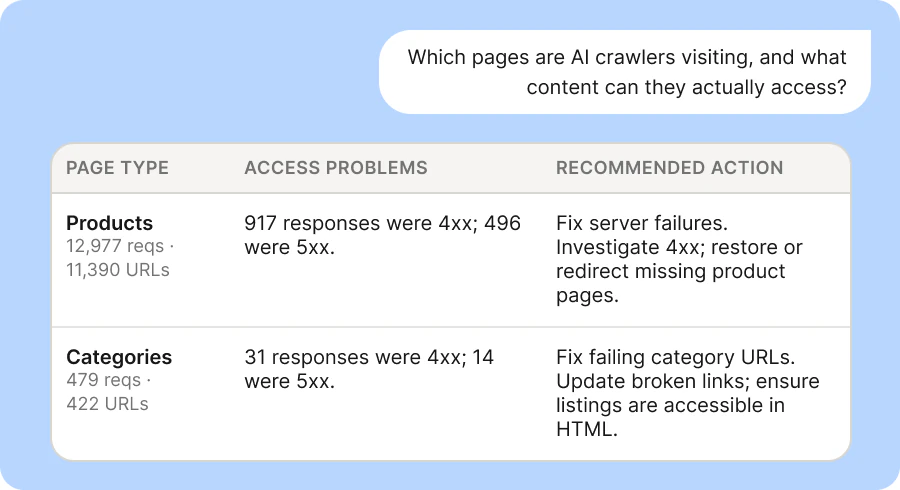
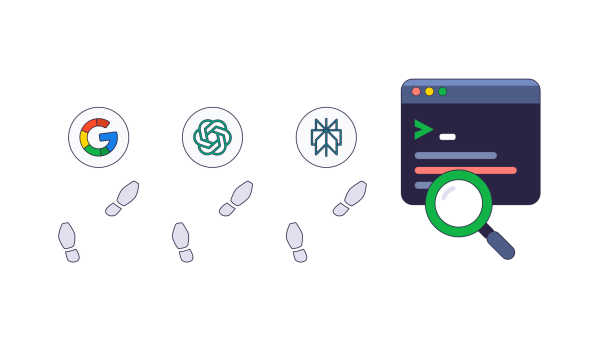
You see more requests from GPTBot and ClaudeBot, but don’t know whether they receive complete content or visit your critical pages.
Your AI assistant checks bot logs through EdgeComet’s MCP connection, finds the top URLs being accessed, and reads them live to identify incomplete content or missing HTML elements.
When the assistant discovers incomplete HTML on key pages, ask it to draft bot-specific Edge SEO rules. Changes are saved in EdgeComet for review.
You see which pages AI crawlers visit and where content is missing, with targeted fixes ready for review to help make key content accessible to AI.
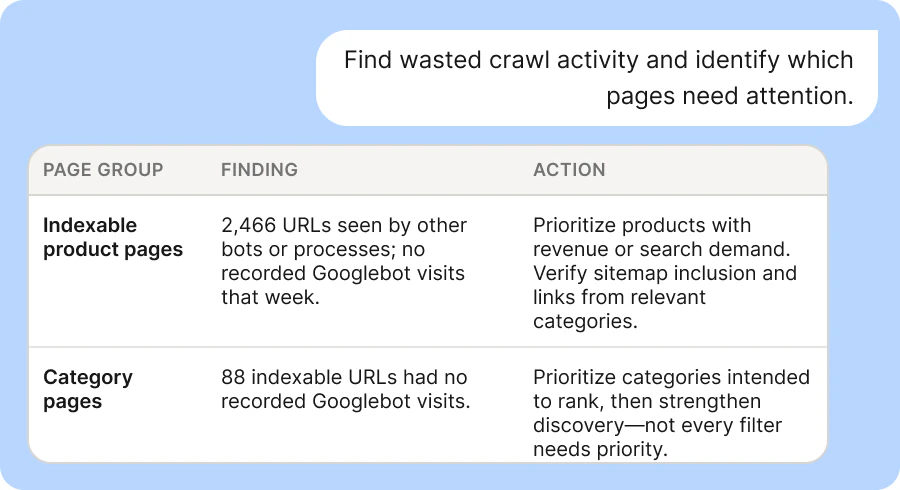
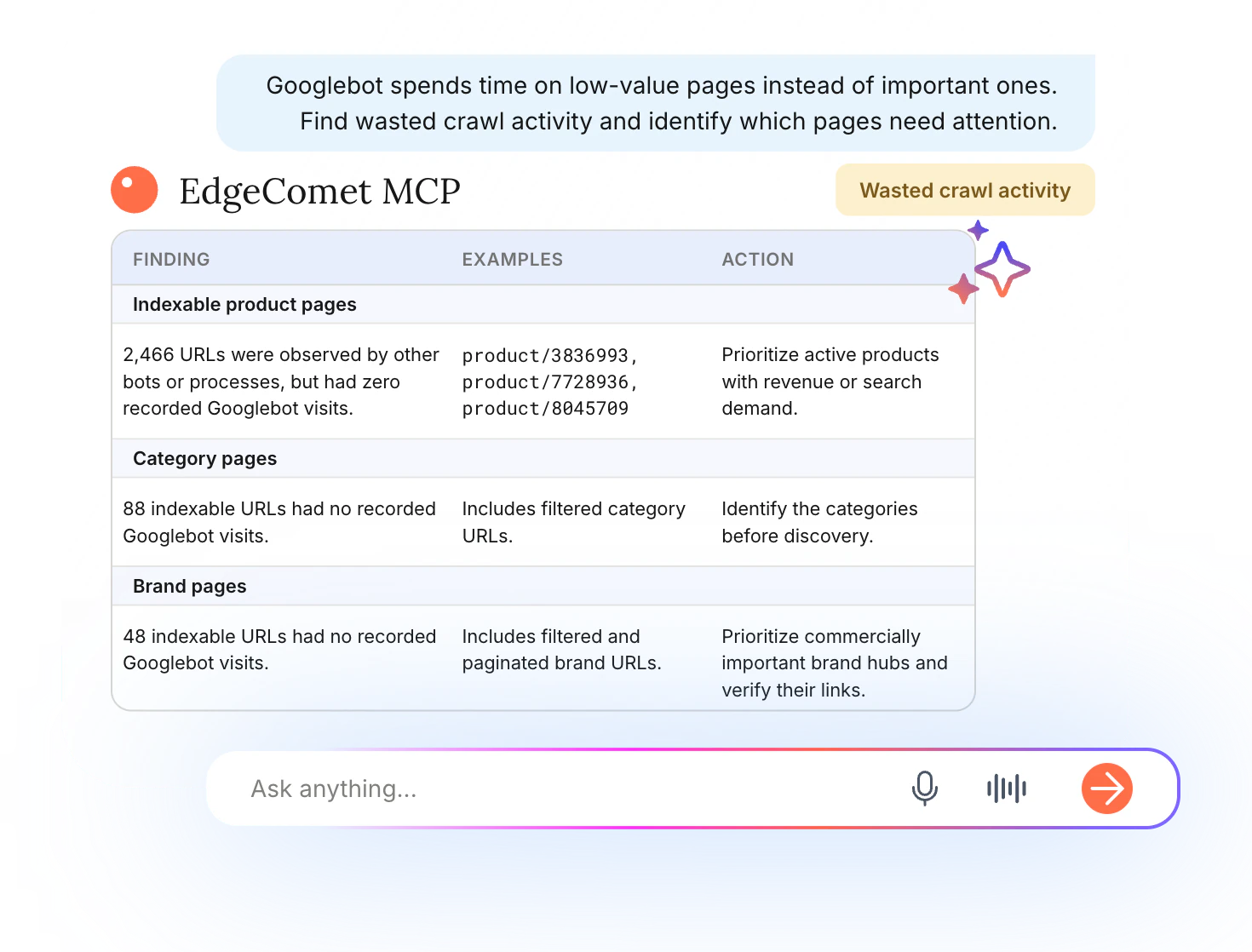
Googlebot spends its crawl budget on filters, duplicate URLs, and error pages, while important product and category pages get little attention.
The AI assistant uses the MCP connection provided by EdgeComet to analyze bot logs, spot the URLs that generate the most requests, and identify important pages that Googlebot visits infrequently.
Have your assistant prepare the Edge SEO canonical and redirect rules where they apply. Store the changes in EdgeComet for review, and prioritize the most significant sources of waste.
One conversation turns bot activity into prioritized actions, with fixes ready for review and a clear baseline to track changes in Googlebot behavior.
Improve indexing, visibility, and traffic from day one.
14-day free trial
The EdgeComet MCP connector is a remote MCP server at https://cloud.edgecomet.com/mcp. It connects Claude, ChatGPT and other MCP clients to your EdgeComet data: the bot requests EdgeComet served, Search Console, the crawl, your XML sitemaps and the page change log. Your assistant reads that data and drafts Edge SEO changes for your review.
Ask SEO questions in plain language and get answers built from your own data: which URLs with Search Console impressions returned errors to bots, which pages lost indexability since the last release, or which pages rank in positions 4 to 20. Your assistant can also read live pages, research keywords and draft Edge SEO changes.
Claude (claude.ai, Claude Desktop and Claude Code), ChatGPT, Codex, GitHub Copilot, Microsoft Copilot and Cursor each have a setup guide. Other clients connect the same way when they support remote MCP servers with OAuth sign-in through the browser.
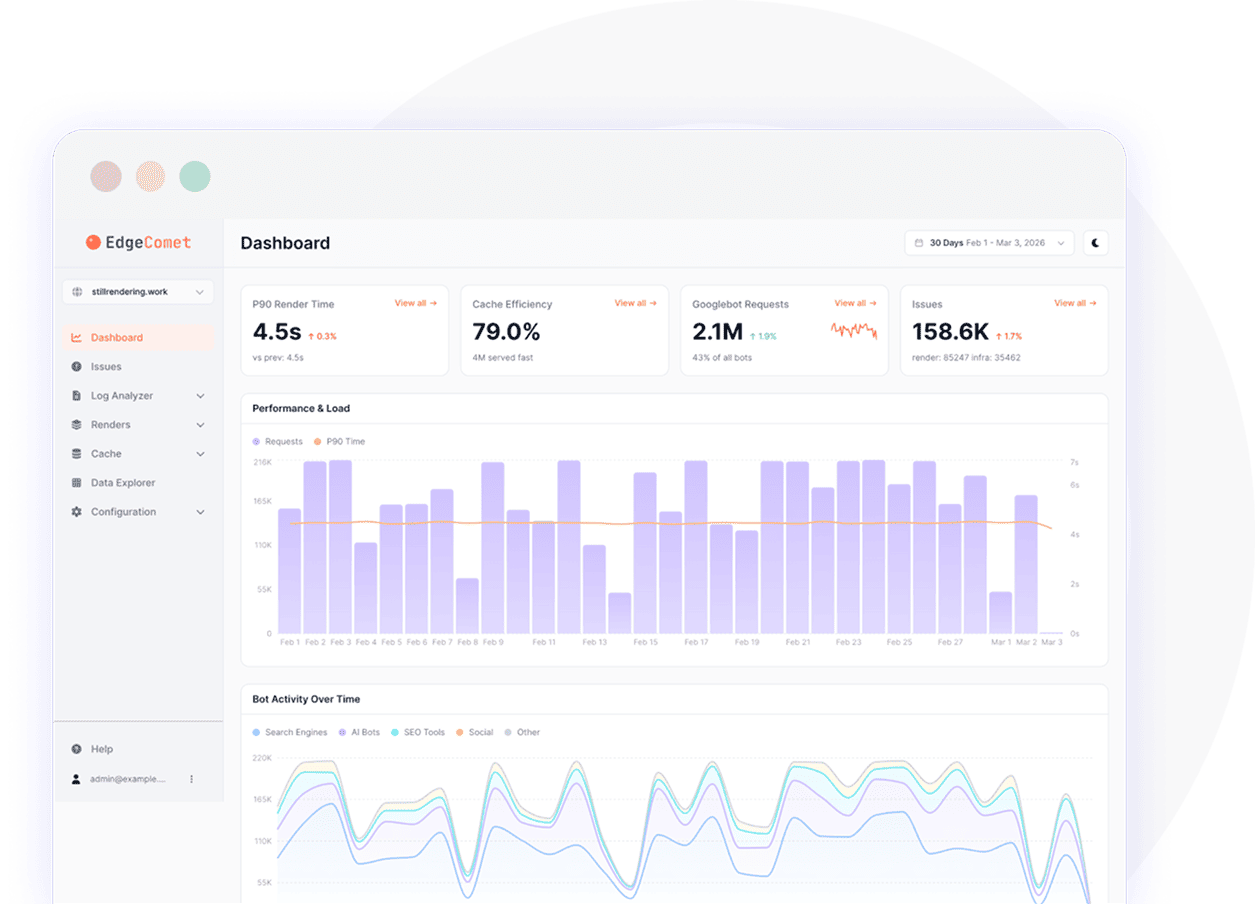
The same data as your dashboard: requests from Googlebot, Bingbot and AI bots, Search Console clicks, impressions and positions, crawl results, XML sitemaps, the page change log, report numbers, alert rules and Edge SEO rules. It can also read live pages and pull keyword data. It sees only the websites your EdgeComet account can open.
Yes. Your assistant can draft Edge SEO changes, such as titles, meta descriptions, canonicals and redirects, and preview them against your current rules before saving. The drafts appear in your EdgeComet dashboard for review.
No. The MCP server has no publish tool. Edge SEO changes from your assistant stay drafts until someone on your team reviews and deploys them in the dashboard. The sign-in screen states this before you connect.
You connect with OAuth in your browser, with no API key to copy or share. The connection acts as the EdgeComet user who approved it and sees only the websites that account can open. You can revoke any connected application on the MCP Connection page in the dashboard.
Without MCP, an assistant works from what you paste into the chat: one export, cut to what fits. With EdgeComet MCP, it queries your full data, joins bot requests, Search Console and crawl results, and runs the next query the answer needs. The numbers it quotes come from EdgeComet reports and queries.
Stay ahead with expert insights on search visibility, AI optimization, and technical SEO
Tech SEO Connect 2026 is over, and after my third year in a row in Durham/Raleigh, I can say it’s...
Read Article
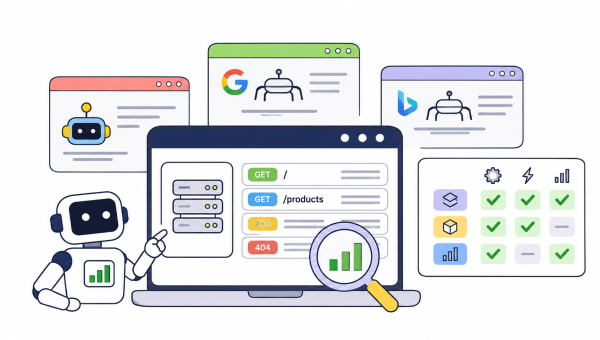
Can Google Analytics detect bot traffic? A short answer is – partially. GA detects well-known bots, but doesn’t show exactly...
Read Article
What are the best log file analyzer tools? The answer depends on which bots you need to track, and that...
Read Article