Orphan pages harm your website in many ways. They are harder to discover causing potential traffic losses, and result in wasted content investment.
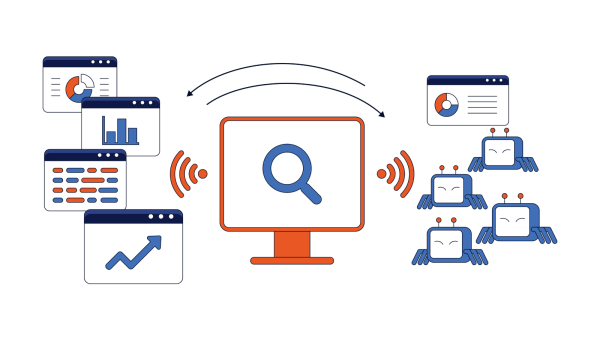
The problem gets worse on large websites. The limited crawl budget is distributed unevenly as bots prioritize URLs that are easy to discover. It means important orphan pages may be ignored while less critical pages are crawled repeatedly.
How to find and fix orphan pages on your website? There are several methods suitable for different types of websites, including continuous crawling at scale. Find practical recommendations on how to fix orphan pages in our blog post.
Table of Contents:
- What Are Orphan Pages?
- Why Orphan Pages Hurt SEO
- How to Find Orphan Pages
- How to Find Orphan Pages at Scale
- Find Orphaned and Rarely Crawled Pages with Log Data and Crawl Data
- Best Practices to Prevent Orphan Pages
What Are Orphan Pages?
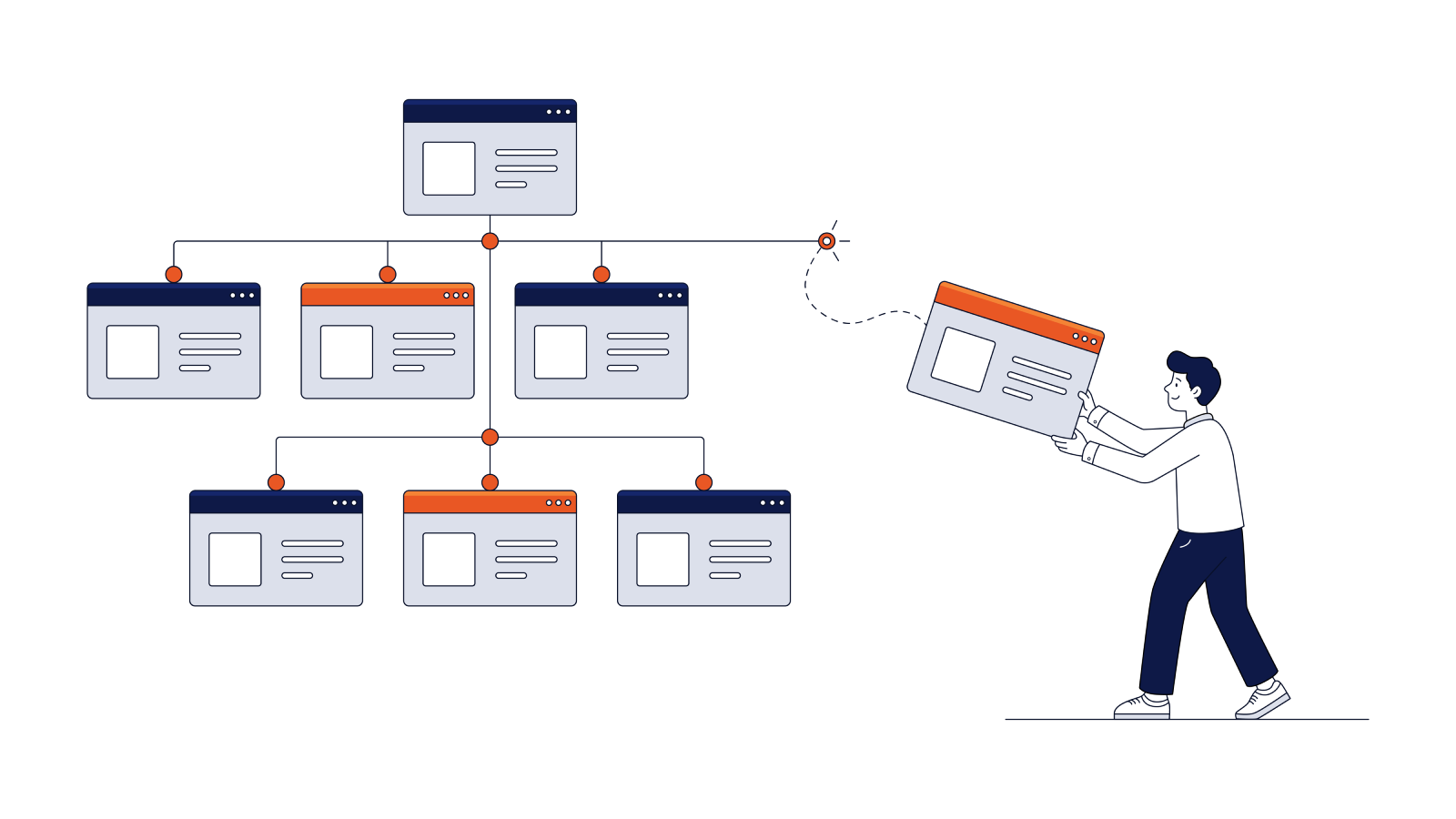
Orphan pages are website pages that have no internal links leading to them from the same website. As a result, website visitors and site crawlers cannot easily find orphan pages through the site’s internal linking structure.
Orphan web pages usually happen because of site redesigns or migrations when pages are left behind or lose old links. In some cases, marketing teams just fail to interlink content properly.
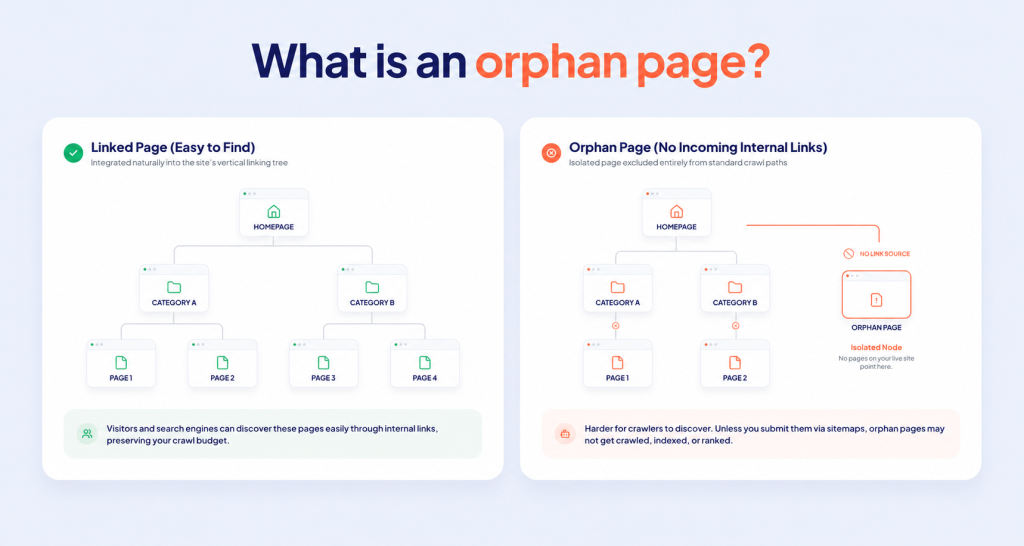
Another common example is a small website where a page is left unlinked after menu section deletion. With large projects, like ecommerce websites or classifieds, SEO orphan pages may result from a CMS creating thousands of product pages too fast. The pages already exist, but the category template hasn’t linked to them yet.
Are orphan pages bad for SEO? Mostly, yes. However, in some cases, they are created intentionally. Here is a quick comparison of the main orphan page subtypes:
| Term | Description |
| Orphan Page | No incoming internal links from other website pages |
| Dead-End Page | No outgoing internal links to other pages |
| Intentional Orphan | Deliberately isolated orphaned page for business or technical reasons |
| Accidental Orphan | Resulting from poor site architecture, migrations, CMS issues, or publishing errors |
Why Orphan Pages Hurt SEO
Orphaned sitemap pages exist on your website, but do not contribute to its promotion to their fullest. You have spent time creating the content, and then it got lost. Users cannot see the orphan pages to learn more about your offering. Search engines also have difficulty discovering them since they primarily rely on following internal links.
Besides reduced crawlability, orphaned pages’ SEO suffers because of poor indexation. Search engines typically consider such pages less important, as they are not included in your site’s internal linking structure. They rank unlinked pages lower or skip indexing them altogether.
Finally, such pages steal your crawl budget. Even if they are not linked directly, search engines waste time reaching these low-quality pages if they remain in XML sitemaps or receive external backlinks. This may distract attention from critical pages with more business value.
How to Find Orphan Pages
There are several universal methods to help you find and fix orphan pages. You can compare website crawl and XML sitemap, use Google Search Console, run log file analysis, and more. Below are the main ways how to find orphan pages with their best uses.
| Method | What it shows | Best for |
| Website crawl vs. sitemap | URLs in sitemap but not in crawl | All sites |
| Google Search Console | Indexed URLs not in sitemap | Small to large |
| Google Analytics | Traffic to unlinked URLs | Active sites |
| CMS comparison | Published URLs absent in link structure | E-commerce/Large |
Based on our experience, it is better to combine several approaches. It makes orphan pages SEO audit more accurate and helps detect every page that needs fixing. You can use this checklist as a step-by-step instruction on how to find orphan pages on a website:
Orphan page discovery checklist
Complete a full crawl starting from the homepage.
- Export your XML sitemap and compare it against the crawl results.
- Review the Pages report in Google Search Console for “Discovered – currently not indexed” and other relevant statuses.
- Check GA4 landing pages against your internal linking report to identify URLs receiving traffic without internal links.
- Manually verify any suspected orphan pages before making changes.
It is a reliable flow, particularly for small and medium websites where manual checks are effective. Once you detect orphan page SEO issues, you can try to make internal linking fixes without developers using one of the off-the-shelf SEO tools.
Best Approach to Find Orphan Pages at Scale
For large websites, you need to crawl your entire site structure continuously. One-time audits are no longer as effective. Large ecommerce stores, marketplaces, and classifieds have hundreds of thousands of URLs that are impossible to manage manually.
Find Orphaned and Rarely Crawled Pages with Log Data and Crawl Data
Comparing the URLs bots request with the URLs a crawl reaches through internal links shows three problems at once: orphan pages that bots still request, pages bots never request, and pages bots request too rarely to keep fresh.
The comparison needs three datasets:
- Bot requests from server logs or your CDN: URLs search engine bots actually requested.
- Crawl data from a site crawler run: pages reachable through internal links.
- XML sitemaps: pages you submitted for crawling and indexing.
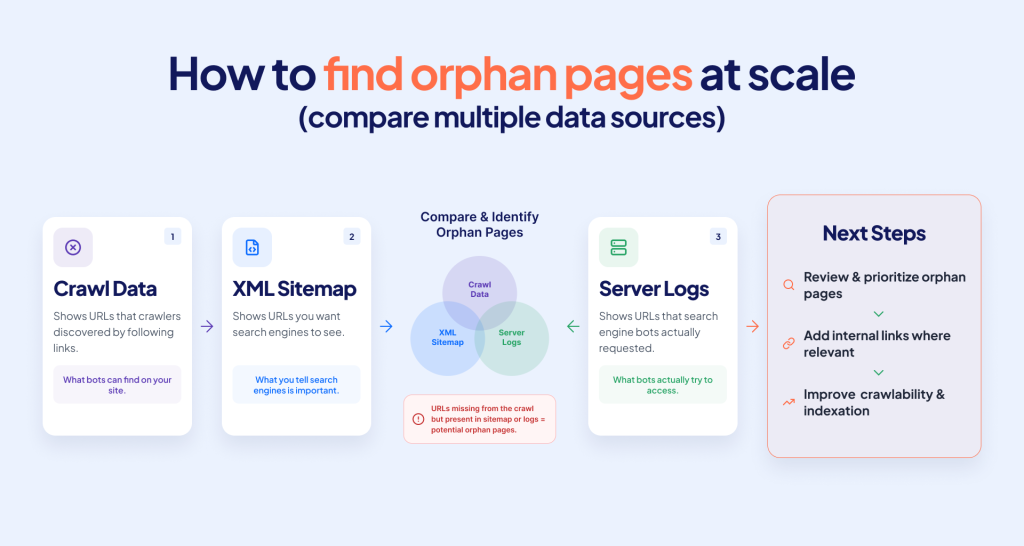
Match URLs across the three sources and read the result:
| In bot requests | In a site crawler run | In sitemap | Meaning | Action |
| Yes | No | Any | Orphan that bots still reach through old links, backlinks or sitemaps | Relink if valuable; redirect or remove if not |
| No | Yes | Yes | Linked but never crawled in the window | Check depth, internal link count, response time |
| No | No | Yes | Isolated page only the sitemap knows | Link it or drop it from the sitemap |
| Rarely (none in 28 days) | Yes | Yes | Rarely crawled | Raise internal links from crawled pages; confirm it is indexable |
A rarely crawled page is an indexable page with no verified Googlebot request in the last 28 days. Use that one threshold in every report. Verified means the request passed Google’s IP range or reverse DNS check, because fake Googlebot traffic can make an ignored page look visited.
Here is the tricky part: bot data cannot show a page no bot has requested. A separate site crawler run and the XML sitemap cover those pages, and a CMS URL export catches pages missing from both. The table describes the general method and works with any crawler.
Rarely crawled pages are common even on small sites. On edgecomet.com, about one indexable page in ten had no Googlebot fetch in ten weeks. If you update such a page, confirm the re-crawl before you judge the result. Our article on crawl rate vs crawl budget explains what drives these visits.
Monitor orphan pages continuously
Managing continuous audits at scale is difficult without automation. Rather than running manual audits every few months, you should automate the comparison above and generate reports on newly detected issues. It is also helpful to set automated alerts when something happens with important pages, such as a new noindex directive or a changed canonical.
Keep the comparison current
A scheduled crawl compares bot requests with a snapshot of your links that starts aging when the crawl finishes. When you record bot requests as they happen and refresh the crawl from those visits, a page that loses its links shows up without waiting for the next audit.
This is how Evergreen Crawl works in EdgeComet. It builds the site audit from the pages bots actually fetch, using the same bot request data as Log Analyzer. Among those pages, it flags every page with zero internal inlinks as an orphan and lists URLs that appear only as link targets on fetched pages. Each report compares the current crawl snapshot with the previous one, so a page that moves from Linked to Orphan shows up as a change.
Evergreen Crawl does not crawl, so it cannot find a page that no bot requested and no fetched page links to. Collection starts when you route bot traffic through EdgeComet, with no import of old log files, so the 28-day check needs four weeks of data.
How to fix orphan pages at scale
Suppose you have already run an audit and now have a list of isolated pages. How to fix orphan pages SEO at scale?
- Understand why a page has become orphaned and estimate its value.
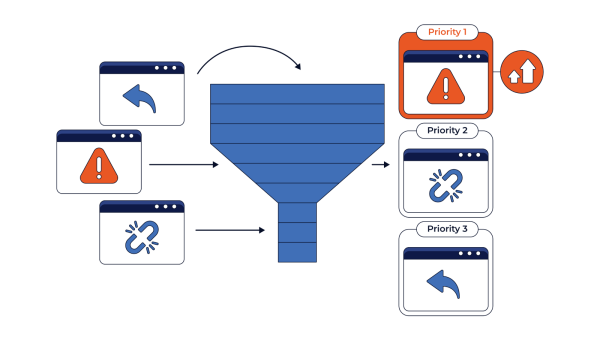
- Prioritize pages based on their business importance, organic traffic, backlinks, and indexation status. While high-value pages should be included in the site’s internal linking structure, outdated or duplicated pages should be redirected or removed.
- Automate fixing through CMS rules and SEO monitoring systems to maintain large websites more easily.
Best Practices to Prevent Orphan Pages
Now that you know what are orphan pages and how to find and fix, let’s talk about prevention. You can considerably reduce the number of orphaned pages across your website by following the next proactive steps:
Orphan page prevention checklist
- Have a site structure that handles internal linking. While most CMS systems do it automatically, a custom configuration or template creates additional risks. So make sure to add the necessary code for link generation.
Note. JS websites are more likely to become orphaned as search engine crawlers often fail to execute their script. You may need to use additional tools like EdgeComet to improve JavaScript rendering for SEO.
- Create a detailed plan for website migration and redirect old pages to new ones with a 301 redirect.
- Remove old pages properly with all internal links and set a 404 or 410 status code.
- Add website breadcrumbs to ensure every child page links back to the parent category and improve navigation.
- Prioritize link updates and know which pages matter. You should focus on linking pages that have the most business value and drive revenue. Consider including them in menus, category pages, or resource hubs when relevant.
FAQ
Can Google index orphan pages?
Yes, Google can index orphan pages, but only through XML sitemaps, external backlinks, or based on previous crawls. Since Googlebot needs a “seed” URL to follow a crawl path, without internal links, an XML sitemap entry, or external backlinks, the likelihood of indexing is very low.
Can log files find orphan pages?
Log files find orphan pages that bots still request: URLs in bot requests that a site crawler cannot reach through internal links. Pages with no bot requests and no internal links never show up in logs, so you need a crawl and sitemap comparison to find them.
How often should you audit a website for orphan pages?
A website audit for orphan pages SEO typically happens monthly to quarterly for active sites and once in six months for small static sites. Large enterprise websites and marketplaces may require continuous monitoring to detect issues right away.
Do orphan pages affect crawl budget?
Yes, orphan pages affect crawl efficiency, particularly on large websites. If Googlebot detects an orphan page via sitemaps or external links, it still crawls such URLs, spending fewer resources on more important, well-linked pages. On enterprise sites with thousands of pages, messy crawl paths can reduce the frequency of scanning core pages by double digits.
How do I find sections of my site that search engines ignore?
Group URLs by site section, for example by the first folder in the path, and count verified Googlebot requests per section over the last 28 days. A section where most indexable pages have no requests in that window is one search engines ignore. Check its click depth, internal link count, response time, and whether its pages are indexable and in the XML sitemap.
Can JavaScript websites create orphan pages?
JavaScript websites can create orphan pages in two cases: when navigation depends on JavaScript that search engines cannot properly render; or when links are not available through crawlable HTML. One way to prevent such unlinked pages is to use standard <a href=""> links wherever possible.
How to fix orphan pages in WordPress?
To fix orphan pages when using WordPress, you can add internal links, include the page in navigation, or add related posts to feature the pages. Pages with outdated content may require 301 redirects or deletion. The general rule is to keep and interlink relevant pages and remove the obsolete ones.