15 Most Common Crawlability Problems and How to Fix Them
Crawlability problems are technical SEO issues that stop search engines from reaching and reading your website pages, so even strong...
Read ArticleAngular apps rely on JavaScript, which makes SEO efforts highly dependent on how pages are rendered for search engines and AI crawlers. A lot of JavaScript Angular SEO issues arise because rendering is inconsistent.
EdgeComet not only stabilizes the rendering output but also provides you with a clear picture of how bots process your pages and enables you to fix the issues directly so that your content can be reliably visible and indexable everywhere.
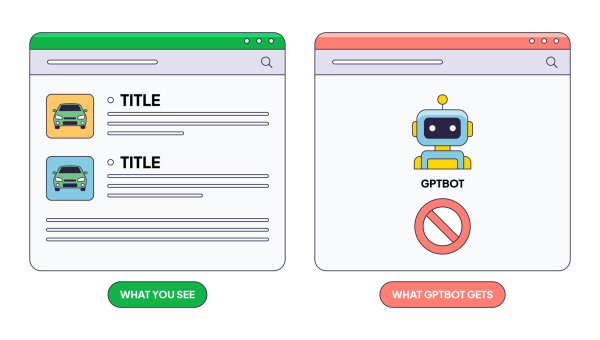
Angular pages often need a full JavaScript load before content shows up. If a crawler arrives too soon, it might see a blank page or just part of the content. That gap can quietly hurt visibility.
Angular keeps pages up to date using change detection cycles. Some content may not exist at the exact moment a bot checks, which can lead to inconsistent crawling and incomplete indexing.
Deep pages in Angular are loaded via client-side routing. If crawlers reach them before everything loads, important sections might be missing. That can cause errors, lower visibility, and Angular crawling issues.
Large bundles, multiple dependencies, and JavaScript execution overhead cause Angular rendering issues. Bots end up spending more time on each page, which reduces crawl efficiency and limits overall coverage.
EdgeComet helps prevent Angular SEO issues by ensuring search engines and AI crawlers consistently receive complete, accessible content. This makes pages easier to crawl, index, and keep visible in search.
Pages are processed in a controlled environment before bots access them. Instead of hitting a partially initialized Angular app, crawlers receive complete content from the start.
Rendering no longer depends on Angular’s internal cycles when a crawler visits. Bots see a consistent version of the page every time, which makes indexing more reliable.
Each route is treated as a fully processed page. Even deeper pages return consistent content without relying on client-side navigation to load key elements.
Pages are served in a way that cuts unnecessary execution overhead. Bots spend less time on each page, which improves crawl efficiency, increases visibility, and allows broader coverage.
Run EdgeComet on your real traffic with full access to the platform, including rendering, monitoring, and Edge SEO.
Content updates via JavaScript as users interact with the page, often without a full reload. This creates multiple page states, not all of which are consistently processed during crawling, which can affect indexing.
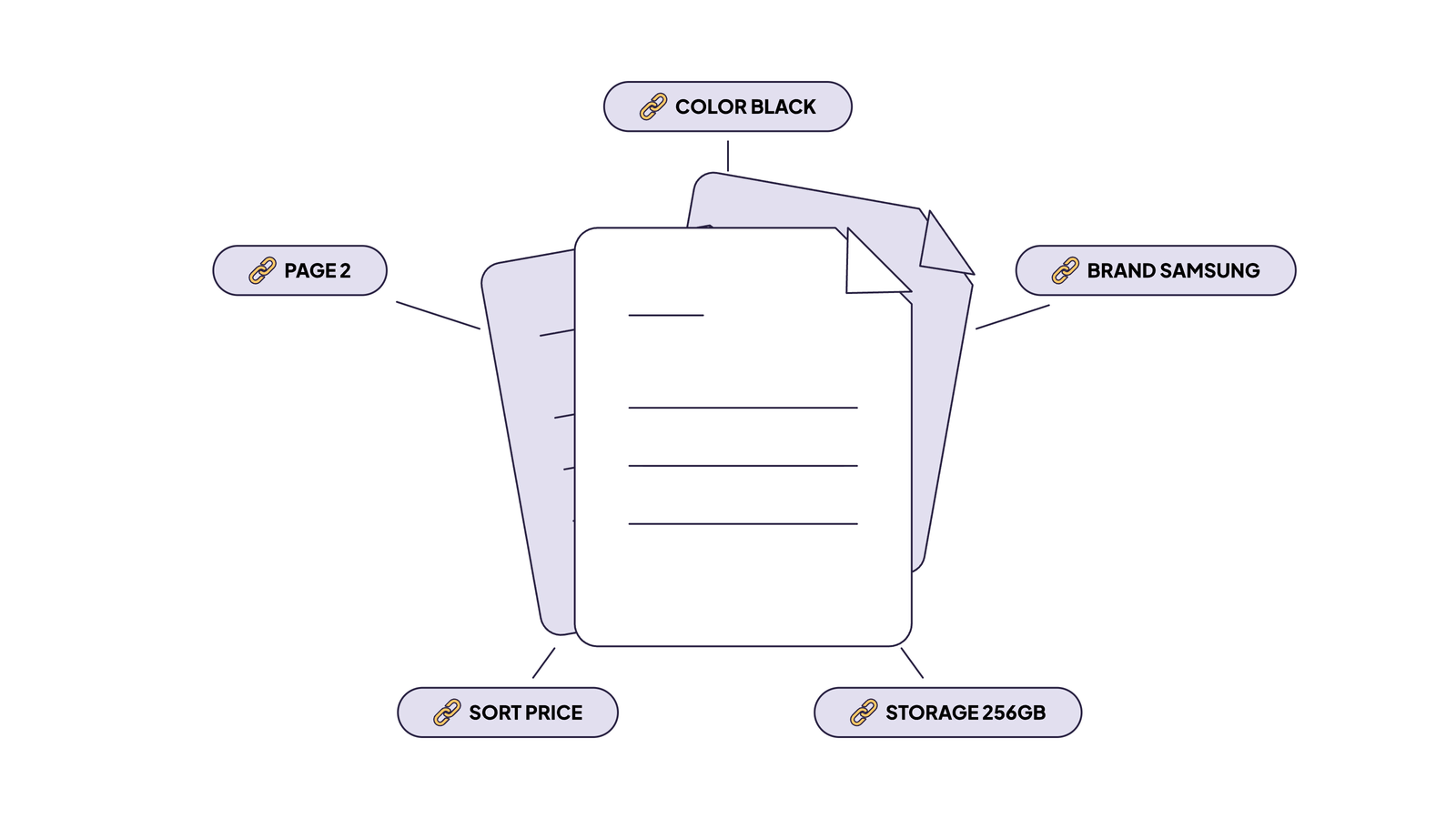
Filters and parameters can generate multiple versions of the same page. These variations don’t always return stable content, which makes it harder for bots to process them reliably.
Titles, descriptions, and canonical tags are often applied dynamically after the page loads. Crawlers may not always see these updates, resulting in Angular content not being indexed.
Some elements load only after interaction or delay. Bots may never reach this content, which limits what gets processed and included in indexing.
Better understanding of how search engines and AI crawlers handle your Angular site can reveal hidden problems, improve indexation, and help you make SEO decisions confidently.
Content is handled consistently across different page types, improving performance and reducing variation in how bots see your site.
Improved visibility makes problems that aren’t apparent on the frontend easier to detect, so your team can address them before they affect indexing or traffic.
Bot behavior becomes less dependent on timing, load conditions, or execution order, which makes outcomes easier to manage.
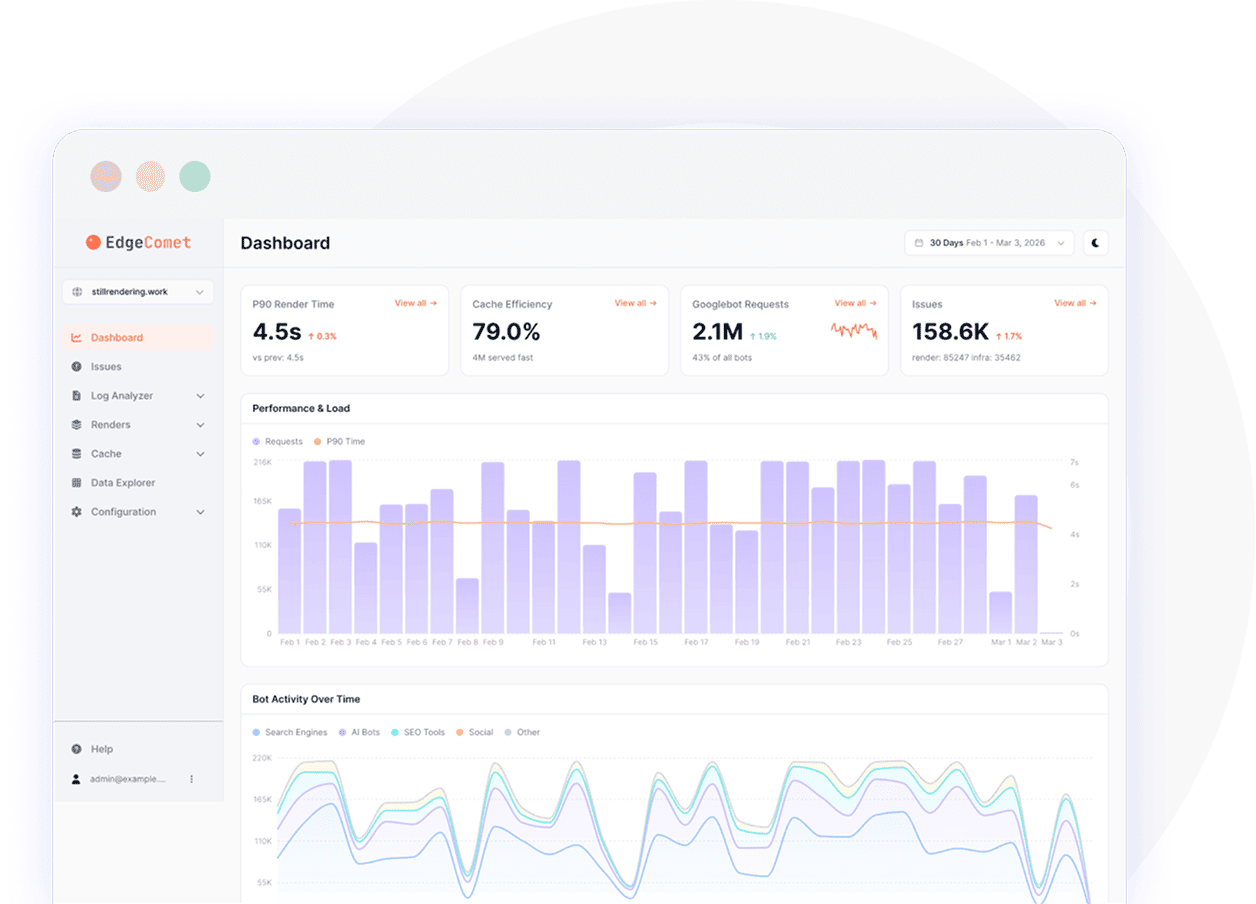
Monitoring shows how crawlers access and process your pages, helping you identify patterns, gaps, and areas that need attention for better performance.
Improve indexing, visibility, and traffic from day one.
14-days free trial
Angular website SEO usually relies on appropriate JavaScript content rendering in the browser. Your visibility might suffer if your page isn't stable and fully rendered.
Most issues come from how JavaScript and rendering interact. Content, metadata, and links are often loaded after the initial response, which can lead to gaps in indexing.
It is possible for search engines to handle JavaScript, but the results aren't always consistent. It is possible to see some content only if it has been timed correctly, has been limited by resources, or has been executed correctly.
Instead of arriving fully formed from the server, client-side Angular JavaScript rendering produces the page in the browser. The crawler might miss important parts of your content if it arrives before everything loads.
The crawler may not be able to access key content that depends on JavaScript execution. This creates inconsistencies in how pages are processed and indexed.
In JavaScript, metadata is commonly set after rendering. This can cause incomplete indexing signals for crawlers who process the page before these updates are applied.
Dynamic content, lazy-loaded components, and interaction-based elements are harder to process. The indexing may not include them if they require JavaScript rendering.
Crawler activity monitoring allows you to determine what content bots access and how rendering behaves. This helps you pinpoint problems and improve JS Angular SEO performance.
Angular Universal is Angular's server-side rendering solution that pre-renders pages on the server, providing bots with a fully formed HTML instead of an empty page.
AI bots like GPTBot or ClaudeBot don't render JavaScript, so standard Angular apps built on client-side rendering are mostly invisible to them without SSR or pre-rendering.
Technically, no, but without SSR or pre-rendering, Angular SEO optimization is severely limited. Googlebot may eventually render the page, but most other bots will see blank HTML.
Solutions like Google Search Console's URL Inspection, server log analysis, and JavaScript rendering debuggers detect Angular rendering issues by comparing what crawlers get versus what a browser renders.
Stay ahead with expert insights on search visibility, AI optimization, and technical SEO
Crawlability problems are technical SEO issues that stop search engines from reaching and reading your website pages, so even strong...
Read Article
Search engine bots don’t treat all pages of your website equally. The way you manage crawlers’ attention will influence how...
Read Article
Most marketing teams used to evaluate the website’s success by analyzing traffic, search result rankings, and general web analytics. However,...
Read Article