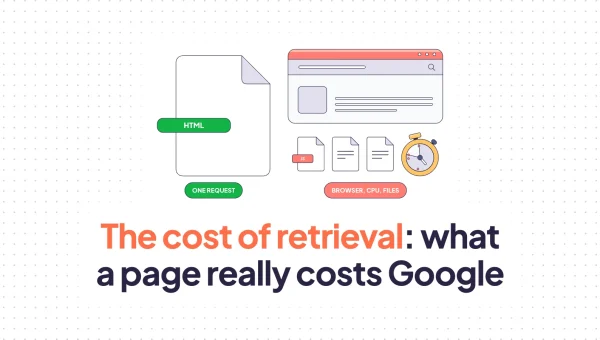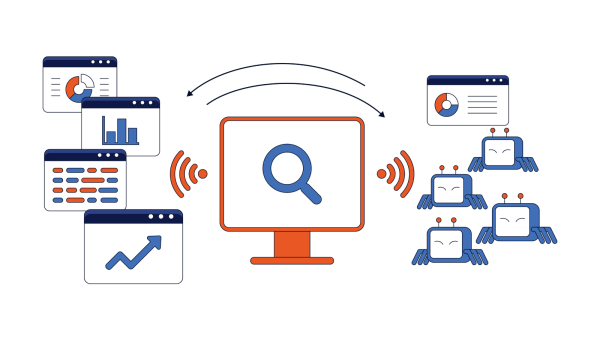
Every AI answer that cites a website begins with a bot fetching a page from it. No fetch, no content. Everything else you do for AI visibility – the structure, the schema, the answer-shaped headings, the original data – runs only if the request reaches your server first.
That is the part almost nobody audits, because the failure is silent. Google at least tells you when Googlebot cannot crawl a URL: Search Console flags it and the report changes. OpenAI, Anthropic and Perplexity publish no equivalent. When GPTBot starts collecting 403s from your firewall, nothing alerts you, no dashboard moves, and the page quietly stops being eligible for citation.
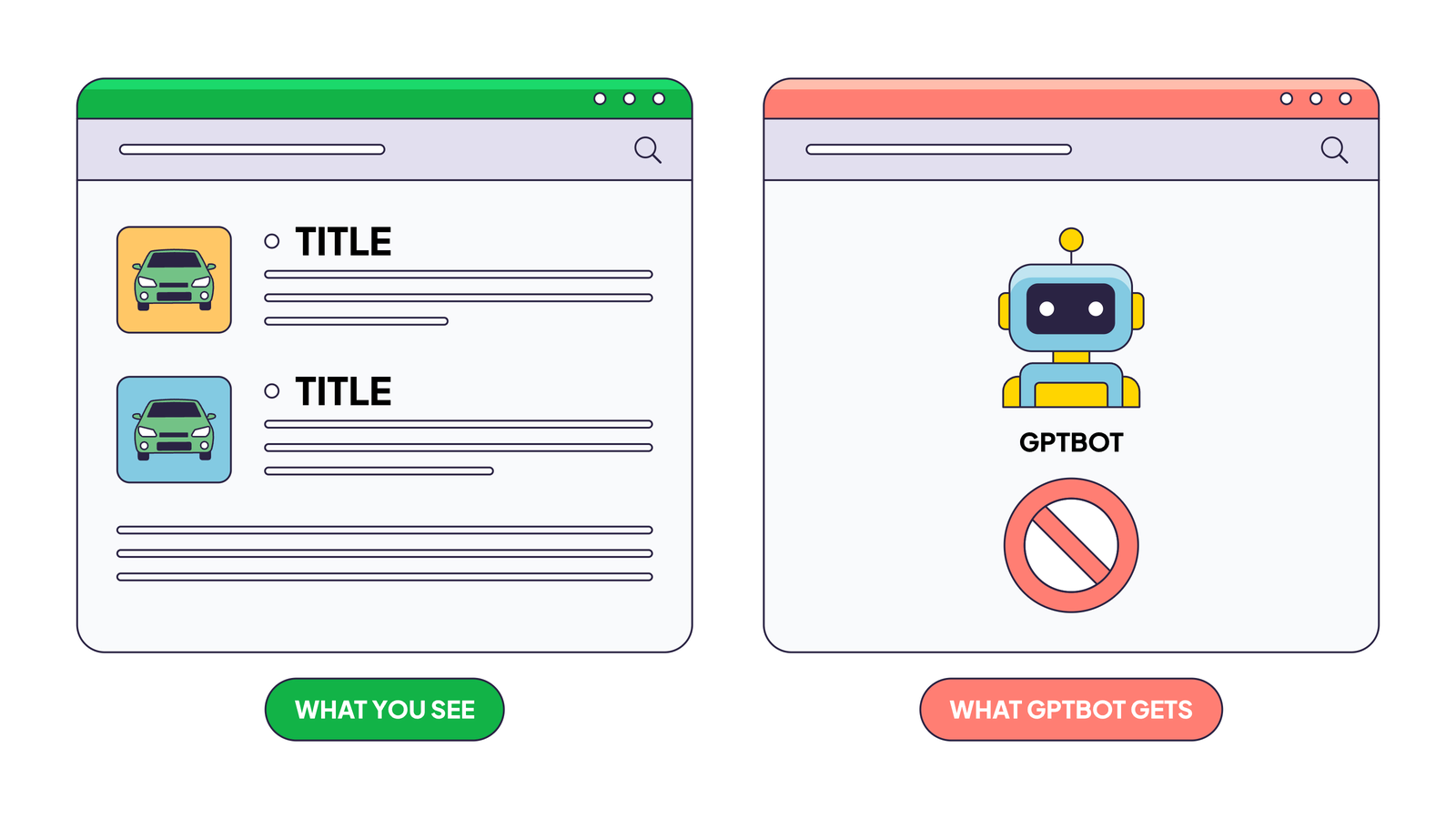
It is also easy to assume access you do not have. The site loads in your browser, so it must be reachable. But a browser is not a bot. Yours runs JavaScript, arrives from a home or office IP address, carries cookies and a session, and looks like a person to your firewall. Most AI crawlers do none of that: they arrive from a data centre, execute no JavaScript, and hit the exact rules you wrote to stop scrapers.
So the question worth answering is not whether your site is online. It is whether a specific bot, arriving from its own IP range, received your actual content today.
What “AI Crawler Access” Actually Means
Access means a bot can fetch your page and receive the content.
It does not mean the page will appear in an AI answer, and those two failures need different fixes.
Crawling is the fetch: a bot requests a URL, your server returns a response. Indexing/processing/you-name-it is what happens next: the system stores the content and decides whether to use it. A page can be crawled cleanly and never get cited, and a page can sit in an index from an old crawl while today’s fetch returns a 403.
AI bots also split into three groups that are not interchangeable:
| Category | What it does | Examples | What blocking it costs you |
|---|---|---|---|
| Training bots | Bulk-collect pages to train future models | GPTBot, ClaudeBot, CCBot, Bytespider | No immediate visibility loss. |
| Search bots | Build the live index behind AI answers | OAI-SearchBot, Claude-SearchBot, PerplexityBot | Direct. You leave the pool of pages an assistant can cite. |
| User bots | Fetch a page right now because a person asked | ChatGPT-User, Claude-User, Perplexity-User | Immediate. Someone asked about your page and got nothing. |
The user bot group is the one most teams have never audited. These are not scheduled crawls, they are real people in a chat session asking about your page this second. For a breakdown of how AI bots actually behave once they’re in, see our traffic analysis.
The Three Layers That Control Bot Access
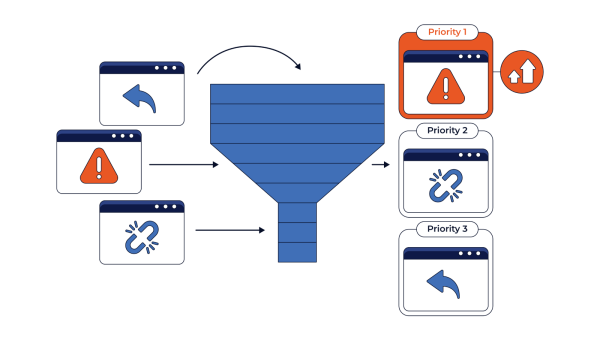
Three separate layers can block a bot, and a block at any one of them hides the layers behind it. If your firewall returns a 403, the bot never reads your robots.txt and never sees your meta robots tag. It just leaves.
Each layer lives in a different system, owned by a different team, changed on a different release schedule. One tool rarely covers all three.
robots.txt Directives
Robots.txt is the first gate worth looking at. Despite controversial opinions, training and search bots do follow its directives. User bots don’t because their requests are user initiated. Blocking one AI bot takes two lines:
User-agent: GPTBot
Disallow: /
Meta Robots and X-Robots-Tag
These deliver the same instruction through different channels. The meta robots tag sits in the HTML <head>; the X-Robots-Tag is an HTTP response header, sent ahead of the file itself.
The header version is the one people miss, and it is the only option for files with no HTML head at all: PDFs, images, spreadsheets. A noindex in either place means the page gets fetched and then discarded. If a PDF you want cited is being ignored, check the response header first.
Firewall and CDN Bot-Management Rules
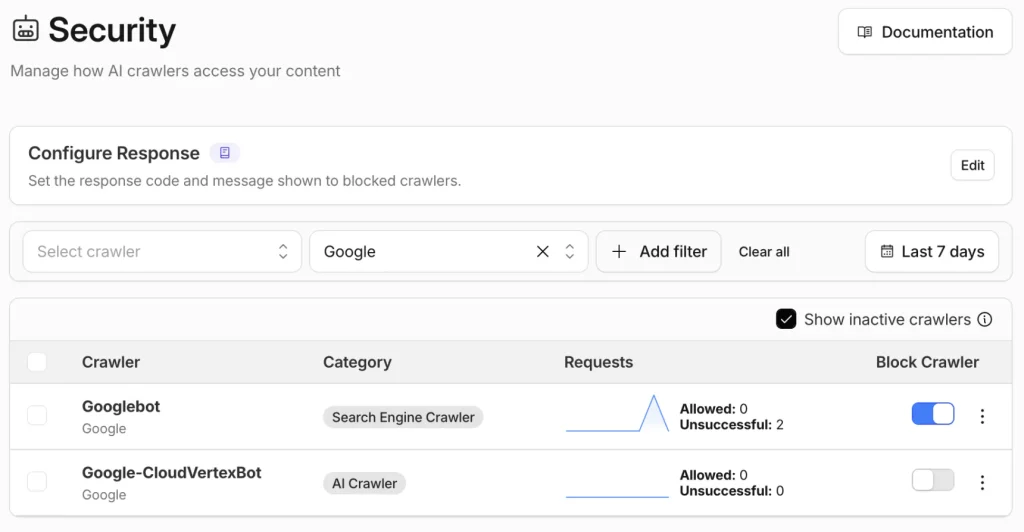
Your CDN or firewall decides who reaches the server at all, and it runs before any robots rule. This is the layer free robots.txt checkers miss entirely, because those checkers read a file. They never test whether the real bot gets through the door.
Cloudflare, Akamai and Fastly all ship bot-management features, including one-click switches for AI crawlers. Cloudflare set new defaults for domains onboarding from 15 September 2026: search crawlers stay allowed, training and agent categories get blocked on ad-bearing pages. Check what your platform does by default, not only what you configured.
Step-by-Step: Verify Which AI Bots Are Allowed
Step 1 – Ask the Assistant to Read the Page
Open ChatGPT, Claude, Perplexity or Gemini and ask it to fetch a specific URL and quote the content back.
Use a prompt shaped like this:
Read this URL: https://example.com/your-page/

Tell me:
1. The exact page title
2. Every H2 heading, word for word
3. The first two sentences of the body text, quoted exactly
4. Any price, date or product name on the page

Quote the text directly. Do not summarise or paraphrase.
If you cannot fetch the page, tell me the exact error
or HTTP status code you received.
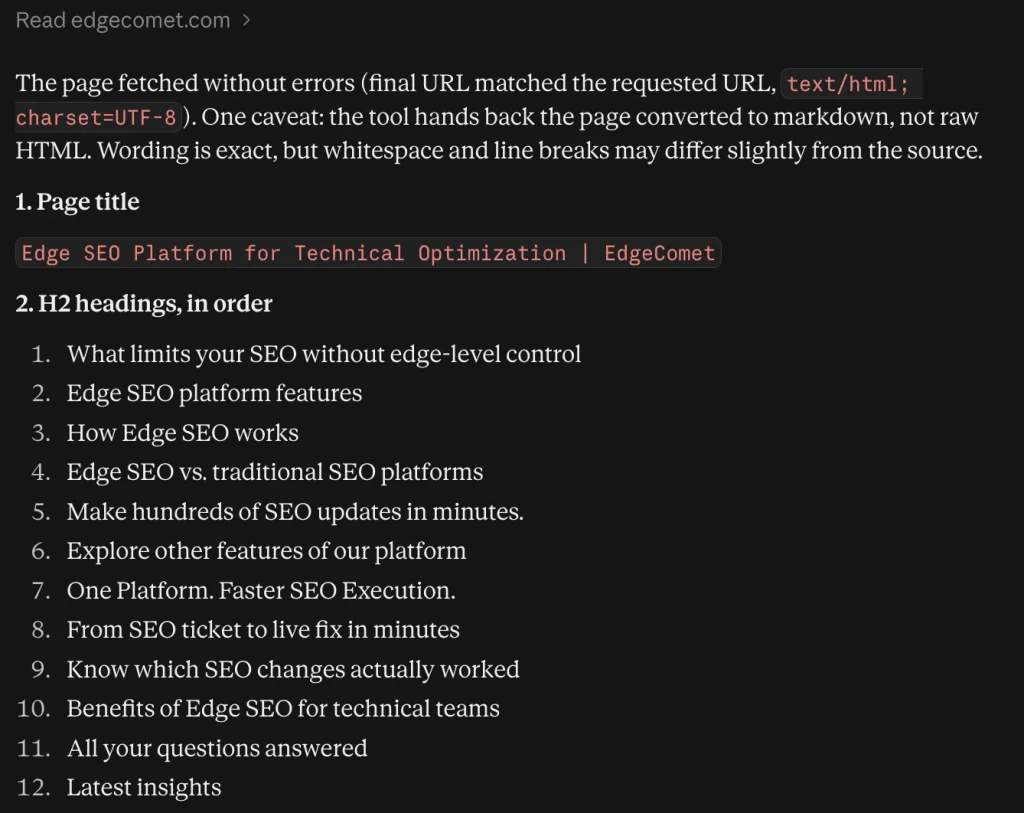
The quoting requirement is the whole trick. Ask “what is this page about” and the assistant can answer from what it already knows about your brand, which tells you nothing about today’s access. Demanding exact headings and an exact first paragraph forces a live fetch.
| What comes back | What it means | Next step |
|---|---|---|
| Exact title, headings and text matching the live page | The user bot reached your page and read it | Nothing to fix at this layer |
| An error, refusal, or “I cannot access this page” | Something blocked the fetch | Go to Step 2 |
| Vague content that does not match the page | It reached a shell, not your content | Suspect JavaScript-only rendering |
| Correct facts but no exact quotes | Answering from memory, not a fetch | Re-run using a detail you published this week |
That last row is the trap. Ask about something you changed in the last few days: if the assistant reports the old version, it did not fetch anything.
Worth remembering that this tests the user bot for one assistant, on one URL, right now. It says nothing about whether the search bot indexed the page, or about the other assistants. Treat it as a fast pass or fail, not an audit.
Step 2 – Test robots.txt Against Each AI Bot
Open yoursite.com/robots.txt and look at it once with your own eyes. You are not parsing it, just taking its measure: how long is it, is any AI bot named at all, is there an obvious Disallow: / near the top. That takes ten seconds and occasionally ends the investigation on the spot.
Then hand the matching to a tool. Nobody resolves robots.txt precedence by eye, and nobody should: the rules are longer than they look, wildcards and $ anchors are easy to misread.
I have used TechnicalSEO.com’s robots.txt tester for years, largely out of habit. It carries the current AI crawlers in its user agent list and lets you test an amended file before you deploy it. Any equivalent tool does the job. Using one at all is the part that matters.
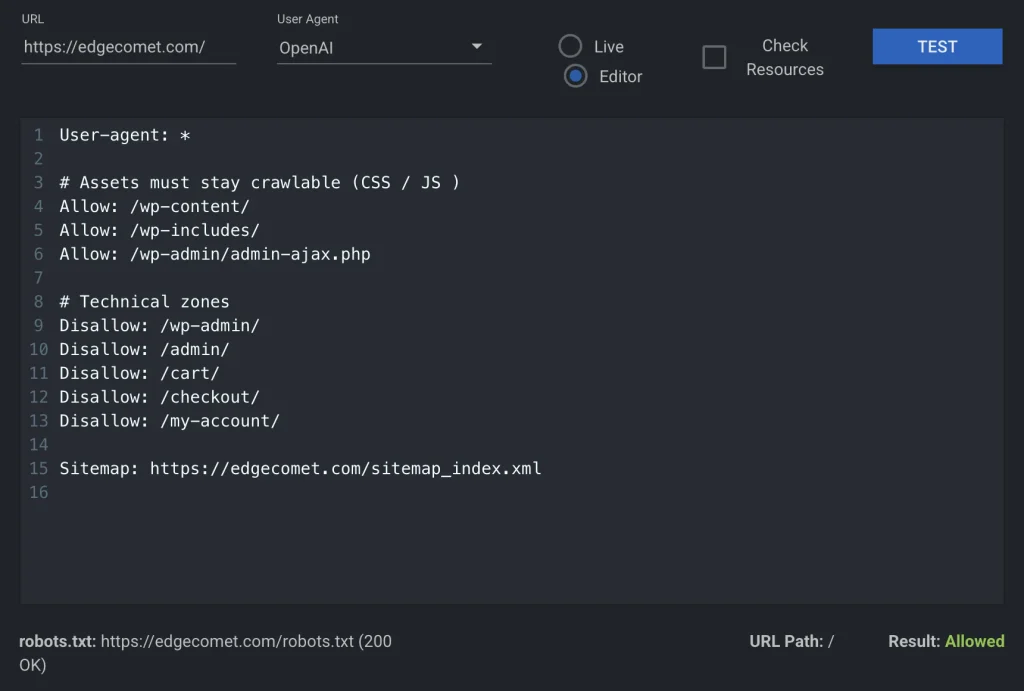
One rule is worth carrying in your head while you read the results: the most specific matching group wins. If GPTBot has its own block, the User-agent: * rules do not apply to it at all. If it has no block of its own, the wildcard does – which is how sites block AI bots without ever typing an AI bot name.
The usual finds are a wildcard Disallow: / left over from staging, or a rule blocking /blog/ that nobody remembers adding.
The fix: name the search and user bots explicitly with Allow: / so the wildcard cannot catch them, and keep your training-bot decision in its own separate block. Test the amended file in the tool before it ships.
Step 3 – Check Meta Robots and Response Headers
Look at the page source for a meta robots tag, then check the HTTP response headers for X-Robots-Tag. A header-level noindex shows up in neither a robots.txt reading nor the page source, which is why it survives so many audits.
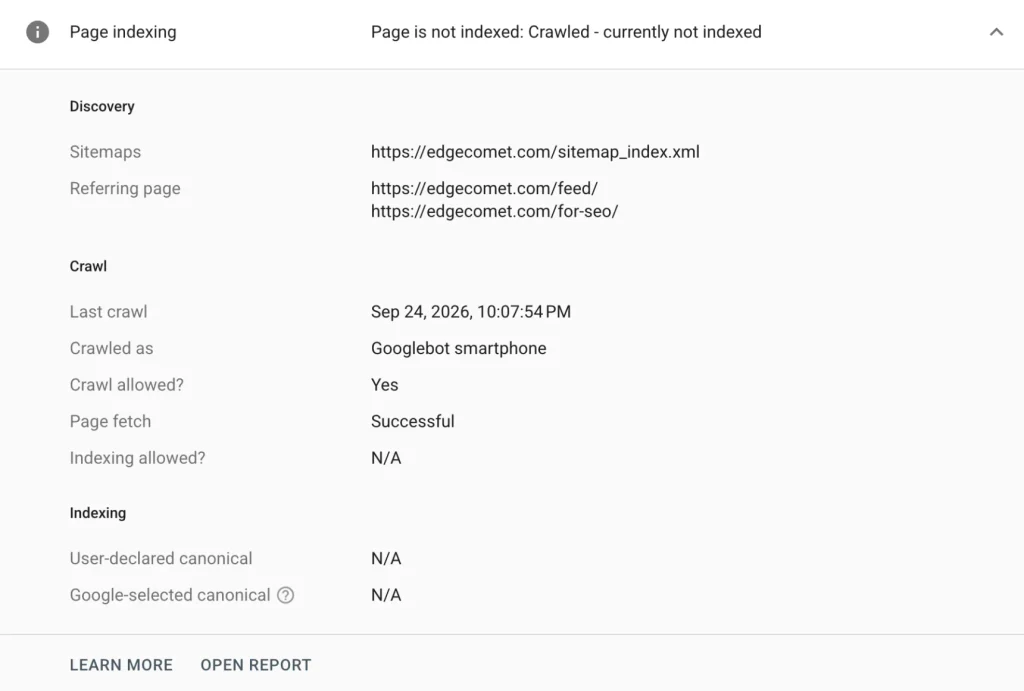
In your browser, open DevTools, go to the Network tab, reload, and click the first request: response headers are listed there. For Googlebot specifically, the URL Inspection Tool in Google Search Console is faster and more authoritative, reporting crawl status, indexability, and the rendered HTML Google received. It is the modern replacement for what the industry called “fetch as Google”, and still the best free check available for Googlebot.
Step 4 – Confirm the Bot Is Real, Not Spoofed
A user agent is self-reported text. Anyone can claim to be GPTBot, and scrapers do it constantly to slip past simple rules. A log line reading GPTBot proves a request arrived, nothing more.
The only reliable check is the source IP. Major operators publish the ranges their crawlers use, and a request is genuine only when its IP falls inside the current published range for the bot it claims to be:
| Operator | What it publishes |
|---|---|
| OpenAI | Separate IP range files for GPTBot, OAI-SearchBot and ChatGPT-User |
| Anthropic | A published range list covering the ClaudeBot family |
| Perplexity | A published range list for PerplexityBot |
| Published ranges, plus a documented reverse DNS method | |
| Bing | Published ranges, plus a documented reverse DNS method |
Spoofed traffic matters in both directions: it inflates your AI numbers so a visibility problem looks solved, and it burns capacity your genuine crawlers then get rate-limited out of. We mapped the published IP ranges behind each bot across 484 subnets.
Step 5 – Cross-Check Against Server Logs
Logs are the only source showing what actually happened rather than what should happen. Steps 1 through 4 each test a rule or a single request; logs show every real bot request over weeks.
Pull the same URL from your server or CDN logs and check three things: which AI bots requested it, what status code each received, and whether the IP validated. A verified search bot receiving a 200 is confirmation. A verified bot receiving repeated 403s means a firewall is cutting AI ingestion. A bot that never appears at all points to a discovery problem rather than an access problem.
Client-side analytics will not help. Most AI crawlers do not execute JavaScript, so they never fire an analytics tag and never appear in GA4.
EdgeComet’s Log Analyzer handles this side, verifying bot requests against real server logs: it records every bot request at the edge rather than simulating one, validates source IPs against each vendor’s published ranges, and keeps training, search and user bot traffic in separate views instead of one combined “AI traffic” number.
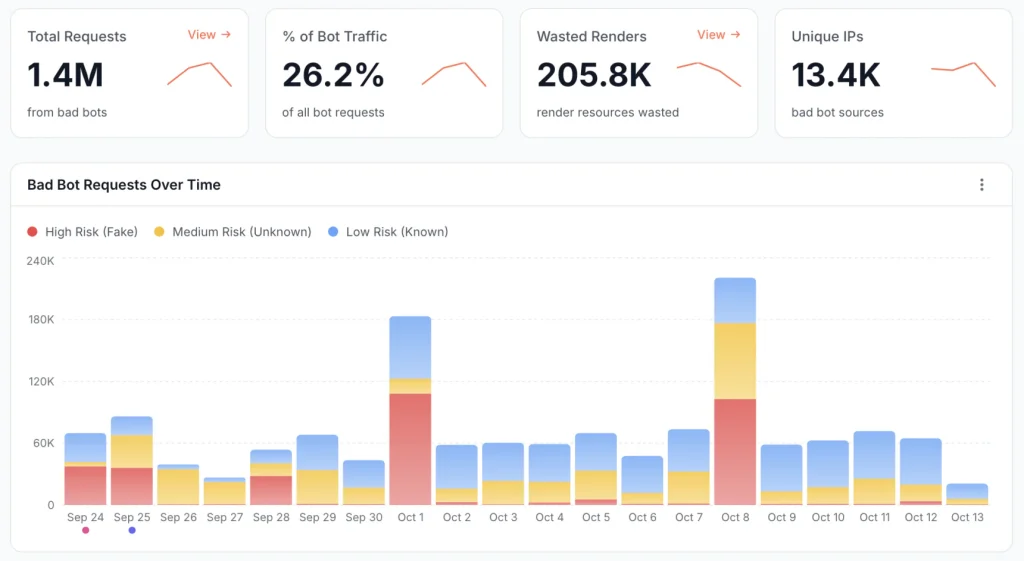
Comparing Audit Tools for AI Crawlability vs. Traditional SEO
No single tool covers all three access layers, and the gap between traditional SEO crawlers and AI crawlability checks comes down to one column: none of the free options verify that a bot is real.
First, the part that outlasts any tool list. This method is bot-agnostic. The five steps work for any AI search engine or LLM bot, including ones that do not exist yet. The moment a new crawler publishes a user agent and an IP range it slots into the same checklist: look for its name in your robots rules, check your directives, verify its IP, find it in your logs. No reason to wait for a bot-specific guide.
| Tool or method | Checks robots.txt | Checks rendered content | Verifies real bot identity | Built for AI crawlers | Best for |
|---|---|---|---|---|---|
| Assistant prompt test | Indirectly | Yes | No | Yes | A 60-second pass or fail on one URL |
| Free AI crawler access checker | Yes | No | No | Yes | Reading robots rules without parsing the file |
| Browser view-source and DevTools | No | Partial | No | No | Finding meta robots and X-Robots-Tag on one URL |
| Traditional SEO site crawler | Yes | Yes | No | No | Site-wide directive audits at scale |
| GSC URL Inspection Tool | Googlebot only | Yes | Not applicable | No | Proving exactly what Googlebot received |
| Log analysis with IP validation | Shows the effect, not the rule | If the tool records renders | Yes | Yes | Proof of what real bots actually got |
Every free checker leaves the identity column blank. They simulate a request with an AI user agent attached, testing only the rules your server applies to that header. A simulation does not reproduce the crawler’s source IP, request rate or reputation with your firewall, so it cannot clear an IP allowlist or prove the real bot reaches your origin.
That is the practical split between the two audit styles. Traditional SEO tools answer “what do my rules say?” A log-based approach answers “what did the bot receive?” You need the first to write a fix and the second to confirm it worked.
Common Reasons AI Crawlers Get Blocked Without Anyone Noticing
The blocks that survive longest are the ones nobody set on purpose, and all three below pass a casual robots.txt review. For the wider set, see the broader list of crawlability problems.
JavaScript-Only Rendering
The bot gets a clean 200 and nothing useful. Your server returns an empty shell, content loads through JavaScript afterwards, and any crawler that does not execute JavaScript stores a blank page.
This one looks fine in every access log and every status code report. The request succeeded; the content simply was not in it. Our guide to fixing JavaScript-only rendering covers the server-side and prerendering options.
CDN and WAF Rules Written for “Bots” in General
A worked example. A team adds a firewall rule blocking traffic from known data-centre IP ranges to stop scrapers. Every AI crawler runs from data centres. GPTBot, OAI-SearchBot and PerplexityBot start receiving 403s, the site drops out of AI answers over the following weeks, and robots.txt reads Allow: / the entire time.
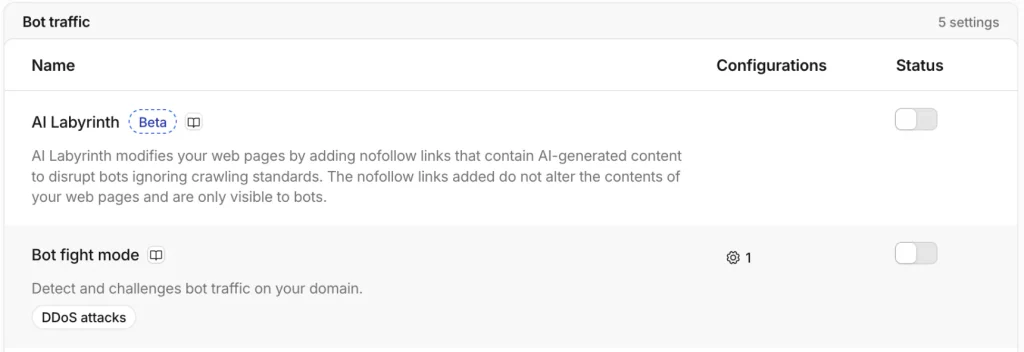
Rule order makes it worse. On most platforms broad firewall rules run before the specialised bot-management settings, so an allow decision in the AI crawler panel does not survive a wider block upstream. Audit the execution order, not only the rules.
Blanket Disallow Rules Copied From an Old Template
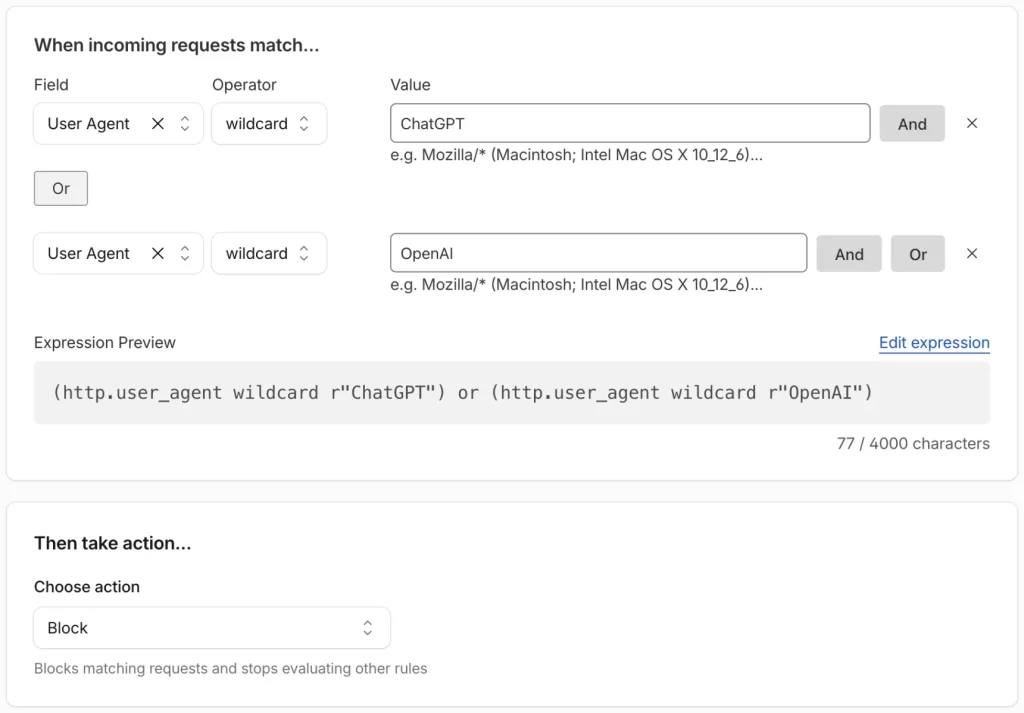
This is the most common cause I see in practice. Somebody copies a robots.txt from an older site or a staging environment, the User-agent: * / Disallow: / line rides along, and nothing catches it because the site keeps ranking on pages Google already indexed. A one-line fix and a multi-month problem.
What to Do After You Find a Blocking Issue
Decide per category, not per bot. Three defaults cover almost every site:
- Allow search and user bots.
OAI-SearchBot,Claude-SearchBotandPerplexityBotbuild the indexes behind AI answers, so blocking them removes you from citation consideration with no offsetting benefit. Same logic for user bots: a blocked user bot is a person who asked about your page and got nothing. - Decide on training bots separately.
GPTBot,ClaudeBot,CCBotandBytespidercollect data for future models, so blocking them costs no current visibility. Treat it as a licensing and bandwidth question, and write the decision explicitly intorobots.txtso a wildcard change cannot flip it by accident. - Keep sensitive paths blocked for everyone. Checkout, accounts, admin, internal search and staging stay disallowed across all bot families, and protected by authentication, because
robots.txtis not a security control.
Ship the fix and confirm it in your logs rather than in a checker: a rule change proves nothing until a verified bot fetches the page and gets a 200. After that, put monitoring on the files carrying the rule – robots.txt, CDN configuration, page templates – so the next accidental block surfaces in hours. That is the difference between catching a robots.txt break the moment it ships and finding it at your next quarterly review.
FAQ
Does blocking AI crawlers hurt my SEO?
Not in Google Search. Blocking GPTBot, ClaudeBot or Google-Extended has no direct effect on how Google ranks your pages, and Google-Extended is a training policy token that does not touch search inclusion at all. What blocking does affect is AI answer visibility: block a search bot such as OAI-SearchBot or PerplexityBot and your pages stop being eligible for citation in those assistants. Treat it as a visibility decision, not a ranking one.
Can a bot’s user agent be faked?
Yes, trivially. The user agent is a text string the requester chooses, so any script can claim to be GPTBot or Googlebot, and scrapers routinely do to get past simple filters. The only verification that holds is matching the request’s source IP against the operator’s published ranges, the check described in Step 4 above. Until that match is made, a log line naming an AI bot is a claim rather than a fact.
How often should this check be repeated?
Re-run it after every deploy that touches robots.txt, CDN or firewall rules, or page templates. Those three are where accidental blocks come from, and a full manual pass takes under an hour per template set. Between deploys, continuous monitoring on robots.txt and bot status codes beats a calendar reminder: the gap between a bad deploy and the next scheduled audit is where damage accumulates.
Does this checklist work for AI search engines or LLM bots that don’t exist yet?
Yes. The five steps test your infrastructure, not a specific bot, so they apply to any crawler that publishes a user agent and an IP range. When a new assistant launches, add its user agent to your robots rules, add its IP ranges to your verification list, and run the same pass. Nothing needs a bot-specific guide, and the Step 1 prompt test works on any new assistant the day it ships.