Since the AI revolution kicked off in 2022, Google’s AI Overviews, AI Mode, and third-party tools like ChatGPT or Perplexity have quickly become discovery channels in their own right.
Today, pages that never get a single click can still influence a purchase decision, provided they’re a source used by an AI-generated answer. This shift is exactly why an effective AI search engine indexation monitor is near the top of the 2026 wish list for SEO teams, no matter the industry.
Though it’s clear that consumers are finding businesses using AI, the available level of detail leaves a lot to be desired. Google index status, crawl activity, and now generative AI impressions are all real and measurable signals. But none of these can reliably confirm whether a page has been used, stored, or is eligible to be cited in a popular large language model’s answer.
Many SEO teams mistakenly treat an indirect signal as confirmed AI indexation, but this often leads to poor-quality reporting and an inaccurate view of a brand’s AI SEO velocity.
In this guide, we’ll separate what you can and can’t measure today, even when using an AI search engine indexation monitor, and lay out a realistic monitoring stack based on the signals that exist.
Table of contents:
- AI Indexation: What Can You Measure Today?
- What Google’s Own AI Search Signals Confirm
- What Search Console Indexation and Crawler Signals Really Prove
- Where EdgeComet Boosts Your AI Monitoring
- AI Indexation: What You Can’t Measure Today
- Why Third-Party AI Visibility Tools Estimate, Not Confirm
- Do AI Tools Have an “Indexed” List?
- How to Build an AI Indexation Monitoring Stack You Can Trust
AI Indexation: What Can You Measure Today?
Google’s own reporting via Search Console, classic indexation tools, and server logs can all equip you with real, verified data points. None of them tell you what goes on inside third-party AI models, but piece them together, and they cover a large part of what’s actually verifiable.
What Google’s Own AI Search Signals Confirm
Google Search Console’s Generative AI performance report, which you can find under Performance → Generative AI, is the only place where you can find confirmed impressions inside AI Overviews, AI Mode, and generative features in Google Discover.
Google first launched the report to a limited set of UK domains in June 2026, and steadily rolled it out to additional territories through July and August.
This report lets you break impressions down by page, country, device, and date, with options to set granularity from hourly (within the past 24 hours of accessing the report) to monthly. Though it doesn’t give you a full picture, this report is genuinely useful for spotting which URLs are surfacing in AI-generated answers, and general trends in visibility.
For now, the report also has many limitations.
The current Generative AI report shows impressions only, not clicks, and certainly not the actual prompts or queries that trigger them. The data also only goes back to May 18, 2026, with no historical backfill.
At the time of writing, the Search Console API rejects every generative-AI value passed to the “type” parameter, meaning that the data can only be exported by hand from the UI, rather than pulled into a dashboard on a schedule.
Make sure to confirm current availability and export options from Search Console before planning any workflows around this report. Google has adjusted it a lot since launch, and new capabilities could be rolled out without much public fanfare.
Along with the report, Google added an opt-out control, which you can find under Settings → Search generative AI. This allows site owners to exclude their content from AI overviews, AI mode, and generative Google Discover results, without affecting their standard organic rankings.
This simple toggle setting determines your site’s appearance in Google’s AI results. Note that this is a different setting to Google-Extended, which governs whether Google can leverage your content to train its AI models.
What Search Console Indexation and Crawler Signals Really Prove
Google’s standard indexation tools can tell you whether Google can reach and store a page, but not whether an AI system has used it. In the current climate, it’s more important than ever to understand this distinction, as “indexed” and “AI-visible” are frequently conflated by SEOs taking their first step into optimization for AI.
The URL Inspection Tool in Search Console can confirm whether a specific URL is indexed in the standard Google search index, as well as the last crawl date and any indexing issues that Google has flagged (e.g., crawled currently not indexed, discovered currently not indexed).
Meanwhile, the Index Coverage report gives you the same confirmation at scale, grouping URLs by status so that you can see excluded and error pages listed alongside indexed ones.
The Google indexing API sits apart from both, and is officially scoped to pages carrying JobPosting or BroadcastEvent structured data. Submitting an URL through it requests a priority crawl, though it doesn’t guarantee indexation for that URL, or any other content type.
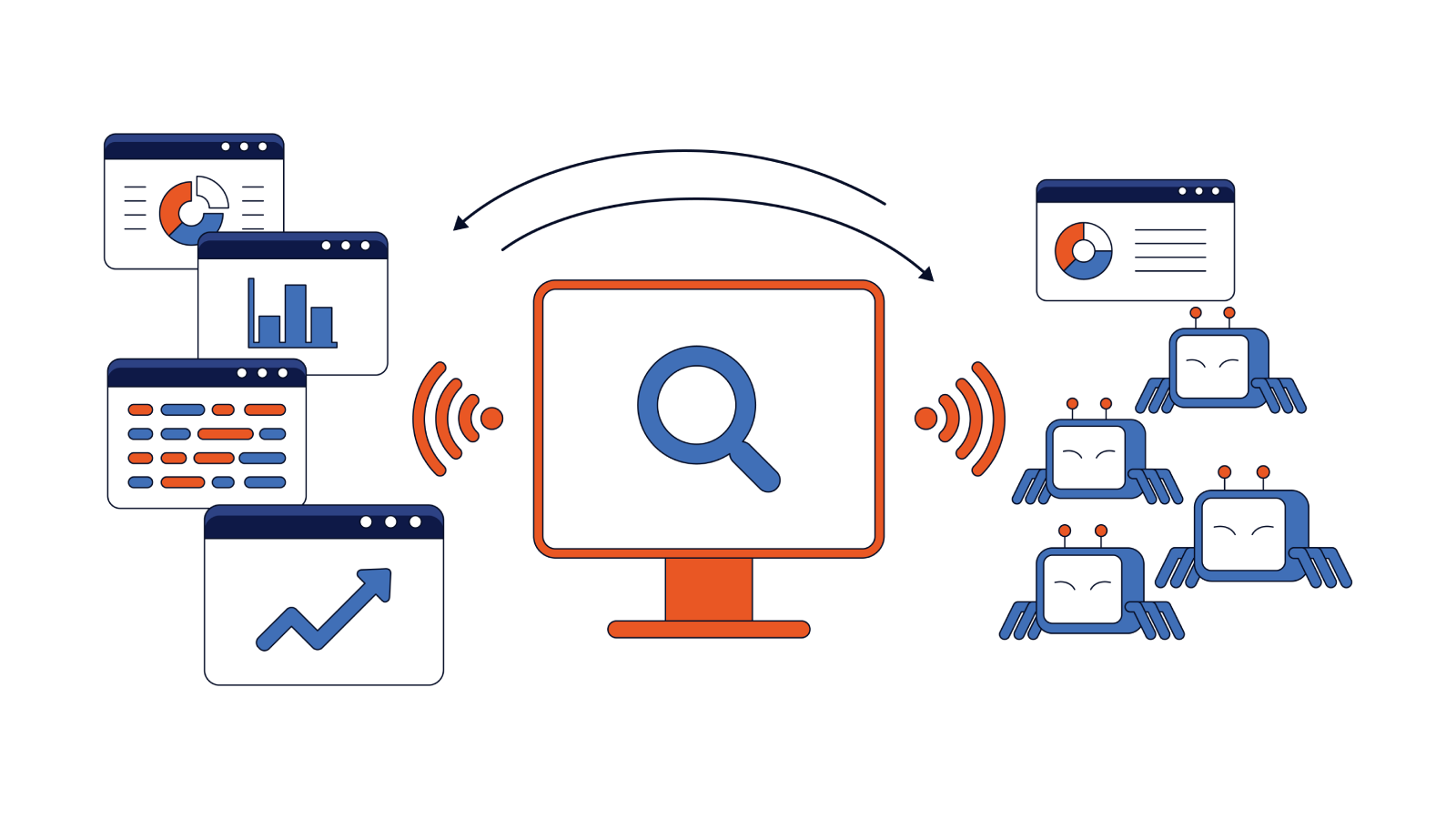
Server logs and AI crawler monitoring make up the layer that confirms whether a bot crawled a given URL in the first place, before Google or any other tools decide what to do with that content. With a properly configured log file analyzer, you can separate verified Googlebot and AI-bot traffic from spoofed user agents. This gives you an accurate picture of crawl frequency by bot type, rather than simply trusting a header string. Pair this with an SEO crawler tool, and you can confirm which of your pages are technically crawlable and free of render or blocking issues that keep bots out in the first place.
One major limit to bear in mind: a confirmed crawl simply tells you that a bot reached a page, while a classic indexation via the URL inspection tool confirms that Google stored it in its search index. Neither of these prove AI citation or eligibility.
Where EdgeComet Boosts Your AI Monitoring
This is where EdgeComet can introduce a useful crawler-side layer to your AI indexation monitoring.
Instead of relying on an estimated AI visibility score, or simulated prompt-based checks, EdgeComet’s Log File Analyzer records real requests from search engines and AI crawlers, including crawlers from popular LLM providers like ChatGPT, Claude, and Perplexity.
For SEO teams, this provides hard evidence from the crawler side, rather than another estimated AI visibility metric or the basic info in Google’s index coverage report. EdgeComet can help:
- verify whether a real AI crawler requested a specific URL;
- distinguish verified crawler traffic from spoofed or otherwise unreliable user-agent activity;
- see which pages AI crawlers requested, and how frequently they returned;
- understand which response, content, or page versions the crawler actually received;
- identify whether important pages are being accessed consistently;
- detect and flag cases where crawlers receive blocked, incomplete, redirected, or otherwise unexpected content.
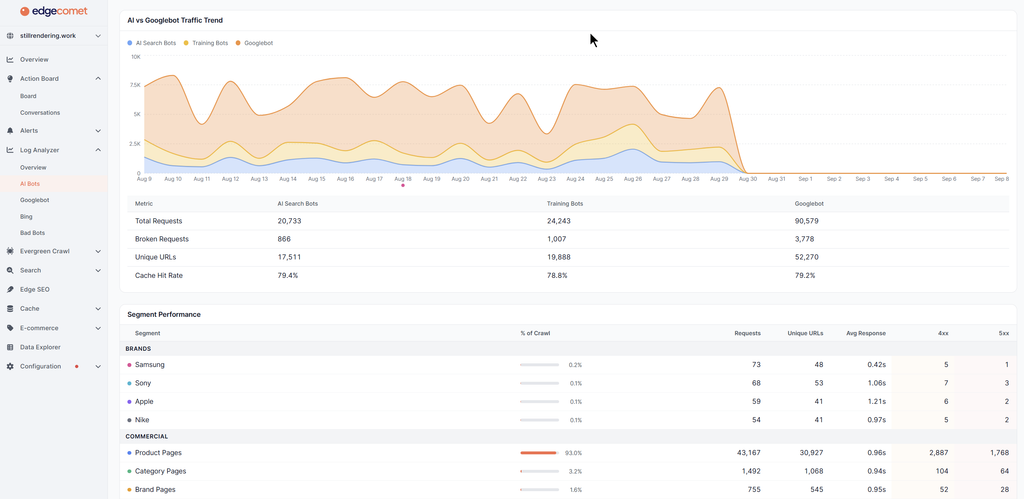
Source: EdgeComet Log Analyzer. AI Crawlers reporting
These features give your team the ability to answer a more concrete question than simply “is this page visible to AI?” and helps you build a more complete picture, looking at whether a crawler actually requested a page, how often it came back, and what it received when it crawled the content.
Though this doesn’t prove that a page was subsequently cited in an AI-generated answer, it can help you understand the technical conditions that determine whether AI crawlers access the content in the first place.
AI Indexation: What You Can’t Measure Today
No platform currently offers webmasters a confirmed, first-party view of whether their content lives inside a large language model’s index or training data. This isn’t a rollout or timing issue, but the result of a structural gap.
Do AI Tools Have an “Indexed” List?
OpenAI, Perplexity, and Anthropic provide no public page-level index status, URL submission check, or Search Console-style inspection tool. There’s also no first-party channel through which you can submit a URL and get back a firm “yes, this page is in our retrieval index” or “yes, we used this page as part of a training run.”
What you can see is crawler activity in your own server logs, and when GPTBot, PerplexityBot, ClaudeBot, and other user agents have requested pages. While this confirms a fetch happened, it doesn’t say much about what the platform did with the content afterward.
Furthermore, it’s important to bear in mind that Search Console’s Generative AI report only covers Google’s own search and AI surfaces. It doesn’t have any visibility into ChatGPT, Perplexity, Copilot, or even the standalone Gemini app, as these all run on separate retrieval and inference pipelines outside of Google Search infrastructure.
Why Third-Party AI Visibility Tools Estimate, Not Confirm
Third-party AI search visibility monitoring tools run a sample of representative prompts against given AI models on a recurring schedule, logging which brands, URLs, or domains get mentioned or cited in their responses. This is a genuinely useful directional signal. However, it’s fundamentally not a query against an index, or an observational sample.
A critical distinction here is that no mention in a given sample doesn’t mean that a page isn’t indexed or eligible to be cited. It might simply mean that:
- None of the sampled prompts happened to surface a domain.
- That a model selected a different source for those specific answers.
- That the real prompt distribution differs from the sample.
Don’t make the mistake of taking a zero-mention result as proof of total exclusion.
It helps to think of AI visibility as a funnel, with a gap in the middle stage that nobody outside of the AI company itself can see into:
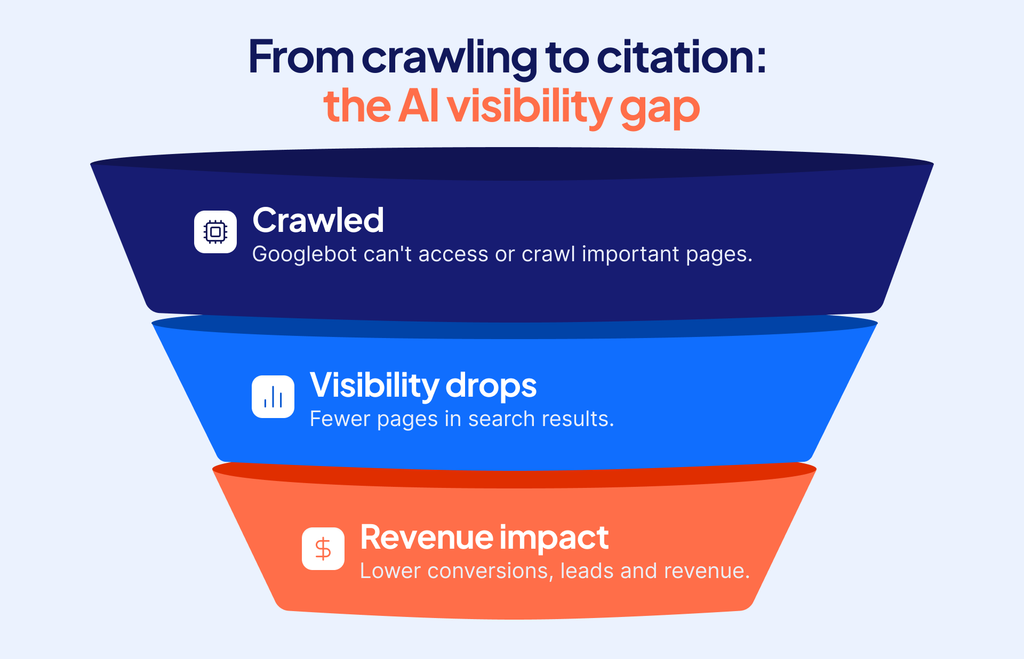
You can confirm the first stage (Crawled) through your own logs. The middle stage (Indexed/Eligible), whether a crawled page actually made it into a retrieval index or training set, is invisible from the outside. The final stage (Cited) is where third-party AI visibility tools operate, but even there they’re just sampling outcomes, not querying a verifiable source of truth.
As a category, these third-party tools are useful for identifying trends, e.g whether your AI presence for a topic is growing or shrinking over time, and how that compares across competitors. This isn’t a functional substitute for the confirmed data that Google and your own logs might provide.
How to Build an AI Indexation Monitoring Stack You Can Trust
The most realistic and useful approach to building an AI indexation monitoring stack combines a set of three confirmed data sources with one directional one, while keeping them clearly labeled to indicate what each one proves.
Be wary of mixing estimated and confirmed data into a single “AI visibility score”. This can give you and your team numbers that don’t necessarily mean what they think they mean, and lead you into poorly-informed decisions.
A reliable method to build an AI indexation monitoring stack looks something like this:
- Start with Google’s generative AI performance report for confirmed impression data on Google’s own AI surfaces, exporting data manually on a regular cadence as it isn’t yet available through the API.
- Layer in classic indexation checks, URL inspection for spot checks, and index coverage for site-wide patterns, so that you always know whether a page is in Google’s index before you troubleshoot anything that’s AI-related.
- Add server-log monitoring so you can confirm which AI crawlers are actually reaching your site, and how that traffic is trending over time. EdgeComet’s log analyzer helps teams to verify how AI crawlers reach and request important URLs, and how their activity changes over time. This empowers your team to make key decisions based on real crawler-side evidence, instead of vague estimates.
- Layer in third-party AI search visibility monitoring tools as a directional, sampled signal. Make sure that everyone’s clear this is useful for spotting trends and competitive gaps, but should never be treated as confirmed indexation data.
| Signal | Source | Confirms | Doesn’t Confirm |
| Google Generative AI performance report | Search Console | Whether a page appeared in AI Overviews, AI Mode, or AI Discover (impressions) | Clicks, prompt/query text, inclusion in ChatGPT/Perplexity/Claude |
| Classic Indexation Tools | URL Inspection, Index Coverage, and the Google Indexing API | A page is in Google’s standard search index + crawl/index status | Whether the page was cited in any AI-generated answers |
| Server Logs / AI crawler monitoring | Your own web server, validated against official bot IP ranges | Whether a specific bot crawled a page, and how often | Whether the crawled content was indexed, stored, or cited by a given platform |
| Third-party AI visibility tools | Samples prompts across AI models | The brand/URL was mentioned or cited in the sampled responses | Whether or not an unmentioned page is indexed (these tools never query a real index) |
FAQs
How to Monitor AI Search Visibility?
Combine Google’s Generative AI performance report in Search Console for confirmed AI Overview and AI Mode impressions, classic indexation checks to confirm your pages are in Google’s index at all, and server-log monitoring to confirm which crawlers are actually reaching your site. You can also layer in third-party visibility tools for directional trend data across ChatGPT, Perplexity, and similar platforms, but make sure to treat these as sampled estimates, rather than confirmed indexation.
Can Google Search Console Show Me Traffic from ChatGPT or Perplexity?
No. Google Search Console only measures the activity within Google’s own properties (Google Search, AI Overviews, AI Mode, and Discover) and can confirm issues like crawled currently not indexed, or discovered currently not indexed. Traffic from the standalone Gemini app, ChatGPT, Perplexity, and other LLMs, is referral traffic that needs to be tracked through your own web analytics tool. This will typically show up as referral traffic, although Google Analytics recently added an “AI Assistant” channel group, and other analytics tools will likely follow suit soon.
Can I Stop AI Search Engines from Indexing My Content?
Partially, yes. Google-Extended in your site’s robots.txt controls whether Google can use your content to train its AI models. Google’s Search generative AI toggle within Search Console lets you control whether your content can appear in AI Overviews, AI Mode, and Google Discover’s AI features. Blocking GPTBot, ClaudeBot, etc. in robots.txt can stop those specific crawlers from fetching your pages, though actual compliance depends on which platforms honor the directive.
Does an AI Crawler Visit Mean My Page is Indexed?
No. A verified visit by an AI crawler in your server logs only confirms that a certain bot requested and received a page. This doesn’t mean that the page was stored in a retrieval index, used for training, or made eligible to be cited in a generated answer. These later stages happen inside an AI platform’s own systems, which currently have no public way to check indexing status page by page.