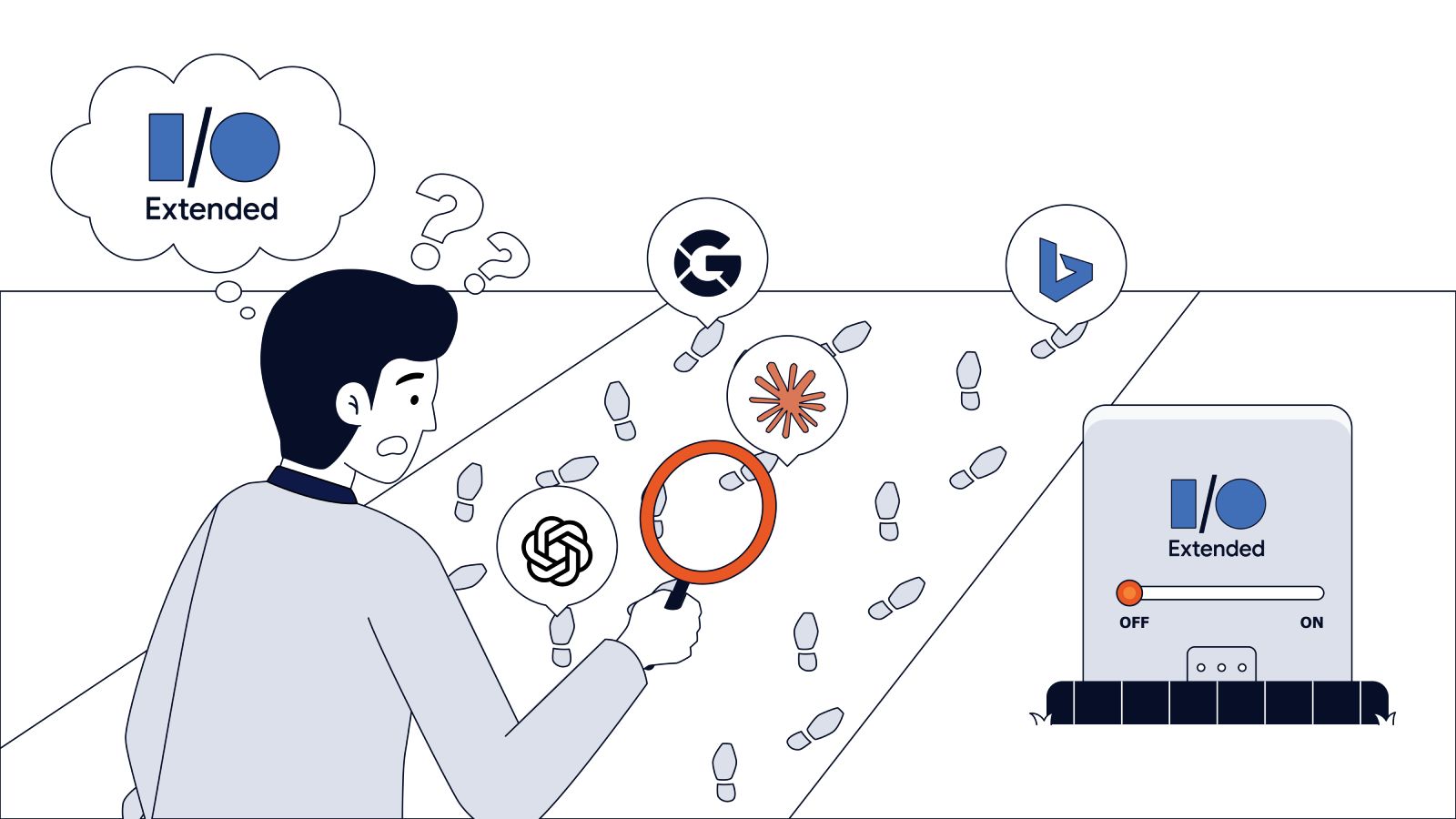
We often get this question from our customers: “Where is Google-Extended in my logs? Why doesn’t EdgeComet show it as a separate bot?”
The short answer: you won’t find it. We process server logs for sites that see millions of bot requests. In all of them, Google-Extended has never appeared as a user agent. That isn’t a gap in our reporting.
Google-Extended is not a crawler. It is a permission setting.
Once you understand that, the question stops being “where is it in my logs” and becomes “is my robots.txt set the way I want it?”
What is Google-Extended?
In 2023, Google introduced Google-Extended as a robots.txt product token. It controls whether Google may use your content to train and ground its AI models, including Gemini. It plays the same role for Google as the training-data controls play for ChatGPT and Claude.
The difference is in the plumbing. GPTBot and ClaudeBot are real crawlers with their own user agents that appear in your logs. Google-Extended has no user agent, no IP range, and no crawler behind it. It controls a permission, not a fetch.
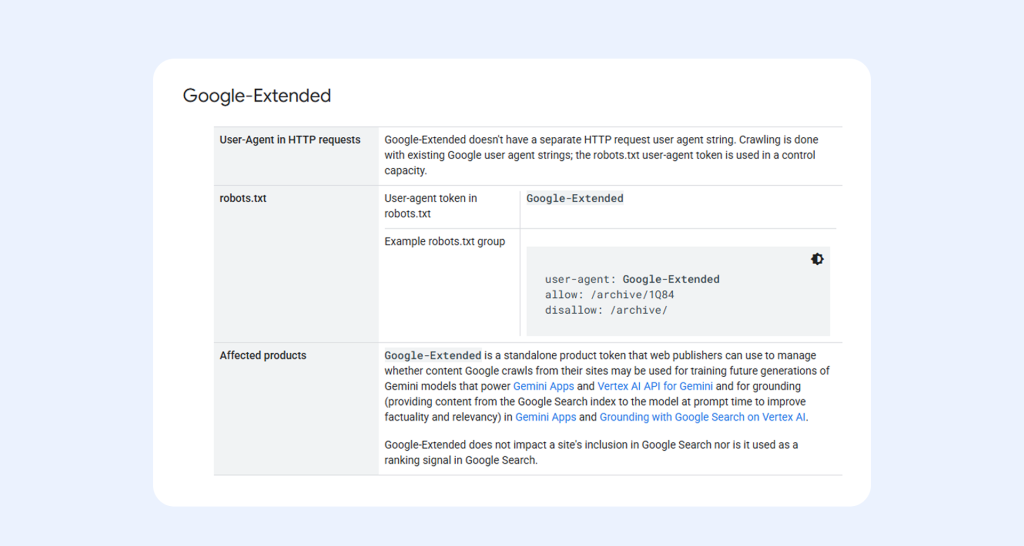
Source: https://developers.google.com/crawling/docs/crawlers-fetchers/google-common-crawlers#google-extended
Read Google’s own description in the common crawlers documentation. The consequence is there from the start: the same Googlebot Smartphone and Googlebot Desktop already in your logs do the fetching. Google-Extended just sits in your robots.txt and decides what that fetched content is allowed to be used for.
Why it Works This Way, Straight from Google
If that sounds backward, it helps to hear how Google describes its own crawling from the inside. In episode 105 of Search Off the Record, “Inside Googlebot,” Gary Illyes and Martin Splitt spend twenty minutes pulling the name apart.
Source: Google Search Central YouTube channel, Search Off the Record – Inside Googlebot (Episode 105).
Their first point: “Googlebot” is a misnomer. There’s no Googlebot.exe you double-click. Back when Google had one product, it had one crawler. Now it has many products, and they all share one piece of infrastructure.
That infrastructure is a central internal service, something close to software-as-a-service that runs inside Google with its own API endpoints. When a team wants to fetch something, it calls that service and passes a set of parameters: how long to wait, which user agent to send, and, in Gary’s own words, “what is the robots.txt product token.” Googlebot, he explains, is just one of the callers. It’s “just a name of the configuration.”
That detail is the whole point. The robots.txt product token is a parameter on a fetch, not a fetcher. Google-Extended is one of those tokens. It’s a label that governs how content can be used, sitting alongside the same shared crawl service that Search relies on.
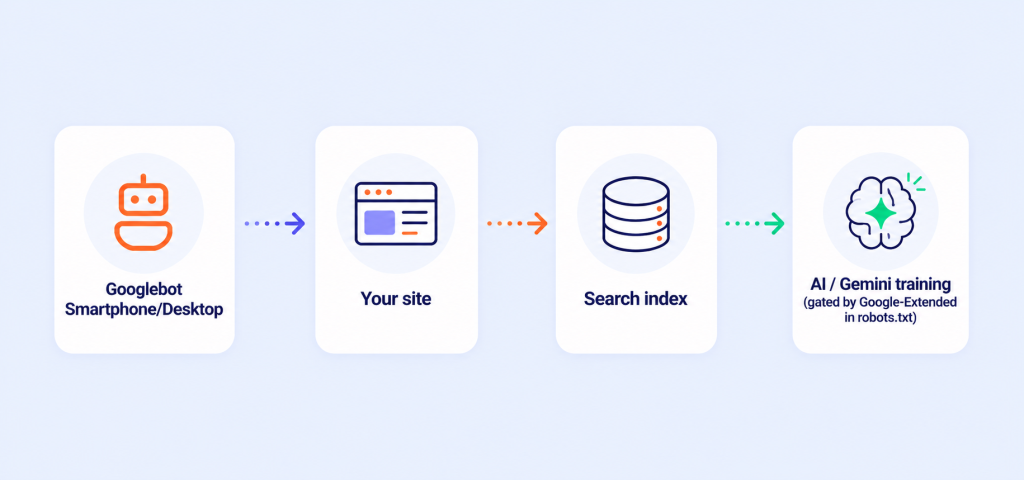
It also explains how one crawl can serve two purposes. Gary describes how aggressively Google reuses what it fetches. If one product pulled a page seconds ago, another won’t fetch it again; it reuses the copy. So Google doesn’t need a second crawler to collect training data. The Googlebot request that has already hit your server can feed both the search index and AI training, with the Extended token deciding whether that second use is allowed.
The episode makes the same point in an aside. Google’s own teams sometimes ship undocumented user agents, like Gemini’s “Google” agent, and Gary built internal alerts to catch crawlers crossing a traffic threshold. Both details confirm that a “bot” at Google is a configuration on shared infrastructure rather than a distinct program.
Here’s the shape of it:
What This Means for You
In your logs, you’ll only see Googlebot Smartphone and Googlebot Desktop. Those are the bots that actually fetch Google documents, and that you can verify against Google’s published IP ranges. There is no Google-Extended line to find, and any log tool that shows you one is inventing it.
To control AI training use, you set the token in robots.txt:
User-agent: Google-Extended
Disallow: /
Blocking Google-Extended does not affect Search crawling or your rankings. Search obeys the Googlebot token, not the Extended one. You’re turning off a permission for AI training while leaving Search exactly as it was.
This is also why our log analyzer doesn’t show Google-Extended as its own row. We segment AI bots from search bots and validate every one of them against its real source, the same way we covered in our earlier log analysis work. We can’t attribute requests to a crawler that doesn’t exist. What we point customers to instead is their real Googlebot traffic, plus the one line in robots.txt that controls AI training use.
The One Thing to Remember
Google-Extended is a switch in your robots.txt, not a visitor in your logs. Set it the way you want, and stop hunting for it in your access logs.