To view a page as Googlebot, you can use the URL Inspection tool in Google Search Console, compare raw HTML with rendered HTML in browser DevTools, run mobile-friendly and rich results tests, analyze server log files, or use a free dedicated tool like jsbug.org. Your website looks perfect in Chrome. The animations are smooth, the content loads beautifully, and everything works exactly as designed. But what does Googlebot actually see? Or, more importantly nowadays, what does ChatGPT, Claude, or Perplexity actually see? Understanding this gap is essential because crawlers often receive a stripped-down version of your page that lacks the content, metadata, and links visible to human users.
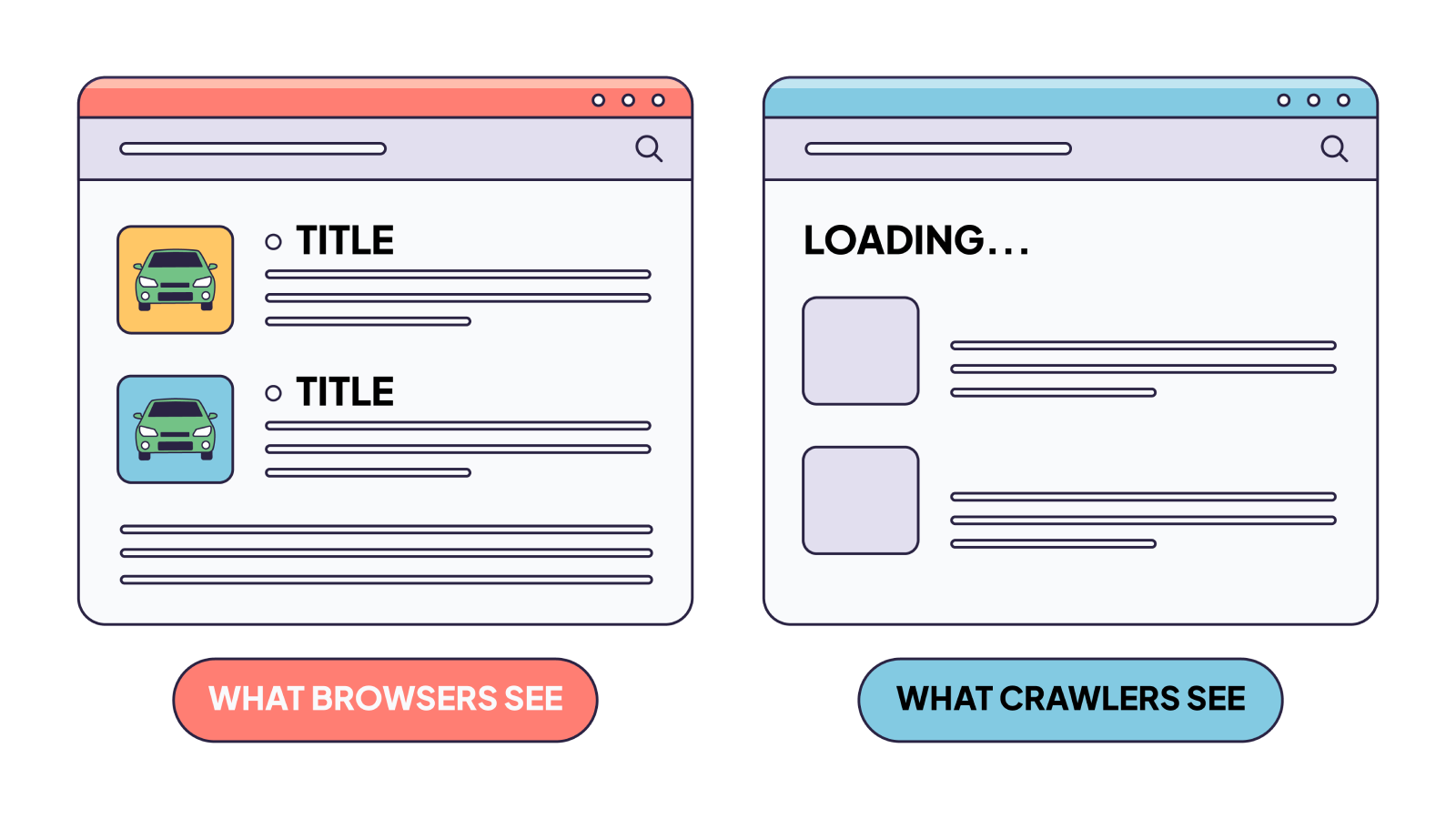
For most JavaScript-heavy websites, crawlers often see a skeleton, a shell of placeholder text and empty containers. We’ve spent years debugging this exact problem.
We built jsbug.org specifically to expose this problem and help users analyze their websites for free.
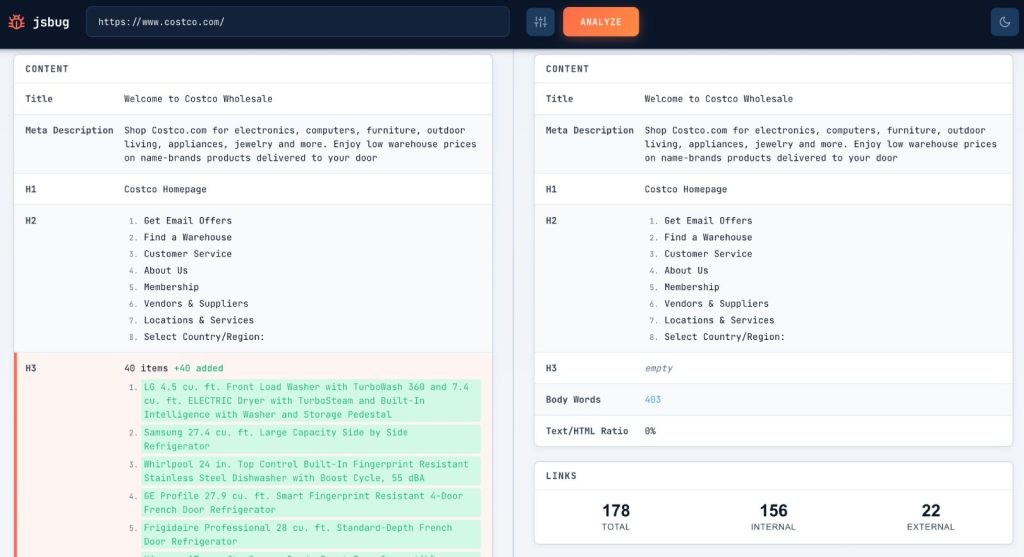
The JavaScript Rendering Gap
Modern web development has embraced client-side rendering. When a user visits your site, the server sends a tiny, almost empty HTML shell. Then, a massive bundle of JavaScript downloads, executes, fetches data from an API, and finally constructs the DOM (Document Object Model).
The problem is that browsers and crawlers operate under completely different constraints.
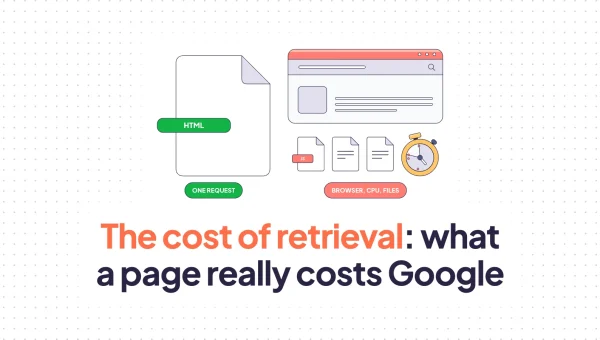
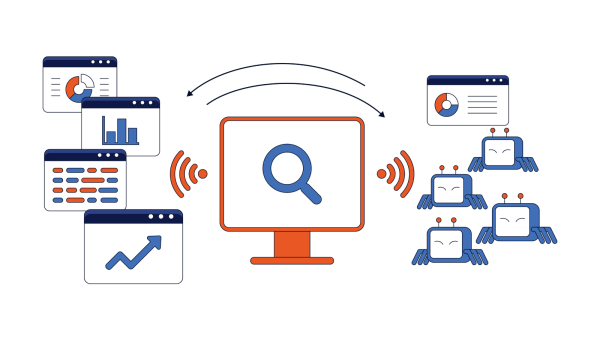
When a browser visits your page, it has time, memory, and CPU cycles to use. It can wait for API calls, execute scripts, and render a complex DOM. But crawlers need to process billions of pages. They can’t afford to spin up a full browser environment for every URL they encounter.
Rendering a JavaScript-heavy page in a headless browser can take 30 seconds or more, compared with less than a second to fetch raw HTML. A browser session uses roughly 100x more RAM and 10x more CPU than a simple HTTP fetch for the same page.
This isn’t a theoretical concern. If your homepage shows 2,000 words of content in Chrome but only 50 words in the raw HTML source, you have a rendering gap. And that gap determines what crawlers can actually index.
5 Ways to View a Page as Googlebot
Before you can fix what crawlers see, you need to see it yourself. There are several reliable ways to view a page as Googlebot and compare it with the user-facing version. Below are five practical methods, from official Google tools to free third-party solutions.
URL Inspection tool in Google Search Console
The URL Inspection tool is the most direct way to see what Googlebot sees. Enter any URL from your property, and Google will show you the live test result including the rendered HTML, screenshot, and crawl status. You can toggle between the raw HTML response and the rendered DOM after JavaScript execution. This is especially useful for SPAs and dynamic pages where content loads asynchronously. The tool also flags indexing issues, mobile usability problems, and structured data errors that may be invisible in a normal browser.
View Source vs. rendered HTML in browser DevTools
Your browser’s DevTools offer a quick, zero-setup way to compare what crawlers might receive. Right-click and select “View Page Source” to see the raw HTML sent by the server. Then open DevTools, go to the Elements tab, and see the fully rendered DOM after JavaScript runs. If critical content, headings, or links exist only in the rendered DOM and not in the raw source, non-rendering crawlers will miss them. This method is fast and free, though it doesn’t replicate an actual crawler user agent or rendering queue.
Mobile-friendly test and rich results test
Google’s Mobile-Friendly Test and Rich Results Test are public tools that let you inspect any URL without verifying ownership in Search Console. Both tools render JavaScript and show the rendered HTML, which makes them useful for checking how Googlebot processes your page. The Mobile-Friendly Test also highlights mobile usability issues, while the Rich Results Test validates structured data. These tools are helpful when you need to check a competitor’s page, a client’s site, or any URL where you don’t have Search Console access.
Log file analysis and crawl stats
Server log files record every request made by Googlebot, including which URLs were fetched, which status codes were returned, and how often the bot visits. By analyzing logs, you can see whether Googlebot is even reaching your JavaScript files, how much time it spends on different page types, and whether certain sections of your site are being ignored. Google Search Console’s Crawl Stats report complements this by showing crawl volume, response times, and host status. Together, logs and Crawl Stats help you understand not just what Googlebot sees, but how aggressively it is crawling your site.
Free tools like jsbug.org
Dedicated rendering analysis tools like jsbug.org are built specifically to expose the gap between what users see and what crawlers receive. These tools fetch your page with different user agents, compare raw and rendered HTML, and highlight missing content, metadata, or links. They are ideal for quick audits, ongoing monitoring, and sharing reports with developers or stakeholders. Because they focus on crawler visibility rather than general performance, they can catch rendering issues that broader SEO tools miss.
Why Googlebot and AI Crawlers See Different Content
Not all crawlers behave the same way. Understanding their differences is critical to diagnosing visibility problems.
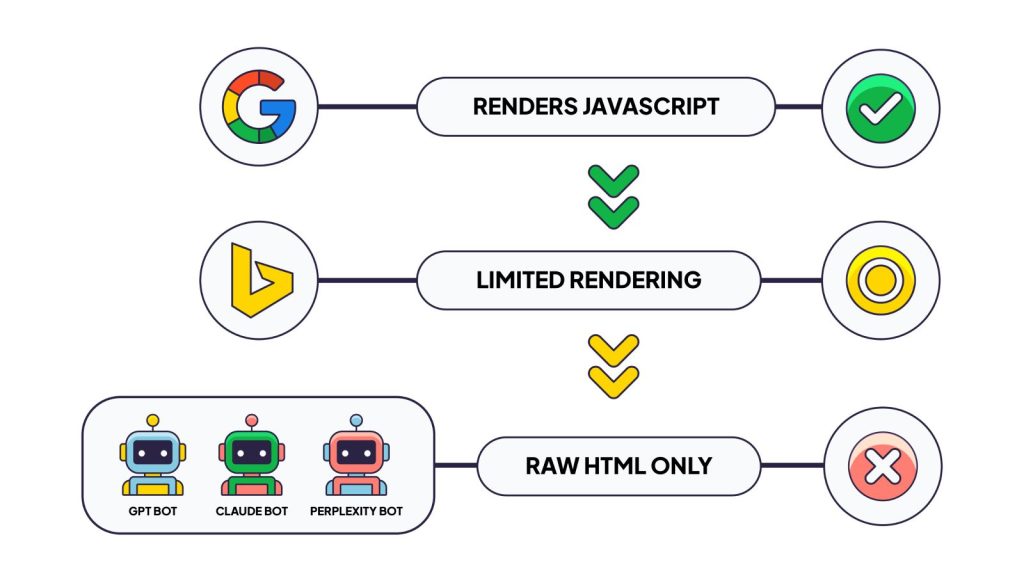
Google: Renders JavaScript, But With Constraints
Google operates the most sophisticated web crawling infrastructure. Their Web Rendering Service (WRS) uses an evergreen headless Chromium to execute JavaScript and build the full DOM.
But Google’s rendering isn’t free, and the modern story is less about delayed indexing than about whether Google decides to render your page in the first place. The old “two-wave” model, where Google would index the raw HTML now and render later, has largely collapsed. Rendering today usually happens within minutes of crawl. What still varies is whether the page clears Google’s prerequisites for rendering at all.
Before sending a page to the Web Rendering Service, Google reads the raw HTML and checks a few gates: the response must be 200 OK, the page must not carry a noindex directive, and the canonical must point at a renderable URL. If any gate fails, Google doesn’t spend rendering resources on the page, and anything your JavaScript would have added never gets seen.
Still, Google operates within resource limits. Pages with total resource payloads exceeding 2MB approach a danger zone for rendering reliability. Content that takes more than 3-5 seconds to appear after initial page load risks being missed entirely.
The transition to mobile-first indexing (completed in July 2024) adds another layer: all indexing now relies on what a mobile user agent sees. Content inaccessible on mobile becomes permanently unindexable.
Bing and Other Search Engines: JavaScript Rendering With Limits
Bingbot has been able to render JavaScript since October 2019, when Microsoft announced it was adopting Microsoft Edge as the rendering engine for Bingbot. The new evergreen Bingbot user-agent, which uses this modern Chromium-based infrastructure, became fully live in February 2023. This means Bingbot can execute JavaScript and build the DOM, much like Googlebot. However, Bing may still handle certain modern frameworks, dynamic content patterns, or resource-heavy pages differently than Google. Smaller search engines and niche crawlers often have more limited rendering capabilities and may rely primarily on raw HTML. The safest approach is to ensure your critical content, metadata, and navigation are available in the initial HTML response so all crawlers can access them regardless of their rendering sophistication. (Sources: Search Engine Journal; Search Engine Land).
How AI crawlers handle JavaScript
Many major AI crawlers do not execute client-side JavaScript, though their behavior varies by platform and use case. Research published by Vercel and MERJ in December 2024 found that GPTBot, ClaudeBot, Meta-ExternalAgent, Bytespider, and PerplexityBot do not render JavaScript, instead fetching only raw HTML and treating JS files as static text in some cases. A separate analysis by SearchVIU in November 2025 tested 23 AI crawlers and concluded that approximately 69% cannot execute JavaScript. Genbox confirmed similar findings in April 2026, noting that most AI search crawlers parse raw HTML only. However, there are exceptions: Google’s Gemini leverages Googlebot’s infrastructure with full JavaScript rendering, and Apple’s AppleBot also executes JavaScript. The key takeaway is that AI crawler capabilities are evolving, but as of the latest verified tests in 2025-2026, the majority of high-volume AI crawlers remain non-rendering. (Sources: Vercel / MERJ Research, Dec 2024; SearchVIU Analysis, Nov 2025; Genbox Experiment, Apr 2026).
The traffic from these bots is substantial. GPTBot and ClaudeBot combined generate roughly 28% of the request volume that Googlebot produces. As AI-powered search grows through ChatGPT, Claude, Perplexity, and others, content that’s invisible to these crawlers becomes invisible in AI-generated answers. Understanding how these bots interact with your website often requires a log file analyzer that can reveal which pages they visit and how frequently they return.
If your content only exists after JavaScript execution, it won’t appear in AI search results. It won’t train future models. It won’t be cited when users ask questions that your content could answer.
What Breaks When Crawlers Can’t Render JavaScript
The rendering gap doesn’t affect everything equally. Certain elements are particularly vulnerable. Below are the five critical areas where rendering failures cause the most damage, along with the real-world consequences we’ve observed across client sites.
Core Content Not Visible
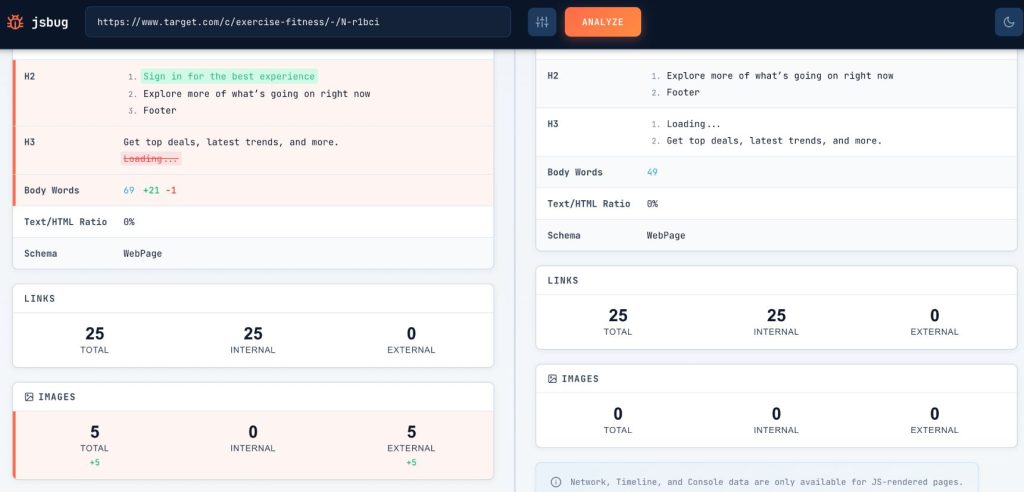
This is the most obvious failure. Your product descriptions, article text, or service information are available only after JavaScript loads data from an API. Crawlers see empty containers or “Loading…” placeholders. The actual content that should be indexed simply doesn’t exist in what they receive.
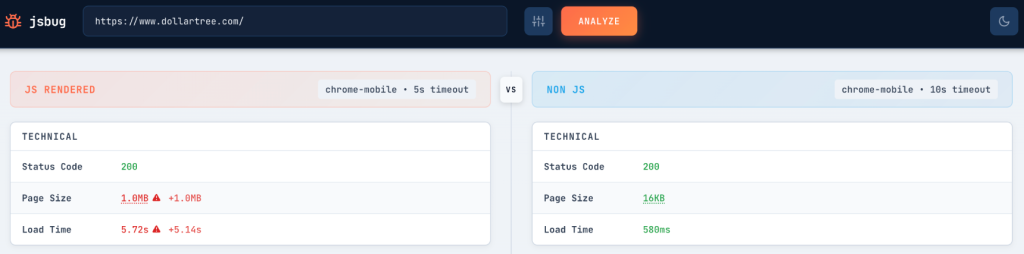
The real-world impact is immediate: pages with high-quality content fail to rank because search engines index a thin, incomplete version of the page. Low word count, missing headings, and absent keywords, all the signals that help pages rank, are simply not there. You may have invested heavily in content, but if it only exists after JavaScript execution, search engines may never see it.
Metadata Missing
Title tags and meta descriptions are critical for both rankings and click-through rates. If your framework injects these via JavaScript, common in single-page applications, crawlers may index your page with a generic or missing title.
Google’s system defaults to whatever metadata exists in the raw HTML if rendering fails. A page indexed with “Loading…” as its title won’t attract many clicks.
In practice, this means lower organic CTR, weaker brand presence in search results, and missed opportunities to communicate relevance to users before they even click. For large sites with thousands of SPA pages, this issue scales quickly and can depress overall organic traffic.
Links Not Crawlable
JavaScript-based navigation can break link discovery entirely. If your internal links rely on click handlers rather than proper <a href=""> tags in the HTML, crawlers can’t follow them. This affects how search engines discover new pages and understand your site’s structure.
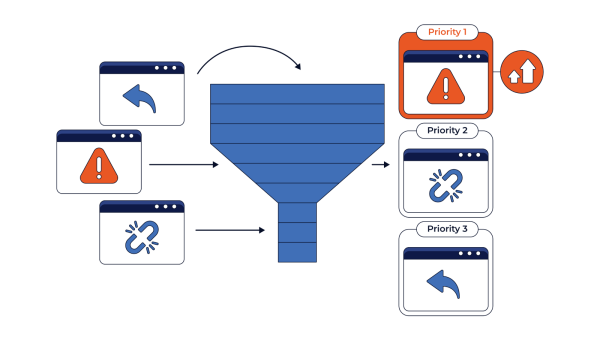
The crawl budget implications are significant. If Googlebot can’t discover pages through normal link-following, those pages may never get indexed at all.
We’ve seen cases where entire sections of a website remained unindexed because the main navigation was built with JavaScript event handlers instead of standard anchor tags. The pages existed, were well-designed, and had valuable content, but crawlers had no path to find them. Fixing the navigation to use semantic HTML links often leads to a sudden surge in indexed pages within weeks.
Structured Data Invisible
JSON-LD structured data tells search engines what your content means, product prices, article authors, FAQ answers, recipes, and events. If this markup is injected via JavaScript, it may not be present when crawlers process your page.
Missing structured data means missing rich snippets. Your product pages won’t show star ratings in search results. Your FAQ content won’t appear in featured snippets. The competitive disadvantage compounds over time.
Beyond search, invisible structured data also hurts AI visibility. When AI crawlers fetch raw HTML and find no schema markup, they lack the semantic context that helps them understand your products, services, and content relationships. Rich snippets disappear from Google, and your content becomes harder for AI systems to interpret and cite accurately.
Social Sharing: The Forgotten Problem
There’s another category of crawlers that often reveals rendering problems first: social media bots.
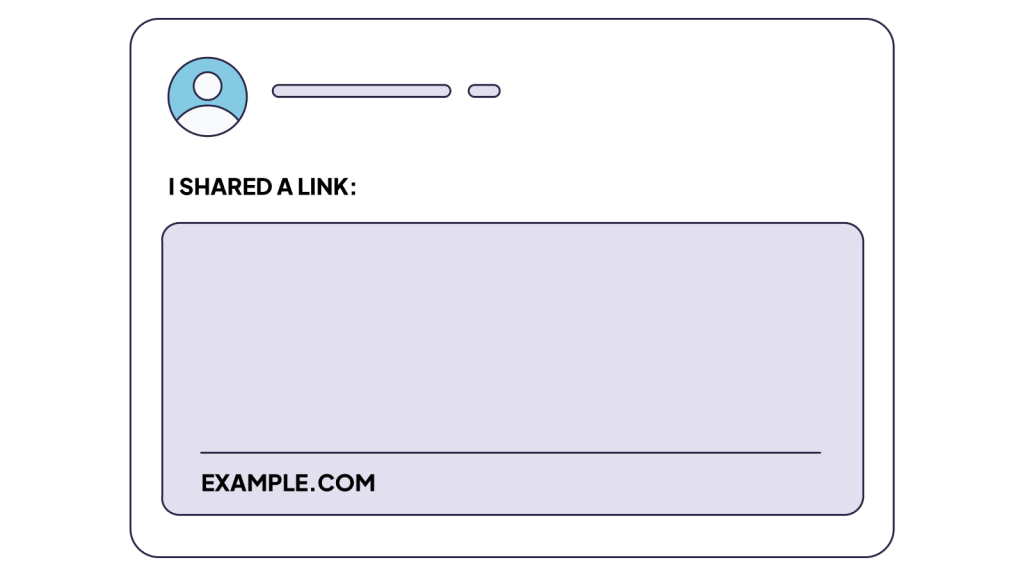
When someone shares a link on Twitter/X, LinkedIn, Slack, or Discord, those platforms fetch your page to generate a preview. Every single one of these operates without JavaScript execution. They grab the raw HTML, extract Open Graph tags, and display whatever they find.
If your og:title, og:description, and og:image tags are injected via JavaScript, these platforms see nothing. The shared link appears blank or displays generic fallback text. It’s immediately visible when you share your own content and wonder why the preview looks broken.
This makes social sharing failures an excellent canary for broader rendering problems. If Twitterbot can’t see your metadata, neither can GPTBot, ClaudeBot, or PerplexityBot. The same architectural issue affects all of them.
The business impact extends beyond SEO. Every link shared on LinkedIn, Twitter, or Slack with a broken preview is a missed opportunity. Colleagues share your content internally, but the preview shows nothing compelling. The click never happens. Social sharing underperforms, referral traffic drops, and your content fails to reach audiences that would otherwise engage.
Since many rendering issues don’t produce obvious user-facing errors, they can persist for weeks before anyone notices. SEO alerts can help teams identify visibility problems sooner and respond before they affect rankings or organic traffic.
Real-World Impact
We’ve seen the consequences of the rendering gap extend far beyond technical curiosity.
Pages don’t rank despite quality content. You’ve invested in excellent articles, product descriptions, or documentation. But if that content exists only after JavaScript execution, search engines may index a thin version of the page. Low word count, missing headings, and absent keywords, all the signals that help pages rank, are simply not there.
Rich snippets disappear. Without structured data in the indexed version of your page, you lose the visual enhancements that drive clicks: star ratings, price ranges, FAQ accordions, recipe details.
AI assistants can’t answer questions about your offerings. When someone asks Claude or ChatGPT about your product category, your content isn’t in the training data or retrieval corpus. You’re invisible to an entire emerging search channel.
Crawl budget gets wasted. Heavy pages that fail to render properly consume Googlebot’s resources without providing indexable content. This is particularly damaging for large sites where crawl budget allocation already matters.
Social sharing underperforms. Every link shared on LinkedIn, Twitter, or Slack with a broken preview is a missed opportunity. Colleagues share your content internally, but the preview shows nothing compelling. The click never happens.
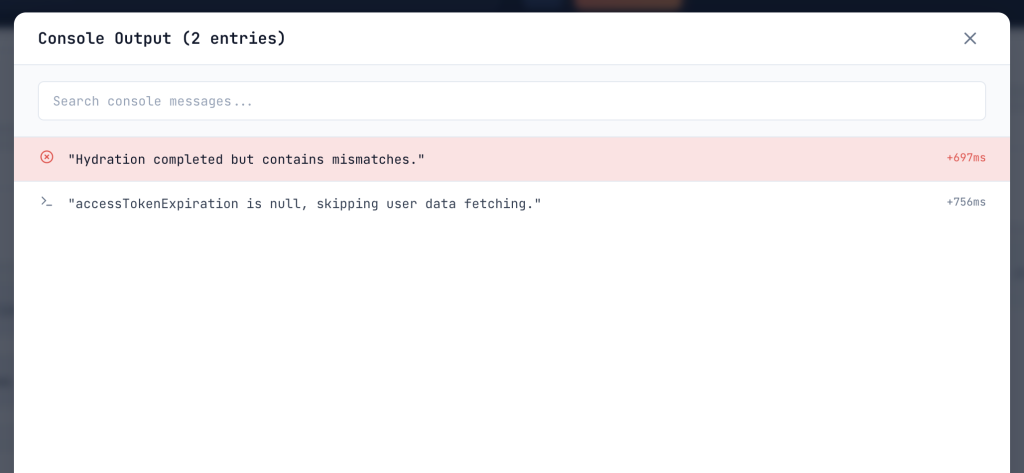
How to Check Your Site
Diagnosing these issues doesn’t have to be complicated. We’ve put together a comprehensive guide on the most common symptoms of rendering failures.
Read 8 JavaScript Red Flags That Harm Your SEO (And How to Find Them) to learn how to audit your site in just a few minutes and to see what Googlebot actually receives by comparing your raw HTML with the rendered DOM.
For a quick and easy check, you can use jsbug.org, a free tool that shows you exactly what crawlers see by comparing the raw HTML with the rendered page. It highlights missing content, metadata, and broken links in seconds. jsbug.org is free and open source, our contribution to the community. The same philosophy drives EdgeComet, the rendering infrastructure we’ve built to solve these issues at scale.
For ongoing monitoring, you can also view your page as Googlebot through continuous crawl services that alert you when rendering changes break crawler visibility.
Does Googlebot Render JavaScript?
One question that comes up in almost every rendering audit is whether Googlebot can execute JavaScript or whether all bots simply read static HTML. The answer shapes every technical SEO decision that follows.
Yes, Googlebot does render JavaScript. Since 2019, Google has used an evergreen headless Chromium engine in its Web Rendering Service (WRS), which means it can execute JavaScript, fetch API data, and build the full DOM just like a modern browser. However, rendering is not guaranteed for every page. Google applies several gates before sending a page to the renderer: the page must return a 200 OK status, must not have a noindex directive in the raw HTML, and must have a valid canonical tag pointing to a renderable URL. Additionally, Google imposes resource limits. Pages with total resource payloads over 2MB or content that takes more than 3-5 seconds to appear after the initial load may be rendered incompletely or not at all. The safest strategy is to ensure your most important content, metadata, and internal links are present in the raw HTML, and use JavaScript only for enhancements rather than core content delivery.
FAQ
Why do crawlers see a different version of my website than users?
Browsers download and execute JavaScript to build the final page, while many crawlers fetch only the raw HTML or have limited rendering resources. If your content loads dynamically via API calls or client-side scripts, crawlers may receive an empty or incomplete page.
What is the fastest way to check what Googlebot sees?
The fastest way is to use the URL Inspection tool in Google Search Console. It shows both the raw HTML and the rendered HTML for any URL on your verified property, along with a screenshot and indexing status.
Can Bing render JavaScript like Googlebot?
Yes. Bingbot has been able to render JavaScript since 2019 using a Microsoft Edge-based engine, and the modern evergreen user-agent has been fully live since February 2023. However, Bing may still handle some frameworks and dynamic patterns differently than Google.
Do AI crawlers like GPTBot and ClaudeBot execute JavaScript?
As of the latest verified tests in 2025-2026, most major AI crawlers including GPTBot, ClaudeBot, and PerplexityBot do not execute client-side JavaScript. They typically fetch only raw HTML. Exceptions include Google’s Gemini (via Googlebot) and Apple’s AppleBot.
What should I do if my structured data is injected by JavaScript?
Move critical structured data into the raw HTML response, either through server-side rendering or static generation. This ensures all crawlers, including non-rendering AI bots and social platforms, can read your schema markup.