Agency SEO work can be quite monotonous. You spend tons of time on analysis and calls with clients about priorities and strategy, and in the end you deliver a Google Doc or a set of Jira tickets.
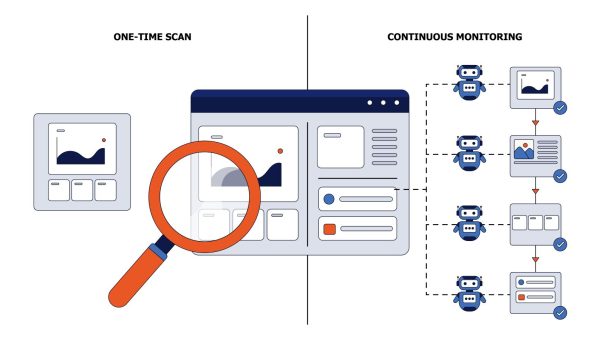
Behind each of those documents are two weeks of crawling, Search Console exports, and spreadsheet joins, distilled into a few hundred problems with a priority column. The client reads it once, forwards the technical half to their developers, and from that moment the fixes live in a dev queue you can’t see, somewhere behind a checkout redesign.
You’re paid for finding things and then judged on outcomes you’re not allowed to touch.
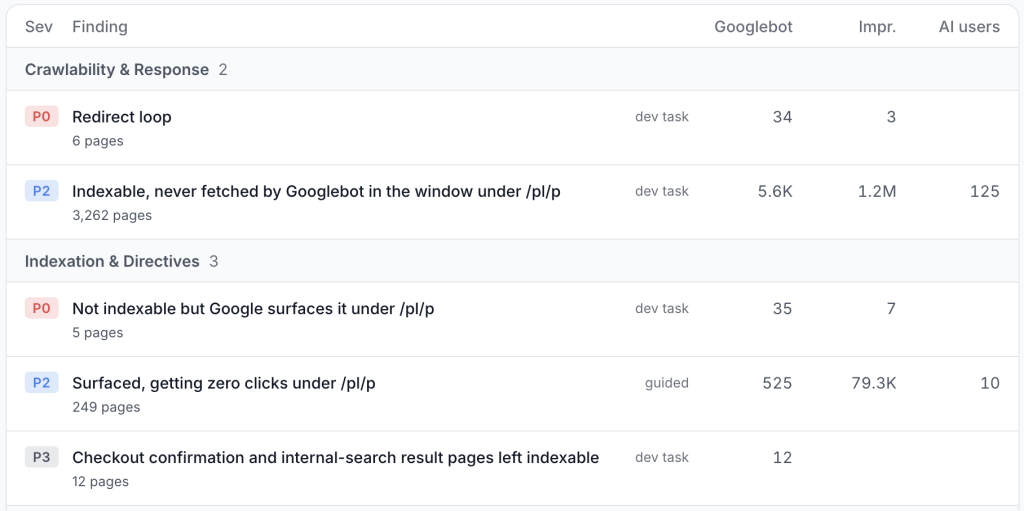
The Action Board is our approach to helping you with that. It builds a deep understanding of the website, its traffic history, and your interactions with it, then turns that understanding into ranked issues with fixes drafted and staged for deployment at the edge. Your audit ends with changes live on the site, not with a document waiting in someone’s backlog.
What the Action Board Runs on
The findings are only as good as the feed underneath them, so I want to be specific about what that feed is.
EdgeComet sits in the bot request path, which means we record what Googlebot, Bingbot, GPTBot, ClaudeBot, and the rest actually received, not what our own crawler saw when it last ran. We capture around 90 fields per request, reduced per URL to an SEO digest: title, meta, canonical, robots directives, structured data types, headings, word count, link and image counts, hreflang, status, render and serve time, JavaScript errors.
Three more sources sit on top of that:
- Google Search Console, per URL and per query, clamped to Google’s own reporting lag.
- The live rendered page. The agent can fetch any URL through our serving pipeline and read exactly what a bot receives, with JavaScript executed.
- Custom extractions. Whatever matters on that specific template, pulled off the rendered page: price, stock status, item count in a listing, review count, author, publication date.
Segments cut across all of it, so a check can run against one template or path family instead of the whole site.
The interesting findings are the ones that need two of those feeds at once. “Noindex pages that Google is still sending clicks to” can’t come from a crawler, because a crawler has no Search Console, and no Search Console tool can produce it either, because that tool never saw the robots directive. It needs both feeds keyed to the same pages, which is a capability we have that other tools structurally don’t.
The principle: the AI chooses what to look at, the engine computes every number
There are a lot of controversial opinions about AI in SEO, and most of the bad ones come from the same mistake: a model on autopilot, asked a vague question about a site it can’t see.
What works is narrower. Give a model complete, current data about one specific site, plus tools that query that data rather than guess at it, and it becomes very good at the genuinely mechanical part of the job: sifting a large population of facts and telling you which ones are unusual. It isn’t deciding your strategy. It’s reading more of your data in ten minutes than you would in a week.
An analysis run has two planes over one worklist.
The first is deterministic detection, with no model involved and no per-finding cost. It runs first and unconditionally across the whole site, computing every check in the catalog directly from the data. Tens of built-in checks, grouped into six themes:
| Theme | Examples |
|---|---|
| Indexability | Noindex pages still earning Google clicks, missing canonical, canonical mismatch, broken pages |
| Content quality | Missing meta description, missing H1, duplicate titles, missing image alt text, thin internal linking |
| Search performance | High impressions with low CTR, striking distance (positions 11-20), cannibalization, traffic decay |
| Catalog health | Thin listing pages, near-empty listings, missing price, out of stock and indexed, thin or stale articles |
| Crawl budget | Crawl-frontier waste: AJAX endpoints, tracking-parameter families, widget calls |
| Custom | Whatever your own skills detect |
The second is the agentic plane. Sub-agents explore the site and find things the fixed catalog doesn’t cover; they can narrow a finding or dismiss a false positive, and they can record something new the catalog never looked for.
What they can’t do is invent a number. Every count on the board is computed server-side from that query and recomputed on the next run.
In other words, the model decides what’s worth looking at and how to describe it, and the engine decides the numbers. That separation lives in code rather than in a prompt, and it’s the reason the board’s backbone still exists if the model budget runs out mid-run.
From a Finding to a Deployed Fix
Implementation is where the time actually goes, and it’s the half of the product that makes the other half worth having.
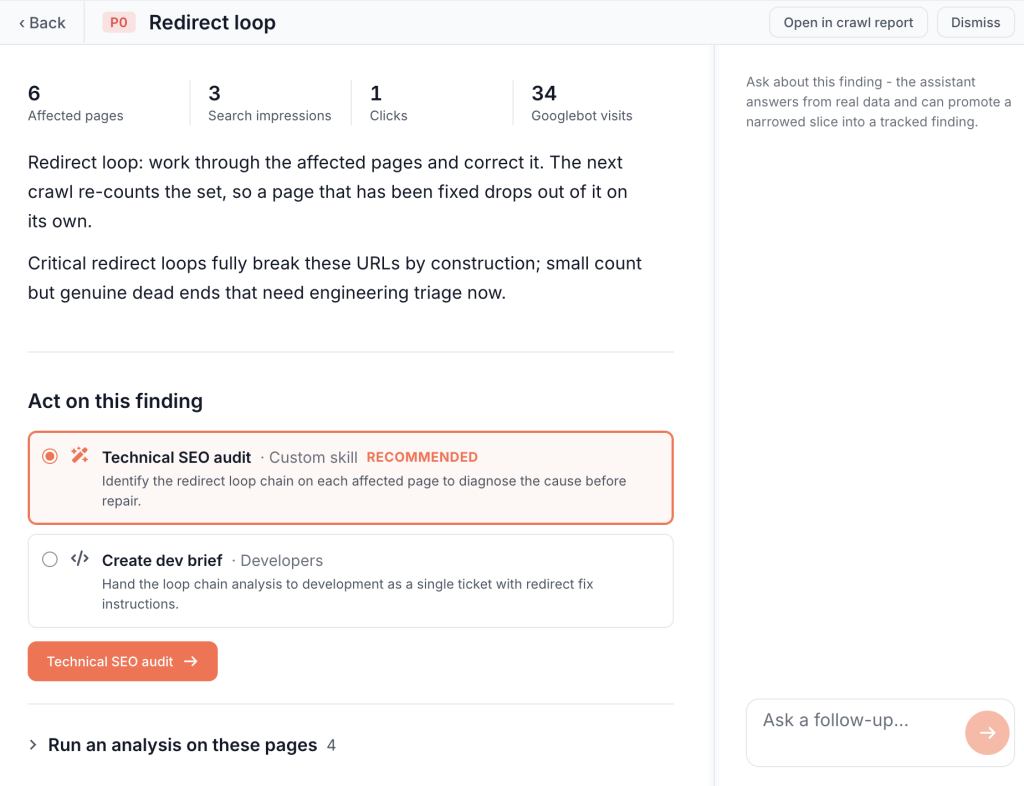
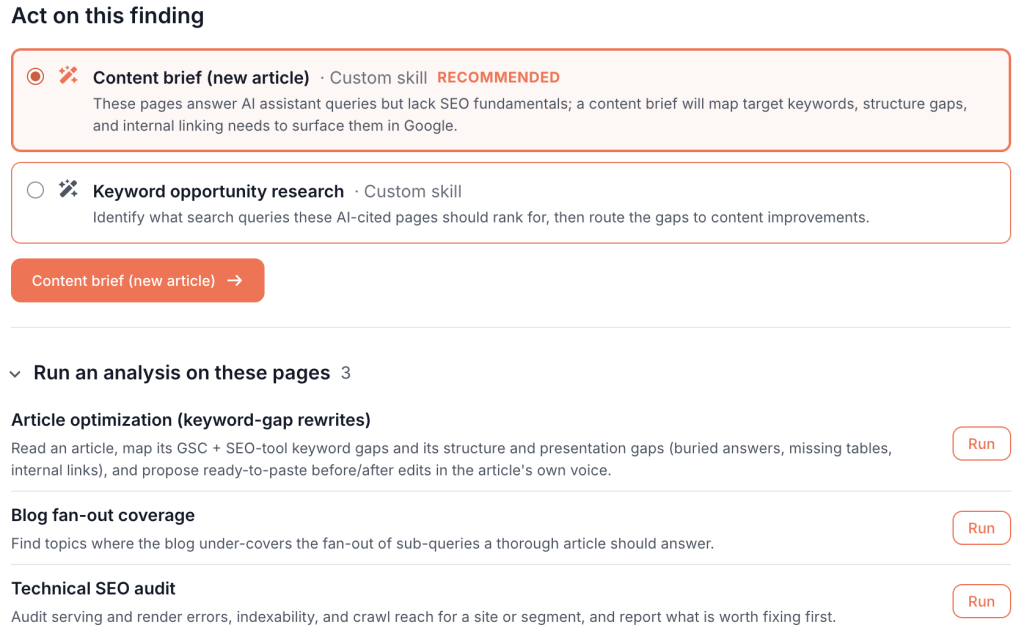
Open a finding, and you’ll see a panel called “Act on this finding”: five routes, with one marked as recommended.
| Route | What it produces | Where it lands |
|---|---|---|
| Fix it now | Drafted title and meta description rewrites, one per URL | Draft rules in Edge SEO |
| Fix it now, scoped | One pattern-based rule instead of thousands of per-URL drafts | A single Edge SEO draft rule |
| Brief a writer | Per-page content briefs | A downloadable document bundle |
| Hand off to developers | A developer brief with every affected URL attached | A downloadable document bundle |
| Just track it | Nothing. A task to track manual work | Task list |
Take the most common large-catalog gap: 340 product pages where the template never filled the meta description.
By hand, you’d export the list, write the descriptions in a spreadsheet or a ChatGPT window, then paste them into the CMS one product at a time. You get through forty before something urgent comes in from another client, and the remaining three hundred are still empty two weeks later. Nobody decided to abandon them.
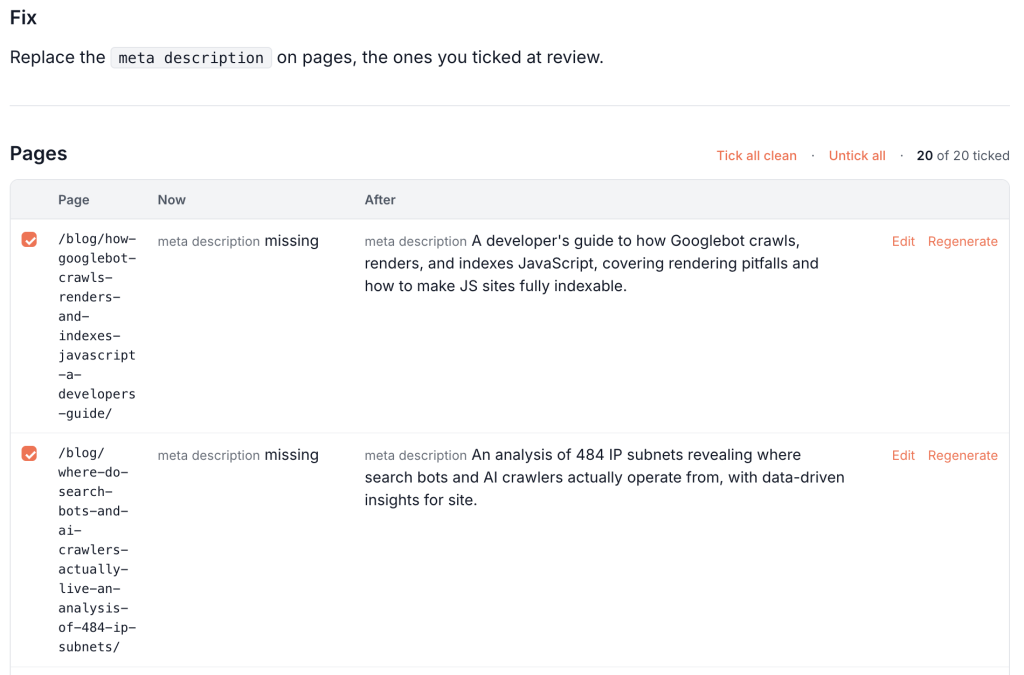
On the board, you choose “Fix it now”, type one line of guidance, and start the run. It grounds every draft in that page’s real Search Console queries and body content, then stops at review; it never writes to a live site.
The review screen decides whether this is useful. Each row is a before/after diff with a length meter and flags for anything empty, unchanged, over length, or still holding a placeholder token; “Approve all clean” handles everything the flags didn’t catch.
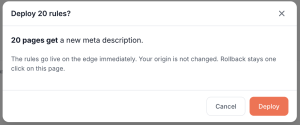
The approved batch lands in Edge SEO as draft rules, badged “Action Board” and linked back to the finding. You preview any URL with a word-level diff, check the blast-radius estimate, and deploy. Live in minutes, with no client codebase involved. Canonicals and robots directives work even better: one scoped rule covers the whole population instead of thousands of per-URL drafts.
Two rules hold end-to-end, and I want to state them plainly because everything else depends on them.
The AI has no publish path. Everything it produces is a draft; an authenticated human deploys it, and rolling it back means archiving the rule.
A task is not a fix. A finding resolves only when the next run genuinely can’t detect the issue anymore, not because somebody ticked a box. That makes “Resolved” a verified state you can put in front of a client, considerably stronger at renewal than a slide counting tickets filed.
Ask It a Follow-Up
The chat isn’t a bolt-on; it resolves its tools from the same registry and runs the same engine as the analysis agent. It appears in three places: at the top of the board, on the Conversations page, and in the right pane of every finding.
It answers with rendered blocks rather than paragraphs. Ask “which of these 340 pages already rank in the top 20?” and you get a real table you can sort, page, and refine, not a summary of a table. Charts where a chart is the answer. Before and after field drafts inline.
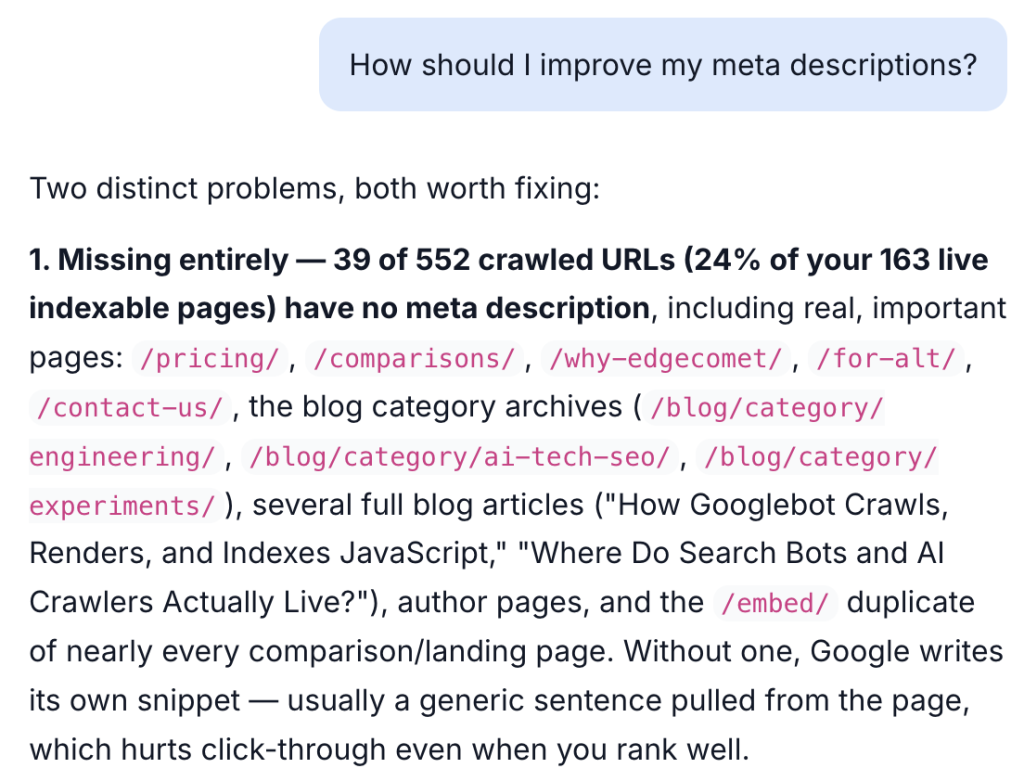
From a conversation, the agent can propose a finding as a card you add to the board, run one of your skills against a target you pick, start a generation run, or compose a scoped Edge SEO draft rule. And when you ask for something it has no tool for, it says so and writes the request to an internal gap log, which is how we find out what to build next.
Skills: Your Methodology, Written Down Once
We could build features forever and never catch up with what users ask for, so we designed the board from day one to be extended by the people using it, not only by us.
A skill is a plain-language playbook; the built-in ones are about forty lines of English plus some metadata. A custom skill is exactly the same thing, written by you in a markdown editor with a name, a “when to use” description, and an on switch.
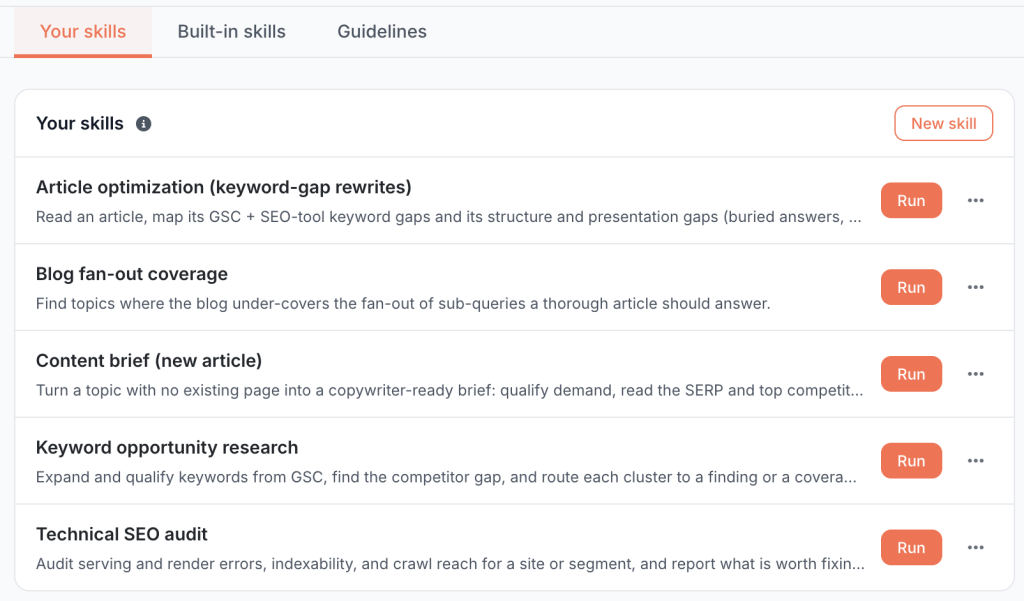
Custom skills aren’t a restricted sandbox. They get a larger tool palette than the built-in ones, including the paid keyword and SERP research tools and the ability to launch a generation run. You point one at the whole site, at a segment, or at a pasted list of URLs. Findings come back as proposals that a manager adds to the board, so a junior running an analysis can’t publish anything to a client-facing surface unreviewed.
Three ship as references: blog fan-out coverage, keyword opportunity research, and article optimization, which we seed automatically on new sites.
If you already have prompts and workflows you use with Claude or ChatGPT for client work, that’s what this is. Same playbook, except it runs against real bot data and the client’s Search Console instead of whatever you managed to paste into a chat window.
What Changes for an Agency
Everything above is the mechanism. The day-to-day effect looks like this:
| The usual way | On the board | |
|---|---|---|
| Onboarding a new client | One to two weeks of crawling, exports, and slide-building, mostly unpaid | About a day of setup; findings arrive ranked and sized |
| The deliverable | A document listing problems | Fixes staged for approval |
| Prioritization | A senior rebuilds the priority column by hand, per client, per month | Ranked by harm, then by the traffic at stake in the client’s own numbers |
| Implementation | The client’s dev queue, weeks to months | Approve and deploy at the edge, minutes |
| Coverage | The forty pages somebody had time to write | The whole affected population |
| Proof at renewal | Ranking charts and hours logged | Found, shipped, verified by re-detection |
| Junior work | Finds too much and prioritizes badly; a senior redoes it. | Reviews and approves work that arrives ranked and drafted |
| Methodology | Lives in one senior person’s head and one Google Doc | A skill that runs on every account on demand |
A few of those deserve more than a table row.
Fixes deploy once you approve them. Title and meta rewrites, canonicals, redirects, and status codes go out as edge rules, and the client’s engineering team signs off on the mechanism once, at onboarding, rather than on every change.
Onboarding drops from two weeks to about a day. The audit is done when you arrive, so senior time goes into the strategy conversation, and kickoff opens with fixes staged.
More accounts per senior head. Work arrives ranked and drafted, so a junior reviews decisions rather than making them from scratch, and the senior check behind them is a diff, not a redo.
Monday morning with fourteen clients. Every board uses the same severity vocabulary and reach scoring, so the week’s capacity goes where the damage is, not to whoever emailed loudest.
FAQ
What is the EdgeComet Action Board? A ranked worklist of SEO issues detected from a site’s own bot-render logs and Search Console, with the fix already drafted for each one and a route to deploy it at the edge. Findings carry a severity tier, a 0-100 reach score, and what the issue is worth in that site’s own numbers.
Does the AI change my site on its own? No. It has no publish path, and that’s enforced in three separate places in the code. Everything it produces is a draft with a before/after diff, a blast-radius estimate, and one-click rollback. A person deploys.
How do I know the numbers are not made up? The tool the agent uses to record a finding has no field for a number. Every count, percentage, and score comes from a query the engine runs against the data, recomputed on every run. The model chooses what to look at and how to describe it, and that’s the whole of its authority.
Does it replace Screaming Frog, Ahrefs, or Semrush? No, and I’d keep them; those are crawl and research tools. What the board adds is what real bots received on your live site, what an issue is costing, the drafted fix, and a way to ship it. Most teams end up running fewer scheduled crawls, but a desktop crawler is still the right tool for a staging environment where no real bot traffic exists yet.
Can it run our own audit checks rather than yours? Yes. Write the check as a custom skill in plain English, give it a name and a ‘when to use’ description, and run it against the whole site, a segment, or a URL list. Custom skills get a larger tool palette than the built-in ones, including live SERP and keyword research.
Can our clients see it? Yes, read-only.
Conclusion
Finding problems stopped being the hard part of SEO a long time ago; shipping the fix is, and everything worth building now sits in that gap.
Prioritization is the deliverable, and it only works when it’s computed from the site’s own traffic rather than from a generic priority column. Having the fix arrive already written changes what an audit is, because coverage stops being a function of how many pages somebody had time for. And “resolved” should mean detection can’t find the issue anymore, not that a ticket was closed; that’s the version a client will believe.
Fixing a canonical or correcting a title template isn’t hard, but either fix can still sit in a dev queue for a quarter. That queue is the thing worth removing.