Most marketing teams used to evaluate the website’s success by analyzing traffic, search result rankings, and general web analytics. However, this approach has a hidden vulnerability – by the time visibility decreases on dashboards, the technical issues have been hurting your SEO for a long time.
Google Search Console and Google Analytics capture only the consequences, leaving you without the answers about the underlying causes. They show that the users have gone, without explaining why search engine bots stopped seeing your pages.
Only log file analysis allows us to see a complete picture of the interaction between search and AI bots and your site in real time. Log file analysis was fully related to Googlebot. Defining the crawl budget and fixing scanning issues were always about Googlebot.
Today, AI crawlers have changed the game by massively gathering data to train large language models, overloading servers.
To get control back and understand how AI and search engine bots interact with your site, traditional traffic analysis is not enough – you should analyze bot traffic.
What Log File Analysis Shows You
Log files reveal what analytics tools miss
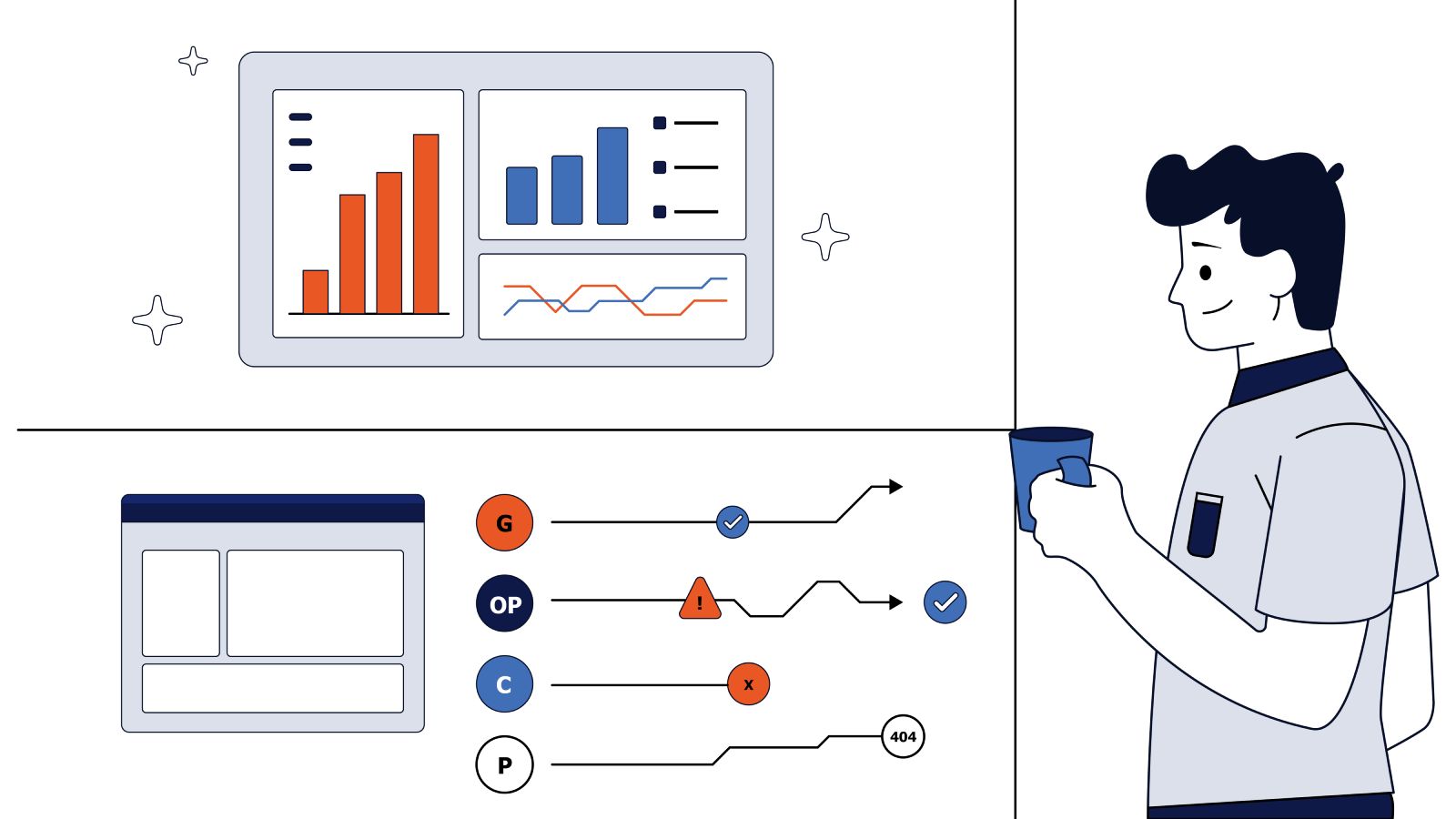
Log file analysis is the process of studying raw access logs generated by your web server to see how search engines and AI bots communicate with your website. While standard analytics tools detect the visit if the user activates the JavaScript tag only, server logs detect every single request from automated crawlers. This difference is critical: log files allow us to see the root cause of SEO issues and changes in bots’ behavior in real time, weeks before they turn into traffic drops on your marketing dashboards.
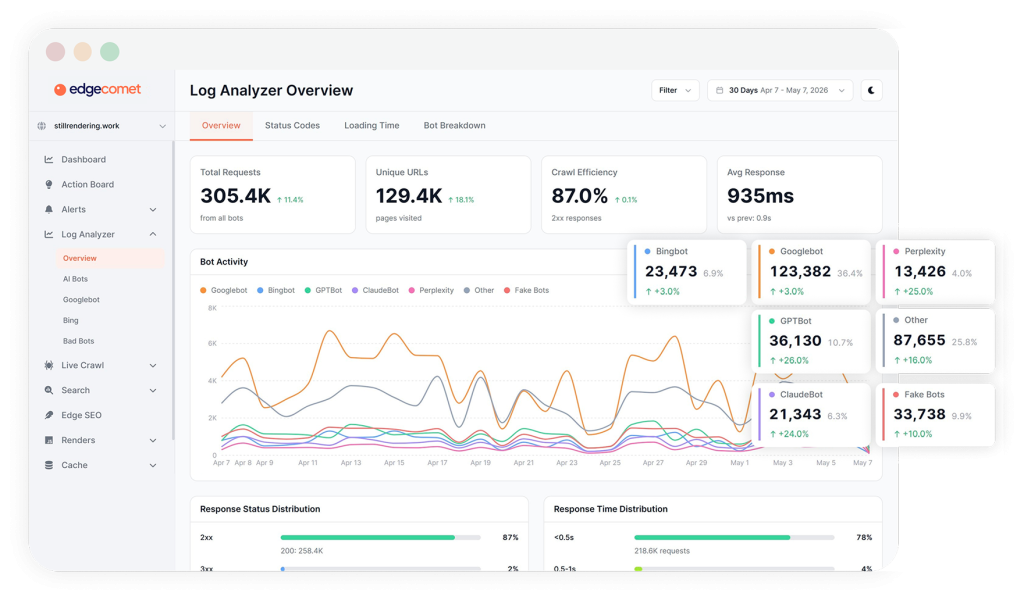
By analyzing these logs, you can detect technical issues long before they will hurt the search index. Logs show you broken URLs, local issues in server productivity, crawl loops, and long-term trends in the bots’ behavior. Ultimately, the primary goal of log analysis is not only to create a technical report but also to reduce the crawl waste, optimize crawl budget, and send bots to inspect your most valuable pages. Ensuring seamless access by bots to your content, your index stays complete and up-to-date.
Which Bots Should You Monitor Today
The Three Types of AI Bots and How They Behave
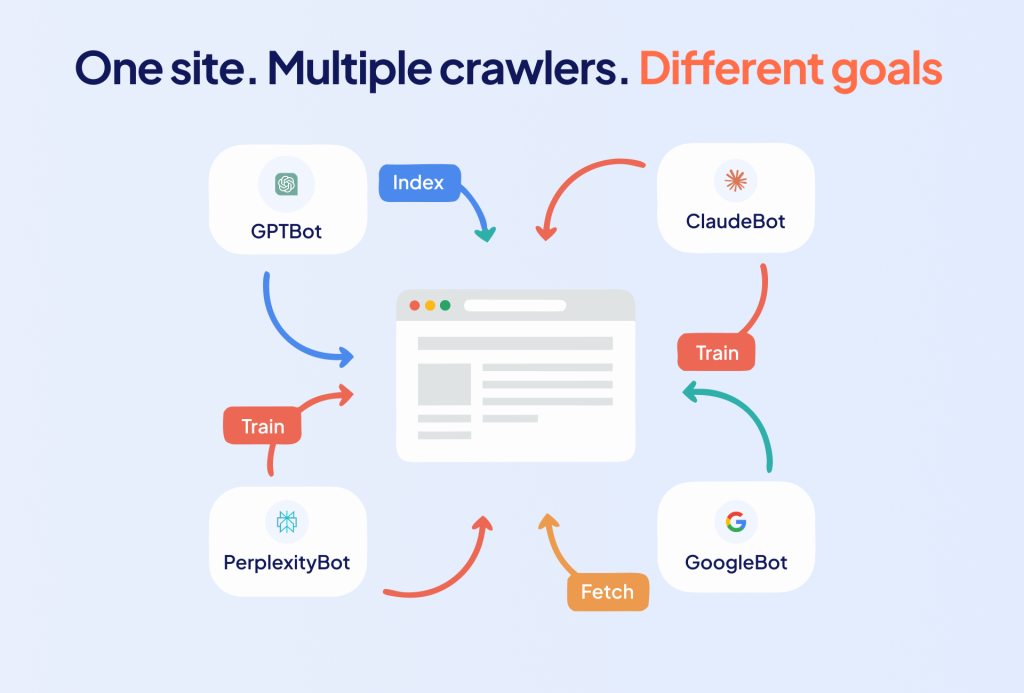
Historically, crawl budget analysis was synonymous with monitoring Googlebot. If a website was optimized for Google’s main crawler, the SEO specialist’s job was considered done. Today, it’s not enough. Modern AI systems, including OpenAI (ChatGPT), Anthropic (Claude), Perplexity, and Google (Gemini), can simultaneously launch plenty of specialized bots:
- Training bots collect and scan historical data to train language models
- Search bots index the web to power conversational search engines
- User bots fetch pages in real time when users prompt AI chats
Each is worth writing a separate article. However, user bots are the most trending in modern web traffic. When users prompt AI chats, the model turns to your website in real time to check product prices, product availability, or the latest news, for instance.
Since such requests are triggered by real user actions, they can be interpreted as analogs to impressions. Although that’s not an ideal metric, monitoring real-time AI requests allows you to notice new trends, compare periods and assess how successful your content visibility is.
Why Googlebot Still Matters Most
Despite the appearance of new AI bots, Googlebot remains the main driver of traditional search visibility. For quality log analysis, two versions of this bot are of the greatest importance: Googlebot Desktop and Googlebot Mobile. They can be identified by their official user-agent strings:
Mozilla/5.0 (compatible; Googlebot/2.1; +[http://www.google.com/bot.html](http://www.google.com/bot.html)Mozilla/5.0 (Linux; Android 6.0.1; Nexus 5X Build/MHC19J) AppleWebKit/537.36 (KHTML, like Gecko) Chrome/W.X.Y.Z Mobile Safari/537.36 (compatible; Googlebot/2.1; +[http://www.google.com/bot.html](http://www.google.com/bot.html)
The way these bots behave on your websites depends on resource size and authority. On small websites with fewer than 1000 pages, Google usually crawls content without specific issues. However, on medium and large websites with more than 50000 pages, crawl budget issues arise, despite Google saying that only million-page websites need to worry. Here are the three main factors that impact Googlebot crawl budget:
- Technical health: load time, page size, hosting performance
- Content quality and search demand: unique content
- Internal and external link signals: interlining architecture and weight
If Googlebot log analysis is done correctly, you catch issues before they impact your ranking.
There is no shortage of log files, analysis manuals, and tutorials published over the years. And still, it is one of the most important parts of the whole technical SEO job. Because in the end, Google is the foundation not only for Google Search but also for ChatGPT and Perplexity that actively use its index. Disappearing from Google means disappearing from AI as well.
Before You Analyze Bots, Ensure They Are Real.
Why Bot Verification Matters
The user-agent string by itself proves nothing: any competitor or malicious scraper can change its signature to “Googlebot” or “GPTBot” and massively download your content. If you don’t filter out this spam traffic (spoofed bots), you will believe in false technical conclusions. As a result, the company risks making incorrect SEO decisions that rely on fake data and only harm real visibility.
How to Validate Search and AI Bots
For log analysis to make sense, each robot must undergo strict verification in two ways:
- Validation with official IPs, which means checking against public lists of addresses provided by search engines and AI vendors (Google, Bing, OpenAI, etc.).
- Reverse DNS, which means technical verification of the authenticity of the host according to the developers’ instructions.
The main rule: first make sure that the bot is real, and only then analyze its behavior. Any conclusions without prior validation are wrong from the start.
Why Blocking Bots Can Hurt Your Visibility
What we saw with our clients last year was a blocking bots pandemic. By using CloudFlare, you just change one setting, and all bad bots will be blocked, but in reality, many are not only bad.
Search and AI robots are not a threat, but the main channel for delivering your content to the end user. Thanks to these bots, your website gets into the Google and Bing indexes, and also forms the basis for answers and citations in AI discovery.
It is always worth communicating with DevOps/SREs about the bot rules. Very often, those teams don’t have any connection with SEO or marketing teams and can change blocking rules on their own. That will result in an search and AI visibility drop, and your headache to restore it.
Top Hidden Crawl Issues Found in Your Log Files and How They Impact SEO
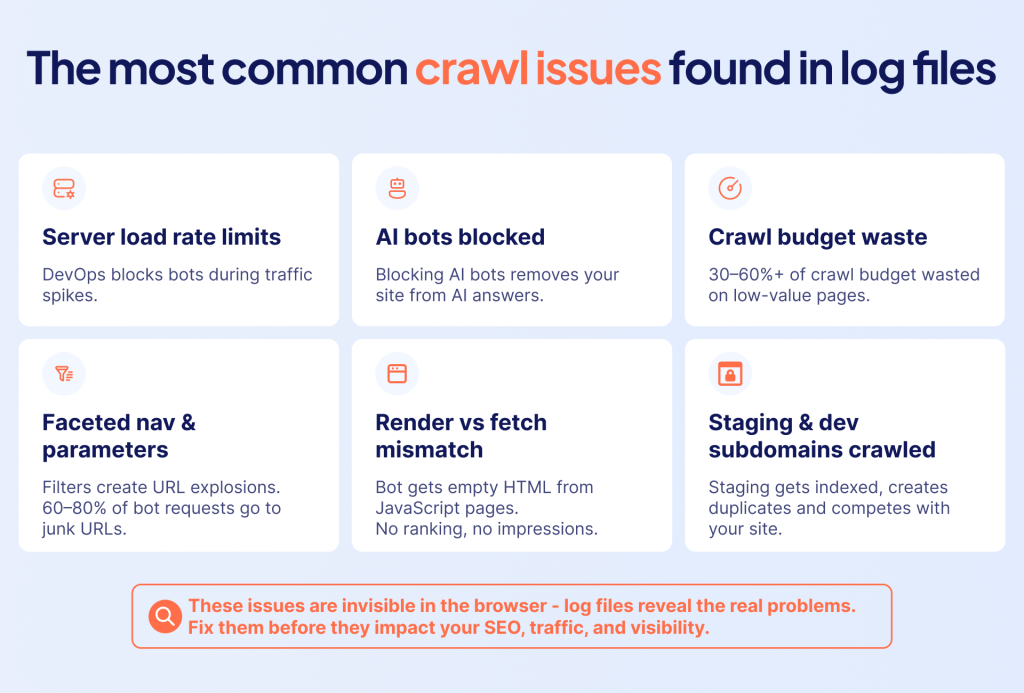
You won’t notice most crawling and visibility issues. They don’t show errors in the user’s browser, but they quietly destroy your SEO and AI potential. Log analysis is the only way to catch these hidden issues before they impact your traffic.
Issue 1 – DevOps Blocks Everything Because of Server Load
How it happens: Engineers see a spike in requests from Googlebot or AI bots, record the server load, and turn on a hard rate limit without warning the SEO team.
Impact: Crawling drops, pages are deindexed, and traffic decreases. These changes become noticeable within a few weeks.
Solution: Establish communication between Dev/SRE and SEO so that the development team understands the business value of bots.
Issue 2 – Blocking AI Bots Specifically
How it happens: The old belief “we won’t let our content be stolen for AI training” led to chaotic blocking of everything.
Impact: The site completely disappears from AI answers, losing new referral traffic and visibility in AI systems.
Solution: Change the strategy to “don’t block”. Your content will still be copied through third-party websites, but blocking takes away your brand visibility and direct citation.
Issue 3 – Crawl Budget Waste
How it happens: By default, on medium and large sites, Googlebot wastes resources on pages with no value (outdated content, out-of-stock products, half-empty pages, etc.).
Impact: The logs show that from 30% to 60%+ of the crawl budget is wasted. Important commercial pages simply have no time to be updated in the index.
Solution: Setting up “robots.txt” rules, removing “dead” pages, and optimizing internal linking to redirect bots.
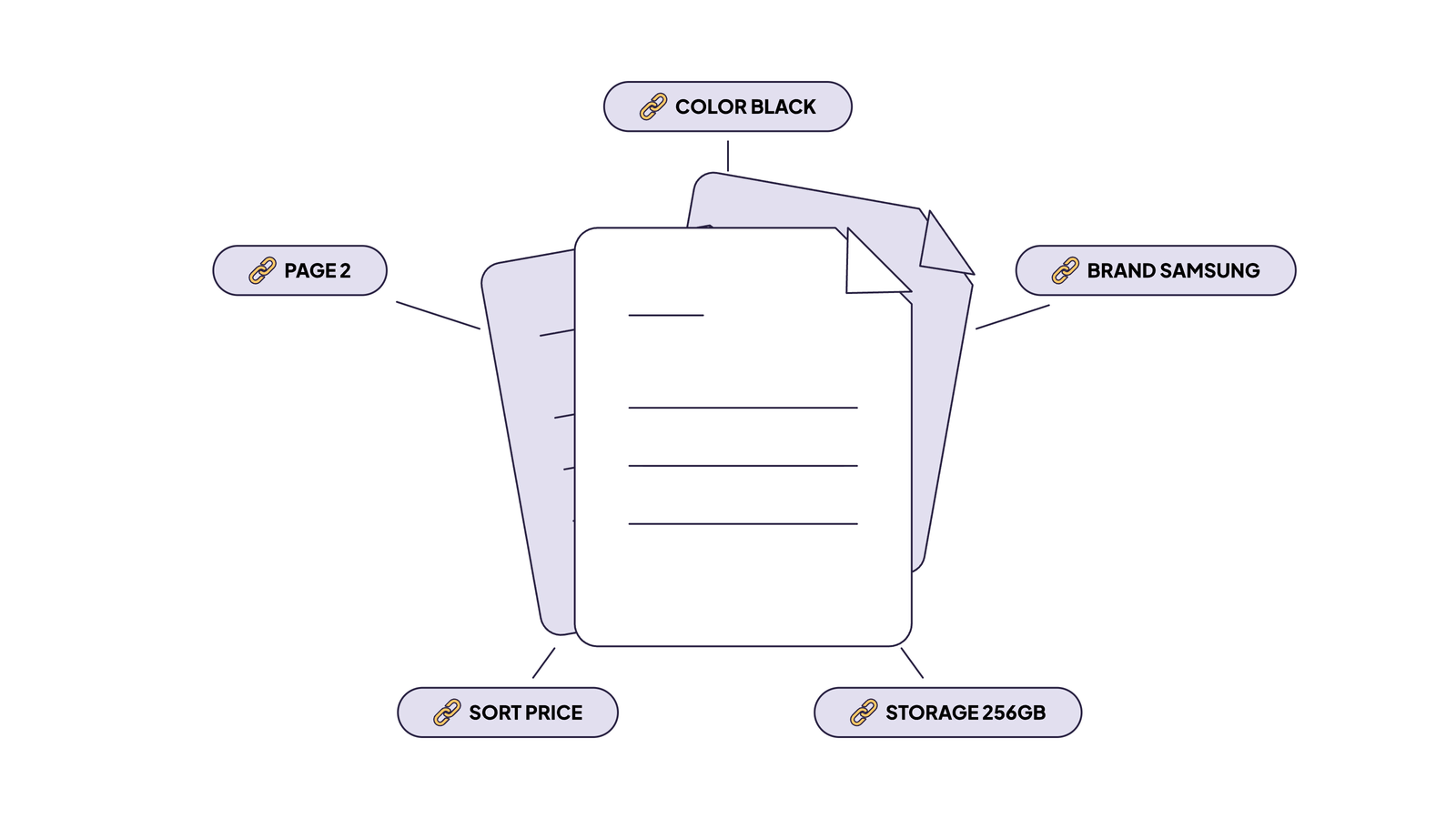
Issue 4 – Faceted Navigation and Parameter Explosion
How it happens: Filters in online stores (color × size × price) generate hundreds of thousands of URL combinations.
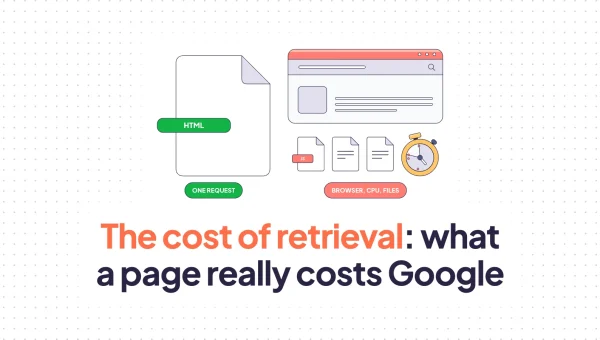
Impact: Even with “canonical” and “noindex” tags, Googlebot must load each page to read these directives. On large sites, 60–80% of bot requests go to spammy URLs in filters.
Solution: Setting up templates in “robots.txt,” correct URL architecture, and internal linking.
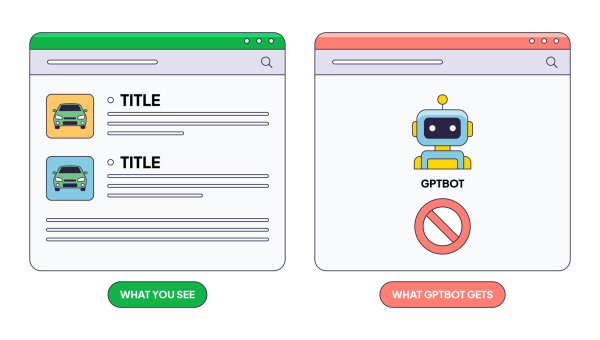
Issue 5 – Render vs Fetch Mismatch (The JavaScript Trap)
How it occurs: In the logs, the server returns a status of 200 OK, but the page is completely dependent on client-side JavaScript (Client-Side Rendering), which the bot could not or did not have time to execute.
Impact: The bot sees only an empty HTML frame (without text, products, and links). The page has a large amount of crawling in the logs, but is never ranked and does not receive impressions.
Solution: Implementing Server-Side Rendering (SSR), dynamic rendering, or pre-rendering.
Issue 6 – Staging, Dev, and Preview Subdomains Getting Crawled
How it happens: Staging subdomains (“staging.”, “dev.”) get crawled by bots due to accidental link leaks, missing “noindex”, or incorrect “robots.txt”.
Impact: Staging versions are indexed, creating duplicates, breaking the search results, and competing with the main (production) site. Subdomain logs highlight this instantly.
Solution: Lock down staging environments via HTTP authorization (password) or IP permissions at the server level. Relying solely on the “noindex” meta tag doesn’t work here because the bot still has to load the page.
Conclusions
Log file analysis is the only source of truth that shows the real actions of bots on your website. Google Search Console data is sampled and delayed, and third-party SEO crawlers only show what’s potentially crawlable, not what’s actually happening. To make log analysis more beneficial, consider the following:
- Validate every bot request. Without IP/DNS validation, your analysis turns into fiction.
- Watch AI bots alongside Googlebot. They have different behavior patterns, are growing fast, and user-bot traffic is becoming a real visibility signal.
- Identify crawl waste early. Endless URL filtering, JS-rendering gaps, staging leaks, redirect chains – each factor quietly takes budget away from pages that matter.
The ultimate purpose of log file analysis is a continuous optimization cycle starting from analyzing logs, making fixes, and rechecking regularly. Businesses that treat log analysis as a continuous task have cleaner indexation, fresher content, and better AI citation coverage.