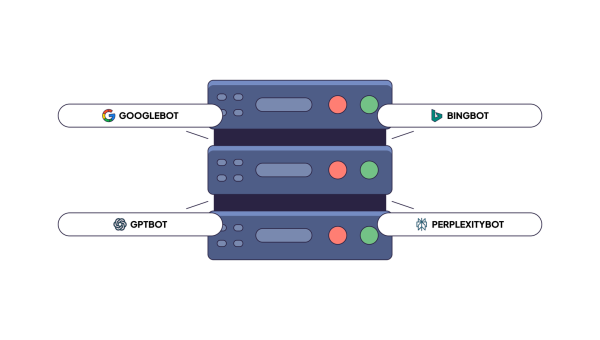
Bots now send most of the HTML requests on the web. In June 2026 Cloudflare’s data showed bots at 57.5% of HTML requests on its network. If your servers answer them slowly, you pay twice: once in server load, and once in how quickly Google and AI pick up what changed on your site.
I gave my first talk on crawl budget in 2018, and the topic has only become more important since. With AI-generated slop, the web grows much faster than the number of pages worth indexing. Google has become pickier in response. In 2024 Gary Illyes said his goal for the year was to find ways for Google to crawl less. This is exactly what we see in our customers’ data. Googlebot is more selective and suspicious of content and technical factors, and on many sites it simply crawls less. Even good pages on valuable sites wait longer.
For a large online store, that’s a business problem. New products need fast indexing. Discontinued ones must come out. Prices, availability, and new categories need updates too, and the list goes on.
What crawl budget is made of
Crawl budget is how many URLs Google fetches from your site over a period of time. Two things set it: how much load Google thinks your servers can take without slowing down (crawl capacity), and how much Google wants your content (crawl demand).
There’s no single golden rule for optimizing it, because every site has its own stack, history and structure. When we analyze a site, though, the problem almost always sits in one of three places:
- Technical: how fast your servers answer Googlebot
- Content: whether your pages are worth indexing
- Links: internal links and external backlinks
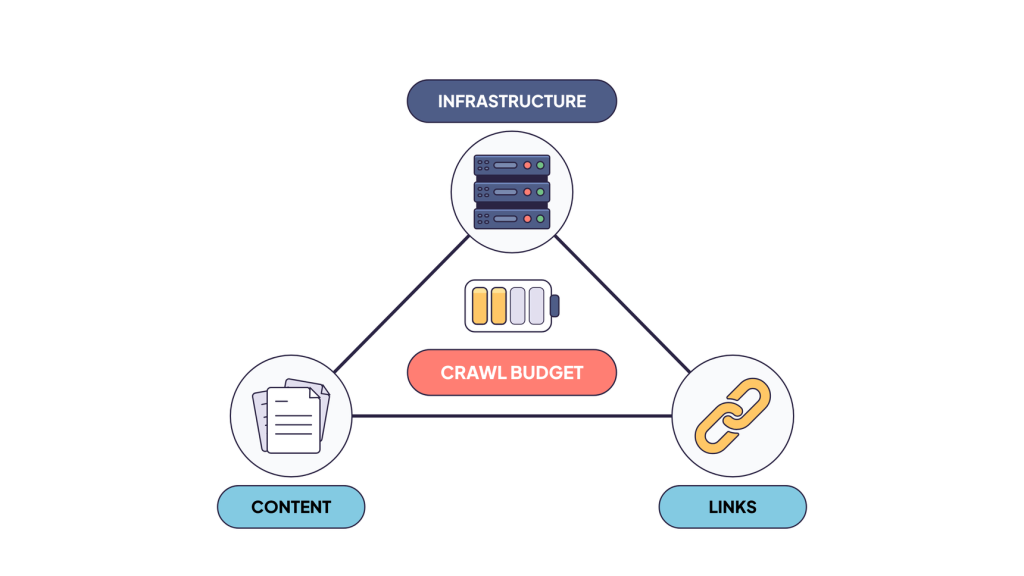
Infrastructure controls crawl capacity. Content and links control crawl demand. We covered both halves in crawl rate vs crawl budget.
You can have perfect internal linking. You can answer every request in 50 ms. But if the content is scraped or AI-generated slop, Google will fetch it once and not return.
How Googlebot reacts to response time
Building authority takes years, content and linking changes take months to play out. A faster server shows up in Search Console within a couple of weeks.
The slower your pages are, the bigger the gain. Going from 300 ms to 100 ms helps a little. Going from 2 seconds to 100 ms changes the picture. What we usually see with our customers is that it nearly doubles the crawl budget.
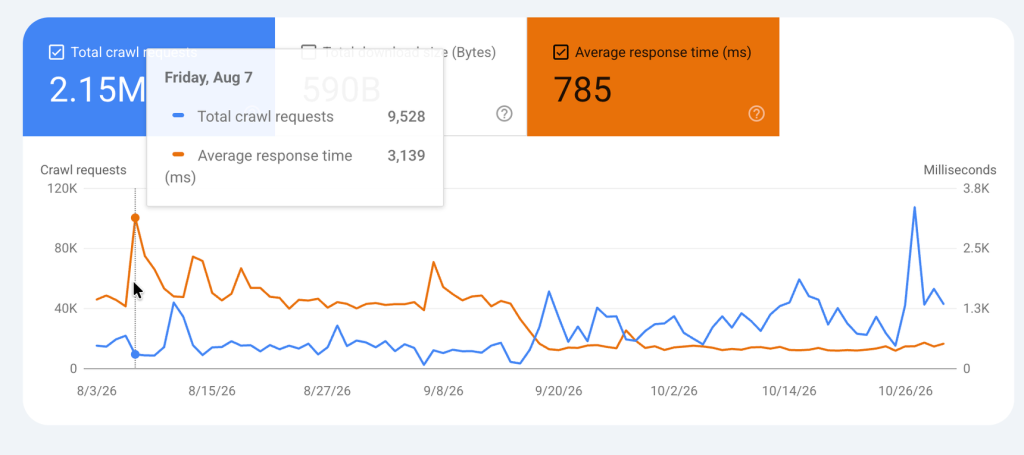
Googlebot backs off when you slow down
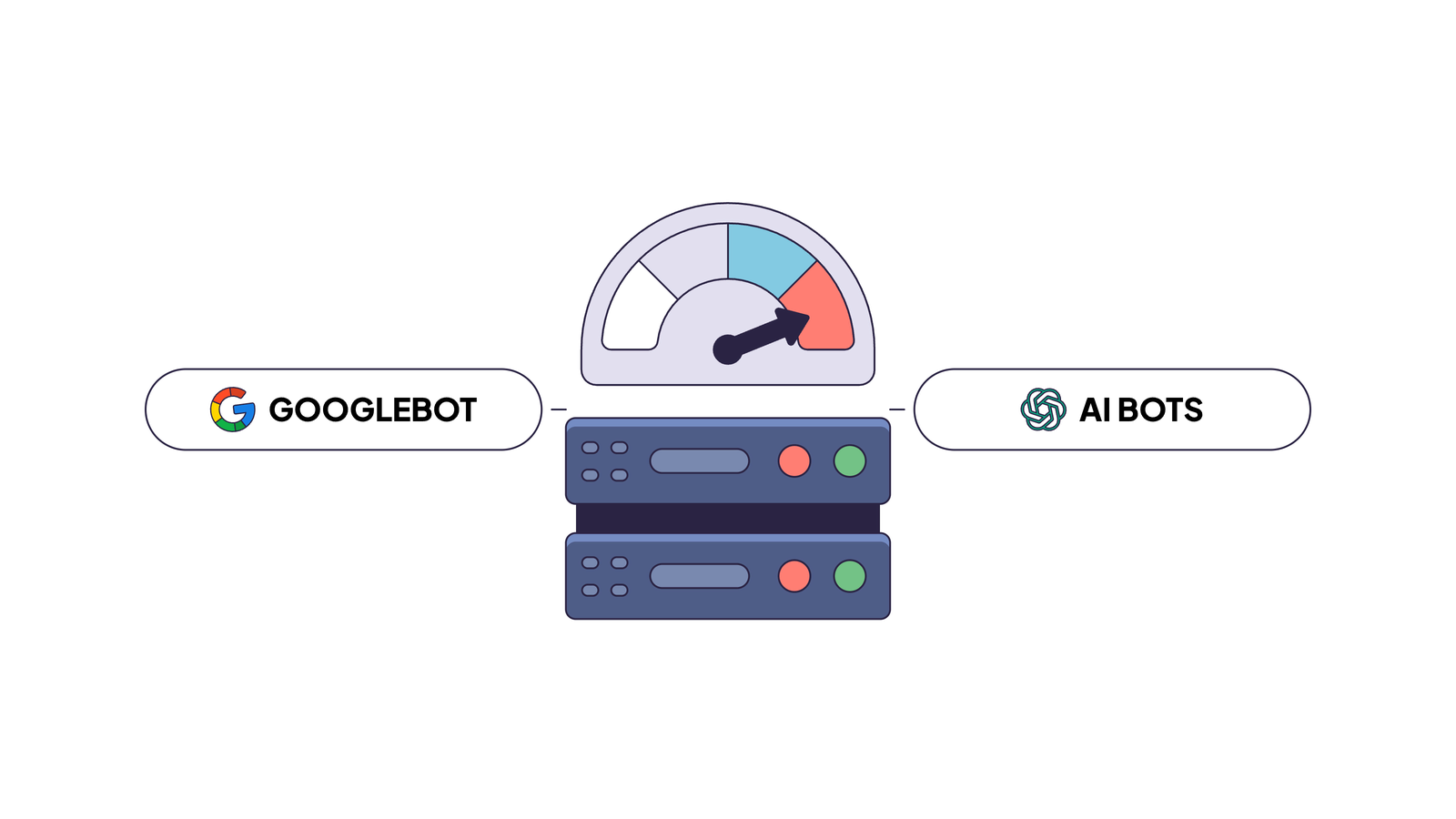
Google’s crawler sees rising latency as a sign that your server is overloaded, and it reduces the load. Crawl budget documentation describes both directions. When response times stay stable or improve, “the limit goes up, meaning more connections can be used to crawl.” When the site slows down or returns server errors, “the limit goes down and Google crawls less.”
Gary Illyes described the mechanism on the Inside Googlebot episode of Search Off the Record. When a site “started slowing down on repetitive fetches” and “the connection time just went up and up”, the crawling infrastructure decreases the number of requests it sends. “If it gets a 503 HTTP response, then it slows down even more because that actually means that the server was most likely overwhelmed in some way.”
A slow response doesn’t tell Google “this site is slow”. It tells Google “this site is struggling under my load, I should back off.” Errors make it worse: after a run of 5xx responses, the crawl rate drops hard and comes back slowly.
The timing is usually bad, too (4 a.m. monitoring SMS). A sale starts, human traffic spikes, the database slows down, and Googlebot backs off exactly when the new prices need to be crawled.
The math of a fast page
Google’s capacity limit is about time. It counts how long your server holds connections open for Google. This covers all parallel connections. Little’s law turns that into throughput: pages per second equals open connections divided by response time. With four parallel connections at 2 seconds per page, Googlebot gets 2 pages per second. At 130 ms, the same four connections give it about 30.
That’s 15 times more room. Why does the crawl end up roughly doubling, and not growing 15 times? Because capacity is only a ceiling. When your server stops being the bottleneck, demand sets the limit. Google crawls what it wants, not all it can. That’s the triangle again: speed removes the cap, and content and links decide how much of the extra room Google actually uses. I went deeper into the per-page cost in the cost of retrieval.
How to measure it
In Search Console, open Settings and then Crawl stats. The average response time there covers every resource Google fetched: HTML, images, CSS, JavaScript and API calls. Click HTML in the “By file type” table to see pages alone, and put that line next to total crawl requests for the same period. If performance is your bottleneck, the two move in opposite directions. Host status and the “By response” table show server connectivity problems and 5xx errors, which usually show up before a drop in crawling.
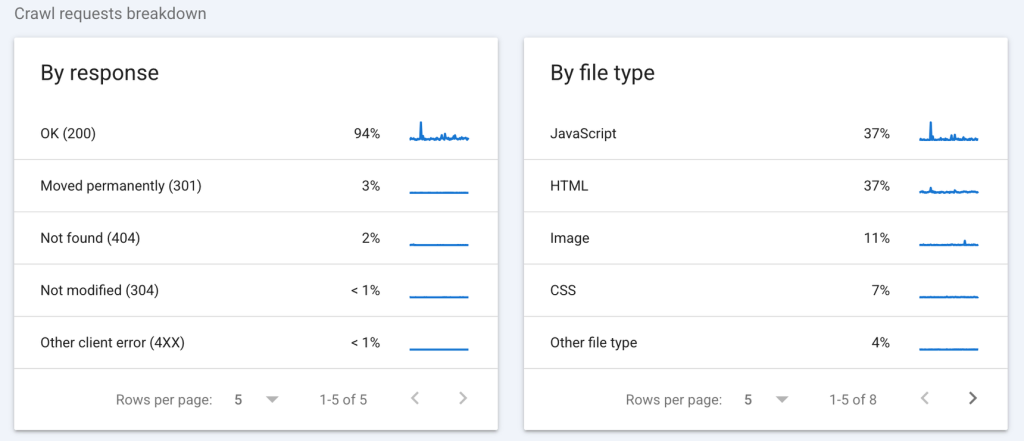
In your server logs, you get what Search Console doesn’t show: percentiles, page types and the time your application itself spent on each page. An average hides the slow tail, and the slow tail is often where Googlebot spends its time. First, set your access logs to record response time. Next, split Googlebot requests into products, categories and listings. For each group, look at the median and the 95th percentile. The user agent alone counts anyone who claims to be Googlebot. For exact numbers, check the IPs against Google’s published ranges. You can also look at what every bot actually received, using verified bots only.
Also keep in mind that response time in your logs is actually server generation time. For example, if your server is in Europe or Australia and Googlebot is in California, add up to 1 second for network round trips.
If the HTML response time is above 1-1.5 seconds and the crawl is flat or falling, start with performance.
Why “make the site faster” is a hard request
Ask an engineering team to cut page generation from 2 seconds to 200 ms and the honest answer is a project. The database is large and the platform has years of history. Making it faster for everyone means profiling, rewriting some backend parts, adding new servers, or migrating.
But the SEO problem is narrower than “faster for everyone”. It’s “faster for one group of clients that never log in and can live with a page that’s a few hours old”. That’s a much easier problem, and the answer to it is almost as old as computer science: a cache.
Caching for bots
A server builds each page on the fly. The application runs and queries the database. It calls other services for prices or recommendations. Then it renders HTML. On a large catalog, this takes 2, 3, or 5 seconds.
The idea of the cache is to build a page once and store it to disk. The next request will get it in milliseconds, with almost no load on the server.
Phil Karlton’s old joke says there are only two hard things in computer science: cache invalidation and naming things. Full-page caching for humans runs into two problems:
- Personal content. People log in, fill carts and see their own prices. If you serve one person’s cached page to another, you leak their data. Every account page, cart and checkout needs a bypass rule, and one missed rule is an incident.
- Invalidation. When a price changes, the cache has to know. Every price update, stock change and content edit has to refresh exactly the pages it affects.
That’s why developers are careful with full-page caching, and why Cloudflare doesn’t cache HTML by default.
Bots remove most of both problems. They don’t log in, they don’t have carts, and there’s nothing personal to leak. Their consistency needs are relaxed: a category page cached this morning is fine for Googlebot this afternoon. So you route bots to a cache at your CDN or proxy, and humans keep going to your servers exactly as they do today.
The one exception is price and availability, which Google checks against your Merchant Center feed. Those pages need a refresh when the data changes, not when a timer runs out.
What a cache for bots has to do well
Putting a CDN in front of the site isn’t enough. These are the things that decide whether a bot cache actually helps:
- Warm pages before bots ask. A CDN stores a page only after someone requests it. Human traffic concentrates on popular pages, so that works for people. Googlebot spreads across the long tail: old products, deep categories, pagination. Each of those is a miss that lands on your slow origin. Fill the cache from your sitemap and from the URLs bots recently requested, and refresh entries before they expire.
- Refresh by change, not by one timer. Listings change daily, policy pages once a year. Compare each fresh copy with the previous one, and re-check each page about as often as it changes. Hash the content, not the whole HTML, because tokens and timestamps change on every render.
- Update immediately on price and stock changes. Call the purge or refresh API from the code that changes them, not from a nightly job.
- Serve the last good copy when the origin fails. That’s
stale-if-errorandstale-while-revalidatefrom RFC 5861, and most caching proxies and CDNs support it in some form. Googlebot keeps receiving pages during an outage, and your crawl capacity doesn’t drop. - Never store a broken page. Cache only 200 responses that pass a basic check, such as a title and the main content block present. A cached error page or empty template is worse than no cache, because you serve it to every bot until it expires.
- Normalize cache keys. Strip tracking parameters like
utm_*andgclidand sort the rest, or every variant becomes a separate miss. - Sit close to the crawlers. Gary Illyes says Google typically crawls from the US, and in our analysis of bot IP ranges 87% of Googlebot’s subnets were registered there. Network time counts in the response time Google measures.
You also need to see what you serve. Track hit and miss rates per bot and per section of the site. Keep the exact HTML each bot received. Without it, a stale price or a broken template stays cached until someone notices it in search results.
You can build all of this yourself from a caching proxy plus a few background jobs, or on CDN workers. Expect a few weeks of work, and then a system somebody has to own. However, it’s still a project and it needs maintenance and observability.
Where EdgeComet fits
EdgeComet Cache is designed to serve HTML to bots, and we built it around this list. It answers bot requests in under 15 ms, warms each page ahead of time, and refreshes it as it changes. If the origin fails, it keeps serving the last good copy. Visitors still go to your servers as before.
Our customers move bot traffic to EdgeComet. Then the HTML response time in Search Console usually drops to about 100-200 ms. That includes the network round trip.
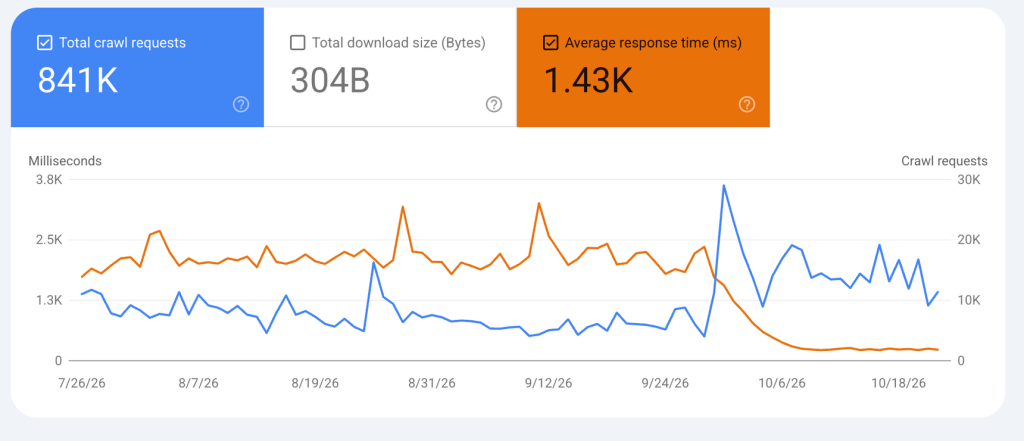
Setup, the refresh API, and failure behavior are in the cache documentation.
FAQ
Does page speed affect crawl budget?
Yes. Google lowers the crawl capacity limit when response times grow or the server returns errors, and raises it when the site answers quickly and consistently. What matters here is server response time, not how fast the page paints in a browser.
Is this the same as Core Web Vitals?
No. Core Web Vitals measure the experience of real Chrome users: how fast the main content appears, how quickly the page reacts, how much the layout moves. Crawl capacity depends on how fast your server answers Googlebot. A site can pass Core Web Vitals on its popular pages and still answer slowly on the long-tail URLs Googlebot spends most of its time on.
What response time should I aim for?
Google doesn’t publish a threshold. In our experience, HTML response time under 300 ms in Crawl stats rarely limits the crawl, and above 1-1.5 seconds performance is likely the bottleneck.
Is serving bots a cached page cloaking?
No. Cloaking means showing bots different content than users. A cached page is the same page, a few minutes or hours older. Keep refresh tight for prices and availability so the cached copy and the live page don’t disagree.
Does a small site need this?
Performance helps every type of website, particularly medium to large ones. A slow server still delays how fast Google picks up new pages even on a smaller site.
Conclusion
Response time is one of the key factors behind Googlebot’s crawl budget. If your pages take more than about 1.5 seconds, making them faster is the easiest way to get more of your site crawled and indexed sooner. Before you invest, find which corner of the triangle is broken. Content and links still set how much of the freed capacity Google uses.